方案一:
- HAP demo cpp 封装一个DebugUtilsLable_Start函数和一个DebugUtilsLable_End函数:
void DebugUtilsLable_Start()
{
VkDebugUtilsLabelEXT label = {};
label.sType = VK_STRUCTURE_TYPE_DEBUG_UTILS_LABEL_EXT;
label.pLabelName = "capture-marker,begin_capture";  // 标签名称,用于调试工具中识别命令或状态
// 可以设置其他属性如颜色等,如果需要的话
if (!vk::vkQueueInsertDebugUtilsLabelEXT) {
LOGE("vkQueueInsertDebugUtilsLabelEXT is nullptr");
}
vk::vkQueueInsertDebugUtilsLabelEXT(globalNS::getvk_queue(), &label);
}
void DebugUtilsLable_End()
{
VkDebugUtilsLabelEXT label = {};
label.sType = VK_STRUCTURE_TYPE_DEBUG_UTILS_LABEL_EXT;
label.pLabelName = "capture-marker,end_capture"; k // 标签名称,用于调试工具中识别命令或状态
vk::vkQueueInsertDebugUtilsLabelEXT(globalNS::getvk_queue(), &label);
}
插入位置示例:
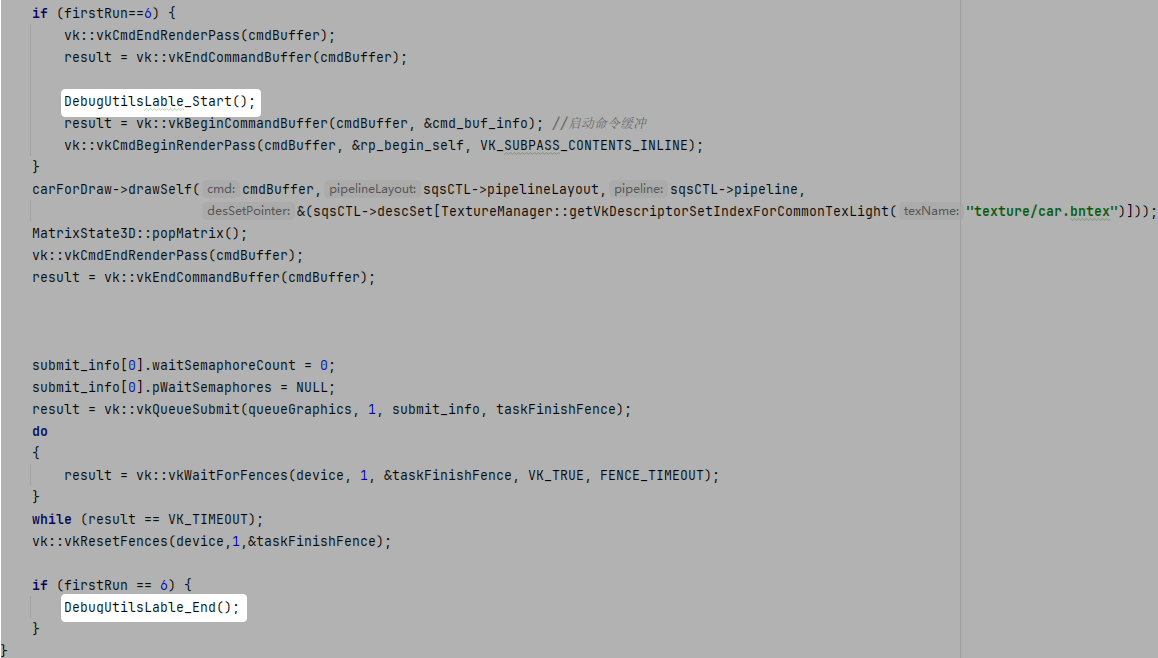
- 配置环境变量。
hdc shell param set debug.graphic.system_layer_flag 1
hdc shell param set debug.graphic.debug_layer squid
hdc shell param set debug.graphic.debug_hap com.huawei.ndkVulkanExample(hap名)
- deveco上运行demo源码,生成rdc。

- 连接工具,打开,点击对应的进程,获取rdc。
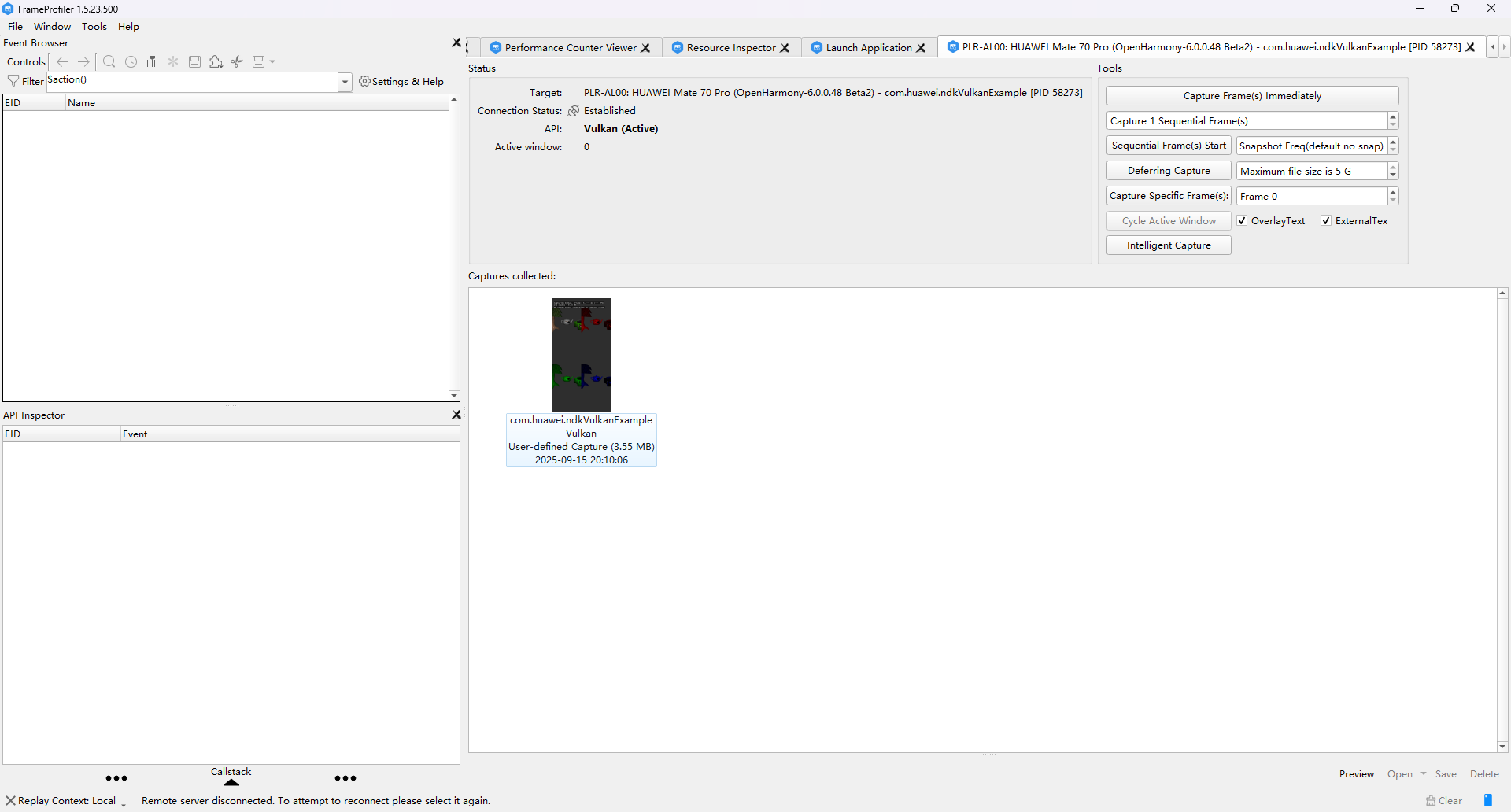
- 回放rdc文件,查看API信息是否正确。
- HAP demo cpp 在需要抓帧开始和抓帧结的位置加入标签。
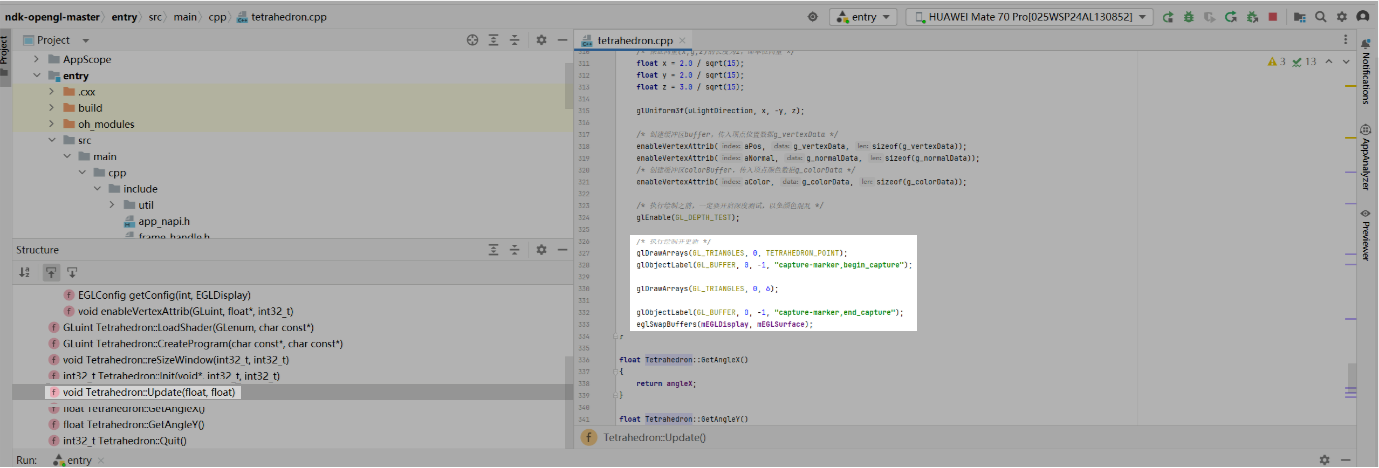
- 配置环境变量。
hdc shell param set debug.graphic.debug_layer squid
hdc shell param set debug.graphic.debug_hap com.samples.ndkopengl (hap名)
- deveco上运行demo源码,生成rdc。
- 连接工具,打开,点击对应的进程,获取rdc。
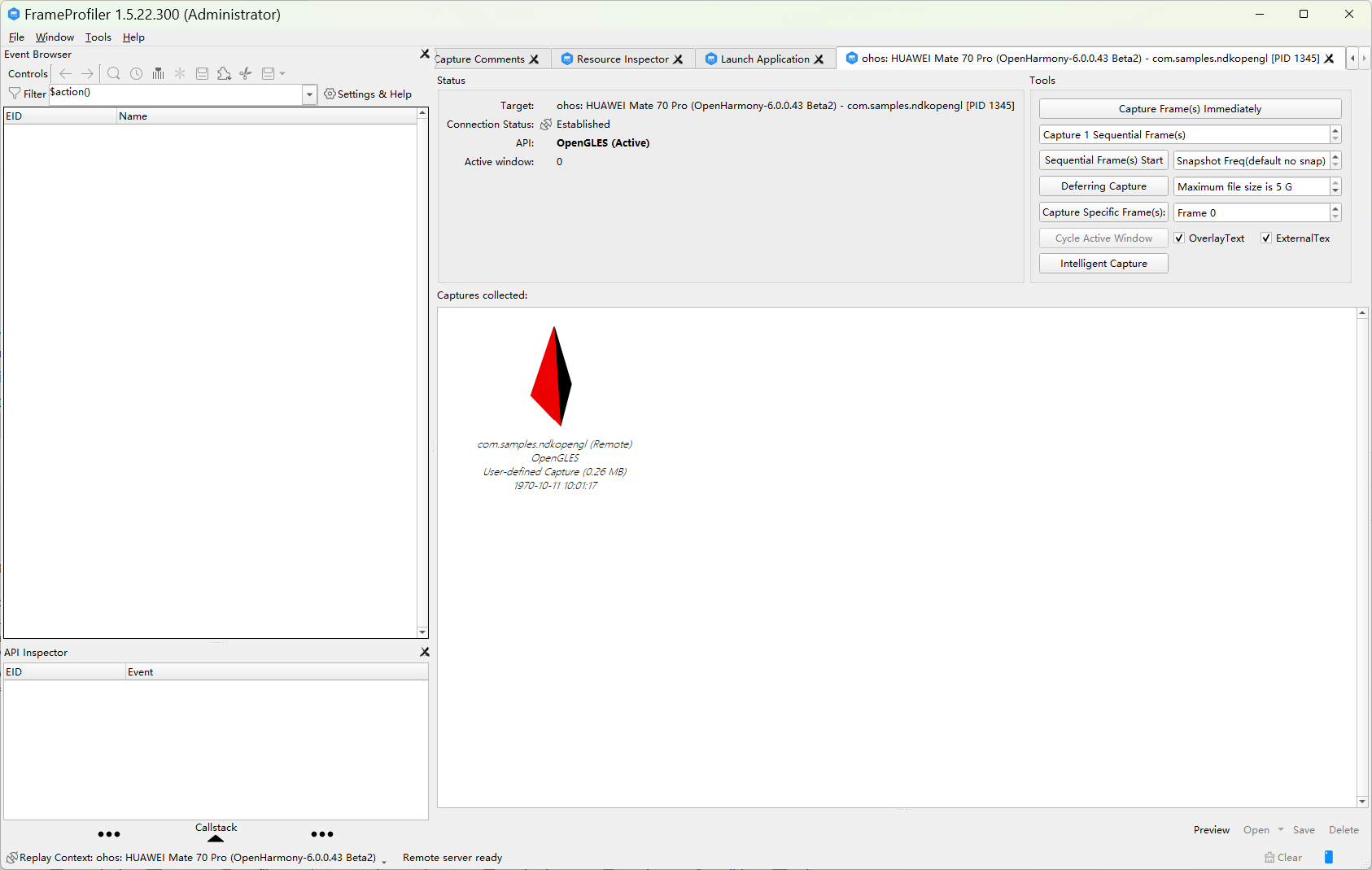
- 回放rdc文件,查看API信息是否正确。
方案二:
- 请将位于“<installation_folder>/frame_profiler/sdk”路径的“libsquid.so”文件复制到hap的“libs/arm64-v8a”文件夹中。
- HAP demo cpp 封装三个函数分别为InitRenderDoc();BeginCapture();EndCapture();并插入在初始化和要capture资源前后,在cmake文件加本地renderdoc.h路径(可直接点击获取文件)。例如:D:/addglesapi/open_source/renderdoc/renderdoc/api/app
#include "renderdoc_app.h"
RENDERDOC_API_1_1_2* rdoc_api = nullptr;
void InitRenderDoc()
{
void *mod = dlopen("libsquid.so", RTLD_NOW | RTLD_NOLOAD);
if (mod) {
LOGI("[ZT]InitRenderDoc: RenderDoc library loaded");
pRENDERDOC_GetAPI RENDERDOC_GetAPI = (pRENDERDOC_GetAPI)dlsym(mod, "RENDERDOC_GetAPI");
if (!RENDERDOC_GetAPI) {
LOGE("[ZT]dlsym failed: %s", dlerror());
return;
}
int ret = RENDERDOC_GetAPI(eRENDERDOC_API_Version_1_1_2, (void **)&rdoc_api);
if (ret != 1) {
LOGE("[ZT]RENDERDOC_GetAPI failed");
rdoc_api = nullptr;
}
} else {
LOGE("[ZT]InitRenderDoc failed: %s", dlerror());
}
}
void BeginCapture()
{
if(rdoc_api) {
rdoc_api->StartFrameCapture(NULL, NULL);
}else{
LOGE("[ZT]NOT BEGINCAPTURE");
}
}
void EndCapture()
{
if(rdoc_api) {
rdoc_api->EndFrameCapture(NULL, NULL);
}else{
LOGE("[ZT]NOT  ENDCAPTURE");
}
}
插入地方示例:
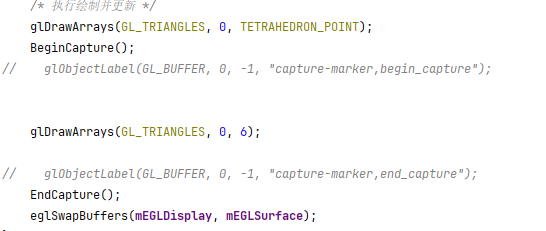

- 配置环境变量。
hdc shell param set debug.graphic.debug_layer squid
hdc shell param set debug.graphic.debug_hap com.samples.ndkopengl(hap名)
- deveco上运行demo源码,生成rdc。

- 连接工具,打开,点击对应的进程,获取rdc。
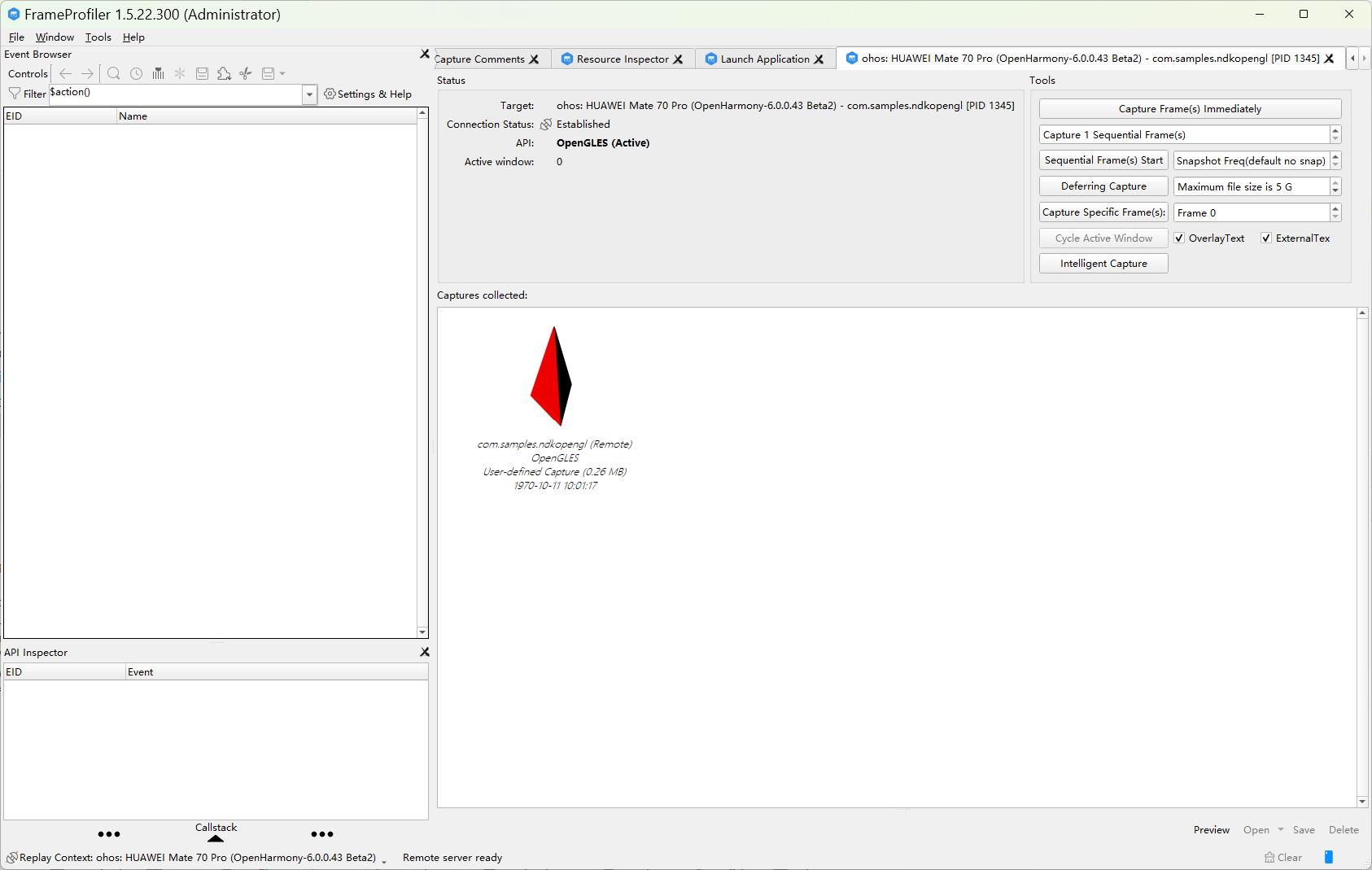
- 回放rdc文件,查看API信息是否正确。
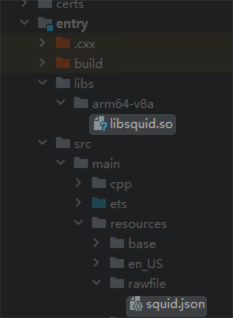
- 1. 请将位于“<installation_folder>/frame_profiler/sdk”路径的“libsquid.so”文件复制到hap的“libs/arm64-v8a”文件夹中。
2. 请将位于“<installation_folder>/frame_profiler/sdk”路径下“squid.json”文件复制到hap的“src/main/resource/rawfile”文件夹中。
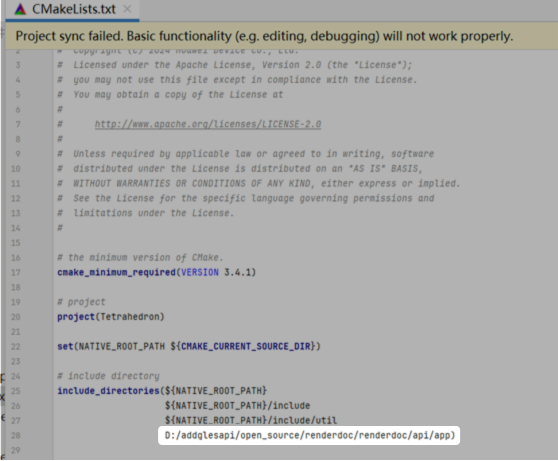
3. 通过js层将json文件复制到应用的sandbox路径下,以及在cmake文件加本地renderdoc.h路径(可直接点击获取文件)。例如:D:/addglesapi/open_source/renderdoc/renderdoc/api/app
import fs from '@ohos.file.fs';
uiContext = this.getUIContext();
aboutToAppear(): void {
    let path = this.uiContext?.getHostContext()?.filesDir;
    let buffer	= this.uiContext?.getHostContext()?.resourceManager.getRawFileContentSync('squid.json') ;
    let file = fs.openSync(path + '/squid.json', fs.OpenMode.READ_WRITE | fs.OpenMode.CREATE);
    fs.writeSync(file.fd, buffer?.buffer);
  }
- HAP demo cpp 封装三个函数分别为InitRenderDoc();BeginCapture();EndCapture();并插入在初始化和要capture资源前后。
#include "renderdoc_app.h"
RENDERDOC_API_1_1_2* rdoc_api = nullptr;
void InitRenderDoc()
{
void *mod = dlopen("libsquid.so", RTLD_NOW | RTLD_NOLOAD);
if (mod) {
LOGI("[ZT]InitRenderDoc: RenderDoc library loaded");
pRENDERDOC_GetAPI RENDERDOC_GetAPI = (pRENDERDOC_GetAPI)dlsym(mod, "RENDERDOC_GetAPI");
if (!RENDERDOC_GetAPI) {
LOGE("[ZT]dlsym failed: %s", dlerror());
return;
}
int ret = RENDERDOC_GetAPI(eRENDERDOC_API_Version_1_1_2, (void **)&rdoc_api);
if (ret != 1) {
LOGE("[ZT]RENDERDOC_GetAPI failed");
rdoc_api = nullptr;
}
} else {
LOGE("[ZT]InitRenderDoc failed: %s", dlerror());
}
}
void BeginCapture()
{
if(rdoc_api) {
rdoc_api->StartFrameCapture(NULL, NULL);
}else{
LOGE("[ZT]NOT BEGINCAPTURE");
}
}
void EndCapture()
{
if(rdoc_api) {
rdoc_api->EndFrameCapture(NULL, NULL);
}else{
LOGE("[ZT]NOT  ENDCAPTURE");
}
}
插入地方示例:
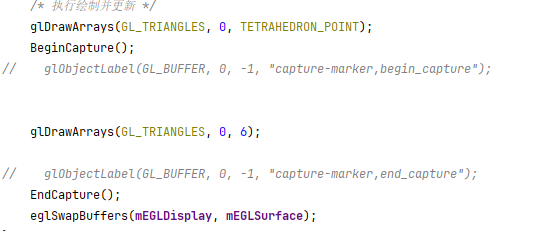
- 配置环境变量。
hdc shell param set debug.graphic.system_layer_flag 0
hdc shell param set debug.graphic.debug_layer squid
hdc shell param set debug.graphic.debug_hap com.huawei.ndkVulkanExample(hap名)
- deveco上运行demo源码,生成rdc。
- 连接工具,打开,点击对应的进程,获取rdc。
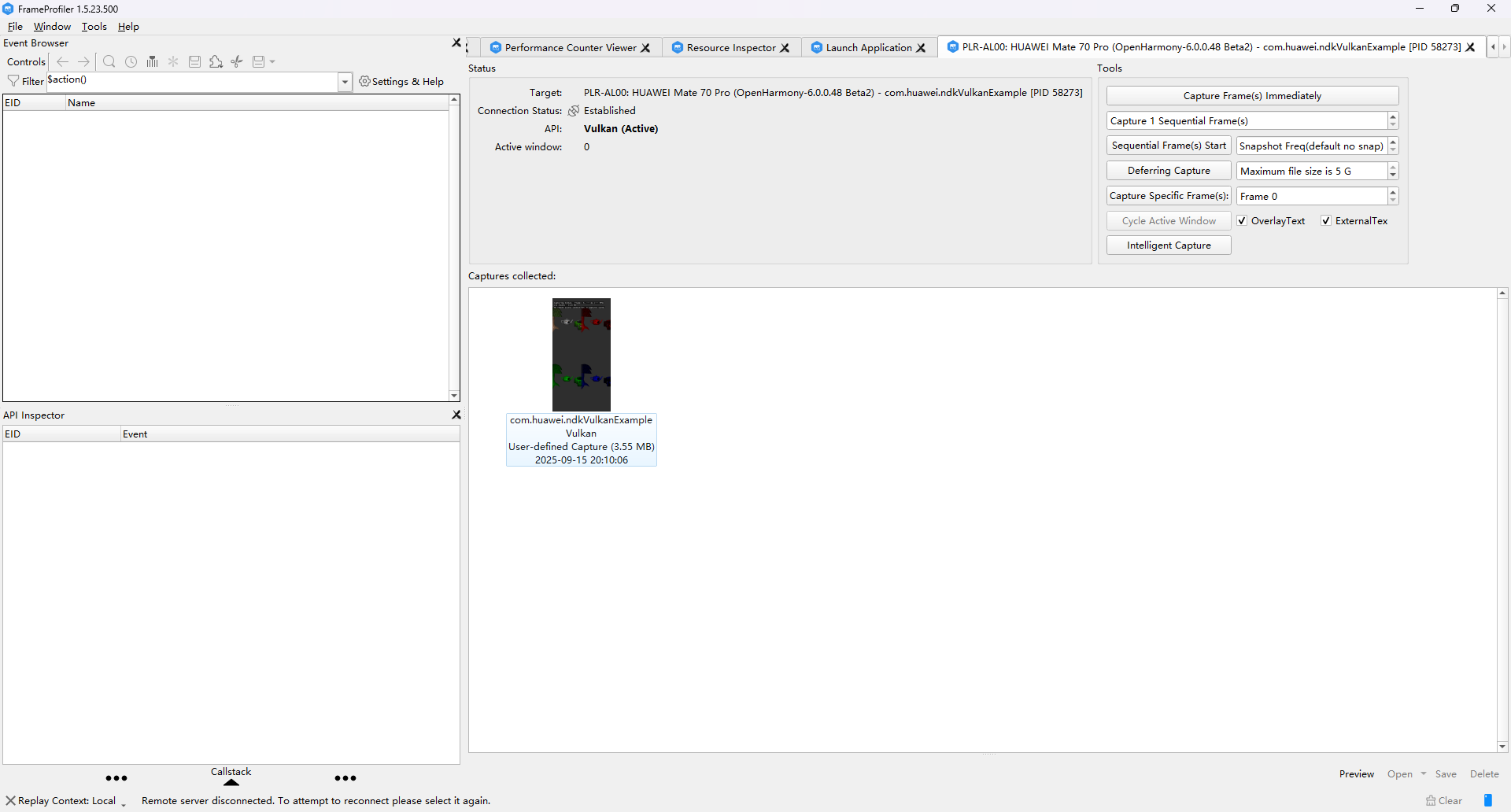
- 回放rdc文件,查看API信息是否正确。