概述
在开发调试过程中,可能会遇到应用出现非预期的闪动,这种现象称为闪屏问题。闪屏问题的触发原因和表现形式各异,但都会影响应用的体验性和流畅度。
本文概述几种常见的闪屏场景,分析其成因,并提供针对性解决方案,帮助开发者有效应对这些问题。
- 动画过程闪屏
- 刷新过程闪屏
问题现象
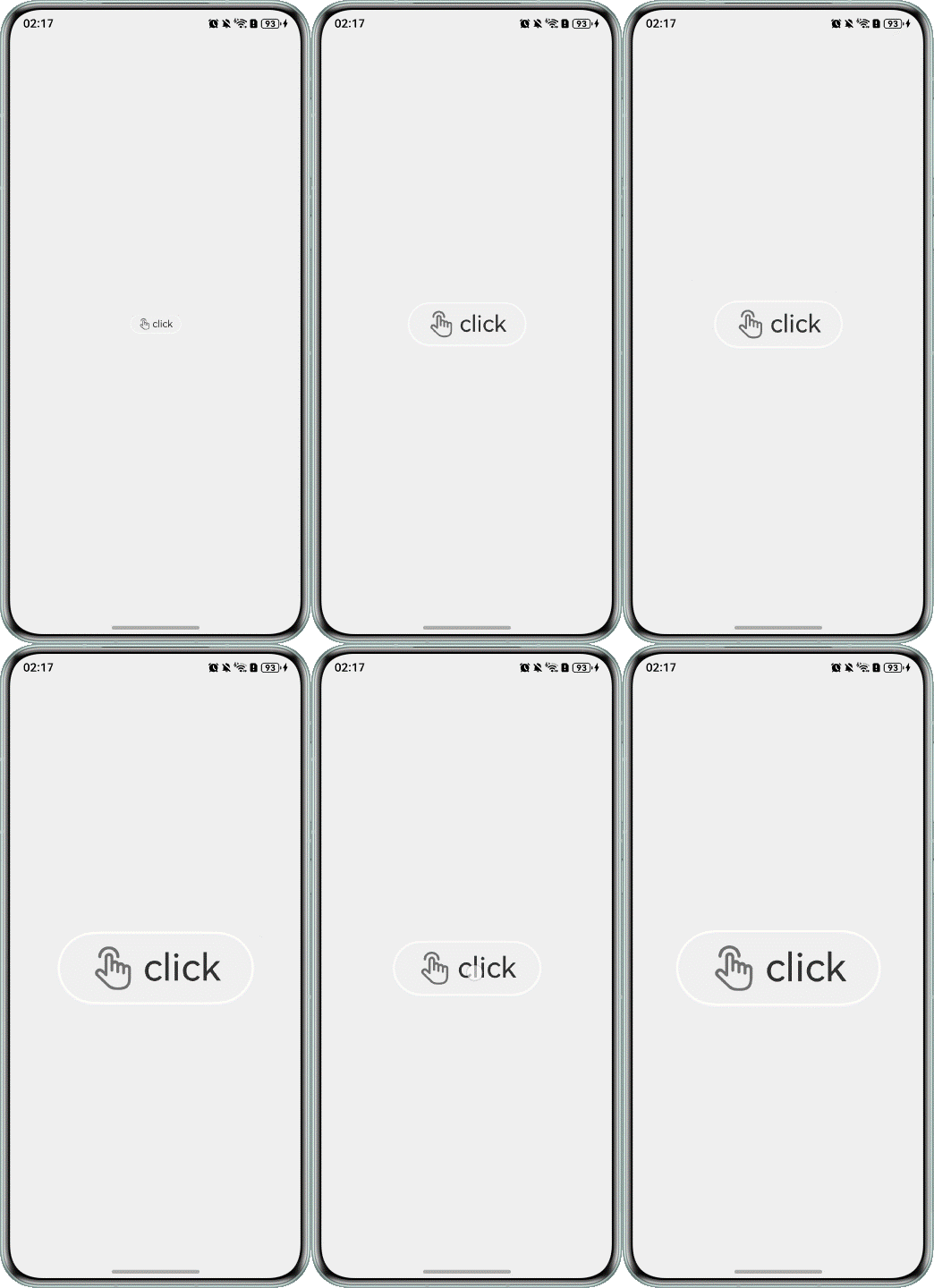
连续点击后,图标大小会异常变化,导致闪屏。
@Entry
@Component
struct ClickError {
  @State scaleValue: number = 0.5; // Pantograph ratio
  @State animated: boolean = true; // Control zoom

  build() {
    Stack() {
      Stack() {
        Row(){
          Image($r('app.media.click'))
            .width(30)
            .margin({right:5})
          Text('click')
            .fontSize(26)
            .fontColor('#333333')
        }
      }
      .borderRadius('50%')
      .width(130)
      .height(50)
      .backgroundColor('#f1f1f1')
      .border({ width: 1.5, color: '#ffffff' })
      .shadow({ radius: 5, color: '#ffffff', offsetX: 0, offsetY: 0 })
      .scale({ x: this.scaleValue, y: this.scaleValue })
      .onClick(() => {
        this.getUIContext().animateTo({
          curve: Curve.EaseInOut,
          duration: 350,
          onFinish: () => {
            const EPSILON: number = 1e-6;
            if (Math.abs(this.scaleValue - 0.5) < EPSILON) {
              this.scaleValue = 1;
            } else {
              this.scaleValue = 2;
            }
          },
        }, () => {
          this.animated = !this.animated;
          this.scaleValue = this.animated ? 0.5 : 2.5;
        })
      })
    }
    .height('100%')
    .width('100%')
    .backgroundColor('#efefef')
    .expandSafeArea([SafeAreaType.SYSTEM], [SafeAreaEdge.TOP, SafeAreaEdge.BOTTOM])
  }
}
可能原因
在动画结束回调中修改了属性值。图标连续放大和缩小时,动画连续改变属性值,同时结束回调也直接修改属性值,导致过程中属性值异常,效果不符合预期。所有动画结束后,效果通常可恢复正常,但会出现跳变。
解决措施
- 如果在动画结束回调中设值,可以通过计数器等方法判断属性上是否还有动画。
- 仅在属性上最后一个动画结束时,结束回调中才设值,避免因动画打断导致异常。
@Entry
@Component
struct ClickRight {
  @State scaleValue: number = 0.5; // Pantograph ratio
  @State animated: boolean = true; // Control zoom
  @State cnt: number = 0; // Run counter

  build() {
    Stack() {
      Stack() {
        Row(){
          Image($r('app.media.click'))
            .width(30)
            .margin({right:5})
          Text('click')
            .fontSize(26)
            .fontColor('#333333')
        }
      }
      .borderRadius('50%')
      .width(130)
      .height(50)
      .backgroundColor('#f1f1f1')
      .border({ width: 1.5, color: '#ffffff' })
      .shadow({ radius: 5, color: '#ffffff', offsetX: 0, offsetY: 0 })
      .scale({ x: this.scaleValue, y: this.scaleValue })
      .onClick(() => {
        // When the animation is delivered, the count is increased by 1
        this.cnt = this.cnt + 1;
        this.getUIContext().animateTo({
          curve: Curve.EaseInOut,
          duration: 350,
          onFinish: () => {
            // At the end of the animation, the count is reduced by 1
            this.cnt = this.cnt - 1;
            // A count of 0 indicates the end of the last animation
            if (this.cnt === 0) {
              // Determine the final zoom size at the end of the animation
              const EPSILON: number = 1e-6;
              if (Math.abs(this.scaleValue - 0.5) < EPSILON) {
                this.scaleValue = 1;
              } else {
                this.scaleValue = 2;
              }
            }
          },
        }, () => {
          this.animated = !this.animated;
          this.scaleValue = this.animated ? 0.5 : 2.5;
        })
      })
    }
    .height('100%')
    .width('100%')
    .backgroundColor('#ebedef')
    .expandSafeArea([SafeAreaType.SYSTEM], [SafeAreaEdge.TOP, SafeAreaEdge.BOTTOM])
  }
}
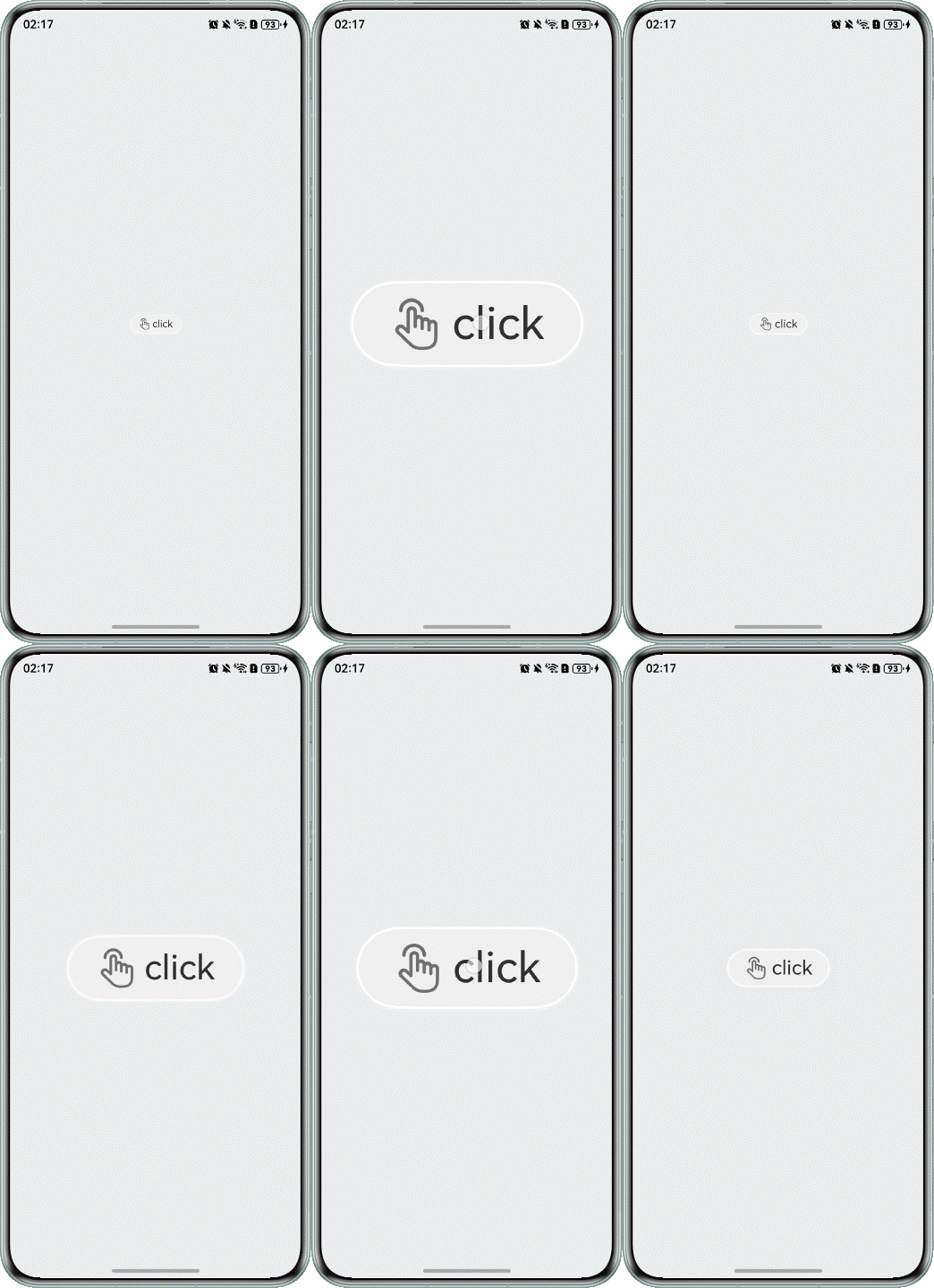
运行效果如下图。
[h2]动画过程中,Tabs页签切换场景下的闪屏问题
问题现象
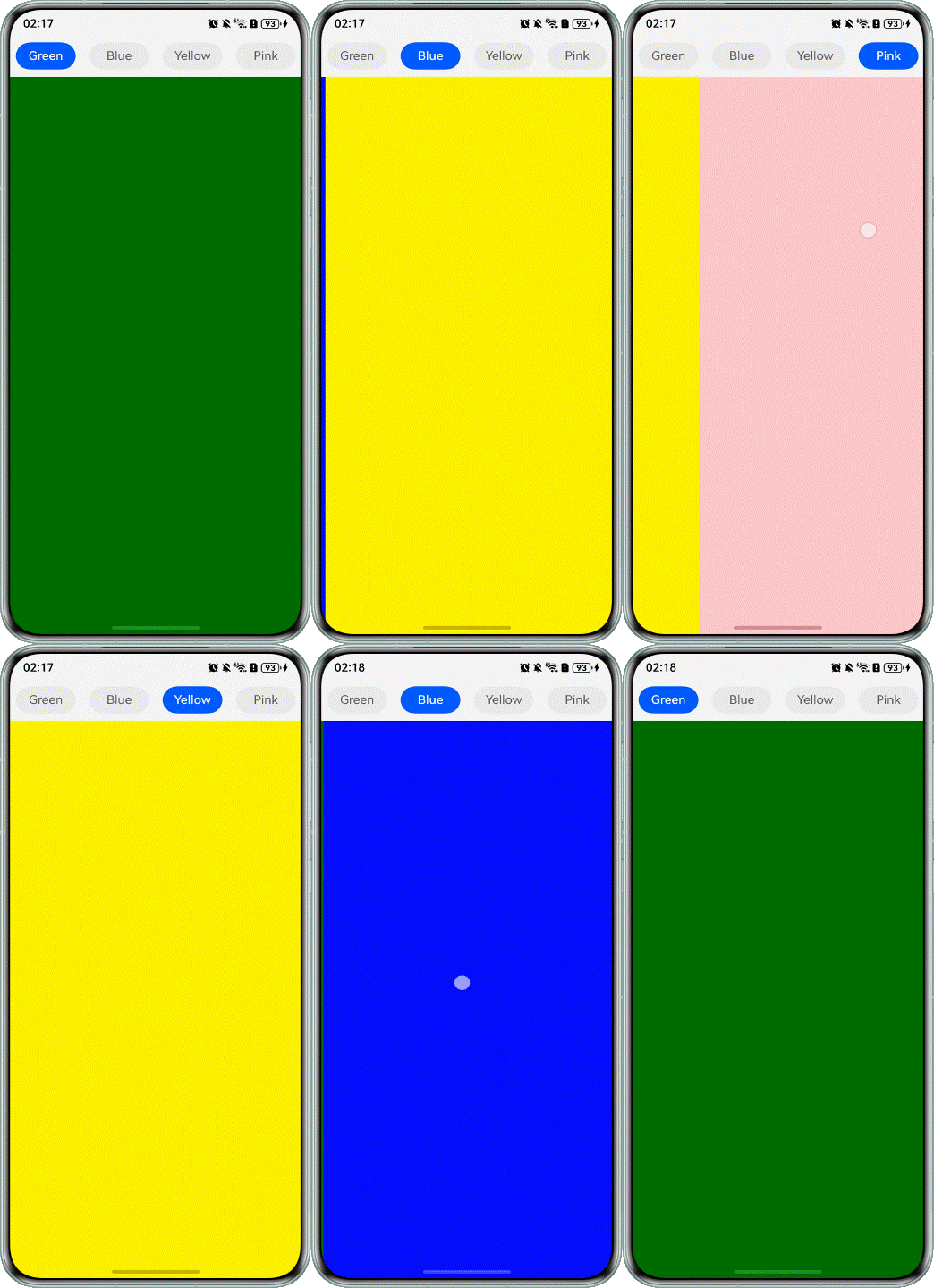
滑动Tabs组件时,上方标签不能同步更新。下方内容完全切换后,标签闪动跳转,产生闪屏。
@Entry
@Component
struct TabsContainer {
  @State currentIndex: number = 0
  @State animationDuration: number = 300;

  @Builder
  tabBuilder(index: number, name: string) {
    Column() {
      Text(name)
        .height(36)
        .width(76)
        .borderColor($r('sys.color.comp_background_list_card'))
        .borderRadius('50%')
        .textAlign(TextAlign.Center)
        .fontSize(16)
        .fontColor(this.currentIndex === index ? '#ffffff' : $r('sys.color.ohos_id_color_text_secondary'))
        .fontWeight(this.currentIndex === index ? 500 : 400)
        .backgroundColor(this.currentIndex === index ? '#0a59f7' : 'rgba(0, 0, 0, 0.05)')
    }
    .width('100%')
  }

  build() {
    Stack({ alignContent: Alignment.TopStart }) {
      Tabs({ barPosition: BarPosition.Start }) {
        TabContent() {
          Column()
            .width('100%')
            .height('100%')
            .backgroundColor(Color.Green)
            .expandSafeArea([SafeAreaType.SYSTEM], [SafeAreaEdge.TOP, SafeAreaEdge.BOTTOM])
        }
        .tabBar(this.tabBuilder(0, 'Green'))
        .expandSafeArea([SafeAreaType.SYSTEM], [SafeAreaEdge.TOP, SafeAreaEdge.BOTTOM])

        TabContent() {
          Column()
            .width('100%')
            .height('100%')
            .backgroundColor(Color.Blue)
            .expandSafeArea([SafeAreaType.SYSTEM], [SafeAreaEdge.TOP, SafeAreaEdge.BOTTOM])
        }
        .tabBar(this.tabBuilder(1, 'Blue'))
        .expandSafeArea([SafeAreaType.SYSTEM], [SafeAreaEdge.TOP, SafeAreaEdge.BOTTOM])

        TabContent() {
          Column()
            .width('100%')
            .height('100%')
            .backgroundColor(Color.Yellow)
            .expandSafeArea([SafeAreaType.SYSTEM], [SafeAreaEdge.TOP, SafeAreaEdge.BOTTOM])
        }
        .tabBar(this.tabBuilder(2, 'Yellow'))
        .expandSafeArea([SafeAreaType.SYSTEM], [SafeAreaEdge.TOP, SafeAreaEdge.BOTTOM])

        TabContent() {
          Column()
            .width('100%')
            .height('100%')
            .backgroundColor(Color.Pink)
            .expandSafeArea([SafeAreaType.SYSTEM], [SafeAreaEdge.TOP, SafeAreaEdge.BOTTOM])
        }
        .tabBar(this.tabBuilder(3, 'Pink'))
        .expandSafeArea([SafeAreaType.SYSTEM], [SafeAreaEdge.TOP, SafeAreaEdge.BOTTOM])
      }
      .barWidth('100%')
      .barHeight(56)
      .width('100%')
      .expandSafeArea([SafeAreaType.SYSTEM], [SafeAreaEdge.TOP, SafeAreaEdge.BOTTOM])
      .backgroundColor('#F5F5F5')
      .animationDuration(this.animationDuration)
      .onChange((index: number) => {
        this.currentIndex = index;
      })
    }
    .backgroundColor('#aefada')
    .borderColor('#aefada')
    .width('100%')
  }
}
可能原因
在Tabs左右翻页动画的结束回调中,刷新选中页面的索引值。这导致页面左右转场动画结束时,页签栏中索引对应的页签样式(如字体大小、下划线等)立即改变,从而产生闪屏现象。
解决措施
在左右跟手翻页过程中,通过TabsAnimationEvent事件获取手指滑动距离,改变下划线在前后两个子页签间的位置。离手触发翻页动画时,同步触发下划线动画,确保下划线与页面左右转场动画同步。事件具体请参阅TabsAnimationEvent对象说明。
build() {
  Stack({ alignContent: Alignment.TopStart }) {
    Tabs({ barPosition: BarPosition.Start }) {
      TabContent() {
        Column()
          .width('100%')
          .height('100%')
          .backgroundColor(Color.Green)
          .expandSafeArea([SafeAreaType.SYSTEM], [SafeAreaEdge.TOP, SafeAreaEdge.BOTTOM])
      }
      .tabBar(this.tabBuilder(0, 'green'))
      .expandSafeArea([SafeAreaType.SYSTEM], [SafeAreaEdge.TOP, SafeAreaEdge.BOTTOM])

      TabContent() {
        Column()
          .width('100%')
          .height('100%')
          .backgroundColor(Color.Blue)
          .expandSafeArea([SafeAreaType.SYSTEM], [SafeAreaEdge.TOP, SafeAreaEdge.BOTTOM])
      }
      .tabBar(this.tabBuilder(1, 'blue'))
      .expandSafeArea([SafeAreaType.SYSTEM], [SafeAreaEdge.TOP, SafeAreaEdge.BOTTOM])

      TabContent() {
        Column()
          .width('100%')
          .height('100%')
          .backgroundColor(Color.Yellow)
          .expandSafeArea([SafeAreaType.SYSTEM], [SafeAreaEdge.TOP, SafeAreaEdge.BOTTOM])
      }
      .tabBar(this.tabBuilder(2, 'yellow'))
      .expandSafeArea([SafeAreaType.SYSTEM], [SafeAreaEdge.TOP, SafeAreaEdge.BOTTOM])

      TabContent() {
        Column()
          .width('100%')
          .height('100%')
          .backgroundColor(Color.Pink)
          .expandSafeArea([SafeAreaType.SYSTEM], [SafeAreaEdge.TOP, SafeAreaEdge.BOTTOM])
      }
      .tabBar(this.tabBuilder(3, 'pink'))
      .expandSafeArea([SafeAreaType.SYSTEM], [SafeAreaEdge.TOP, SafeAreaEdge.BOTTOM])
    }
    .onAreaChange((_oldValue: Area, newValue: Area) => {
      this.tabsWidth = newValue.width as number;
    })
    .barWidth('100%')
    .barHeight(56)
    .width('100%')
    .expandSafeArea([SafeAreaType.SYSTEM], [SafeAreaEdge.TOP, SafeAreaEdge.BOTTOM])
    .backgroundColor('#F5F5F5')
    .animationDuration(this.animationDuration)
    .onChange((index: number) => {
      this.currentIndex = index;
    })
    .onAnimationStart((_index: number, targetIndex: number) => {
      this.currentIndex = targetIndex;
      this.startAnimateTo(this.animationDuration, this.textInfos[targetIndex][0], this.textInfos[targetIndex][1]);
    })
    .onAnimationEnd((index: number, event: TabsAnimationEvent) => {
      let currentIndicatorInfo: Record<string, number> = this.getCurrentIndicatorInfo(index, event);
      this.startAnimateTo(0, currentIndicatorInfo.left, currentIndicatorInfo.width);
    })
    .onGestureSwipe((index: number, event: TabsAnimationEvent) => {
      let currentIndicatorInfo: Record<string, number> = this.getCurrentIndicatorInfo(index, event);
      this.currentIndex = currentIndicatorInfo.index;
      this.indicatorLeftMargin = currentIndicatorInfo.left;
      this.indicatorWidth = currentIndicatorInfo.width;
    })
  }
  .backgroundColor('#aefada')
  .borderColor('#aefada')
  .width('100%')
}
TabsAnimationEvent方法如下所示。
private getCurrentIndicatorInfo(index: number, event: TabsAnimationEvent): Record<string, number> {
  let nextIndex = index;
  if (index > 0 && event.currentOffset > 0) {
    nextIndex--;
  } else if (index < 3 && event.currentOffset < 0) {
    nextIndex++;
  }

  let indexInfo: [number, number] = this.textInfos[index];
  let nextIndexInfo: [number, number] = this.textInfos[nextIndex];
  let swipeRatio: number = Math.abs(event.currentOffset / this.tabsWidth);
  let currentIndex: number = swipeRatio > 0.5 ? nextIndex :
    index; // The page slides more than halfway and the tabBar switches to the next page.
  let currentLeft: number = indexInfo[0] + (nextIndexInfo[0] - indexInfo[0]) * swipeRatio;
  let currentWidth: number = indexInfo[1] + (nextIndexInfo[1] - indexInfo[1]) * swipeRatio;
  return { 'index': currentIndex, 'left': currentLeft, 'width': currentWidth };
}

private startAnimateTo(duration: number, leftMargin: number, width: number) {
  this.isStartAnimateTo = true;
  this.getUIContext().animateTo({
    duration: duration, // duration
    curve: Curve.Linear, // curve
    iterations: 1, // iterations
    playMode: PlayMode.Normal, // playMode
    onFinish: () => {
      this.isStartAnimateTo = false;
    }
  }, () => {
    this.indicatorLeftMargin = leftMargin;
    this.indicatorWidth = width;
  });
}
运行效果如下图。

[h2]刷新过程中,ForEach键值生成函数未设置导致的闪屏问题
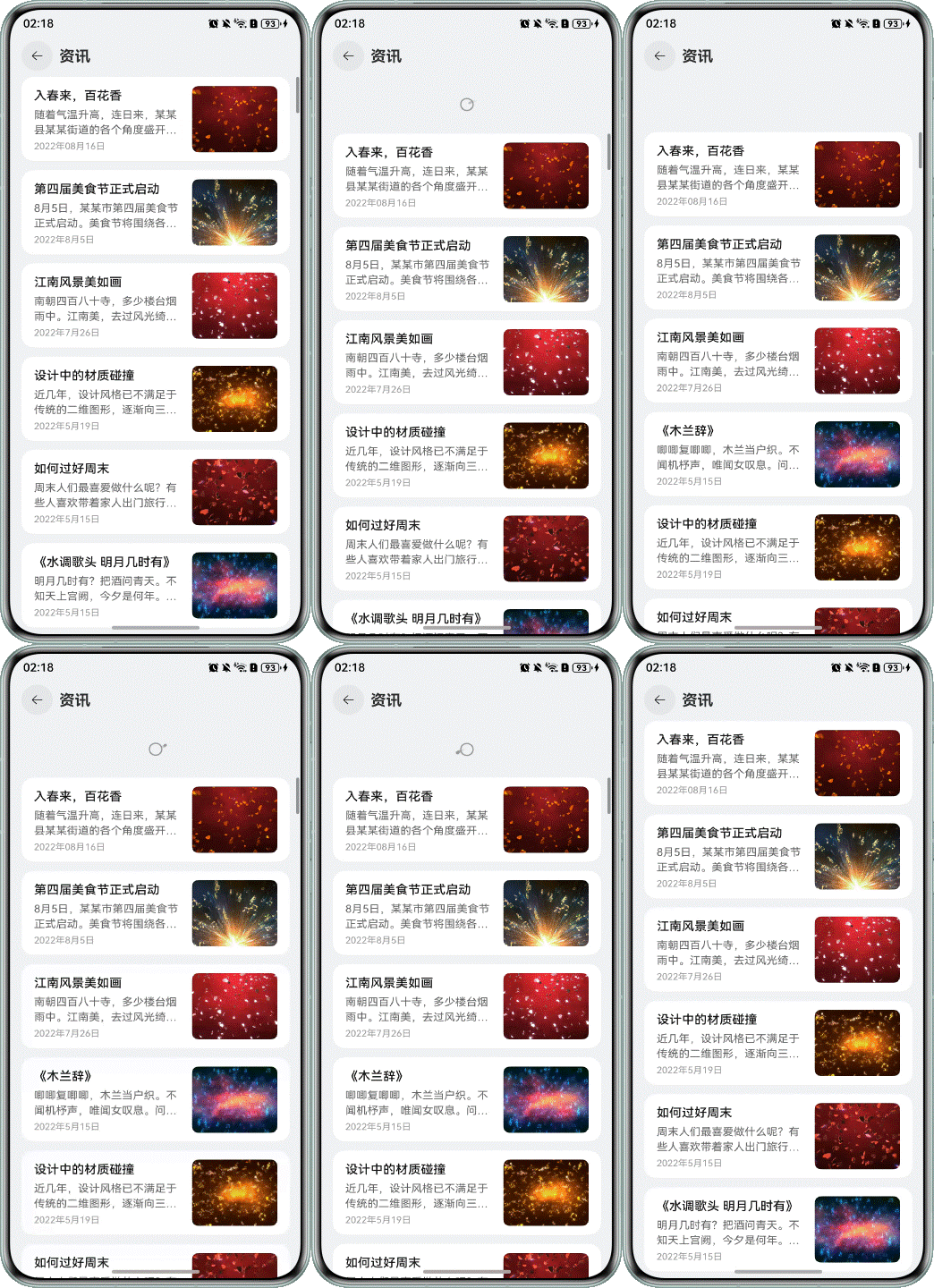
问题现象
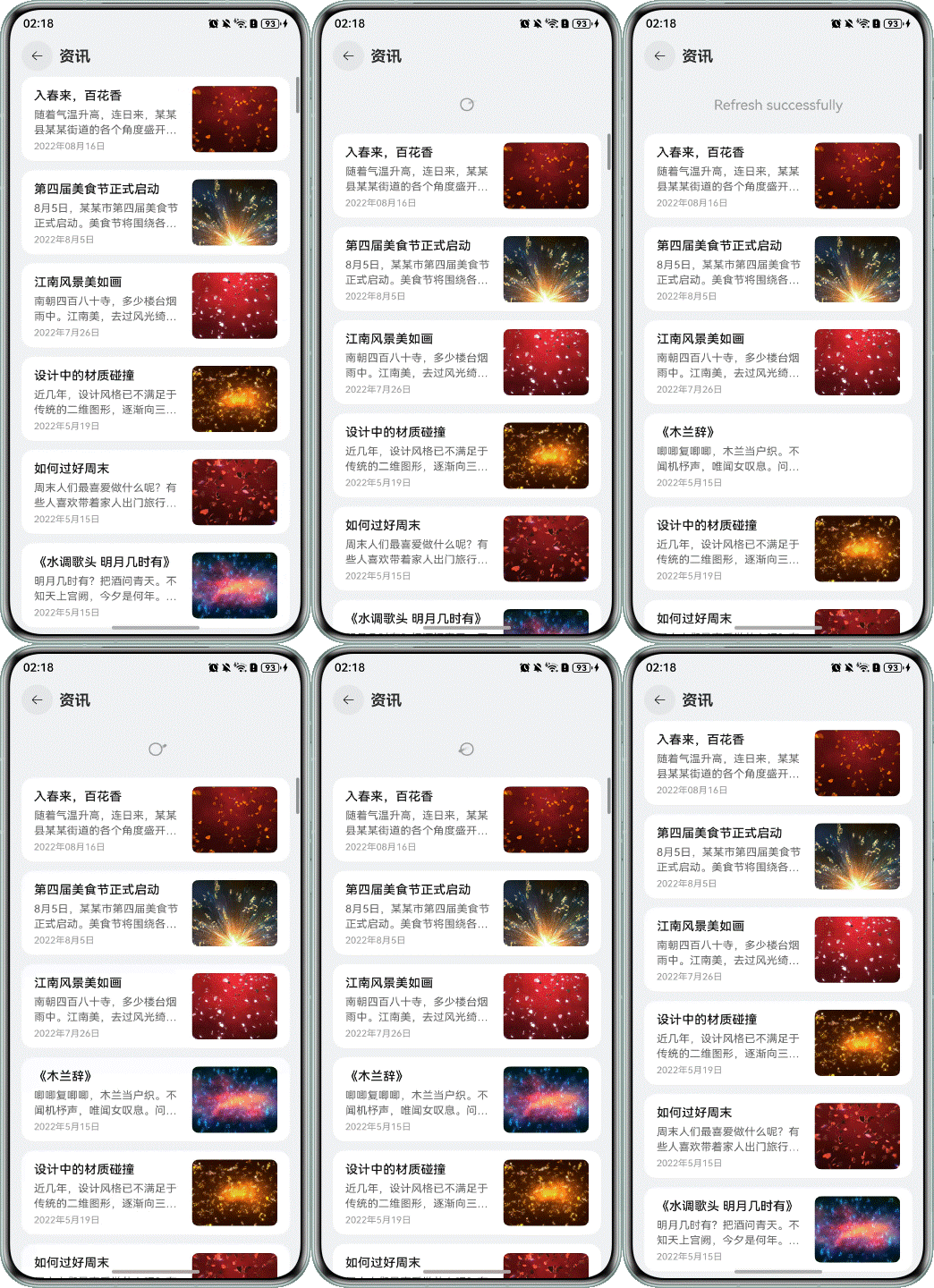
下拉刷新时,应用卡顿,出现闪屏。
@Builder
private getListView() {
  List({
    space: 12,
    scroller: this.scroller
  }) {
    // Render data using lazy loading components
    ForEach(this.newsData, (item: NewsData) => {
      ListItem() {
        this.newsItemBuilder(item.newsTitle, item.newsContent, item.newsTime, item.img)
      }
      .backgroundColor(Color.White)
      .borderRadius(16)
    });
  }
  .width('100%')
  .height('100%')
  .padding({
    left: 16,
    right: 16
  })
  .backgroundColor($r('sys.color.ohos_id_color_sub_background'))
  // You must set the list to slide to edge to have no effect, otherwise the pullToRefresh component's slide up and drop down method cannot be triggered.
  .edgeEffect(EdgeEffect.None)
}
可能原因
ForEach提供了一个名为keyGenerator的参数,这是一个函数,开发者可以通过它自定义键值生成规则。如果开发者没有定义keyGenerator函数,则ArkUI框架会使用默认的键值生成函数,即(item: Object, index: number) => { return index + '__' + JSON.stringify(item); }。可参考键值生成规则。
在使用ForEach的过程中,若对键值生成规则理解不足,将导致错误的使用方式。错误使用会导致功能问题,如渲染结果非预期,或性能问题,如渲染性能下降。
解决措施
在ForEach第三个参数中定义自定义键值的生成规则,即(item: NewsData, index?: number) => item.id,这样可以在渲染时降低重复组件的渲染开销,从而消除闪屏问题。可参考ForEach组件使用建议。
@Builder
private getListView() {
  List({
    space: 12,
    scroller: this.scroller
  }) {
    // Render data using lazy loading components
    ForEach(this.newsData, (item: NewsData) => {
      ListItem() {
        this.newsItemBuilder(item.newsTitle, item.newsContent, item.newsTime, item.img)
      }
      .backgroundColor(Color.White)
      .borderRadius(16)
    }, (item: NewsData) => item.newsId);
  }
  .width('100%')
  .height('100%')
  .padding({
    left: 16,
    right: 16
  })
  .backgroundColor($r('sys.color.ohos_id_color_sub_background'))
  // You must set the list to slide to edge to have no effect, otherwise the pullToRefresh component's slide up and drop down method cannot be triggered.
  .edgeEffect(EdgeEffect.None)
}
运行效果如下图所示。