场景介绍
本章节将向您介绍如何在地图的指定位置添加标记以标识位置、商家、建筑等。
点标记用来在地图上标记任何位置,例如用户位置、车辆位置、店铺位置等一切带有位置属性的事物。Map Kit提供的点标记功能(又称 Marker)封装了大量的触发事件,例如点击事件、长按事件、拖拽事件。
Marker有默认风格,同时也支持自定义。由于内容丰富,以下只能展示一些基础功能的使用。
5.1.1(19)开始,支持控制Marker文字显隐功能。
6.0.0(20)开始,支持自定义组件实现Marker图标功能。
6.1.1(24)开始,支持监听Marker长按事件。
接口说明
添加标记功能主要由MarkerOptions、addMarker和Marker提供,更多接口及使用方法请参见接口文档。
| 接口名 | 描述 |
|---|---|
| MarkerOptions | 标记参数。 |
| addMarker(options: mapCommon.MarkerOptions): Promise<Marker> | 在地图上添加标记。 |
| Marker | 标记,支持更新和查询相关属性。 |
[h2]添加标记
-
导入相关模块。
import { MapComponent, mapCommon, map } from '@kit.MapKit'; import { AsyncCallback } from '@kit.BasicServicesKit'; -
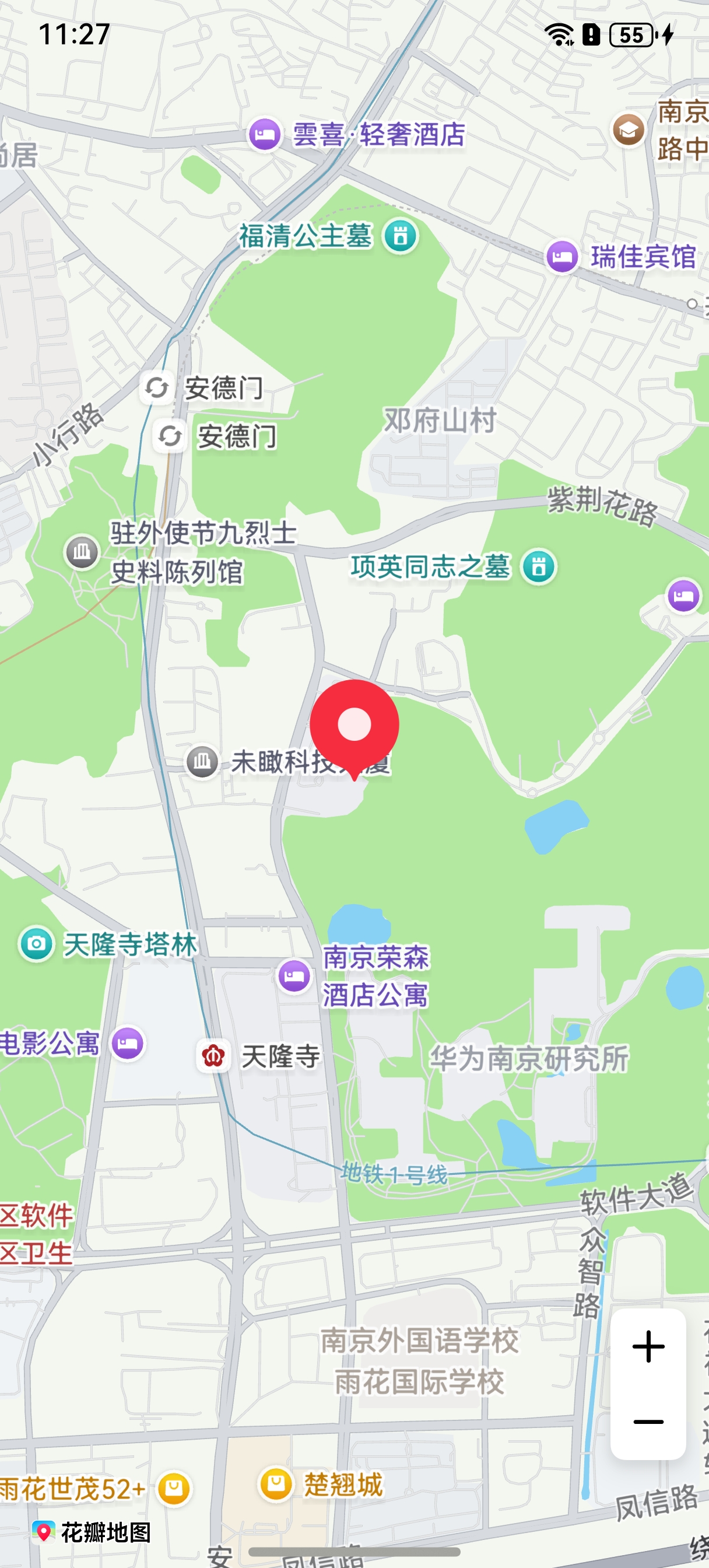
添加标记,在callback方法中创建初始化参数并新建Marker。
@Entry
@Component
struct MapMarkerDemo {
  // ...
  private mapOptions?: mapCommon.MapOptions;
  private mapController?: map.MapComponentController;
  private callback?: AsyncCallback<map.MapComponentController>;
  private mapEventManager?: map.MapEventManager;
  private marker?: map.Marker;

  aboutToAppear(): void {
    // 地图初始化参数
    this.mapOptions = {
      position: {
        target: {
          latitude: 31.984410259206815,
          longitude: 118.76625379397866
        },
        zoom: 15
      }
    };
    this.callback = async (err, mapController) => {
      if (!err) {
        this.mapController = mapController;
        this.mapEventManager = this.mapController.getEventManager();
        // Marker初始化参数
        let markerOptions: mapCommon.MarkerOptions = {
          position: {
            latitude: 31.984410259206815,
            longitude: 118.76625379397866
          },
          rotation: 0,
          visible: true,
          zIndex: 0,
          alpha: 1,
          anchorU: 0.5,
          anchorV: 1,
          clickable: true,
          draggable: true,
          flat: false
        };
        // 创建Marker
        try {
          this.marker = await this.mapController.addMarker(markerOptions);
        } catch (e) {
          console.error(`Failed to create the marker, code is:${e.code}, message is ${e.message}`);
        }
      } else {
        console.error(`Failed to initialize the map, code is:${err.code}, message is ${err.message}`);
      }
    };
  }

  build() {
    // ...
      Stack() {
        Column() {
          MapComponent({ mapOptions: this.mapOptions, mapCallback: this.callback });
        }.width('100%')
      }.height('100%')

      // ...
  }
}
-
在添加标记之后,修改已经设置的标记属性。
// 设置标记可拖拽
this.marker.setDraggable(true);
// 设置标记锚点
this.marker.setMarkerAnchor(1.0, 1.0);
[h2]自定义标记
通过在MarkerOptions中将icon属性设置为自定义图标的资源,可将默认标记图标修改成自定义图标。
let markerOptions: mapCommon.MarkerOptions = {
  position: {
    latitude: 31.984410259206815,
    longitude: 118.76625379397866
  },
  rotation: 0,
  visible: true,
  zIndex: 0,
  alpha: 1,
  anchorU: 0.5,
  anchorV: 1,
  clickable: true,
  draggable: true,
  flat: false,
  // 图标存放在resources/rawfile,icon参数传入rawfile文件夹下的相对路径
  icon: 'test.png'
};
this.marker = await this.mapController.addMarker(markerOptions); 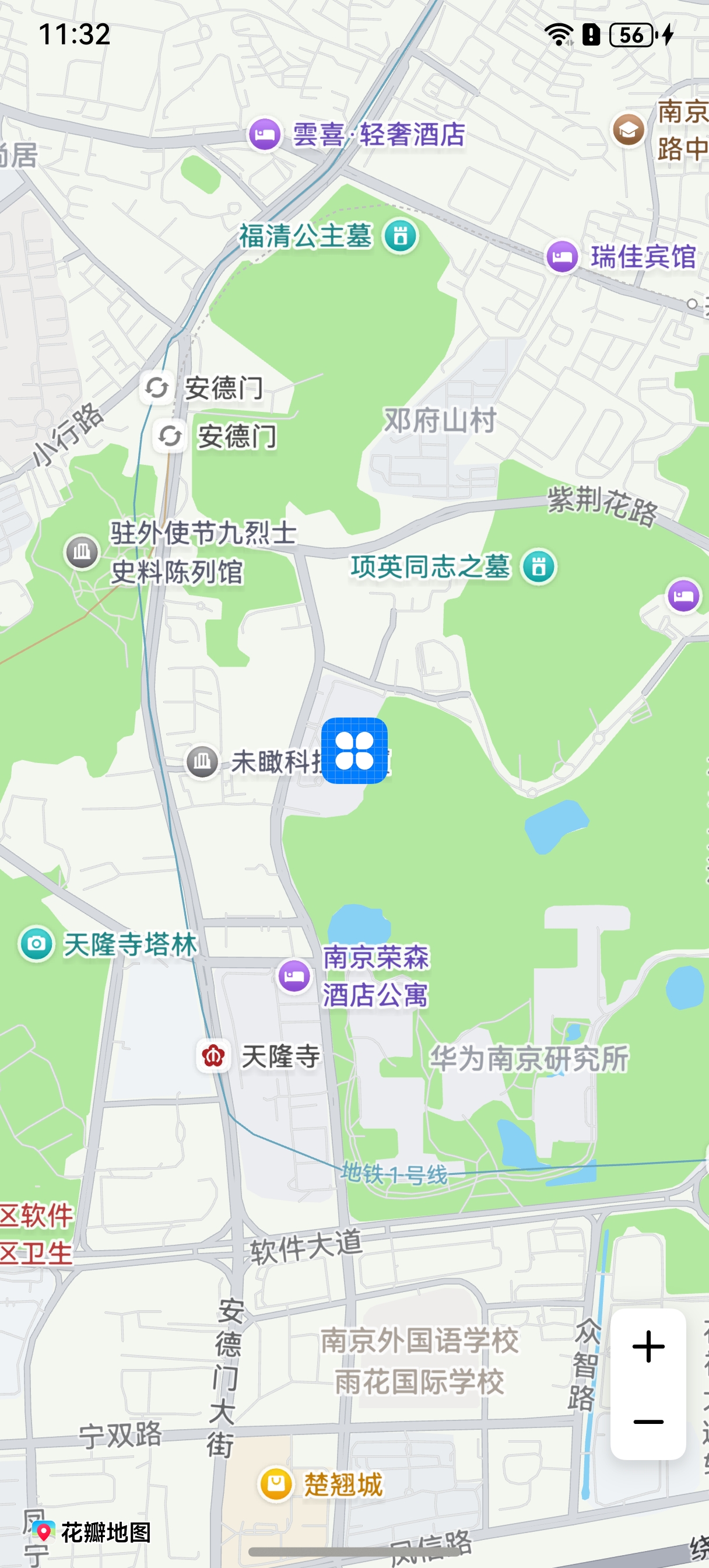
[h2]控制Marker文字显隐
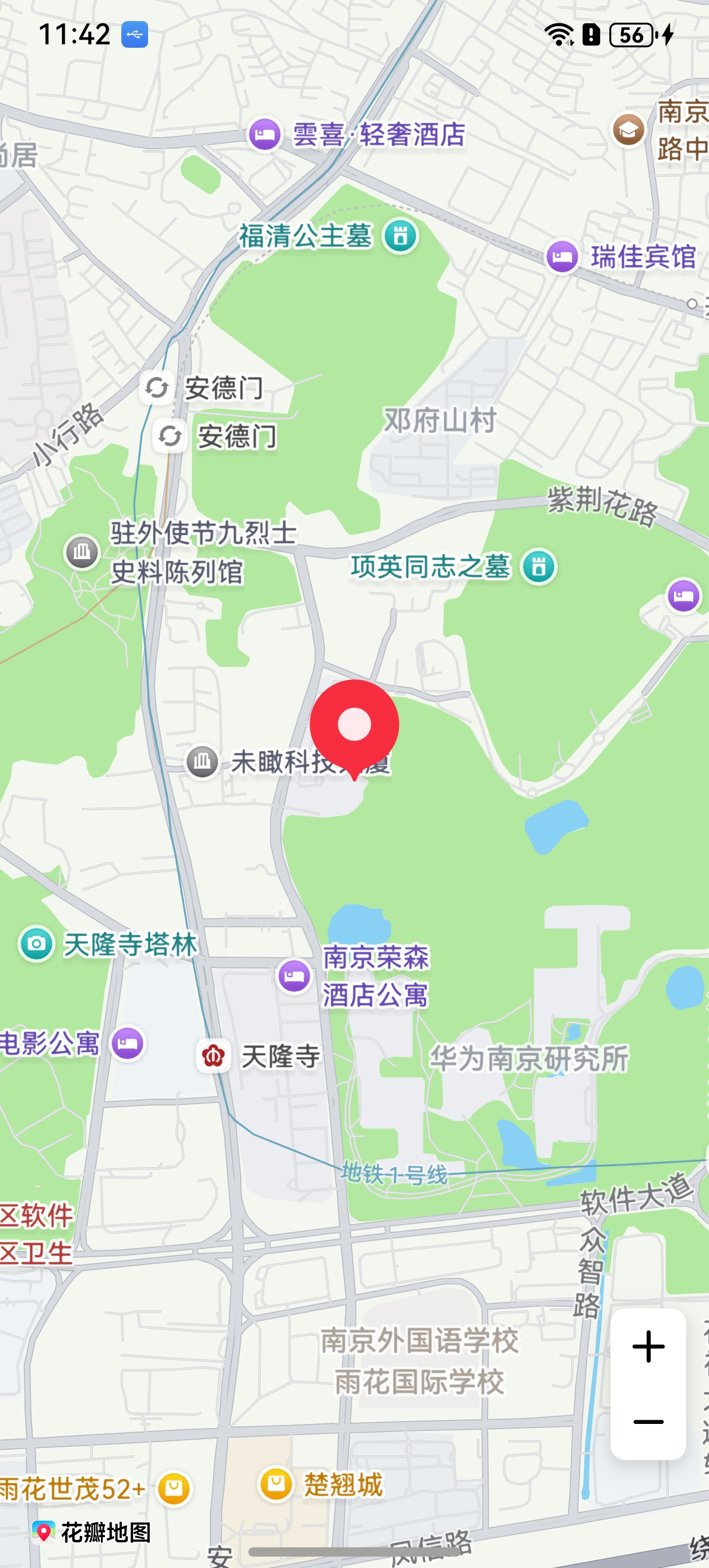
通过setAnnotationVisible方法可以控制Marker文字显隐,还可以通过isAnnotationVisible方法来获取Marker文字显隐的状态。
// Marker初始化参数
let markerOptions: mapCommon.MarkerOptions = {
  position: {
    latitude: 31.984410259206815,
    longitude: 118.76625379397866
  },
  rotation: 0,
  visible: true,
  zIndex: 0,
  alpha: 1,
  anchorU: 0.5,
  anchorV: 1,
  clickable: true,
  draggable: true,
  flat: false,
  annotations: [{
    // 定义标题内容
    content: 'text',
    fontStyle: 1,
    strokeWidth: 3,
    fontSize: 15
  }]
};
// 创建Marker
this.marker = await this.mapController.addMarker(markerOptions);
// 设置文字隐藏
this.marker.setAnnotationVisible(false);
// 查询当前显隐状态
let isAnnotationVisible: boolean = this.marker.isAnnotationVisible();
console.info(`isAnnotationVisible is: ` + isAnnotationVisible);
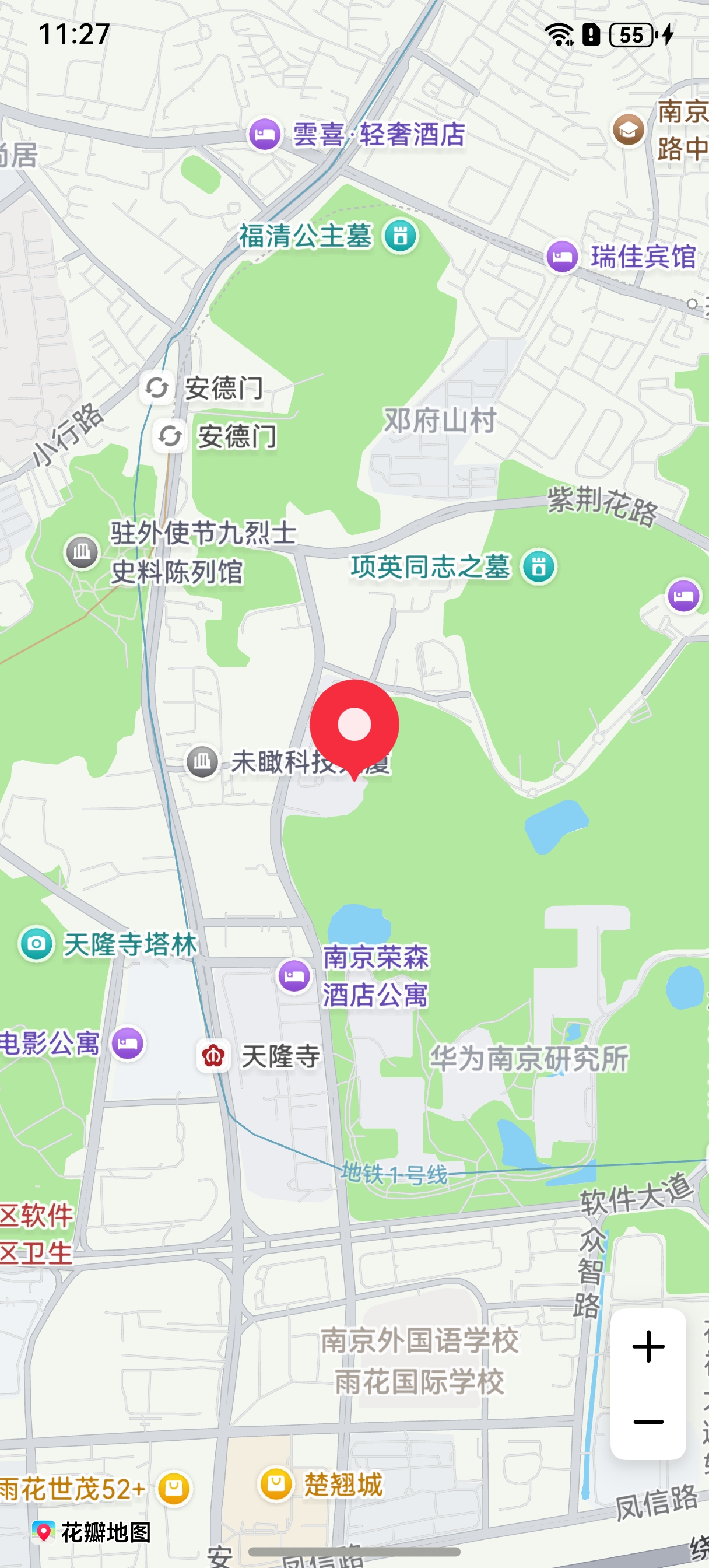
图1 隐藏Marker文字之前
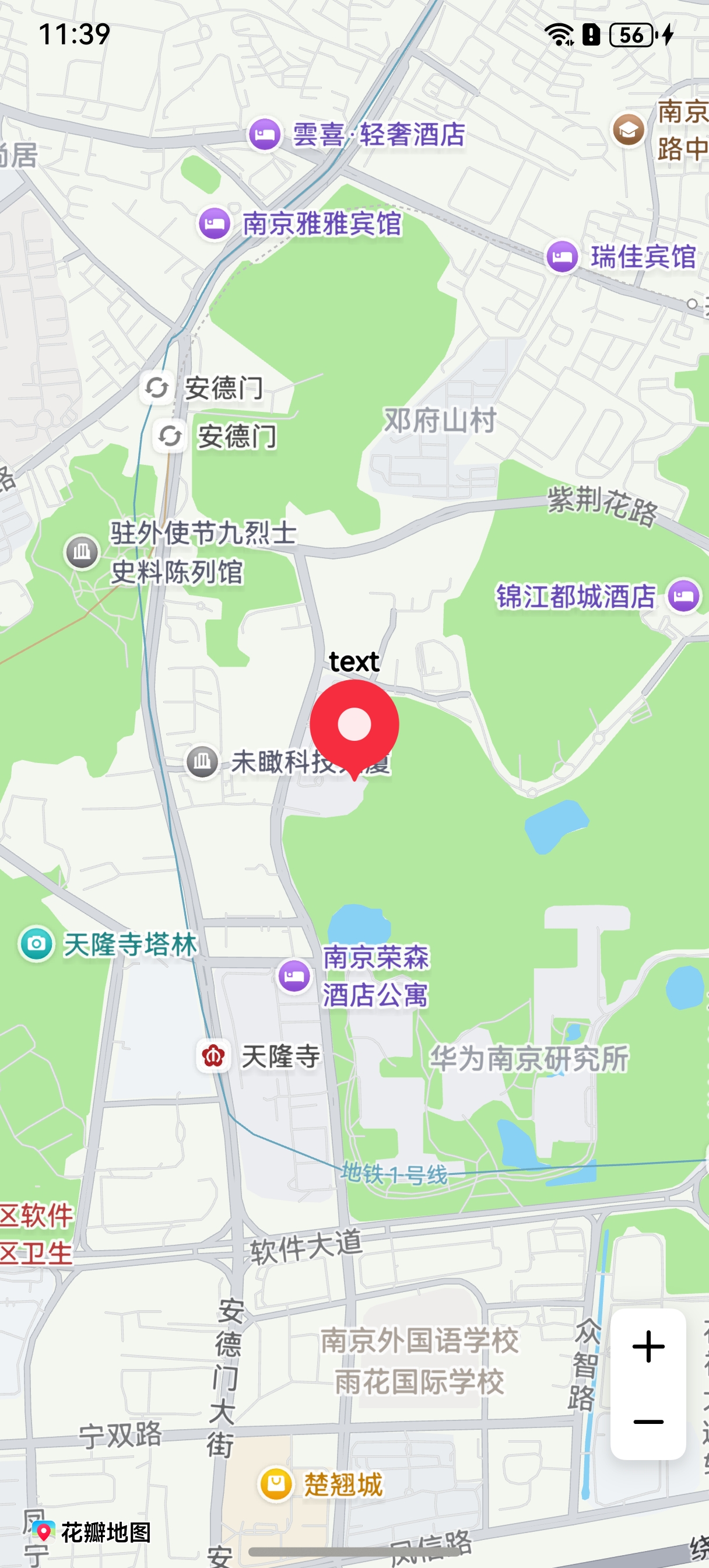
图2 隐藏Marker文字之后
[h2]碰撞检测
通过在MarkerOptions中设置collisionRule属性,可以设置标记的冲突处理规则。
let markerOptions: mapCommon.MarkerOptions = {
  position: {
    latitude: 31.984410259206815,
    longitude: 118.76625379397866
  },
  rotation: 0,
  visible: true,
  zIndex: 0,
  alpha: 1,
  anchorU: 0.5,
  anchorV: 1,
  clickable: true,
  draggable: true,
  flat: false,
  // 图标存放在resources/rawfile,icon参数传入rawfile文件夹下的相对路径
  icon: 'icon.png',
  annotations: [{
    // 定义标题内容
    content: 'Test',
    fontStyle: 1,
    strokeWidth: 3,
    fontSize: 15
  }],
  // 设置碰撞规则为图标和名称都参与碰撞
  collisionRule: mapCommon.CollisionRule.ALL,
  annotationPosition: mapCommon.TextPosition.TOP
};
this.marker = await this.mapController.addMarker(markerOptions); 
[h2]设置监听标记点击事件
let callback = (marker: map.Marker) => {
  console.info(`on-markerClick marker = ${marker.getId()}`);
};
this.mapEventManager.on('markerClick', callback);
[h2]设置监听标记拖动事件
通过如下步骤设置监听标记拖动事件:
-
将Marker的拖拽属性设置为true。
-
调用on(type: 'markerDragStart' , callback: Callback<Marker>)方法监听标记是否开始拖拽。
-
调用on(type: 'markerDrag' , callback: Callback<Marker>),监听标记拖动过程。
-
调用on(type: 'markerDragEnd' , callback: Callback<Marker>),监听标记拖动结束事件。
// 设置标记可拖拽
this.marker.setDraggable(true);

// 监听标记开始拖拽
let markerCallback = (marker: map.Marker) => {
  console.info(`on-markerDragStart marker = ${marker.getId()}`);
};
this.mapEventManager.on('markerDragStart', markerCallback);

// 监听标记拖拽事件
let markerDragCallback = (marker: map.Marker) => {
  console.info(`on-markerDrag marker = ${marker.getId()}`);
};
this.mapEventManager.on('markerDrag', markerDragCallback);

// 监听标记拖拽结束
let markerDragEndCallback = (marker: map.Marker) => {
  console.info(`on-markerDragEnd marker = ${marker.getId()}`);
};
this.mapEventManager.on('markerDragEnd', markerDragEndCallback);
[h2]设置监听标记长按事件
let callback = (markerLong: map.Marker) => {
  console.info('markerLongClick', `callback markerLongClick = ${markerLong.getId()}`);
};
this.mapEventManager.onMarkerLongClick(callback);
[h2]信息窗
// 添加信息窗
let markerOptions: mapCommon.MarkerOptions = {
  position: {
    latitude: 31.984410259206815,
    longitude: 118.76625379397866
  }
};
this.marker = await this.mapController?.addMarker(markerOptions);
// 设置信息窗的标题
this.marker.setTitle('南京');
// 设置信息窗的子标题
this.marker.setSnippet('华东地区');
// 设置标记可点击
this.marker.setClickable(true);
// 设置信息窗的锚点位置
this.marker.setInfoWindowAnchor(1, 1);
// 设置信息窗可见,点击标记后可展示信息窗
this.marker.setInfoWindowVisible(true); 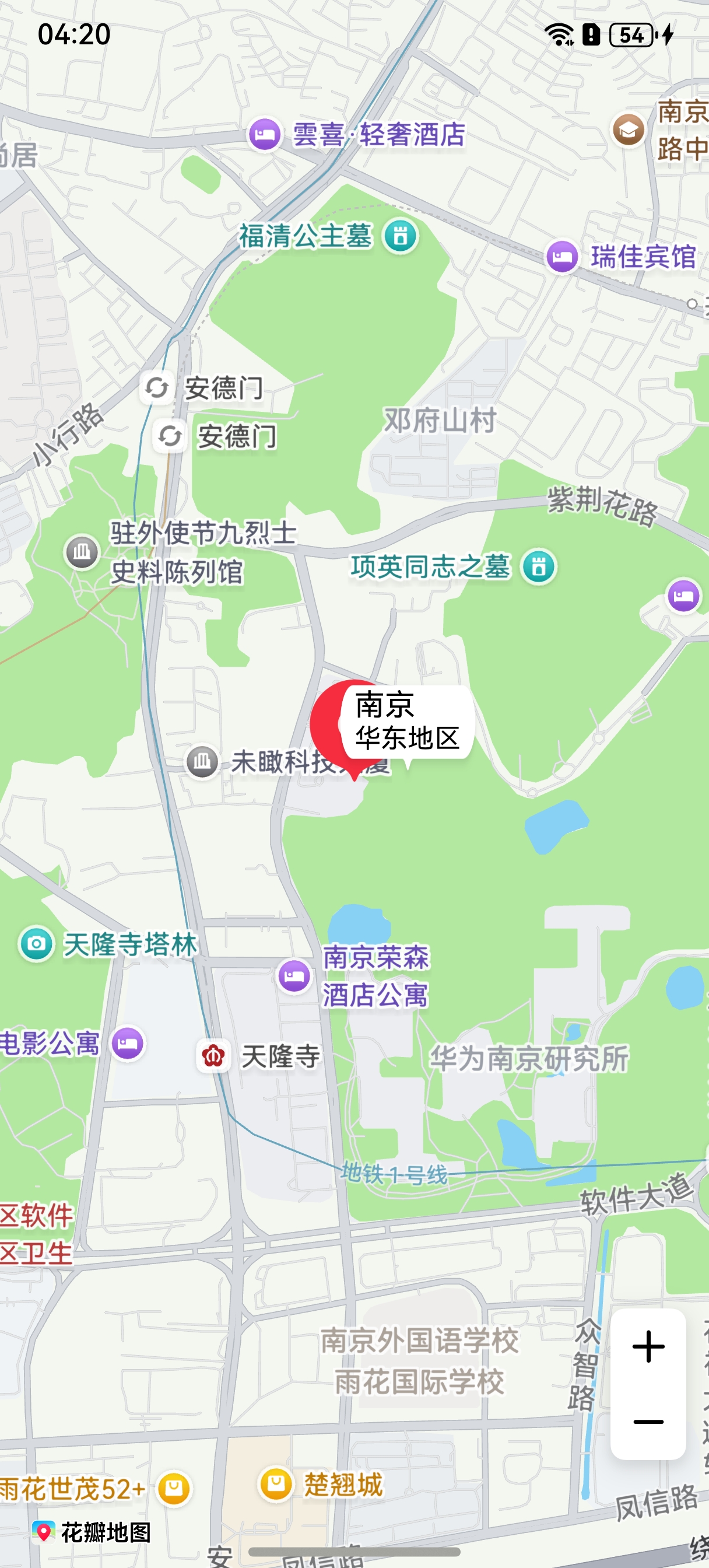
[h2]自定义信息窗
@Entry
@Component
struct MapMarkerDemo {
  // ...
  private mapOptions?: mapCommon.MapOptions;
  private mapController?: map.MapComponentController;
  private callback?: AsyncCallback<map.MapComponentController>;

  aboutToAppear(): void {
    this.mapOptions = {
      position: {
        target: {
          latitude: 32.120750,
          longitude: 118.788765
        },
        zoom: 15
      }
    }

    this.callback = async (err, mapController) => {
      if (!err) {
        this.mapController = mapController;
        let markerOptions: mapCommon.MarkerOptions = {
          position: {
            latitude: 32.120750,
            longitude: 118.788765
          },
          clickable: true,
          // 设置信息窗标题,点击标记后可展示信息窗
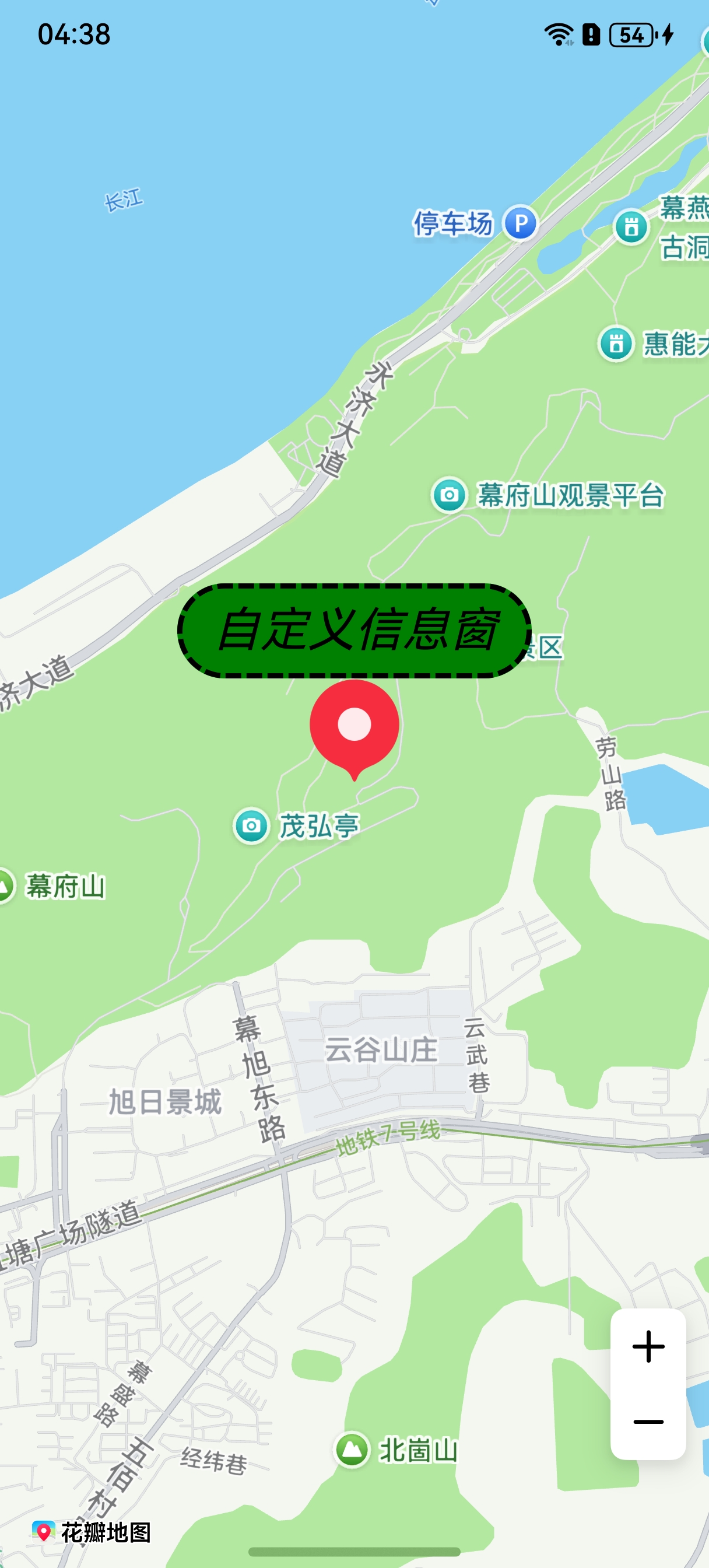
          title: '自定义信息窗'
        };
        // 新建marker
        await this.mapController?.addMarker(markerOptions);
      } else {
        console.error(`Failed to initialize the map, code is:${err.code}, message is ${err.message}`);
      }
    }
  }

  build() {
    // ...
      Stack() {
        Column() {
          MapComponent({
            mapOptions: this.mapOptions,
            mapCallback: this.callback,
            // 自定义信息窗
            customInfoWindow: this.customInfoWindow
          })
            .width('100%')
            .height('100%');
        }.width('100%')
      }.height('100%')

      // ...
  }

  // 自定义信息窗BuilderParam
  @BuilderParam customInfoWindow: ($$: map.MarkerDelegate) => void = this.customInfoWindowBuilder;

  // 自定义信息窗Builder
  @Builder
  customInfoWindowBuilder($$: map.MarkerDelegate) {
    if ($$.marker) {
      Text($$.marker.getTitle())
        .width('50%')
        .height(50)
        .backgroundColor(Color.Green)
        .textAlign(TextAlign.Center)
        .fontColor(Color.Black)
        .font({ size: 25, weight: 10, style: FontStyle.Italic })
        .border({
          width: 3,
          color: Color.Black,
          radius: 25,
          style: BorderStyle.Dashed
        })
    }
  }
} 
[h2]标记动画
Marker支持设置旋转、缩放、平移、透明、图片动画播放和组合动画效果。
| 接口名 | 描述 |
|---|---|
| AlphaAnimation | 控制透明度的动画类。 |
| RotateAnimation | 控制旋转的动画类。 |
| ScaleAnimation | 控制缩放的动画类。 |
| TranslateAnimation | 控制平移的动画类。 |
| PlayImageAnimation | 控制多张图片的动画类。 |
| AnimationSet | 动画集合。 |
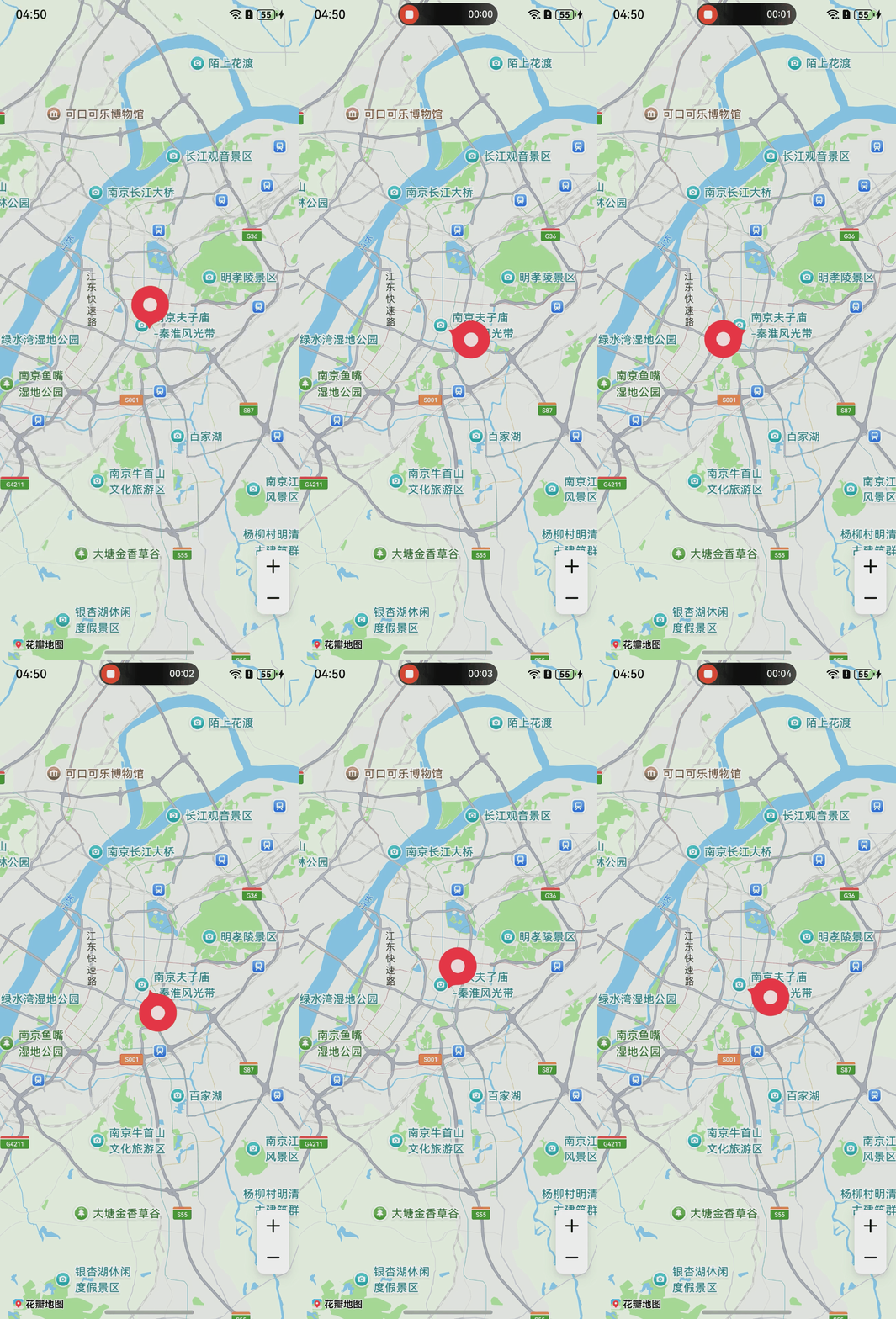
旋转动画效果的示例代码如下:
import { map, mapCommon, MapComponent } from '@kit.MapKit';
import { AsyncCallback } from '@kit.BasicServicesKit';

// ...
@Entry
@Component
struct MapMarkerDemo {
  // ...
  private mapOptions?: mapCommon.MapOptions;
  private callback?: AsyncCallback<map.MapComponentController>;

  aboutToAppear(): void {
    this.mapOptions = {
      position: {
        target: {
          latitude: 32.020750,
          longitude: 118.788765
        },
        zoom: 11
      }
    }

    this.callback = async (err, mapController) => {
      if (!err) {
        // 构造MarkerOptions对象
        let markerOptions: mapCommon.MarkerOptions = {
          position: {
            latitude: 32.020750,
            longitude: 118.788765
          }
        };
        // 新建marker
        let marker: map.Marker = await mapController.addMarker(markerOptions);
        // 构造RotateAnimation对象
        let animation = new map.RotateAnimation(0, 270);
        // 动画执行时间
        animation.setDuration(2000);

        // 动画结束状态
        animation.setFillMode(map.AnimationFillMode.BACKWARDS);

        // 动画重复模式
        animation.setRepeatMode(map.AnimationRepeatMode.REVERSE);

        // 动画重复次数
        animation.setRepeatCount(100);

        // 设置动画开始监听
        let callbackStart = () => {
          console.info('animationStart', `callback`);
        };
        animation.on('animationStart', callbackStart);

        // 设置动画结束监听
        let callbackEnd = () => {
          console.info('animationEnd', `callback`);
        };
        animation.on('animationEnd', callbackEnd);

        // 设置动画
        marker.setAnimation(animation);
        // 开启动画
        marker.startAnimation();
      } else {
        console.error(`Failed to initialize the map, code is:${err.code}, message is ${err.message}`);
      }
    }
  }

  build() {
    // ...
      Stack() {
        Column() {
          MapComponent({ mapOptions: this.mapOptions, mapCallback: this.callback });
        }.width('100%')
      }.height('100%')

      // ...
  }
}
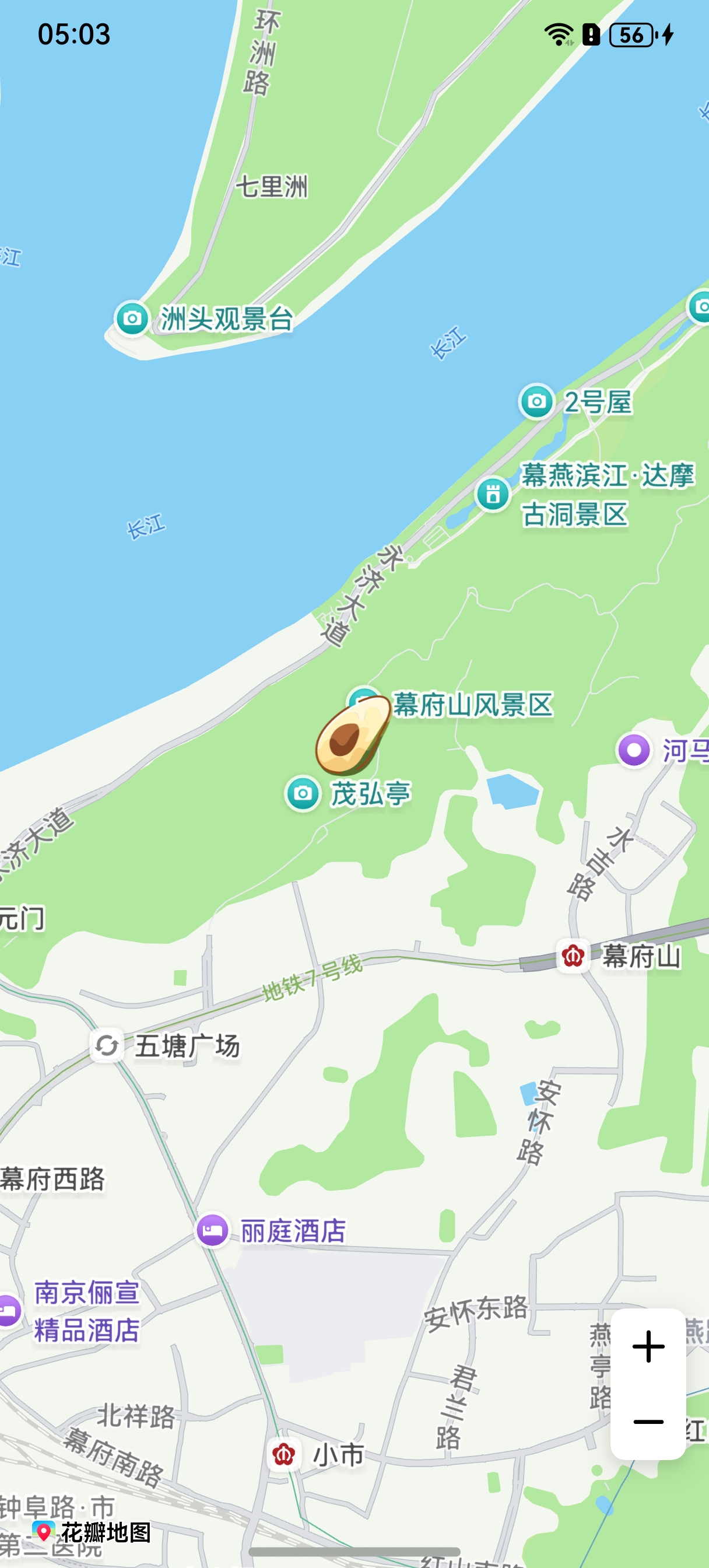
展示效果如图:
[h2]图片动画播放
import { map, mapCommon, MapComponent } from '@kit.MapKit';
import { AsyncCallback } from '@kit.BasicServicesKit';
import { image } from '@kit.ImageKit';

// ...
@Entry
@Component
struct MapMarkerDemo {
  // ...
  private mapOptions?: mapCommon.MapOptions;
  private callback?: AsyncCallback<map.MapComponentController>;

  aboutToAppear(): void {
    this.mapOptions = {
      position: {
        target: {
          latitude: 32.020750,
          longitude: 118.788765
        },
        zoom: 11
      }
    }

    this.callback = async (err, mapController) => {
      if (!err) {
        // 构造MarkerOptions对象
        let markerOptions: mapCommon.MarkerOptions = {
          position: {
            latitude: 32.020750,
            longitude: 118.788765
          },
        };
        let images: (ResourceStr | image.PixelMap)[] = [
          // 图标需存放在resources/rawfile目录下
          'icon/avocado.png',
          'icon/20231027.png',
          // 图标需存放在resources/base/media目录下
          $r('app.media.icon')
        ]
        let mContext = this.getUIContext().getHostContext();
        if (mContext) {
          const fileData: Uint8Array = await mContext?.resourceManager?.getRawFileContent('icon/icon.png');
          let imageSource: image.ImageSource =
            image.createImageSource(fileData.buffer.slice(0, fileData.buffer.byteLength));
          let pixelMap: PixelMap = await imageSource.createPixelMap();
          images.push(pixelMap);
        }
        // 新建marker
        let marker: map.Marker = await mapController.addMarker(markerOptions);
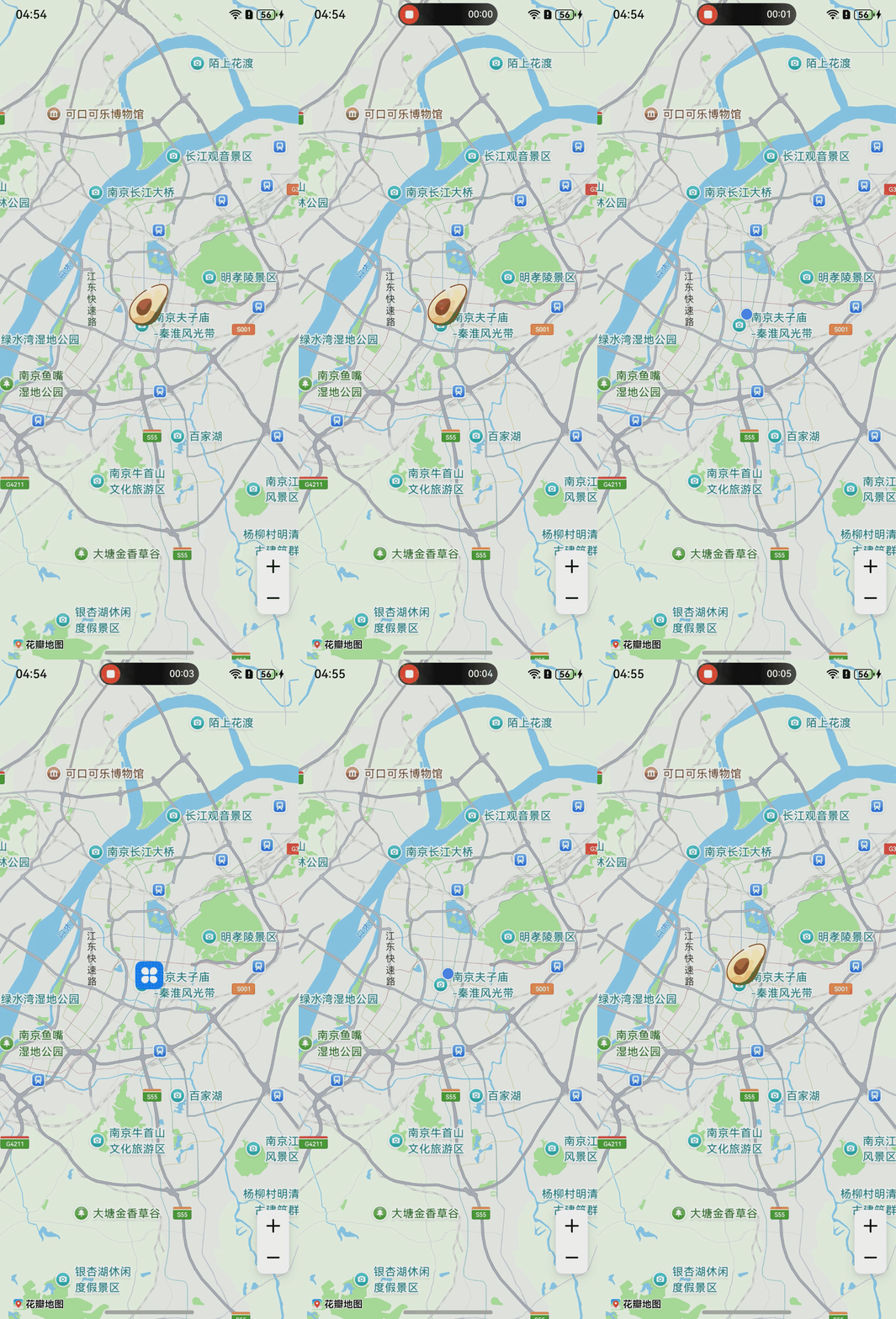
        // 构造PlayImageAnimation对象
        let animation: map.PlayImageAnimation = new map.PlayImageAnimation();
        // 添加图片
        await animation.addImages(images)
        // 动画执行时间
        animation.setDuration(3000);

        // 动画结束状态
        animation.setFillMode(map.AnimationFillMode.BACKWARDS);

        // 动画重复模式
        animation.setRepeatMode(map.AnimationRepeatMode.REVERSE);

        // 动画重复次数
        animation.setRepeatCount(100);

        // 设置动画开始监听
        let callbackStart = () => {
          console.info('animationStart', `callback`);
        };
        animation.on('animationStart', callbackStart);
        // 设置动画结束监听
        let callbackEnd = () => {
          console.info('animationEnd', `callback`);
        };
        animation.on('animationEnd', callbackEnd);
        // 设置动画
        marker.setAnimation(animation);
        // 开启动画
        marker.startAnimation();
      } else {
        console.error(`Failed to initialize the map, code is:${err.code}, message is ${err.message}`);
      }
    }
  }

  build() {
    // ...
      Stack() {
        Column() {
          MapComponent({ mapOptions: this.mapOptions, mapCallback: this.callback });
        }.width('100%')
      }.height('100%')

      // ...
  }
}
展示效果如图:
[h2]自定义组件实现marker图标
通过自定义组件生成marker图标。
import { map, mapCommon, MapComponent } from '@kit.MapKit';
import { AsyncCallback } from '@kit.BasicServicesKit';

// ...
@Entry
@Component
struct MapMarkerDemo {
  // ...
  private mapOptions?: mapCommon.MapOptions;
  private mapController?: map.MapComponentController;
  private callback?: AsyncCallback<map.MapComponentController>;
  private marker?: map.Marker;

  aboutToAppear(): void {
    this.mapOptions = {
      position: {
        target: {
          latitude: 32.120750,
          longitude: 118.788765
        },
        zoom: 14
      },
      scaleControlsEnabled: true
    }
    this.callback = async (err, mapController) => {
      if (!err) {
        this.mapController = mapController;
        // 构造MarkerOptions对象
        let markerOptions: mapCommon.MarkerOptions = {
          position: {
            latitude: 32.120750,
            longitude: 118.788765
          },
          // 自定义组件
          iconBuilder: () => {
            this.renderBuilder();
          }
        };
        this.marker = await this.mapController?.addMarker(markerOptions);
      }
    }
  }

  @Builder
  renderBuilder() {
    Stack({ alignContent: Alignment.Center }) {
      // 需要替换您自己的资源图片,存放在resources/base/media目录下
      Image($r('app.media.icon'))
        .syncLoad(true)
    }
    .height(50)
    .width(50)
  }

  build() {
    // ...
      Stack() {
        Column() {
          MapComponent({ mapOptions: this.mapOptions, mapCallback: this.callback });
        }.width('100%')
      }.height('100%')

      // ...
  }
}
展示效果如图: