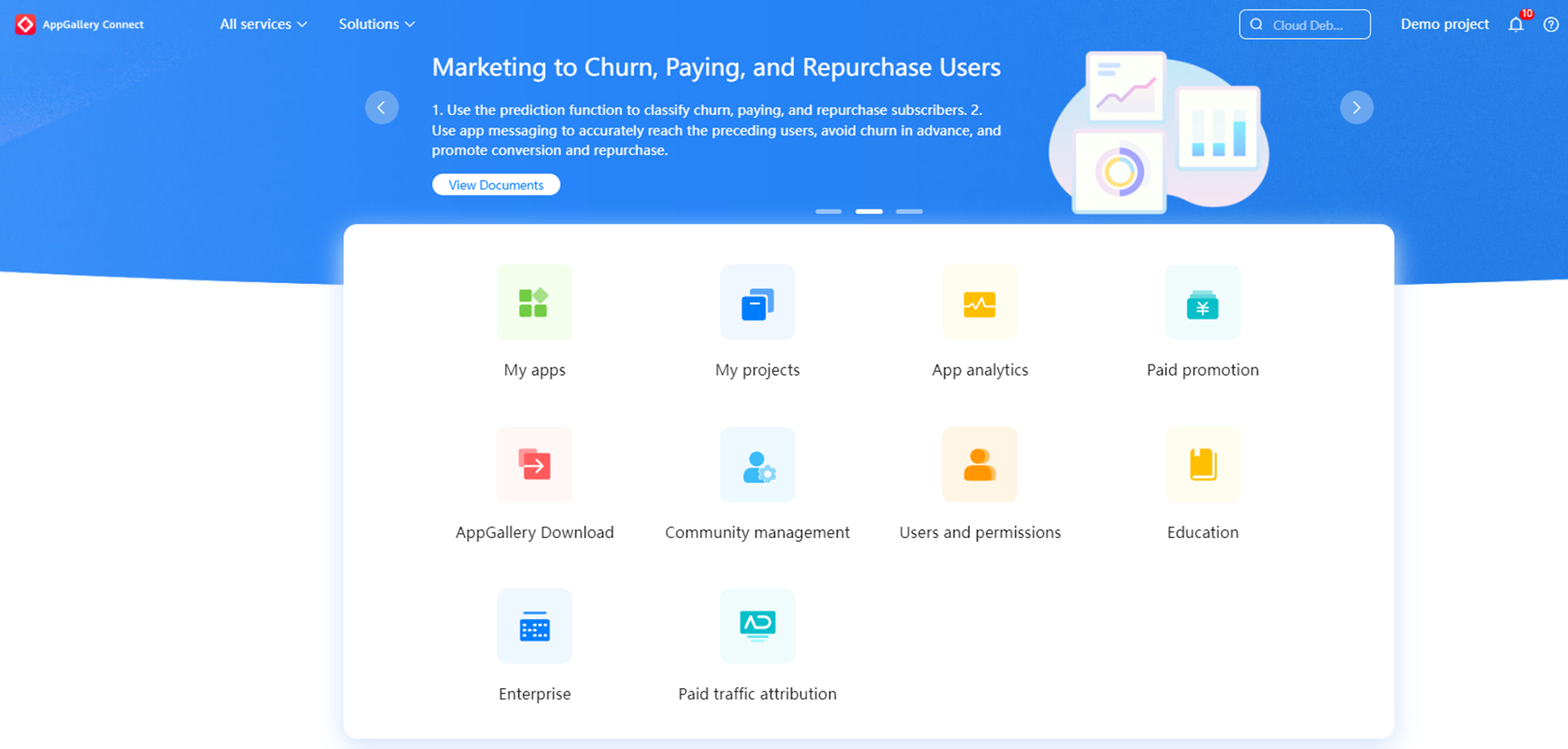

The Gift Management module is open to all enterprise developers and supports the configuration of global gift packages. After a gift package is created and approved, it is displayed on the app details page of Huawei AppGallery client. Additional exposure position will be offered to gift packages that meet specified requirements.
Navigation: Log in to the Huawei developer alliance website and choose My APPs > Select you APP > Operate > Gift Management.
1.1 Gift - with serial number: Send a gift package to the user with a serial number (redemption code), receive a serial number after redeeming the code, and exchange it in the application (game) to obtain benefits according to the instructions for use.
1.2 Gift - without serial number: Only show package related information on the app details page. If the download is successful, the user can obtain the application according to the gift package display package and use it.
1.3 Gift directly sent: It is not presented in the form of redemption code. After the user completes the collection action in the game center (game details page, game buoy, etc.), the developer directly distributes the gift package content to the designated area server/character of the user account in the game.
2.1 AppGallery > AppGallery Connect > My APPs > Select you APP > Operate > Gift Management.
2.2 Click to enter the other three options, select the "Operate" here.

2.3 Configure the gift under Operate section. Click Add gift and select a gift type (Gift - with serial number or Gift - without serial number or Gift directly sent).

2.3.1 In the area for releasing gifts, multiple countries can be selected under a region. If more than region is selected, enterprise developers cannot submit the gift.
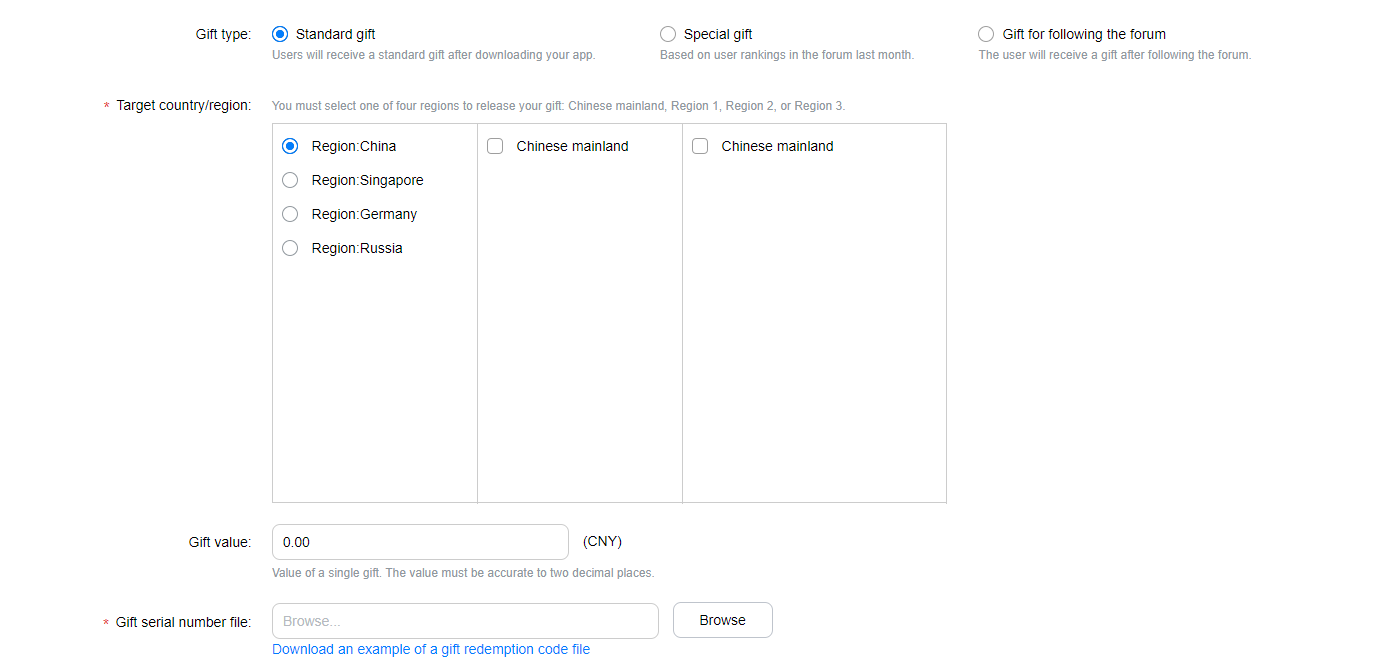
2.3.2 If the gift type is Gift - with serial number or Gift - without serial number or Gift directly sent, the number of gifts shall be 3000 or more. The validity period shall be 15 days or longer for apps and 7 days or longer for games.
Query After adding a gift, enterprise developers can view the gift on the gift management page or search for the gift by gift ID, name (gift name), gift type on the Management of gift bag page.
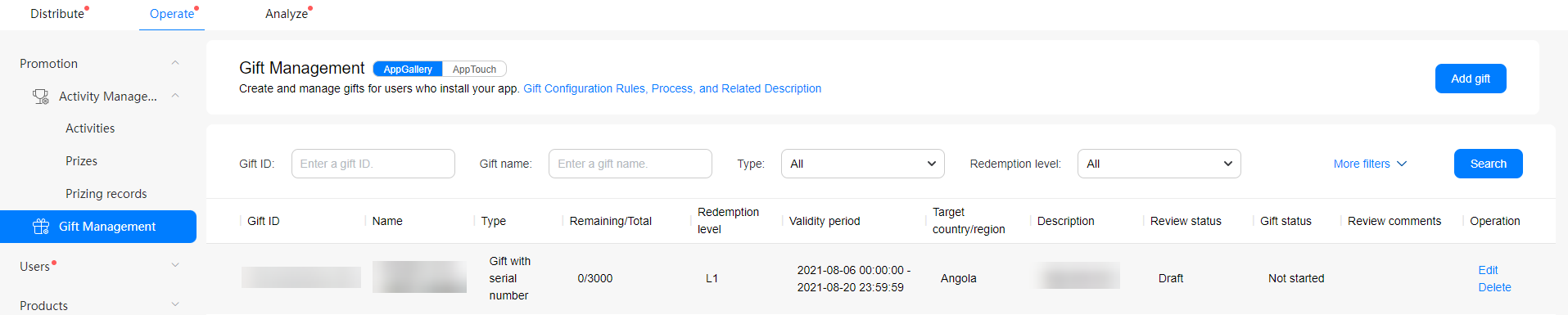
| Task Status | Gift Status | Operations Allowed |
|---|---|---|
| Draft | Not started | Edit or delete the gift. Saving or submitting a gift is an edit operation. |
| Submission pending review | Not started | Edit or delete the gift. |
| Submission approved | Started | Add more gifts, edit the gift, and get the gift offline. |
| Resubmission rejected | Started | Add more gifts, edit the gift, and get the gift offline. |
| Offline request pending review | Started | Add more gifts, edit the gift, and get the gift offline. |
| Offline request approved | Expired | Edit the gift. |
| Resubmission draft | Started | Add more gifts, edit the gift, and get the gift offline. |
| Parameter | Description |
| App name | Select an app that has been published or reviewed but not published yet. |
| Gift value | This parameter is optional. Set this parameter based on the actual value of the gift as per user. The value must contain two digits after the decimal point. |
| Gift release regions and countries | Select the target regions and countries to which the app is released. |
| Gift serial number file | 1. The file must be in the .txt format with ANSI encoding. 2. Each row contains one serial number and no other comments are allowed. 3. The gift serial number consists of letters, digits, underscore, and hyphens. 4. Each serial number must be unique. 5. The file size must not exceed 100 MB. 6. Extra serial numbers cannot be recycled. |
| Validity Period | This parameter indicates the time segment when the gift is displayed on the platform. The validity period is based on the local time of the release country shall be selected. |
| Redemption level | This parameter is set to L1 by default for the gift of an app, and the value cannot be changed. When the gift for a game is released to regions outside mainland China, the parameter value is L1 by default and cannot be changed. |
| Already added language |
If the gift is released to regions outside mainland China, this parameter is set to American English - default. |
| Name | (1) If the gift is for an app, the value of this parameter is the app name plus the gift name. The two names are separated by two spaces and the value of this parameter cannot exceed 20 characters. Example: VipShop CNY30 Coupon (2) If the gift is for a game, the value of this parameter is the game name plus the gift name. The two names are separated by two spaces and the value of this parameter cannot exceed 20 characters. Example: Lianliankan Gift for novice |
| Display ranking | This parameter indicates the sequence of the gift displayed on the details page. Value 1 indicates the first place, 2 indicates second, 3 indicates third, and so on. |
| Image | This parameter is optional. If no picture is uploaded, the application/game icon is displayed by default. The image uploaded should be a square icon with dimensions of 216*216px. The image size shall not be greater than 512 KB. The picture format shall be PNG (JPG format not supported). |
| Description | Description of the offering(s) in a gift package for the app, which is in the format of application name + offering name. If more than one offering is included, the description of every offering should be displayed in one line (it is not allowed to include any gift that is dedicated to other apps). Example: VipShop 30 off for order over 300 VipShop 20 off for order over 200 Description of the offering(s) in a gift package for a game. Different offerings are separated by comma (,). The offering and its quantity are separated by asterisks (*) and one offering must be provided in one line without any carriage return. Example: Gold coin*1000, speed privilege*1H, special skin (7 days) |
| Gift collection/usage description: | The procedure of claiming a gift and instructions on using the gift in an app, which must be as concise as possible. Example: Method for claiming a gift in app xxx: 1. Download, install, and open the app. 2. Go to the activity center and log in to your account to claim the gift (voucher). Instructions on using the gift: 1. Applicable to only domestic transportation. 2. A maximum of one voucher can be used for an order and a voucher cannot be used with other promotions. 3. A voucher is valid only before its expiration date. |