To comply with the minimum authorization principle and protect user data against unauthorized access from applications and abuse, the Allow this time only option is added to the user authorization dialog box for certain sensitive permissions.
During development, simply call requestPermissionsFromUser()Requesting User Authorization without any additional configurations. The system displays a dialog box based on the supported permissions.
The following figure shows an example of the user authorization dialog box.
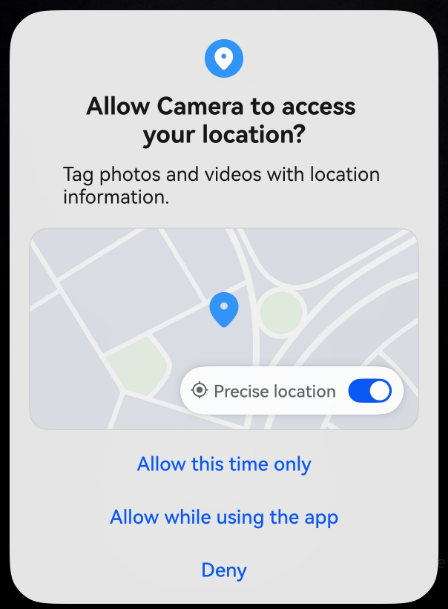
In addition, users can modify the authorization in Settings. Path: Settings > Privacy > Permission manager > Apps > Target application > Location
Supported Permissions
Currently, the Allow this time only option is available only for the following permissions. When an application requests any of these permissions, the user authorization dialog box displayed contains the Allow this time only option, and permission settings dialog box contains the Ask each time option.
Constraints
-
When the user selects Allow this time only, the permission is authorized to the application temporarily.
-
The temporary permission remains valid as long as the application is running in the foreground, the application widget is visible on the home screen, or the application has a continuous task (currently, only the location task is supported) in the background.
In other cases, the permission will be revoked after a 10-second timer has expired. If the application needs the permission again, you need to request the permission.
-
When the application switches to the background, a 10-second timer starts. If the application widget is visible or a continuous task is set during this period, the timer stops.
When the application widget is invisible on the home screen or the continuous task is complete, the timer starts again. The temporary permission will be revoked when the timer has expired.
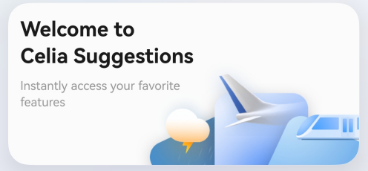
As shown in the following figure, the Celia Suggestions widget is displayed in the visible state.
-
-
If the user selects Ask each time in the permission settings, the ohos.permission.LOCATION and ohos.permission.APPROXIMATELY_LOCATION permissions will be granted to the application temporarily. The permissions will be revoked in the same way as described above.