When to Use
The Picture in Picture (PiP) feature enables users to watch a video in a small window while they can operate the other part of the screen. PiP is mainly used in video playback, video meetings, and video calls. After switching to PiP mode, users can continue interacting with other UIs, enhancing the overall user experience.
The common use cases of PiP are as follows:
Video playback
Video calls
Video meetings
Live streaming
The system provides three modes for developing the PiP feature.
Using XComponent to develop PiP: This mode is suitable for an application that uses the Navigation component to manage pages or an ability that has only one page. The application does not need to manage pages.
Using typeNode to develop PiP: This mode is applicable to all scenarios and is recommended. The application needs to manage pages.
Using NDK APIs to develop PiP: This mode is applicable to applications that depend on NDK APIs. The application needs to manage pages.
Constraints
- For security purposes, do not start a PiP window by calling the startPiP API when the application is running in the background. Instead, call the setAutoStartEnabled(true) API.
Available APIs
The following table lists the common ArkTS APIs for the PiP feature. For details, see @ohos.PiPWindow (PiP Window).
| API | Description |
|---|---|
| isPiPEnabled(): boolean | Checks whether the PiP feature is enabled. |
| create(config: PiPConfiguration): Promise<PiPController> | Creates a PiP controller. |
| create(config: PiPConfiguration, contentNode: typeNode.XComponent): Promise<PiPController> | Creates a PiP controller through typeNode. |
| startPiP(): Promise<void> | Starts a PiP window. |
| stopPiP(): Promise<void> | Stops a PiP window. |
| setAutoStartEnabled(enable: boolean): void | Sets whether to automatically enable the PiP feature when the application moves to the background. true to enable, false otherwise. |
| updateContentSize(width: number, height: number): void | Updates the media content size when the media content changes. |
| on(type: 'stateChange', callback: (state: PiPState, reason: string) => void): void | Registers a callback to listen for PiP lifecycle state changes. |
| off(type: 'stateChange'): void | Unregisters the callback used to listen for PiP lifecycle state changes. |
| on(type: 'controlPanelActionEvent', callback: ControlPanelActionEventCallback): void | Registers a callback to listen for control panel action events in PiP mode. The on('controlEvent') API is preferred. |
| off(type: 'controlPanelActionEvent'): void | Unregisters a callback used to listen for PiP controller action events. The off('controlEvent') API is preferred. |
| updatePiPControlStatus(controlType: PiPControlType, status: PiPControlStatus): void | Updates the PiP component status. |
| setPiPControlEnabled(controlType: PiPControlType, enabled: boolean): void | Sets the PiP component enabling status. |
| on(type: 'controlEvent', callback: CallBack<ControlEventParam>): void | Registers a callback to listen for control panel action events in PiP mode. |
| off(type: 'controlEvent', callback?: CallBack<ControlEventParam>): void | Unregisters the callback used to listen for control panel action events in PiP mode. |
The following table lists the common NDK APIs for the PiP feature. For details, see oh_window_pip.h.
| API | Description |
|---|---|
| int32_t OH_PictureInPicture_CreatePipConfig(PictureInPicture_PipConfig* pipConfig) | Creates a PiP configurator. |
| int32_t OH_PictureInPicture_DestroyPipConfig(PictureInPicture_PipConfig* pipConfig) | Destroys a PiP configurator. |
| int32_t OH_PictureInPicture_CreatePip(PictureInPicture_PipConfig pipConfig, uint32_t* controllerId) | Creates a PiP controller. |
| int32_t OH_PictureInPicture_DeletePip(uint32_t controllerId) | Deletes a PiP controller. |
| int32_t OH_PictureInPicture_StartPip(uint32_t controllerId) | Starts a PiP window. |
| int32_t OH_PictureInPicture_StopPip(uint32_t controllerId) | Stops a PiP window. |
| int32_t OH_PictureInPicture_UpdatePipContentSize(uint32_t controllerId, uint32_t width, uint32_t height) | Updates the media content size when the media content changes. |
| int32_t OH_PictureInPicture_UpdatePipControlStatus(uint32_t controllerId, PictureInPicture_PipControlType controlType, PictureInPicture_PipControlStatus status) | Updates the PiP component status. |
| int32_t OH_PictureInPicture_SetPipControlEnabled(uint32_t controllerId, PictureInPicture_PipControlType controlType, bool enabled) | Sets the PiP component enabling status. |
| int32_t OH_PictureInPicture_RegisterStartPipCallback(uint32_t controllerId, WebPipStartPipCallback callback) | Registers a callback to listen for the completion of PiP surface creation. |
| int32_t OH_PictureInPicture_UnregisterStartPipCallback(uint32_t controllerId, WebPipStartPipCallback callback) | Unregisters the callback used to listen for the completion of PiP surface creation. |
| int32_t OH_PictureInPicture_RegisterLifecycleListener(uint32_t controllerId, WebPipLifeCycleCallback callback) | Registers a callback to listen for PiP lifecycle state changes. |
| int32_t OH_PictureInPicture_UnregisterLifecycleListener(uint32_t controllerId, WebPipLifeCycleCallback callback) | Unregisters the callback used to listen for PiP lifecycle state changes. |
| int32_t OH_PictureInPicture_RegisterControlEventListener(uint32_t controllerId, WebPipControlEventCallback callback) | Registers a callback to listen for control panel action events in PiP mode. |
| int32_t OH_PictureInPicture_UnregisterControlEventListener(uint32_t controllerId, WebPipControlEventCallback callback) | Unregisters the callback used to listen for control panel action events in PiP mode. |
| int32_t OH_PictureInPicture_RegisterResizeListener(uint32_t controllerId, WebPipResizeCallback callback) | Registers a callback to listen for PiP window size changes. |
| int32_t OH_PictureInPicture_UnregisterResizeListener(uint32_t controllerId, WebPipResizeCallback callback) | Unregisters the callback used to listen for PiP window size changes. |
Interaction Modes
The PiP window provides the following interaction modes:
Touch: A touch will show the PiP controller if it is not already visible, and it will automatically disappear after 3 seconds of inactivity. If the PiP controller is visible, a touch will hide it.
Double-touch: A double-touch zooms in or zooms out the PiP window.
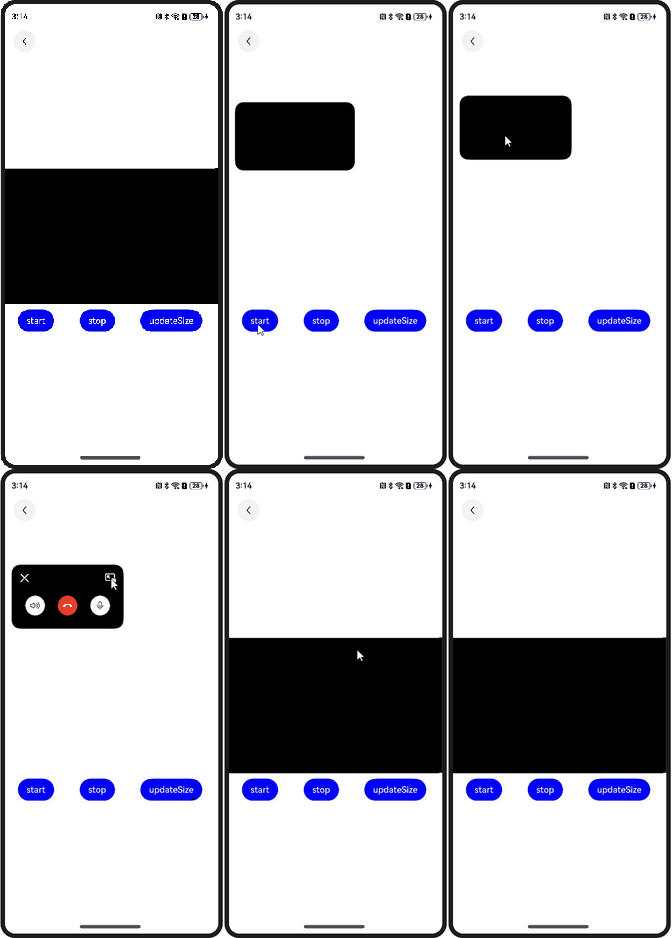
Drag: You can drag the PiP window to any position on the screen. If dragged to the left or right edge of the screen, the PiP window is automatically hidden, and a corresponding icon is displayed on the edge. A touch to the icon shows the PiP window again.
Drag to resize: You can resize the PiP window by dragging any of its four edges or four corners. The window size is constrained between a predefined minimum and maximum limit. If a drag action would cause the window to exceed these size limits or the screen boundaries, it smoothly snaps back to the nearest valid position.
Drag to delete: To delete a PiP window, simply drag it to the trash bin area at the bottom of the screen. Applications that request continuous tasks should proactively listen for the STOPPED event in the PiP lifecycle and stop the task or process accordingly.
The PiP controller provides the following functions:
Window control: includes Close and Full-screen Window. After users touch Close, the PiP window is closed. After users touch Full-screen Window, the original screen is restored.
Content control: The content control area varies according to the scenario and needs to be configured accordingly. The following figure shows the controllers in each scenario.
Figure 1 Different forms of the PiP controller in different scenarios

Configuring Optional Components in the PiP Controller
When using the create API to create a PiP controller instance, you can add a PiPControlGroup array to PiPConfiguration to configure the PiP controller components.
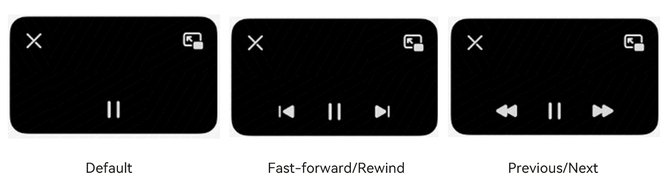
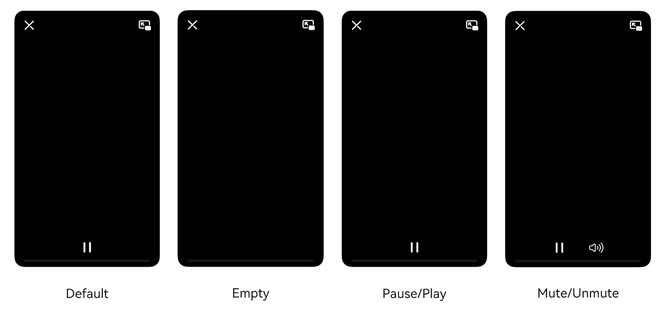
In the video playback scenario, you can configure VideoPlayControlGroup to display optional controls at the control layer.
Figure 2 Optional controller components in video playback
In video calls, you can configure VideoCallControlGroup to display optional controls at the control layer. The schematic diagram is shown as follows.
Figure 3 Optional controller components in video calls
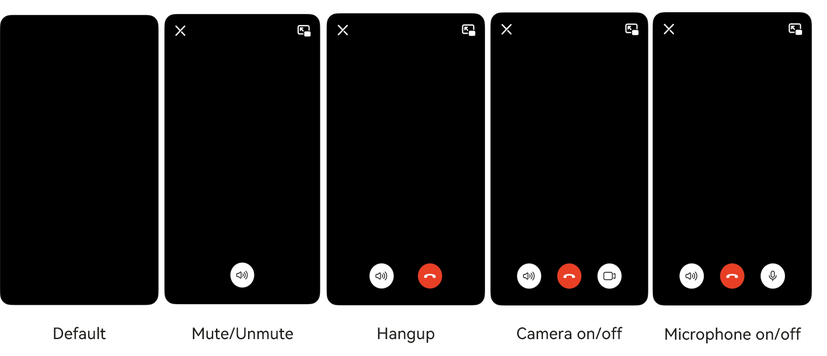
If VideoCallControlGroup is not set, there is no button in video calls by default. You can touch any position in the PiP window to trigger a restoration (see the left figure). The right figure shows the PiP window when VideoCallControlGroup is set.

In video meetings, you can configure VideoMeetingControlGroup to display optional controls at the control layer. The schematic diagram is shown as follows. If VideoMeetingControlGroup is not set, there is no button in video meetings by default. You can touch any position in the PiP window to trigger a restoration (same as that in video calls).
Figure 4 Optional controller components in video meetings

In the live streaming scenario, you can configure VideoLiveControlGroup to display optional controls at the control layer. The schematic diagram is shown as follows.
Figure 5 Optional controller components in live streaming scenarios
Displaying the Custom UI at the Top
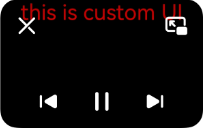
When using the create API to create a PiP controller instance, you can pass customUIController to PiPConfiguration to display the custom UI.

The custom UI cannot respond to interaction events.
Figure 6 Displaying the custom UI at the top of the PiP window
Updating the PiP Component Status
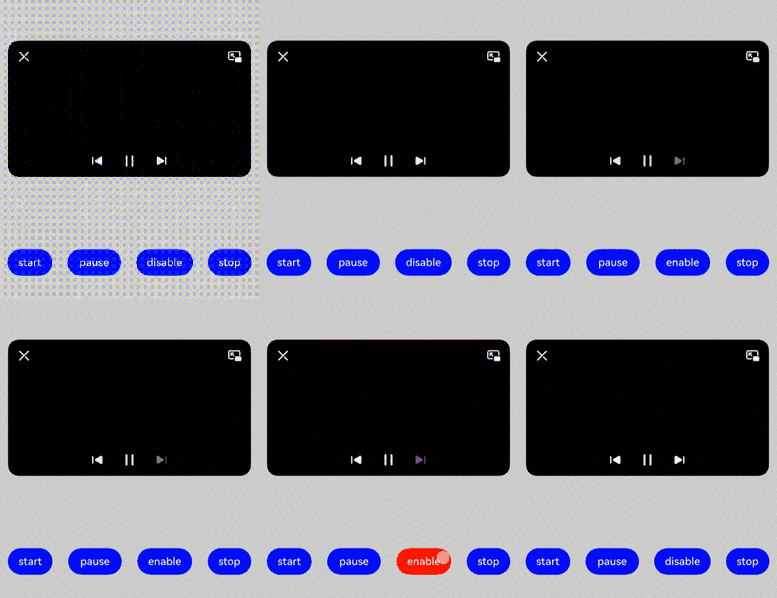
An application can update the PiP component status by calling the updatePiPControlStatus API. The following figure shows how to change the VIDEO_PLAY_PAUSE component to the paused state.
An application can set the PiP component enabling status by calling the setPiPControlEnabled API. The following figure shows how to change the VIDEO_PREVIOUS component to the non-clickable state.
Figure 7 Updating the PiP component status
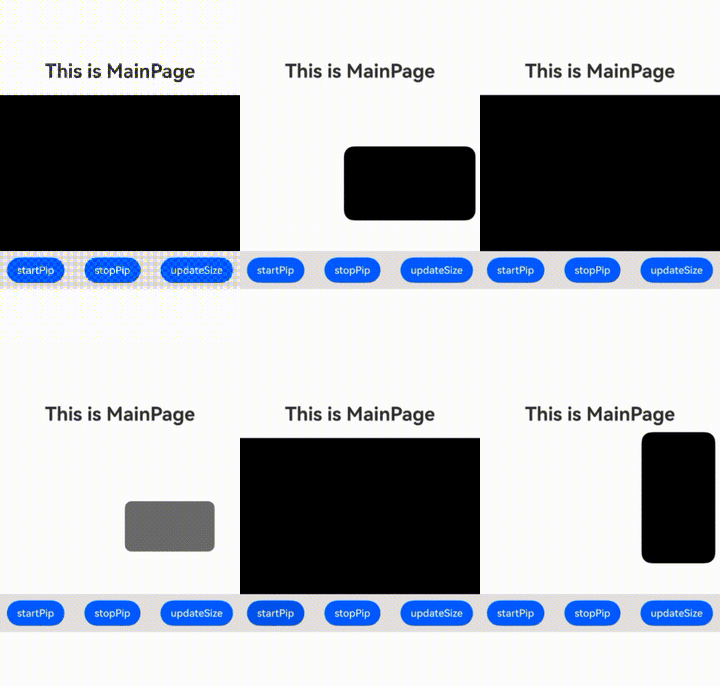
Figure 8 Setting the PiP component enabling status