DevEco Studio provides a variety of debug features. You can debug your app/atomic service written in a single programming language like JS, ArkTS, or C/C++, or multiple languages, and debug third-party library source code.
You can debug your app/atomic service on a real device or the Emulator or Previewer provided by DevEco Studio. The following figure shows the process of debugging an app/atomic service on a real device. For details about debugging on the Emulator or Previewer, see Running Your App on the Emulator and Debugging Your App Using the Previewer.
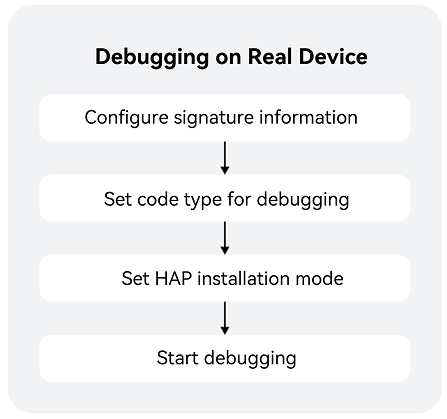
- Set signing configuration: If you are debugging on a real device, you must first sign the HAP.
- Set the debug type: The default type is Detect Automatically.
- Set the HAP installation mode: You can uninstall the app/atomic service and then reinstall it, or install the app/atomic service in overwrite mode.
- Start debugging: You can start your app/atomic service and debug it or debug an app/atomic service that is already running.