Overview
AVPlayer supports formatted audio such as WAV, MP3, and FLAC, offering both ArkTS and native APIs. This guide demonstrates how to implement formatted audio playback using the native APIs of AVPlayer, covering scenarios such as basic playback controls, precise seeking, muted playback, speed adjustment, volume control, focus management, background playback with media controller integration, and cold start.
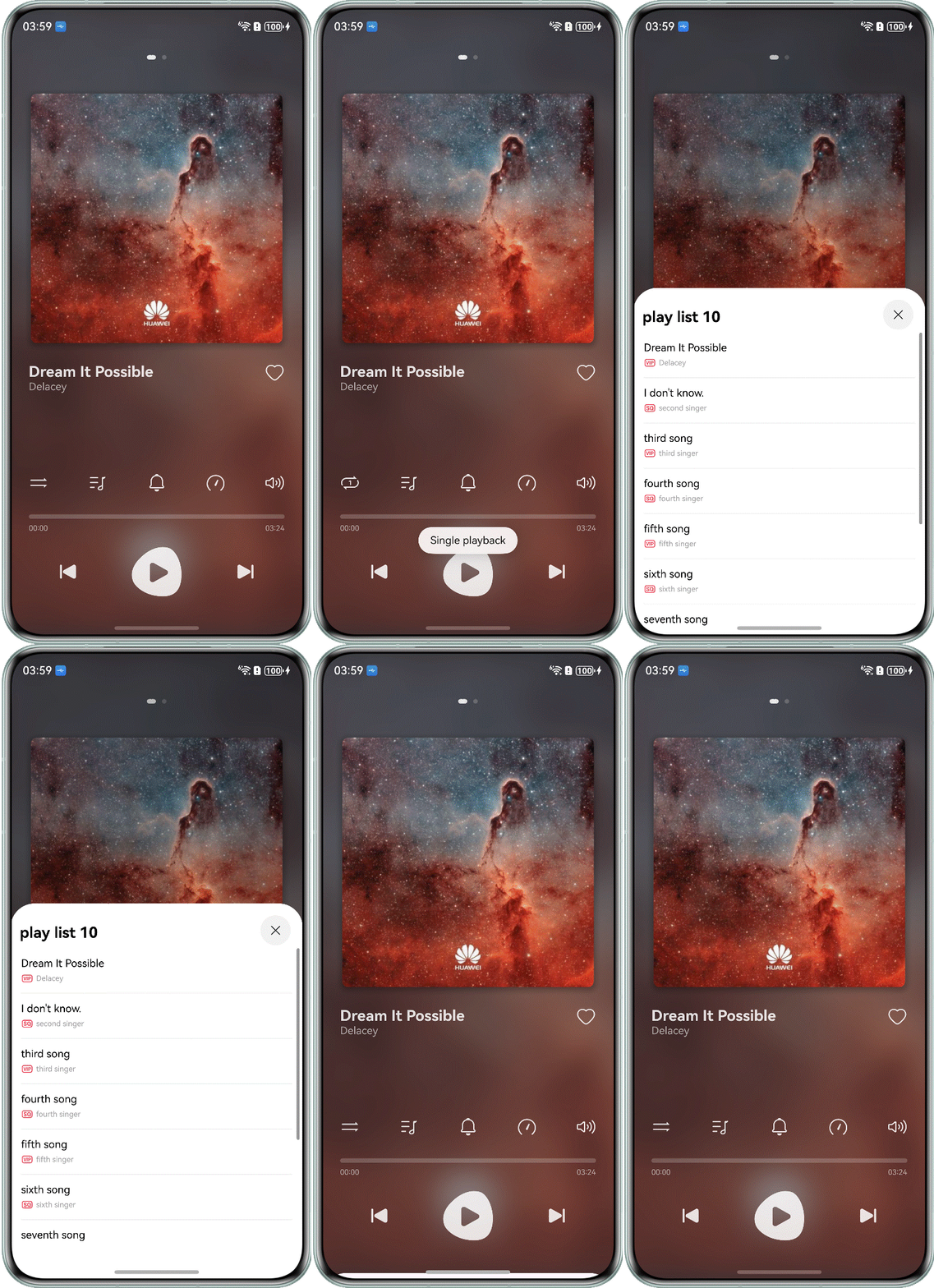
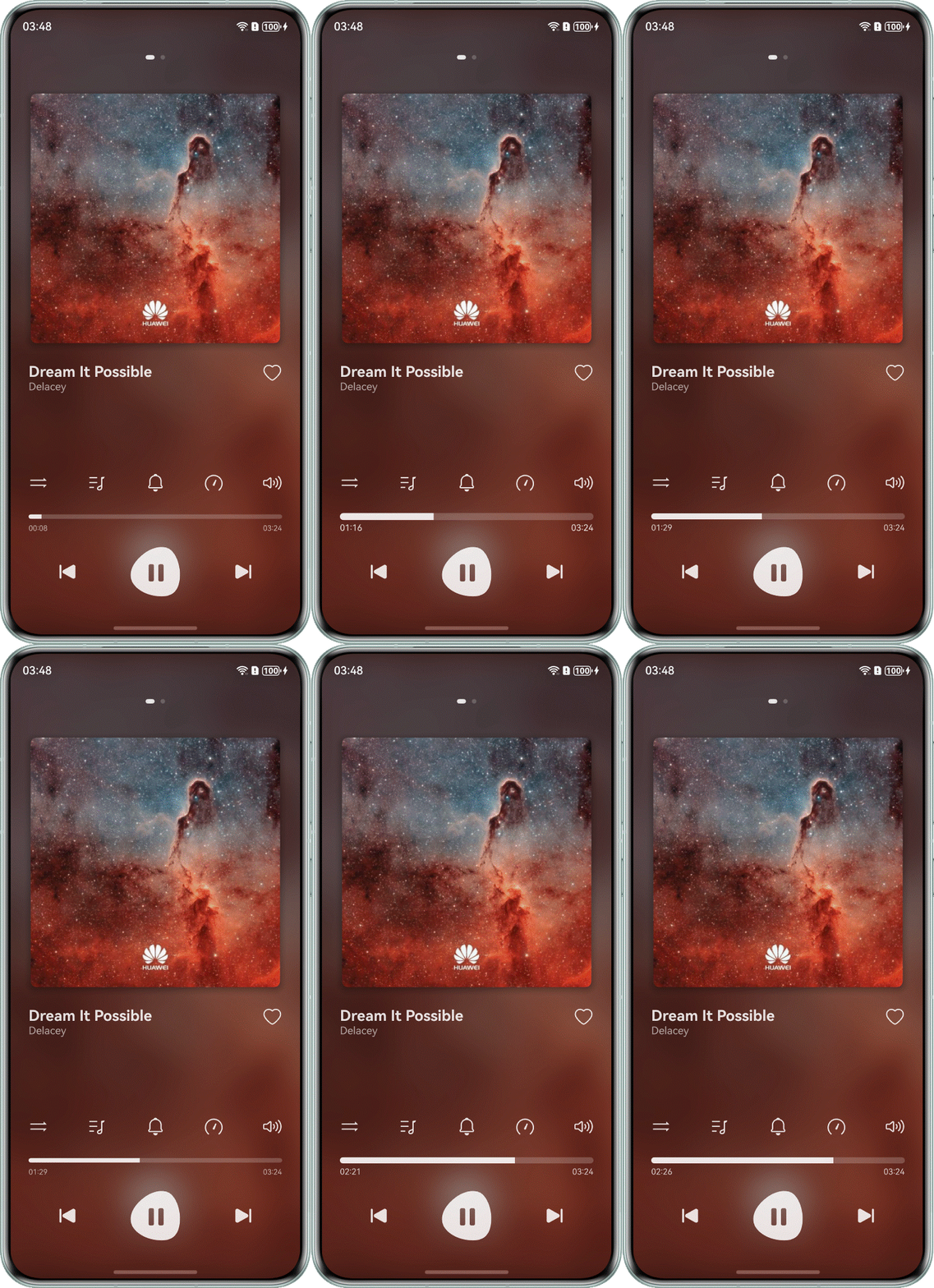
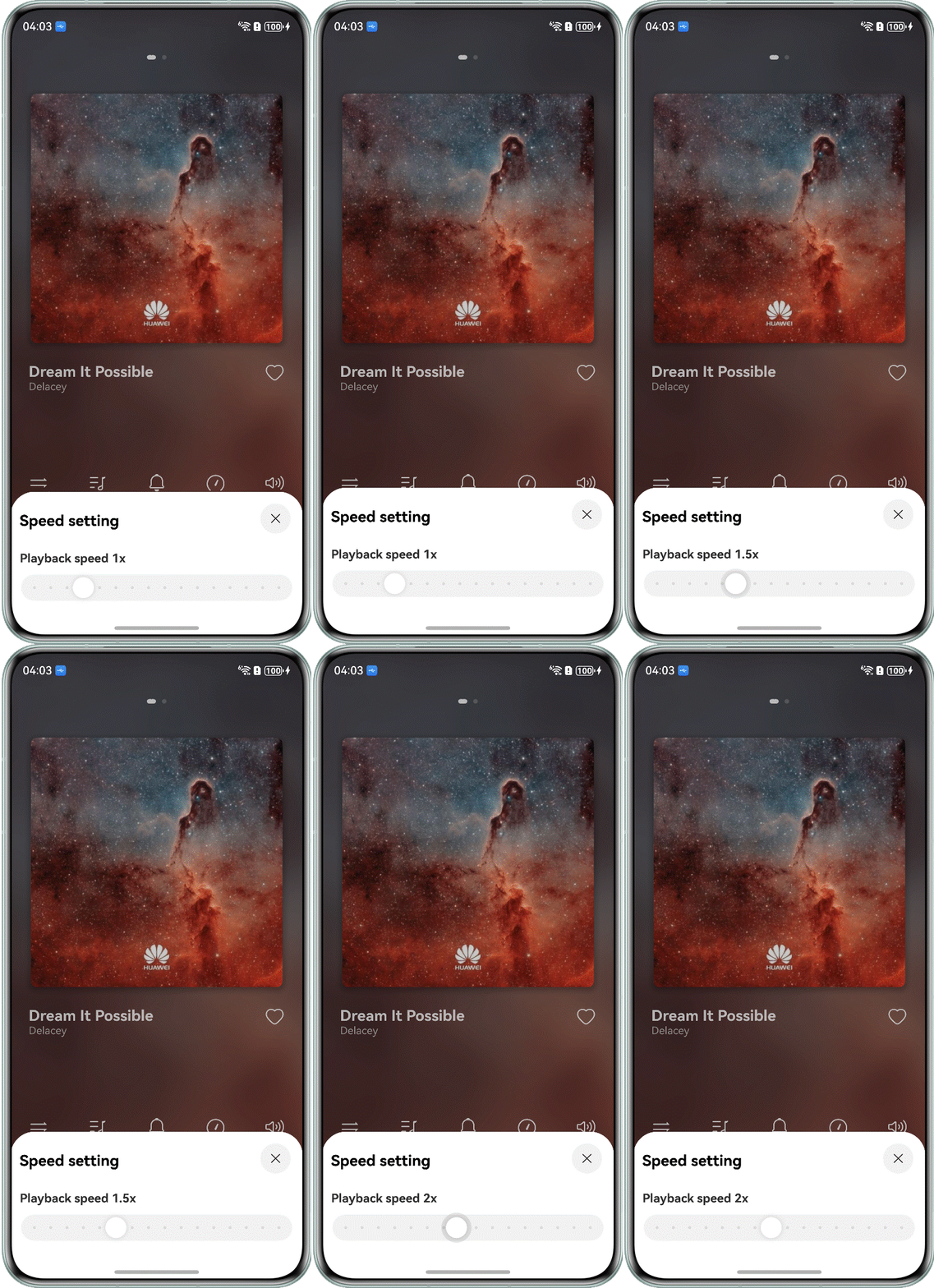
The implementation results are shown below.
Scenario Analysis
Scenario | Description | Implementation |
|---|---|---|
Load, play, pause, and release audio resources, along with other basic playback controls. | Use the AVPlayer APIs. | |
Slide the progress bar to jump to a specific playback position. | Use the Slider component to implement the progress bar. In the onChange() callback, capture the target timestamp triggered by the progress adjustment and use the OH_AVPlayer_Seek() API of AVPlayer to jump to the target position. | |
Toggle mute for media playback. | Use the OH_AVPlayer_SetVolume() API of AVPlayer to set the volume to 0. | |
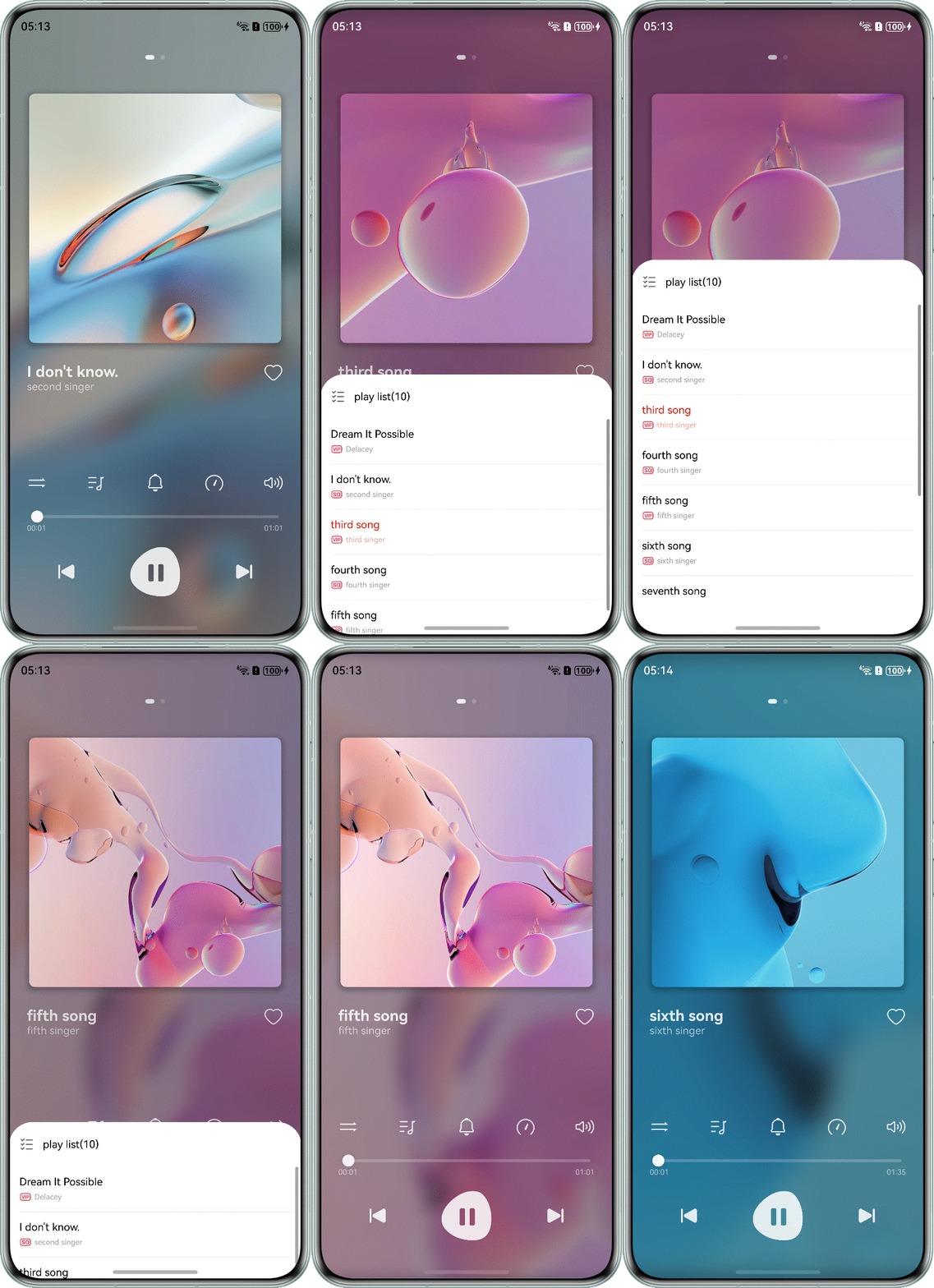
Switch between tracks by tapping the previous or next button, or selecting a track from the playlist. | Call OH_AVPlayer_Reset() to reset the player status and assign a new track resource to the fd or fdSrc property of AVPlayer. | |
Adjust the playback speed using a speed control panel. | Use OH_AVPlayer_SetPlaybackRate() to set the playback speed. | |
Adjust the playback volume using a volume control panel. | Use OH_AVPlayer_SetVolume() to set the playback volume. | |
Manage playback, pausing, track switching, progress adjustment, and loop mode toggling via the media controller. | For details on the principle, solution, and development procedure, see Integration with the Media Controller. | |
Sustain audio playback when the app moves to the background. | For details on the principle, solution, and development procedure, see Background Playback. | |
Resume playback via the media controller's play button or historical playlist after the app process is terminated. | For details on the principle, solution, and development procedure, see Cold Start and Historical Playlist. |
[h2]When to Use
Use the AVPlayer APIs to implement core audio playback capabilities, including audio resource loading, playing, pausing, stopping, and releasing.
[h2]How to Implement
Use the AVPlayer APIs to implement features such as play and pause. Note that the player must be in the correct state before any operation is performed. For example, the play operation can only be successfully executed when the current state is prepared, paused, or completed. Otherwise, the system may throw exceptions or produce undefined behavior. For a detailed mapping of states to APIs, see the playback state transition figure in Using AVPlayer to Play Videos (C/C++).
The specific development steps are as follows:
- Call OH_AVPlayer_Create() to create an AVPlayer instance. Upon successful creation, the player enters the idle state.
- Call OH_AVPlayer_SetOnInfoCallback() to register a callback for responding to state changes.

Because the proper execution of AVPlayer APIs is strictly dependent on the current player state, it is highly recommended that you register the OH_AVPlayer_SetOnInfoCallback() callback to verify the state before performing operations. This prevents exceptions and improves development efficiency.
- Use OH_AVPlayer_SetOnErrorCallback() to set a callback for error information. When an exception occurs, the callback captures the error event, allowing you to rapidly locate the issue.
- Use OH_AVPlayer_SetFDSource() to set the playback resource. After the setting is successful, the player enters the initialized state.
- Call OH_AVPlayer_Prepare() to prepare for audio playback. The player enters the prepared state.
- Call the OH_AVPlayer_Play() API to play the audio resource.

The player does not immediately enter the initialized state after the properties such as url and fdSrc are set in step 4, nor does it immediately enter the prepared state after OH_AVPlayer_Prepare() is executed in step 5. You must wait for the OH_AVPlayer_SetOnInfoCallback() callback to confirm the state transition to initialized before proceeding to the next step; otherwise, the execution will fail.
7. Call the OH_AVPlayer_Pause() API to pause the audio resource.
8. Call the OH_AVPlayer_Stop() API to stop playback.
9. Call the OH_AVPlayer_Release() API to release the playback resource.
[h2]How to Develop
1. Call the OH_AVPlayer_Create() API to create an AVPlayer instance.
void AVPlayer::InitPlayer() {
    // Check the residual status of the previous player
    if (ohAVPlayer != nullptr) {
        OH_LOG_INFO(LOG_APP, "Previous audio player remained and release it.");
        ReleasePlayer();
    }

    ohAVPlayer = OH_AVPlayer_Create();
    if (ohAVPlayer == nullptr) {
        OH_LOG_ERROR(LOG_APP, "Create AVPlayer instance failed.");
        return;
    }
    // ...

    OH_LOG_INFO(LOG_APP, "Init player successfully.");
}
2. Call OH_AVPlayer_SetOnInfoCallback() to register a callback for responding to state changes.
// Define OHAVPlayerOnInfoCallback function
static void OHAVPlayerOnInfoCallback(OH_AVPlayer *player, AVPlayerOnInfoType type, OH_AVFormat *infoBody,
                                     [[maybe_unused]] void *userData) {
    if (player == nullptr) {
        OH_LOG_ERROR(LOG_APP, "OHAVPlayerOnInfoCallback: the player is null.");
        return;
    }
    switch (type) {
    case AV_INFO_TYPE_STATE_CHANGE: {
        int32_t playerState = 0;
        int32_t stateChangeReason = 0;
        OH_AVFormat_GetIntValue(infoBody, OH_PLAYER_STATE, &playerState);
        OH_AVFormat_GetIntValue(infoBody, OH_PLAYER_STATE_CHANGE_REASON, &stateChangeReason);
        OH_LOG_INFO(LOG_APP, "The player state has been changed, state: %{public}d, reason: %{public}d.", playerState,
                    stateChangeReason);
        OHAVPlayerOnStateChange(player, playerState);
    } break;
     // ...
}
// On player state change and process it
static void OHAVPlayerOnStateChange(OH_AVPlayer *player, int32_t playerState) {
AVPlayer::GetInstance().PlayerState = playerState;
switch (playerState) {
case AV_IDLE:
OH_LOG_INFO(LOG_APP, "playerState: AV_IDLE.");
break;
case AV_INITIALIZED:
// ...
// Prepare player
ret = OH_AVPlayer_Prepare(player);
// ...
break;
case AV_PREPARED:
OH_LOG_INFO(LOG_APP, "playerState: AV_PREPARED.");
// ...
if (AVPlayer::GetInstance().WaitPlay) {
AVPlayer::GetInstance().PlaySong();
}
// ...
break;
// ...
default:
break;
}
} 3. Use OH_AVPlayer_SetOnErrorCallback() to set a callback for error information. When an exception occurs, the callback captures the error event.
// Define OHAVPlayerOnErrorCallback function
static void OHAVPlayerOnErrorCallback([[maybe_unused]] OH_AVPlayer *player, int32_t errCode, const char *errMsg,
[[maybe_unused]] void *userData) {
OH_LOG_ERROR(LOG_APP, "OHAVPlayerOnErrorCallback, errCode: %{public}d, errMsg: %{public}s.", errCode, errMsg);
} 4. Use OH_AVPlayer_SetFDSource() to set the playback resource.
void AVPlayer::LoadSongInfo(uint32_t songFd, uint32_t songFileSize, uint32_t songFileOffset) {
if (ohAVPlayer == nullptr) {
OH_LOG_ERROR(LOG_APP, "The ohAVPlayer is null.");
return;
}
AVPlayerState playerState = AV_IDLE;
auto ret = OH_AVPlayer_GetState(ohAVPlayer, &playerState);
if (ret != AV_ERR_OK) {
OH_LOG_ERROR(LOG_APP, "Get player state failed, ret: %{public}d", ret);
return;
}
// When the application loads or plays the first song for the first time, the player does not need to be reset
// In addition, the player cannot be reset in idle state, otherwise an error will be reported
// When playing for the first time, the player is in idle state after creation.
if (playerState != AV_IDLE) {
ret = OH_AVPlayer_Reset(ohAVPlayer);
if (ret != AV_ERR_OK) {
OH_LOG_ERROR(LOG_APP, "Reset player failed, ret: %{public}d", ret);
return;
}
}
ret = OH_AVPlayer_SetFDSource(ohAVPlayer, songFd, songFileOffset, songFileSize);
if (ret != AV_ERR_OK) {
OH_LOG_ERROR(LOG_APP, "Load song information failed, ret: %{public}d", ret);
return;
}
OH_LOG_INFO(LOG_APP,
"Load song information successfully. "
"Song fd: %{public}d, "
"file size: %{public}d, "
"file offset: %{public}d.",
songFd, songFileSize, songFileOffset);
} 5. Call the OH_AVPlayer_Prepare() API to prepare for audio playback.
// Prepare player
ret = OH_AVPlayer_Prepare(player);
if (ret != AV_ERR_OK) {
OH_LOG_ERROR(LOG_APP, "Prepare player failed, ret: %{public}d", ret);
(void)OH_AVPlayer_Release(player);
player = nullptr;
} 6. Call the OH_AVPlayer_Play() API to play the audio resource.
void AVPlayer::PlaySong() {
if (ohAVPlayer == nullptr) {
OH_LOG_ERROR(LOG_APP, "The ohAVPlayer is null.");
return;
}
if (PlayerState != AV_PREPARED && PlayerState != AV_PAUSED && PlayerState != AV_STOPPED &&
PlayerState != AV_COMPLETED) {
WaitPlay = true;
return;
}
auto ret = OH_AVPlayer_Play(ohAVPlayer);
WaitPlay = false;
if (ret != AV_ERR_OK) {
OH_LOG_ERROR(LOG_APP, "Play song failed, ret: %{public}d", ret);
return;
}
OH_LOG_INFO(LOG_APP, "Play song successfully.");
} 7. Call the OH_AVPlayer_Pause() API to pause playback.
void AVPlayer::PauseSong() {
if (ohAVPlayer == nullptr) {
OH_LOG_ERROR(LOG_APP, "The ohAVPlayer is null.");
return;
}
auto ret = OH_AVPlayer_Pause(ohAVPlayer);
if (ret != AV_ERR_OK) {
OH_LOG_ERROR(LOG_APP, "Pause song failed, ret: %{public}d", ret);
return;
}
OH_LOG_INFO(LOG_APP, "Pause song successfully.");
} 8. Call the OH_AVPlayer_Stop() API to stop playback.
void AVPlayer::StopSong() {
if (ohAVPlayer == nullptr) {
OH_LOG_ERROR(LOG_APP, "The ohAVPlayer is null.");
return;
}
auto ret = OH_AVPlayer_Stop(ohAVPlayer);
if (ret != AV_ERR_OK) {
OH_LOG_ERROR(LOG_APP, "Stop song failed, ret: %{public}d", ret);
return;
}
OH_LOG_INFO(LOG_APP, "Stop song successfully.");
} 9. Call the OH_AVPlayer_Release() API to release the playback resource.
void AVPlayer::ReleasePlayer() {
if (ohAVPlayer == nullptr) {
OH_LOG_ERROR(LOG_APP, "The ohAVPlayer is null.");
return;
}
auto ret = OH_AVPlayer_Release(ohAVPlayer);
if (ret != AV_ERR_OK) {
OH_LOG_ERROR(LOG_APP, "Release player failed, ret: %{public}d", ret);
return;
}
ohAVPlayer = nullptr;
OH_LOG_INFO(LOG_APP, "Release player successfully.");
} 
[h2]How to Implement
Use the Slider component to implement the progress bar. In the onChange() callback, capture the target timestamp triggered by the progress adjustment and use the seek() API of AVPlayer to jump to the target position.
[h2]How to Develop
Call the OH_AVPlayer_Seek() API of AVPlayer to jump to the target timestamp.
void AVPlayer::SeekPlaySong(uint32_t timeStamp) {
if (ohAVPlayer == nullptr) {
OH_LOG_ERROR(LOG_APP, "The ohAVPlayer is null.");
return;
}
auto ret = OH_AVPlayer_Seek(ohAVPlayer, timeStamp, AV_SEEK_CLOSEST);
if (ret != AV_ERR_OK) {
OH_LOG_ERROR(LOG_APP, "Seek song failed, ret: %{public}d", ret);
return;
}
OH_LOG_INFO(LOG_APP, "Seek song successfully.");
} 
[h2]How to Develop
Call the OH_AVPlayer_SetVolume() API of AVPlayer and set the volume to 0 to enable muted playback.
void AVPlayer::SetSilentMode(bool isSilentMode) {
if (ohAVPlayer == nullptr) {
OH_LOG_ERROR(LOG_APP, "The ohAVPlayer is null.");
return;
}
// If the isSilentMode is true, set the volume to 0; Otherwise, restore the latest volume value
float volume = isSilentMode ? 0 : lastVolume;
auto ret = OH_AVPlayer_SetVolume(ohAVPlayer, volume, volume);
if (ret != AV_ERR_OK) {
OH_LOG_ERROR(LOG_APP, "SetSilentMode: set app volume failed, ret: %{public}d", ret);
return;
}
OH_LOG_INFO(LOG_APP, "Set silent mode successfully.");
} [h2]When to Use
Switch between tracks by tapping the previous or next button, or selecting a track from the playlist.
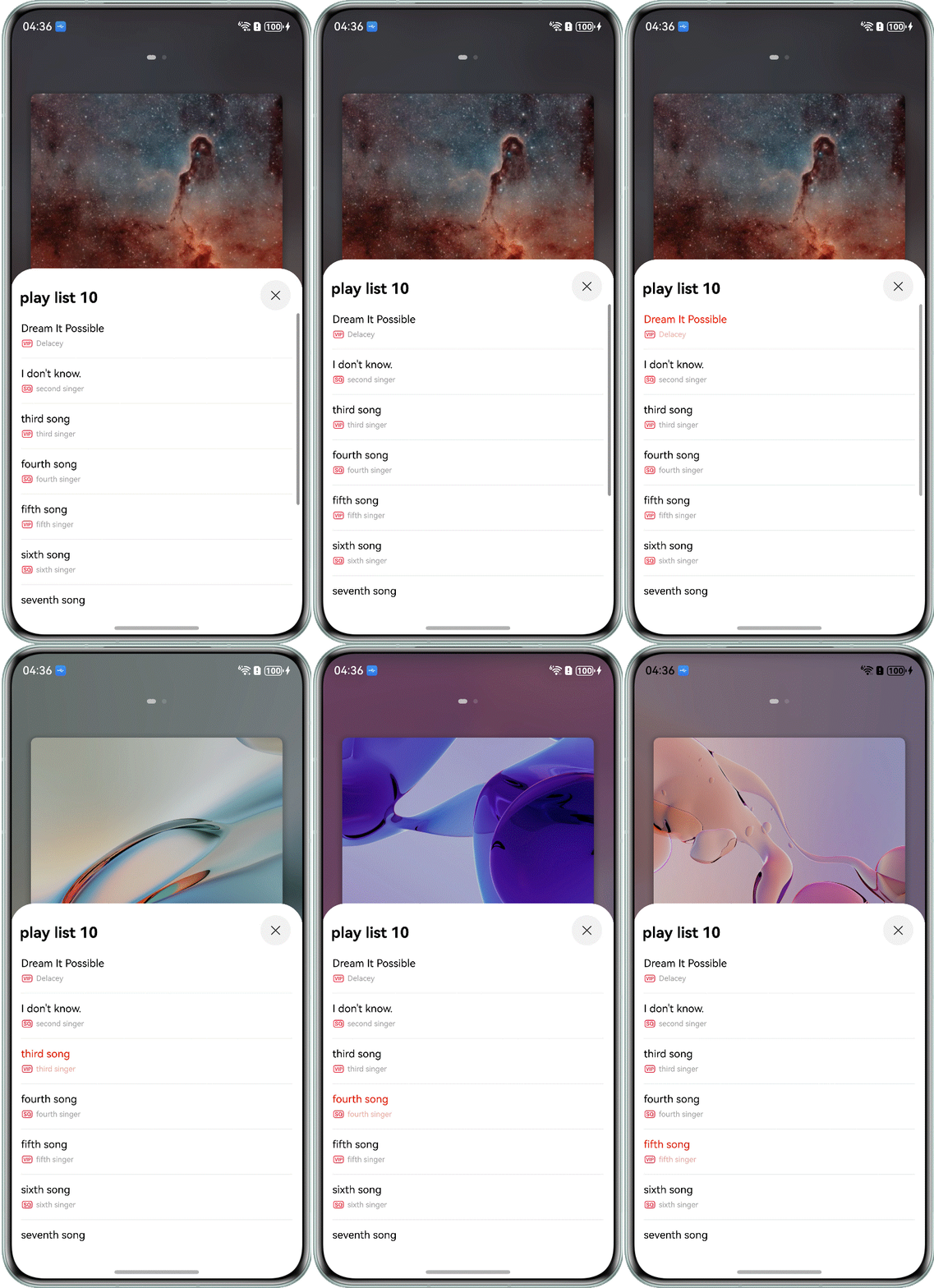
[h2]How to Implement
Call OH_AVPlayer_Reset() to reset the player status and assign a new track resource to the fd or fdSrc property of AVPlayer.
[h2]How to Develop
1. Stop the playback of the current track.
void AVPlayer::StopSong() {
if (ohAVPlayer == nullptr) {
OH_LOG_ERROR(LOG_APP, "The ohAVPlayer is null.");
return;
}
auto ret = OH_AVPlayer_Stop(ohAVPlayer);
if (ret != AV_ERR_OK) {
OH_LOG_ERROR(LOG_APP, "Stop song failed, ret: %{public}d", ret);
return;
}
OH_LOG_INFO(LOG_APP, "Stop song successfully.");
} 2. Use OH_AVPlayer_Reset() to reset the player status.
ret = OH_AVPlayer_Reset(ohAVPlayer);
if (ret != AV_ERR_OK) {
OH_LOG_ERROR(LOG_APP, "Reset player failed, ret: %{public}d", ret);
return;
} 3. Use OH_AVPlayer_SetFDSource() to set the playback resource.
void AVPlayer::LoadSongInfo(uint32_t songFd, uint32_t songFileSize, uint32_t songFileOffset) {
if (ohAVPlayer == nullptr) {
OH_LOG_ERROR(LOG_APP, "The ohAVPlayer is null.");
return;
}
AVPlayerState playerState = AV_IDLE;
auto ret = OH_AVPlayer_GetState(ohAVPlayer, &playerState);
if (ret != AV_ERR_OK) {
OH_LOG_ERROR(LOG_APP, "Get player state failed, ret: %{public}d", ret);
return;
}
// When the application loads or plays the first song for the first time, the player does not need to be reset
// In addition, the player cannot be reset in idle state, otherwise an error will be reported
// When playing for the first time, the player is in idle state after creation.
if (playerState != AV_IDLE) {
ret = OH_AVPlayer_Reset(ohAVPlayer);
if (ret != AV_ERR_OK) {
OH_LOG_ERROR(LOG_APP, "Reset player failed, ret: %{public}d", ret);
return;
}
}
ret = OH_AVPlayer_SetFDSource(ohAVPlayer, songFd, songFileOffset, songFileSize);
if (ret != AV_ERR_OK) {
OH_LOG_ERROR(LOG_APP, "Load song information failed, ret: %{public}d", ret);
return;
}
OH_LOG_INFO(LOG_APP,
"Load song information successfully. "
"Song fd: %{public}d, "
"file size: %{public}d, "
"file offset: %{public}d.",
songFd, songFileSize, songFileOffset);
} 
[h2]How to Implement
Obtain the target speed value from the speed control panel and pass the value to the OH_AVPlayer_SetPlaybackRate() API.
[h2]How to Develop
1. Obtain the speed value from the speed control panel and pass it to the OH_AVPlayer_SetPlaybackRate() API.
Slider({
value: this.speed,
min: 0.25,
max: 2,
step: 0.25,
style: SliderStyle.OutSet
})
.layoutWeight(1)
.showTips(true, this.speed.toString())
.showSteps(true)
.onChange((value: number, mode: SliderChangeMode) => {
this.speed = value;
MediaControlCenter.getInstance().setSpeed(this.speed);
console.info('value:' + value + 'mode:' + mode.toString());
}) 2. Use OH_AVPlayer_SetPlaybackRate() to set the playback speed.
void AVPlayer::SetPlayingSpeed(float speed) {
if (ohAVPlayer == nullptr) {
OH_LOG_ERROR(LOG_APP, "The ohAVPlayer is null.");
return;
}
auto ret = OH_AVPlayer_SetPlaybackRate(ohAVPlayer, speed);
if (ret != AV_ERR_OK) {
OH_LOG_ERROR(LOG_APP, "Set playing speed failed, ret: %{public}d", ret);
return;
}
OH_LOG_INFO(LOG_APP, "Set playing speed successfully.");
} 
[h2]How to Implement
Obtain the target volume value from the volume control panel and pass the value to the OH_AVPlayer_SetVolume() API.
[h2]How to Develop
1. Obtain the volume value from the volume control panel and pass it to the OH_AVPlayer_SetVolume() API.
Slider({
value: this.volume,
min: 0,
max: 1,
step: 0.1,
style: SliderStyle.OutSet
})
.showTips(false)
.layoutWeight(1)
.onChange((value: number, mode: SliderChangeMode) => {
this.volume = value;
if (this.volume === 0) {
this.isSilentMode = true
} else {
this.isSilentMode = false;
}
}) 2. Use OH_AVPlayer_SetVolume() to set the playback volume.
void AVPlayer::SetPlayingVolume(float volume) {
if (ohAVPlayer == nullptr) {
OH_LOG_ERROR(LOG_APP, "The ohAVPlayer is null.");
return;
}
auto ret = OH_AVPlayer_SetVolume(ohAVPlayer, volume, volume);
if (ret != AV_ERR_OK) {
OH_LOG_ERROR(LOG_APP, "Set app volume failed, ret: %{public}d", ret);
return;
}
lastVolume = volume;
OH_LOG_INFO(LOG_APP, "Set app volume successfully.");
} [h2]What should I do if an AVPlayer method returns error code 3?
Symptom
Calls to AVPlayer APIs such as OH_AVPlayer_Prepare(), OH_AVPlayer_Play(), and OH_AVPlayer_Stop() fail and return error code 3. This typically occurs in the following scenarios:
- Calling OH_AVPlayer_Prepare() immediately after setting properties like url and fdSrc.
- Calling OH_AVPlayer_Play() immediately after OH_AVPlayer_Prepare() is executed.
Possible causes
According to OH_AVErrCode, error code 3 corresponds to "AV_ERR_INVALID_VAL" which usually indicates that AVPlayer is in an invalid state for the requested operation. Before performing an operation, ensure that AVPlayer is in the correct state. For example, the play() API can only be executed when AVPlayer is in the prepared, paused, or completed state. Regarding the scenarios mentioned above, the causes are as follows:
- After url and fdSrc are set, AVPlayer does not transition to the initialized state instantly. If OH_AVPlayer_Prepare() is called immediately on the next line of code after the url property is set, AVPlayer may still be in the idle state. In this case, this error may occur.
- Similarly, AVPlayer does not immediately transition to the prepared state after OH_AVPlayer_Prepare() is called. Calling OH_AVPlayer_Play() before the transition is complete will likely cause the execution to fail.
Solution
1. Familiarize yourself with which APIs can be called in specific playback states. For a detailed mapping of states to APIs, see the playback state transition figure in Using AVPlayer to Play Audio (C/C++).
2. Execute the corresponding API after ensuring the player is in the appropriate playback state. It is highly recommended to register the OH_AVPlayer_SetOnInfoCallback() callback to monitor state transitions. Only execute the corresponding API once AVPlayer has reached the required state: Call OH_AVPlayer_Prepare() only after AVPlayer is in the initialized state, and call OH_AVPlayer_Play() only after AVPlayer is in the prepared state.
// On player state change and process it
static void OHAVPlayerOnStateChange(OH_AVPlayer *player, int32_t playerState) {
    AVPlayer::GetInstance().PlayerState = playerState;
    switch (playerState) {
    case AV_IDLE:
        OH_LOG_INFO(LOG_APP, "playerState: AV_IDLE.");
        break;
    case AV_INITIALIZED:
        // ...
            // Prepare player
            ret = OH_AVPlayer_Prepare(player);
            // ...
        break;
    case AV_PREPARED:
        OH_LOG_INFO(LOG_APP, "playerState: AV_PREPARED.");
        // ...
            if (AVPlayer::GetInstance().WaitPlay) {
                AVPlayer::GetInstance().PlaySong();
            }
            // ...
        break;
        // ...
    default:
        break;
    }
}