Introduction to Application Upgrade and Adaptation
HarmonyOS 7.0 will be released for all HarmonyOS NEXT devices. The corresponding API version is 26.0.0. It is recommended that you upgrade your development suite to version 26.0.0 and adapt your application to this version to ensure a good user experience on HarmonyOS 7.0.
During the rapid iteration and update of HarmonyOS, a large number of APIs are added, and a few APIs are deprecated or have behavior changes. To ensure compatibility, you need to evaluate the impact of deprecated APIs and API behavior changes on your application by referring to the API change document before upgrading your application. In addition, we provide the API isolation mechanism (using targetSdkVersion) and API change tool to help you upgrade your application. After upgrading and adapting your application in the development kit, you need to perform compatibility tests on both old and new devices to ensure that the application runs properly. After the verification is complete, release the latest application to AppGallery.
The migration process consists of the following phases:
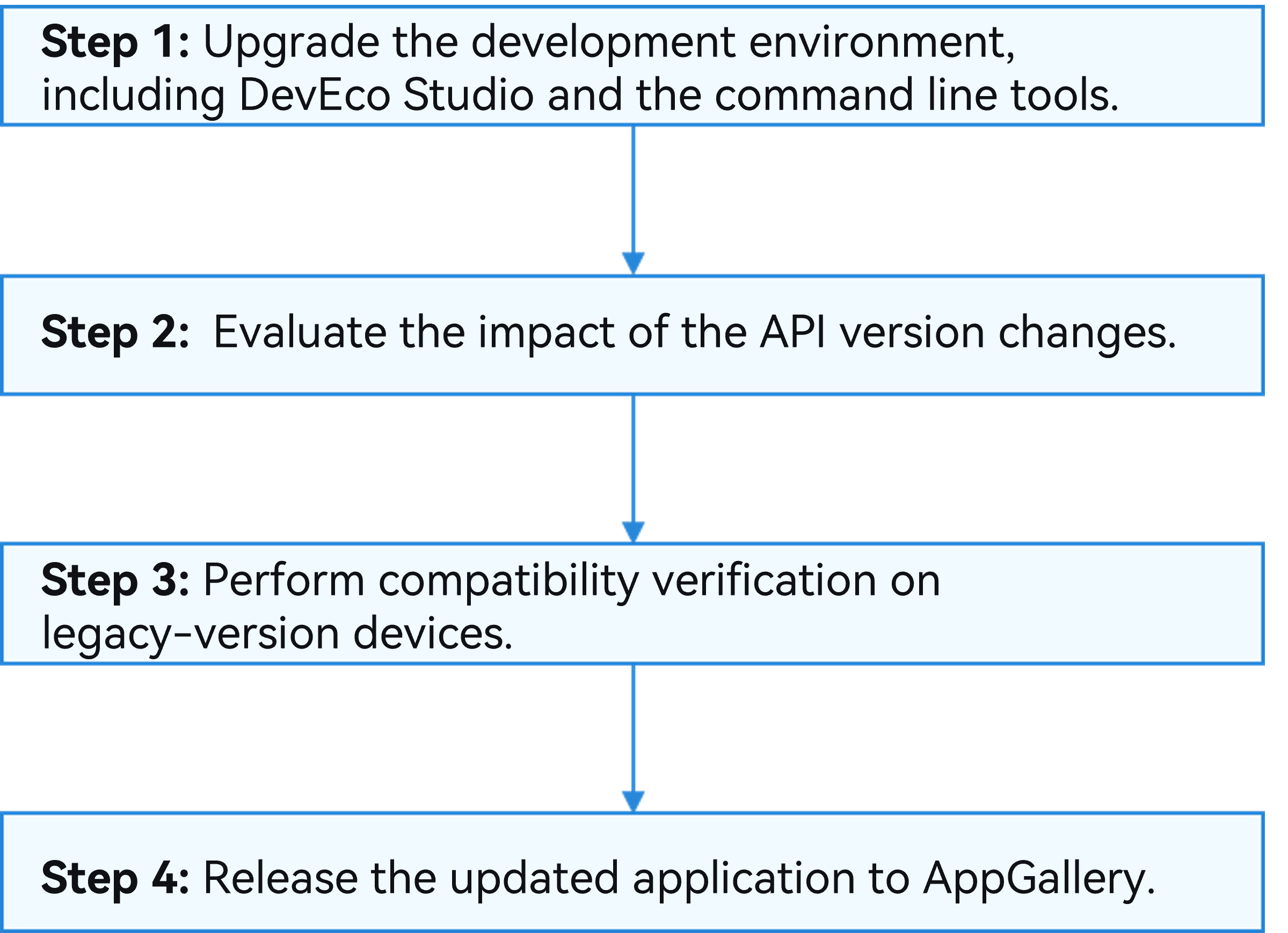

This upgrade guide applies to the upgrade to API version 26.0.0. If you need to upgrade to another version, you can also refer to this process.
If you encounter any issues during the upgrade, refer to Obtaining Support and Help to report your issue.
[h2]Upgrading DevEco Studio
- Obtain and install DevEco Studio that matches the latest HarmonyOS development kit version.
If you have installed an earlier version of DevEco Studio, you can check for updates on the software interface or download the latest version of DevEco Studio from the official website and install it again.
- After the installation, read the Changelogs of DevEco Studio to check whether adaptation is involved in software changes.
If multiple versions are involved, read the changelogs of each version of DevEco Studio in sequence.
- Since 6.0.0(20), DevEco Studio has been preconfigured with the HarmonyOS SDK of the corresponding version. When you build your application again, this SDK will be used.
[h2]Upgrading the Command Line Tools
The command line tools are also pre‑equipped with a matching version of the HarmonyOS SDK. After upgrading DevEco Studio, upgrade the command‑line tools to the same version as well, to ensure that application bundles built using the command line tools in a pipeline use the same SDK toolchain as those built with DevEco Studio.
You can obtain the command line tools of the same version as DevEco Studio from Download center.
Evaluating the Impact of API Version Changes and Performing Adaptation
After DevEco Studio is upgraded, if targetSdkVersion is not explicitly configured in the application project, this field will be automatically updated to the SDK version that matches the new DevEco Studio version. In addition, the compileSdkVersion used for building the application by default will also be updated to the same version. If you want the application to be compatible with an earlier SDK version, you can use compatibleSdkVersion to specify the earliest SDK version that the application is compatible with. In this case, you need to evaluate and adapt to the following two API usage scenarios:
- If your application uses APIs of a new version during an update, these APIs may not be supported on some devices that have not been updated. In this case, you need to check the compatibility to ensure that your application can run properly on devices that meet the SDK compatibility requirements. For details, see Development Guidance for Application Compatibility Scenarios In addition to HarmonyOS APIs, you also need to consider the compatibility impact of third-party libraries (HAR packages) and integrated HSPs.
- If the behavior of an API used by your application changes, you need to evaluate the change after the upgrade to determine whether it affects the compatibility of your application. Behavior changes of some APIs may be isolated by the targetSdkVersion field to provide forward compatibility methods. For details, see Application Compatibility.
To identify the impact of specific API behavior changes on your application, you can use the following methods and refer to the change description document for adaptation:
[h2]Using the API Change Assistant of DevEco Studio
You can use the API Change Assistant of DevEco Studio to check whether the ArkTS APIs or C APIs used in the current project have undergone behavioral changes, and then modify the project code based on the adaptation guide links provided by the tool. The steps are as follows:
- On the DevEco Studio menu bar, choose Tools > API Change Assistant to open the API Change Assistant. On the API Change Assistant tab page under the editing area, you can view API changes by module. Select the SDK version range to be compared and click Start Scan to start the scan.

- After the scan is complete, the tool displays whether the behavior of the APIs used in the current project has changed between the selected SDK versions. Click the code address in the Code Location column to go to the corresponding code writing location. For more guidance, click the link in the Guidance link column to go to the version description document for details.

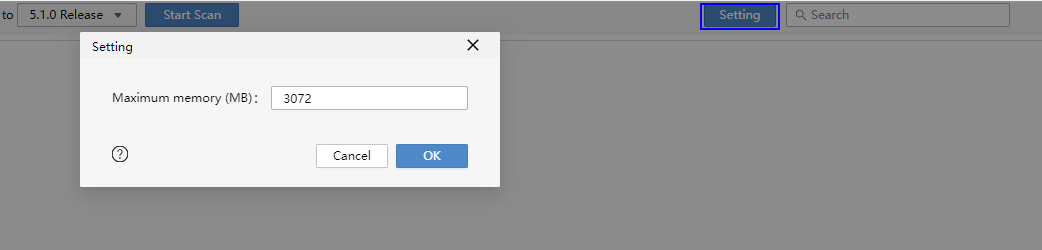
- Click Export, select the location for storing API changes, and export the data. You can click Scan Again for rescan. If you are working with a large project and scanning is slow, you can increase the maximum heap memory size, which is 3072 MB by default, in Setting.
[h2]Viewing All Changes Released on the Official Website
For details about all changes in each HarmonyOS version, see the OS platform behavior changes of each version.
Verifying Application Compatibility on Devices Running the Old and New Versions
After the application is compiled based on the new SDK, install it on devices running the old and new versions for full testing and verification. This helps you identify potential incompatibility issues by covering all functions.
Currently, the Cloud Debugging function provided by AppGallery Connect supports multiple devices and API versions. If you do not have enough real devices for compatibility verification across multiple API versions, you can use the Cloud Debugging function for testing.
Releasing the Newly Compiled Application to AppGallery
After the compilation and compatibility verification are complete, release the application to AppGallery.
For details, see Release.