游戏浮标是指游戏界面中以悬浮窗的方式展示华为游戏中心的入口,用户点击游戏浮标后可以使用用户在华为游戏中心的游戏增值功能,如浏览论坛、领取礼包、查看攻略、游戏录屏等。
在本次codelab中,您将建立一个具备简单游戏交互功能的Android应用程序,您的应用程序将包含:
通过这个Codelab,您将学到:
集成HUAWEI HMS Core能力,需要完成以下准备工作:


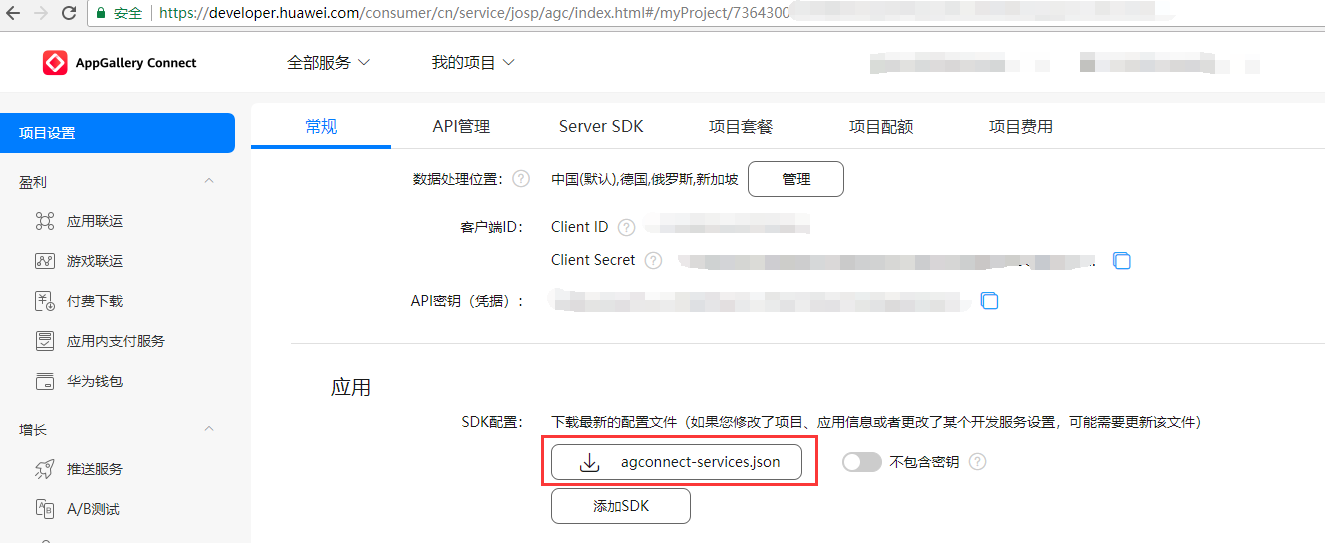
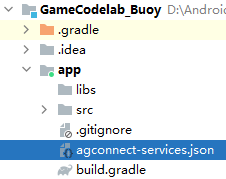
Android Studio的代码库配置在Gradle插件7.0以下版本、7.0版本和7.1及以上版本有所不同。请根据您当前的Gradle插件版本,选择对应的配置过程。
7.0以下版本 | 7.0版本 | 7.1及以上版本 |
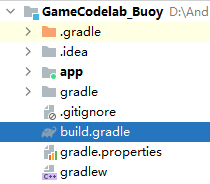
buildscript{
 repositories {
      google()
      jcenter()
      // 配置HMS Core SDK的Maven仓地址
      maven {url 'https://developer.huawei.com/repo/'}
 }
 dependencies {
      classpath 'com.android.tools.build:gradle:3.5.4'
      // 增加agcp插[最新版本](https://developer.huawei.com/consumer/cn/doc/development/AppGallery-connect-Guides/agc-sdk-changenotes-0000001058732550)推荐您使用最新版本的agcp插件。
      classpath 'com.huawei.agconnect:agcp:1.6.0.300'
 }
}
allprojects {
 repositories {
     google()
     jcenter()
     // 配置HMS Core SDK的Maven仓地址
     maven {url 'https://developer.huawei.com/repo/'}
  }
}
buildscript{
 repositories {
      google()
      jcenter()
      // 配置HMS Core SDK的Maven仓地址
      maven {url 'https://developer.huawei.com/repo/'}
 }
 dependencies {
      classpath 'com.android.tools.build:gradle:3.5.4'
      // 增加agcp插件配置,推荐您使用最新版本的agcp插件。
      classpath 'com.huawei.agconnect:agcp:1.6.0.300'
 }
}
dependencyResolutionManagement {
...
repositories {
    google()
    jcenter()
    maven {url 'https://developer.huawei.com/repo/'}
}
buildscript{
 dependencies {
      ...
      // 增加agcp插件配置,推荐您使用最新版本的agcp插件。
      classpath 'com.huawei.agconnect:agcp:1.6.0.300'
 }
}
pluginManagement {
repositories {
    gradlePluginPortal()
    google()
    mavenCentral()
    // 配置HMS Core SDK的Maven仓地址
    maven {url 'https://developer.huawei.com/repo/'}

}
}
dependencyResolutionManagement {
...
repositories {
    google()
    mavenCentral()
    // 配置HMS Core SDK的Maven仓地址
    maven {url 'https://developer.huawei.com/repo/'}

}
}
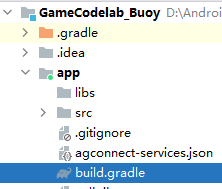
dependencies {
implementation 'com.huawei.hms:hwid:{version}'
implementation 'com.huawei.hms:game:{version}'
}
apply plugin: 'com.huawei.agconnect'
plugins {
id 'com.android.application'
// 添加如下配置
id 'com.huawei.agconnect'
}

编译APK前需要添加混淆配置,避免功能异常。配置步骤如下:
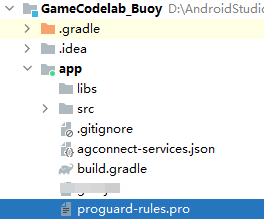
-ignorewarnings
-keepattributes *Annotation*
-keepattributes Exceptions
-keepattributes InnerClasses
-keepattributes Signature
-keepattributes SourceFile,LineNumberTable
-keep class com.hianalytics.android.**{*;}
-keep class com.huawei.updatesdk.**{*;}
-keep class com.huawei.hms.**{*;}
-keep class com.huawei.gamebox.plugin.gameservice.**{*;}
-keep interface com.huawei.hms.analytics.type.HAEventType{*;}
-keep interface com.huawei.hms.analytics.type.HAParamType{*;}
-keep class com.huawei.hms.analytics.HiAnalyticsInstance{*;}
-keep class com.huawei.hms.analytics.HiAnalyticsInstance{*;}
-keep class com.huawei.hms.analytics.HiAnalytics{*;}
<?xml version="1.0" encoding="utf-8"?>
<resources xmlns:tools="http://schemas.android.com/tools"
tools:keep="@layout/hms_download_progress,@drawable/screen_off,@layout/upsdk*,@drawable/c_buoycircle*,@drawable/hms_game*,@layout/c_buoycircle*,@layout/hms_game*,@strings/hms_game*,@strings/c_buoycircle*"
tools:shrinkMode="strict" />
本次Codelab中您可以在Android Studio工程中创建一个布局页面,参照下图进行UI设计,新增三个Button。"init"点击后调用初始化接口,"showFloatWindow"点击后调用显示浮标接口,"hideFloatWindow"点击后调用隐藏浮标接口。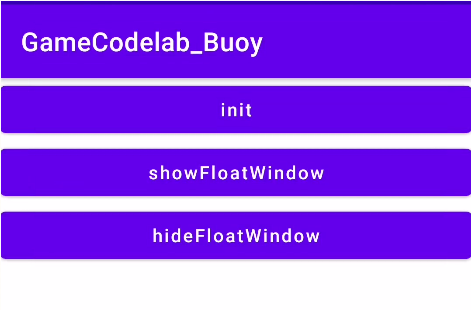
// 布局代码
<?xml version="1.0" encoding="utf-8"?>
<LinearLayout xmlns:android="http://schemas.android.com/apk/res/android"
    android:layout_width="match_parent"
    android:layout_height="match_parent"
    android:orientation="vertical">
    <Button
        android:id="@+id/btn_init"
        android:layout_width="match_parent"
        android:layout_height="wrap_content"
        android:textAllCaps="false"
        android:text="init"/>
    <Button
        android:id="@+id/btn_showWindow"
        android:layout_width="match_parent"
        android:layout_height="wrap_content"
        android:textAllCaps="false"
        android:text="showFloatWindow"/>
    <Button
        android:id="@+id/btn_hideWindow"
        android:layout_width="match_parent"
        android:layout_height="wrap_content"
        android:textAllCaps="false"
        android:text="hideFloatWindow"/>
</LinearLayout>
public class MyApplication extends Application {
@Override
public void onCreate(){
   super.onCreate();
   HuaweiMobileServicesUtil.setApplication(this);
}
}
private void init(){
AccountAuthParams params = AccountAuthParams.DEFAULT_AUTH_REQUEST_PARAM_GAME;
JosAppsClient appsClient = JosApps.getJosAppsClient(this);
// 设置防沉迷提示语的context,此行必须添加
ResourceLoaderUtil.setmContext(this);
Task<Void> initTask = appsClient.init(new AppParams(params, new AntiAddictionCallback() {
    @Override
    public void onExit() {
        // System.exit(0);
        // The callback will return in two situations:
        // 1. When a no-adult, real name user logs in to the game during the day, Huawei will pop up a box to remind the player that the game is not
        //  allowed. The player clicks "OK" and Huawei will return to the callback
        // 2. The no-adult, real name user logs in the game at the time allowed by the state. At 9 p.m., Huawei will pop up a box to remind the
        // player that it is time. The player clicks "I know" and Huawei will return to the callback
        // You can realize the anti addiction function of the game here, such as saving the game, calling the account to exit the interface or
        // directly the game process
        // 该回调会在如下两种情况下返回:
        // 1.未成年人实名帐号在白天登录游戏,华为会弹框提示玩家不允许游戏,玩家点击"确定",华为返回回调
        // 2.未成年实名帐号在国家允许的时间登录游戏,到晚上9点,华为会弹框提示玩家已到时间,玩家点击"知道了",华为返回回调
        // 您可在此处实现游戏防沉迷功能,如保存游戏、调用帐号退出接口或直接游戏进程退出(如System.exit(0))    }}));
initTask.addOnSuccessListener(new OnSuccessListener<Void>() {
    @Override
    public void onSuccess(Void aVoid) {
        showLog("init success");
        hasInit = true;
        // 游戏初始化成功后务必成功调用过一次浮标显示接口
        showFloatWindowNewWay();
    }
}).addOnFailureListener(new OnFailureListener() {
    @Override
    public void onFailure(Exception e) {
        if (e instanceof ApiException) {
            ApiException apiException = (ApiException) e;
            int statusCode = apiException.getStatusCode();
            if (statusCode == JosStatusCodes.JOS_PRIVACY_PROTOCOL_REJECTED) {
                // Error code 7401 indicates that the user did not agree to Huawei joint operations privacy agreement
                // 错误码为7401时表示用户未同意华为联运隐私协议
                showLog("has reject the protocol");
                // You need to prohibit players from entering the game here.
                // 此处您需禁止玩家进入游戏
            } else if (statusCode == GamesStatusCodes.GAME_STATE_NETWORK_ERROR) {
                // Error code 7002 indicates network error
                // 错误码7002表示网络异常
                showLog("network error");
                // 此处您可提示玩家检查网络,请不要重复调用init接口,否则断网情况下可能会造成手机高耗电。
                // You can ask the player to check the network. Do not invoke the init interface repeatedly. Otherwise, the phone may consume a lot
                // of power if the network is disconnected.
            } else if (statusCode == 907135003) {
                // 907135003表示玩家取消HMS Core升级或组件升级
                // 907135003 indicates that user rejected the installation or upgrade of HMS Core.
                showLog("init statusCode=" + statusCode);
                init();
            } else {
                // Handle other error codes
                // 在此处实现其他错误码的处理
            }
        }
    }
});
}
@Override
protected void onResume() {
super.onResume();
showFloatWindowNewWay();
}
@Override
protected void onPause() {
super.onPause();
hideFloatWindowNewWay();
}
/**
* 显示游戏浮标。
*/
private void showFloatWindowNewWay() {
if (hasInit) {
    // 请务必在init成功后,调用浮标接口
    Games.getBuoyClient(this).showFloatWindow();
    showLog("show floatWindow");
}
}
/**
* 隐藏已经显示的游戏浮标。
*/
private void hideFloatWindowNewWay() {
Games.getBuoyClient(this).hideFloatWindow();
showLog("show hideWindow");
}
public void showLog(String logLine) {
Log.e(TAG,logLine);
}
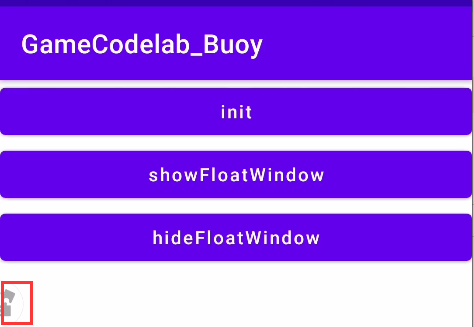
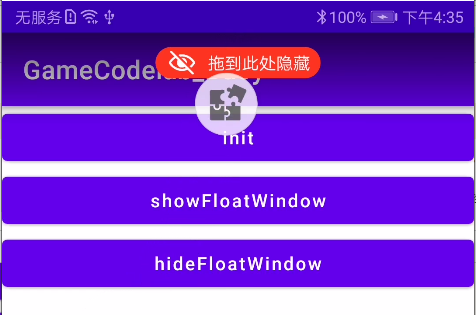
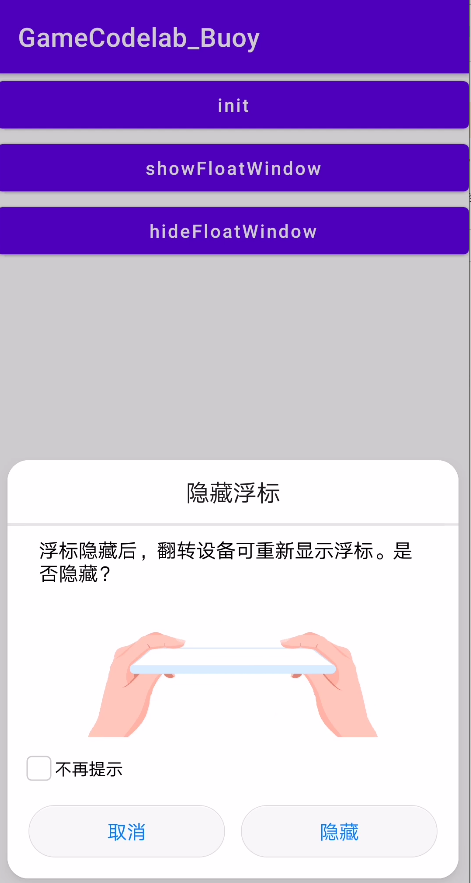
以下场景测试请使用EMUI9.1以下的华为设备或者三方设备,并且设备必须安装9.0以上版本华为应用市场客户端
恭喜您,您已经成功完成了Codelab并学到了:
您可以阅读下面链接,了解更多相关的信息。
本Codelab中所用API请参考游戏服务的相关API介绍
游戏浮标官方文档介绍,请参考浮标
相关错误码说明,请参考错误码
源码下载地址:源码下载