问题现象
PC应用非全屏状态下或者自由多窗模式下如何不显示右上角三键?
背景知识
Window提供管理窗口的一些基础能力,包括对当前窗口的创建、销毁、各属性设置,以及对各窗口间的管理调度。
解决方案
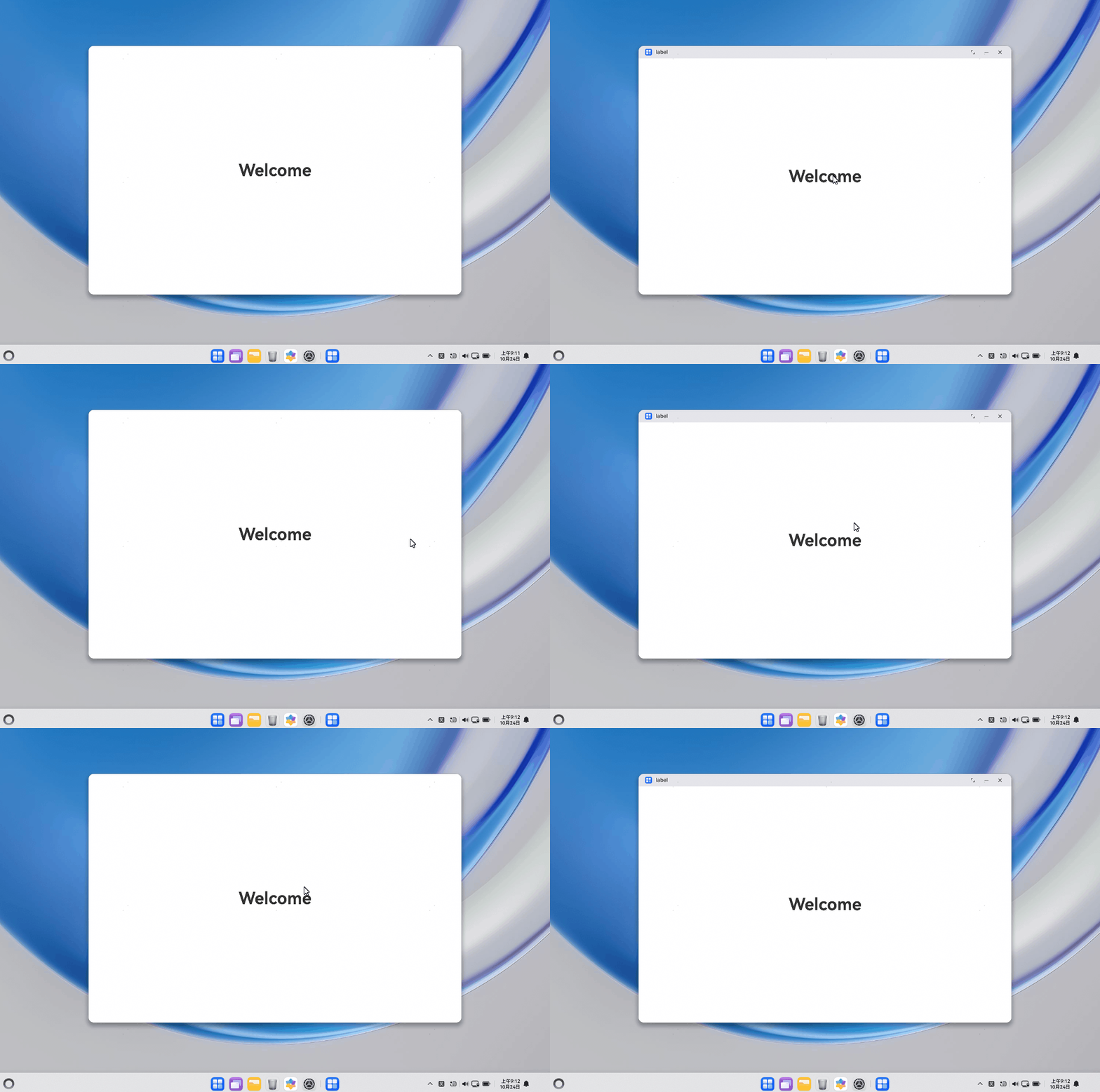
- 配置定时任务间隔,通过onMouse事件判断鼠标在应用中是否保持静止。
- 若鼠标静止,获取应用窗口实例,使用setWindowDecorVisible主动隐藏状态栏。

- 如上图窗口右上角三键此时未隐藏,使用setWindowTitleButtonVisible主动隐藏三键,以获取沉浸式体验。
import { common } from '@kit.AbilityKit';
import { window } from '@kit.ArkUI';
import { BusinessError } from '@kit.BasicServicesKit';

@Entry
@Component
struct Index {
  @State message: string = 'Hello World';
  preX: number = 0;
  preY: number = 0;
  curX: number = 0;
  curY: number = 0;
  context: Context | undefined = this.getUIContext().getHostContext();

  onPageShow(): void {
    // 设置定时任务检测一定时间内鼠标是否移动
    setInterval(() => {
      if (this.curX == this.preX && this.curY == this.preY) {
        // 设置导航栏不可见
        changeRight(this.context, false, false, false);
      } else {
        this.preX = this.curX;
        this.preY = this.curY;
      }
    }, 1000);
  }

  build() {
    RelativeContainer() {
      Text(this.message)
        .id('HelloWorld')
        .fontSize($r('app.float.page_text_font_size'))
        .fontWeight(FontWeight.Bold)
        .alignRules({
          center: { anchor: '__container__', align: VerticalAlign.Center },
          middle: { anchor: '__container__', align: HorizontalAlign.Center }
        })
        .onClick(() => {
          this.message = 'Welcome';
        })
    }
    .onMouse((event?: MouseEvent) => {
      // 设置页面的onMouse回调记录鼠标位置
      if (event) {
        this.curX = event.windowX;
        this.curY = event.windowY;
        // 设置导航栏可见
        changeRight(this.context, true, true, true);
      }
    })
    .height('100%')
    .width('100%')
  }
}

function changeRight(context: Context | undefined, max: boolean, min: boolean, isClose: boolean) {
  if (!context) {
    return;
  }
  let uiContext = context as common.UIAbilityContext;
  let mainWindow: window.Window | undefined = undefined;
  uiContext.windowStage.getMainWindow().then(
    data => {
      mainWindow = data;
      // setWindowDecorVisible用于隐藏图标、名称与状态栏
      mainWindow.setWindowDecorVisible(max);
      // setWindowTitleButtonVisible接口,隐藏主窗标题栏最大化、最小化、关闭按钮。
      mainWindow.setWindowTitleButtonVisible(max, min, isClose);
    }
  ).catch((err: BusinessError) => {
    if (err.code) {
      console.error(`Failed to obtain the main window. Cause code: ${err.code}, message: ${err.message}`);
    }
  });
}
常见FAQ
Q:setWindowSystemBarEnable等部分接口使用中发现在2in1模拟器中不生效是为什么?
A:Window部分接口虽然显示支持PC/2in1设备,文档中也有标识说明,接口在部分机型下不生效,在使用Window或者其他接口时需要注意接口适配性,避免影响开发效率。
Q:深色模式下PC应用窗口右上角的三键颜色不够清晰,如何处理?
A:将设备系统版本升级至最新Release版本。系统在新版本中已优化深色模式下右上角三键的显示颜色,升级后三键将显示为白色,提升视觉清晰度。