智能客服
你问我答,随时在线为你解决问题















@AnimatableExtend装饰器用于自定义可动画的属性方法,在这个属性方法中修改组件不可动画的属性。在动画执行过程中,通过逐帧回调函数修改不可动画属性值,让不可动画属性也能实现动画效果。也可通过逐帧回调函数修改可动画属性的值,实现逐帧布局的效果。
可动画属性:如果一个属性方法在animation属性前调用,改变这个属性的值可以使animation属性的动画效果生效,这个属性称为可动画属性。比如height、width、backgroundColor、translate属性,和Text组件的fontSize属性等。
不可动画属性:如果一个属性方法在animation属性前调用,改变这个属性的值不能使animation属性的动画效果生效,这个属性称为不可动画属性。比如Polyline组件的points属性等。
该装饰器从API version 10开始支持。后续版本如有新增内容,则采用上角标单独标记该内容的起始版本。
从API version 11开始,该装饰器支持在元服务中使用。
- @AnimatableExtend(UIComponentName) function functionName(value: typeName) {
- .propertyName(value)
- }
该接口定义非number数据类型的动画运算规则。对非number类型的数据(如数组、结构体、颜色等)做动画,需要实现AnimatableArithmetic<T>接口中加法、减法、乘法和判断相等函数,使得该数据能参与动画的插值运算和识别该数据是否发生改变。即定义它们为实现了AnimatableArithmetic<T>接口的类型。
| 名称 | 入参类型 | 返回值类型 | 说明 |
|---|---|---|---|
| plus | AnimatableArithmetic<T> | AnimatableArithmetic<T> | 定义该数据类型的加法运算规则 |
| subtract | AnimatableArithmetic<T> | AnimatableArithmetic<T> | 定义该数据类型的减法运算规则 |
| multiply | number | AnimatableArithmetic<T> | 定义该数据类型的乘法运算规则 |
| equals | AnimatableArithmetic<T> | boolean | 定义该数据类型的相等判断规则 |
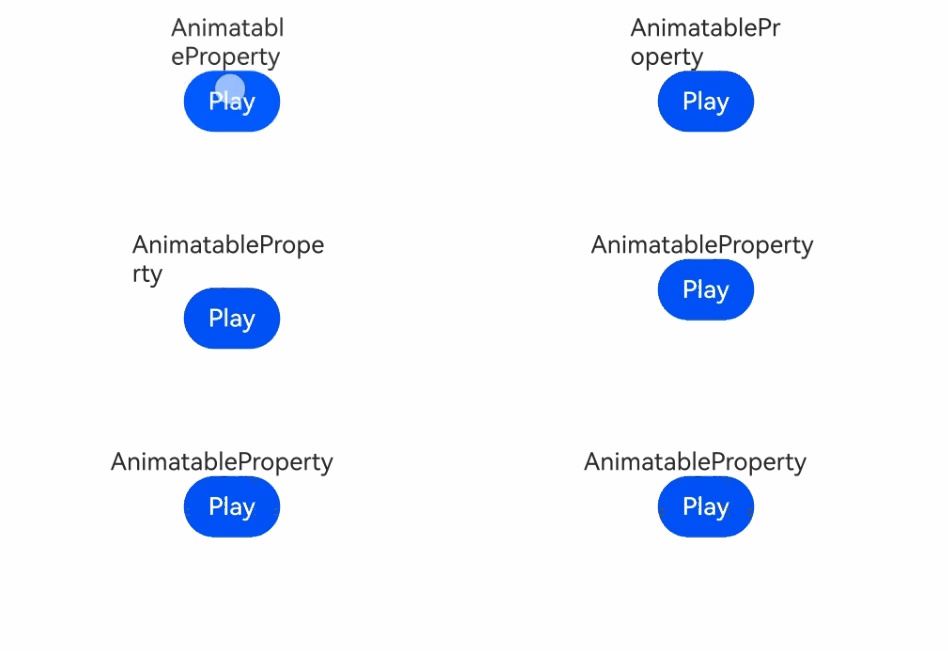
以下示例通过改变Text组件宽度实现逐帧布局的效果。
- @AnimatableExtend(Text)
- function animatableWidth(width: number) {
- // 在逐帧回调中将width写入Text的width属性
- .width(width)
- }
-
- @Entry
- @Component
- struct AnimatablePropertyText {
- @State textWidth: number = 80;
-
- build() {
- Column() {
- Text('AnimatableProperty')
- .animatableWidth(this.textWidth)
- .animation({ duration: 2000, curve: Curve.Ease })
- // 点击按钮切换textWidth,触发Text逐帧更新宽度并产生动画效果
- Button('Play')
- .onClick(() => {
- this.textWidth = this.textWidth == 80 ? 160 : 80;
- })
- }.width('100%')
- .padding(10)
- }
- }
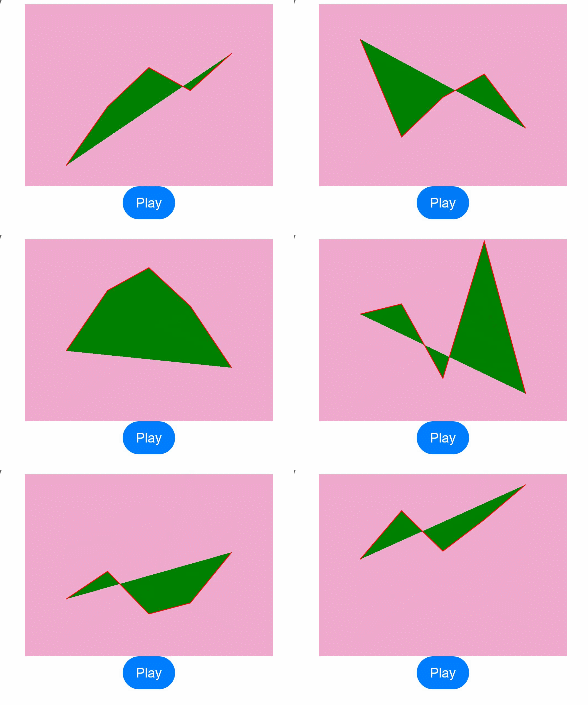
以下示例实现折线的动画效果。
- class Point {
- x: number;
- y: number;
-
- constructor(x: number, y: number) {
- this.x = x;
- this.y = y;
- }
-
- plus(rhs: Point): Point {
- return new Point(this.x + rhs.x, this.y + rhs.y);
- }
-
- subtract(rhs: Point): Point {
- return new Point(this.x - rhs.x, this.y - rhs.y);
- }
-
- multiply(scale: number): Point {
- return new Point(this.x * scale, this.y * scale);
- }
-
- equals(rhs: Point): boolean {
- return this.x === rhs.x && this.y === rhs.y;
- }
- }
-
- // PointVector实现了AnimatableArithmetic<T>接口
- class PointVector extends Array<Point> implements AnimatableArithmetic<PointVector> {
- constructor(value: Array<Point>) {
- super();
- value.forEach(p => this.push(p));
- }
-
- plus(rhs: PointVector): PointVector {
- let result = new PointVector([]);
- const len = Math.min(this.length, rhs.length);
- for (let i = 0; i < len; i++) {
- result.push((this as Array<Point>)[i].plus((rhs as Array<Point>)[i]));
- }
- return result;
- }
-
- subtract(rhs: PointVector): PointVector {
- let result = new PointVector([]);
- const len = Math.min(this.length, rhs.length);
- for (let i = 0; i < len; i++) {
- result.push((this as Array<Point>)[i].subtract((rhs as Array<Point>)[i]));
- }
- return result;
- }
-
- multiply(scale: number): PointVector {
- let result = new PointVector([]);
- for (let i = 0; i < this.length; i++) {
- result.push((this as Array<Point>)[i].multiply(scale));
- }
- return result;
- }
-
- equals(rhs: PointVector): boolean {
- if (this.length != rhs.length) {
- return false;
- }
- for (let i = 0; i < this.length; i++) {
- if (!(this as Array<Point>)[i].equals((rhs as Array<Point>)[i])) {
- return false;
- }
- }
- return true;
- }
-
- get(): Array<Object[]> {
- let result: Array<Object[]> = [];
- this.forEach(p => result.push([p.x, p.y]));
- return result;
- }
- }
-
- @AnimatableExtend(Polyline)
- function animatablePoints(points: PointVector) {
- .points(points.get())
- }
-
- @Entry
- @Component
- struct AnimatablePropertyExample {
- @State points: PointVector = new PointVector([
- new Point(50, Math.random() * 200),
- new Point(100, Math.random() * 200),
- new Point(150, Math.random() * 200),
- new Point(200, Math.random() * 200),
- new Point(250, Math.random() * 200),
- ])
-
- build() {
- Column() {
- Polyline()
- .animatablePoints(this.points)
- .animation({ duration: 1000, curve: Curve.Ease })// 设置动画参数
- .size({ height: 220, width: 300 })
- .fill(Color.Green)
- .stroke(Color.Red)
- .backgroundColor('#eeaacc')
- Button('Play')
- .onClick(() => {
- // points是实现了可动画协议的数据类型,points在动画过程中可按照定义的运算规则、动画参数从之前的PointVector变为新的PointVector数据,产生每一帧的PointVector数据,进而产生动画
- this.points = new PointVector([
- new Point(50, Math.random() * 200),
- new Point(100, Math.random() * 200),
- new Point(150, Math.random() * 200),
- new Point(200, Math.random() * 200),
- new Point(250, Math.random() * 200),
- ]);
- })
- }.width('100%')
- .padding(10)
- }
- }