














 匿名用户
HarmonyOS 6
List列表没有内容怎么提示用户


 del枫
给你个方案,你可以参考:用 if 判断数据长度,为空就显示提示组件,不为空就显示 List或者显示个加载中的就可以了啊。
@State listData: string[] = []

build() {
  Column() {
    if (this.listData.length === 0) {
      Column() {
        // 可以用本地图片或图标
        Text("📭")
          .fontSize(40)
          .marginBottom(10)
        Text("暂无数据")
          .fontSize(16)
          .fontColor("#666")
      }
      .width('100%')
      .marginTop(100)
    } else {
      List() {
        // ...正常列表
      }
    }
  }
}
或者
@State isLoading: boolean = false
@State listData: string[] = []

build() {
  Column() {
    if (isLoading) {
      Text("加载中...")
    } else if (listData.length === 0) {
      Text("暂无数据")
    } else {
      List() { ... }
    }
  }
}
 奇异果
在 ArkUI 里 List 没有“空数据占位”的专用属性,一般用条件渲染自己做一个空态(Empty State)。常见做法有两种:
方式 1:最常用——数据为空时不渲染 List,改显示空态视图
@Entry
@Component
struct Page {
  @State items: string[] = []

  build() {
    Column() {
      if (this.items.length === 0) {
        // 空态
        Column() {
          Text('暂无数据')
            .fontSize(16)
            .fontColor('#666')
            .margin({ bottom: 8 })

          Text('点击右下角 + 开始添加')
            .fontSize(12)
            .fontColor('#999')
        }
        .width('100%')
        .height('100%')
        .justifyContent(FlexAlign.Center)
        .alignItems(HorizontalAlign.Center)
      } else {
        // 正常列表
        List() {
          ForEach(this.items, (item: string) => {
            ListItem() {
              Text(item).padding(16)
            }
          }, (item: string) => item)
        }
        .width('100%')
        .height('100%')
      }
    }
    .width('100%')
    .height('100%')
  }
}
方式 2:用 Stack 叠加——List 一直在,空态覆盖在上面
适合你还想保留 List 的滚动/下拉刷新容器(比如配合 Refresh)。
Stack() {
  List() {
    ForEach(this.items, (item: string) => {
      ListItem() { Text(item).padding(16) }
    }, (item: string) => item)
  }
  .width('100%')
  .height('100%')

  if (this.items.length === 0) {
    Column() {
      Text('暂无数据').fontSize(16).fontColor('#666')
    }
    .width('100%')
    .height('100%')
    .justifyContent(FlexAlign.Center)
    .alignItems(HorizontalAlign.Center)
    .backgroundColor(Color.Transparent)
  }
}
.width('100%')
.height('100%')
如果你还区分“正在加载中”和“确实为空”,建议再加一个状态,比如 @State loading: boolean,显示 LoadingProgress() / “暂无数据”分别对应不同状态。
 Said
 水深火乐
按照我的个人开发经验
1.可以发一个toast让用户知道没有数据
2.然后可以一个缺省状态使用if来判断
3.如果是列表加载的场景可以在底部加入一个ListItem里面使用系统的loading组件
没有内容主要是2
1和3是辅助
 丿未来丶
背景知识
楼主你可以使用 if else 来判断展示布局,如下代码:
问题解决:
代码演示:
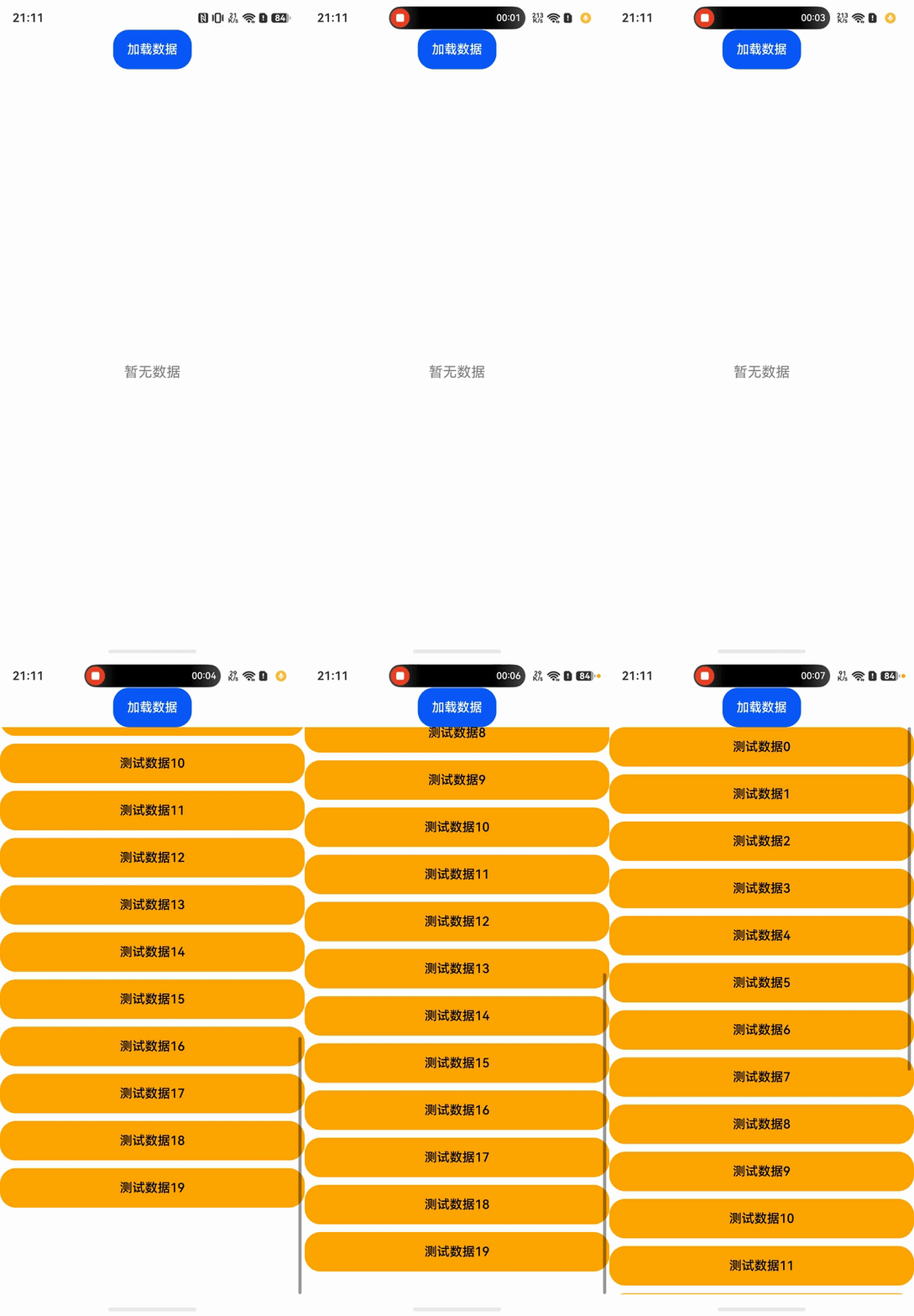
@Entry
@Component
struct ScollPage {
    @State list: Array<string> = []

    build() {
        Column() {

            Button("加载数据")
                .width("100")
                .height(50)
                .onClick(()=>{
                    //生成20个数据
                    for (let i = 0; i < 20; i++) {
                        this.list.push("测试数据" + i)
                    }
                })
            //判断数据是否存在
            if(this.list.length>0){
                List({space:10}){
                    ForEach(this.list, (item: string) => {
                        ListItem() {
                            Button(item)
                                .height('50vp')
                                .width("100%")
                                .fontColor(Color.Black)
                                .backgroundColor(Color.Orange)
                                .fontSize(16)
                        }
                    })
                }
                .width("100%")
                .layoutWeight(1)
                .listDirection(Axis.Vertical)
            }else{
              //不存在就展示提示文案
                Text("暂无数据")
                    .width("100%")
                    .height("100%")
                    .fontSize(18)
                    .textAlign(TextAlign.Center)
                    .fontColor(Color.Gray)
            }
        }
        .height('100%')
        .width('100%')
    }
}
真机演示:
 南 筏

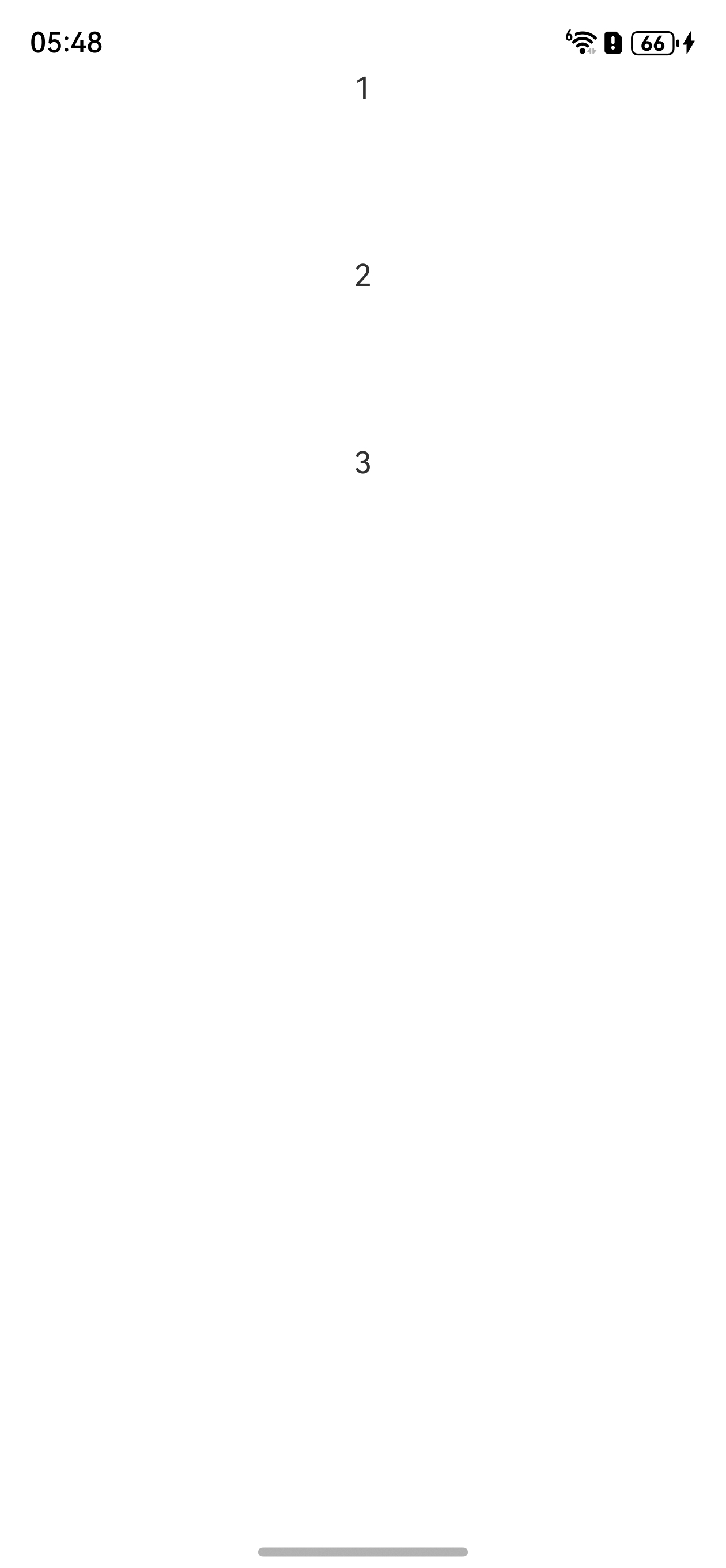
代码和效果图如下,判断你List组件的数据长度是否为空就好了,为空的话就展示空布局,不为空就正常展示列表
@Entry
@Component
struct Index {
  @State testArray: string[] = ['1', '2', '3'] // 换成[] 即可看到空布局的效果

  build() {
    Column() {
      List() {
        if (this.testArray.length > 0) {
          ForEach(this.testArray, (item: string) => {
            ListItem() {
              Column() {
                Text(item)
              }.width('100%').height(100)
            }
          })
        } else {
          ListItem() {
            Column() {
              Text('空布局')
            }.width('100%').height('100%')
          }
        }
      }.width('100%').height('100%').listDirection(Axis.Vertical)
    }
    .width('100%')
    .height('100%')
  }
}
 和。

 小草飞上天
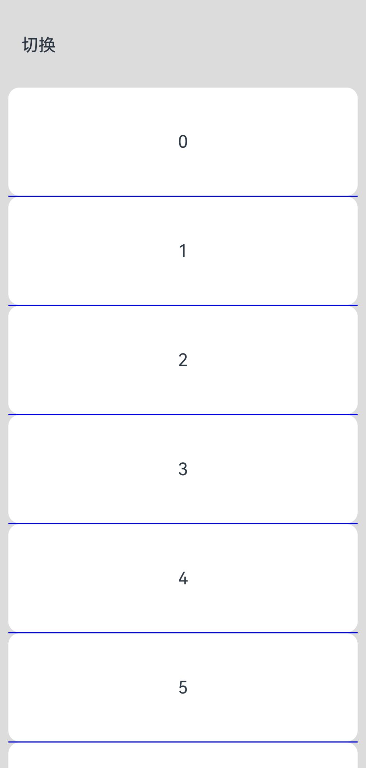
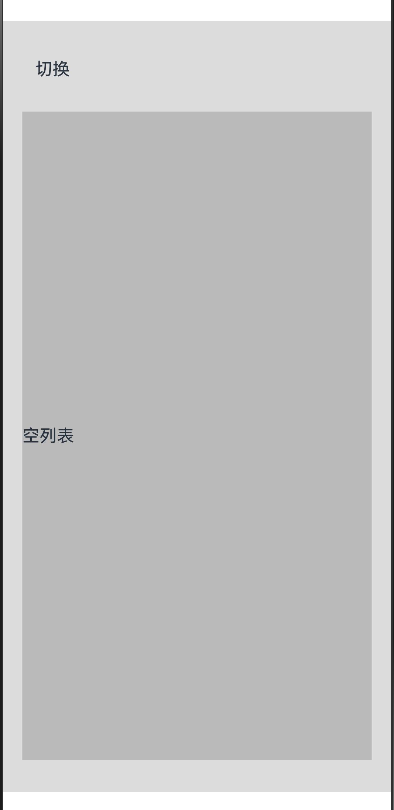
当List数据为空时,可以通过条件渲染一个自定义的组件来显示空布局。例如,在List组件外层使用Stack或Column等布局组件,并通过条件判断(如数据数组的长度)来决定是否渲染空布局组件或者通过listItem使用一个自定义的布局。下面以自定义布局做一个demo。
@Entry
@Component
struct ListDemo {
  @State message: string = 'Hello World';
  @State arr: number[] = []

  build() {
    Column() {
      Flex(){
        Text('切换')
      }
      .padding(30)
      .onClick(()=>{
        if(this.arr.length === 0){
          this.arr = [0,1,2,3,4,5,6,7,8,9]
        }else{
          this.arr = []
        }
      })
      List({ space: 20 }) {
        if(this.arr.length>0){
          ListItemGroup() {
            ForEach(this.arr, (item: number) => {
              ListItem() {
                Text('' + item)
                  .width('100%')
                  .height(100)
                  .fontSize(16)
                  .textAlign(TextAlign.Center)
                  .borderRadius(10)
                  .backgroundColor(0xFFFFFF)
              }
            }, (item: string) => item)
          }
          .divider({ strokeWidth: 1, color: Color.Blue }) // 每行之间的分界线
        }else {
          //如果是空的话
          ListItem(){
            this.emptyview()
          }
        }
      }
      .width('90%')
      .sticky(StickyStyle.None)
      .scrollBar(BarState.Off)
    }.width('100%').height('100%').backgroundColor(0xDCDCDC).padding({ top:5 })
  }

  @Builder
  emptyview(){
    Row(){
      Text("空列表")
    }.width('100%').height('600').backgroundColor('#33333333')
  }
}
下面是一个关于List的各种code编码,可以学习参考下,写各种列表:https://gitcode.com/HarmonyOS_Samples/CommonListFlows
 Mandelx Hemen
@Component
struct EmptyListTip {
  @Prop message: string = '暂无内容'      // 提示文字
  @Prop actionText?: string              // 按钮文字(可选)
  action?: () => void                   // 按钮回调

  build() {
    Column({ space: 12 }) {
      // 可以换成 Image 组件放插图
      Text('暂无数据')
        .fontSize(48)

      Text(this.message)
        .fontSize(14)
        .fontColor('#999')

      if (this.actionText && this.action) {
        Button(this.actionText)
          .onClick(() => this.action!())
      }
    }
    .width('100%')
    .padding(40)
  }
}
 仙银
一个简易的页面、加载中、空页面处理逻辑大致是这样的:进入页面开启loading,发起数据请求,请求完成后关闭loading , 根据是否有数据判断是否为空 isEmpty。使用 if-else 判断对应组件加载。
@Entry
@Component
struct Index {
  @State isLoading: boolean = true
  @State isEmpty: boolean = false
  @State data: string[] = []

  aboutToAppear(): void {
    this.requestData()
  }

  // 模拟请求
  requestData() {
    setTimeout(() => {
      this.isLoading = false
      this.data = [] //['1', '2', '3', '4']
      this.isEmpty = (this.data.length === 0)
    }, 1000)
  }

  build() {
    Column() {
      if (this.isLoading) {
        this.loadingBuilder()
      } else if (this.isEmpty) {
        this.emptyBuilder()
      } else {
        List({ space: 20 }) {
          ForEach(this.data, (item: string) => {
            ListItem() {
              Text(item)
            }
          })
        }
      }
    }
  }

  @Builder
  loadingBuilder() {
    Column({ space: 5 }) {
      LoadingProgress().color('#bbb').width(30).height(30)
      Text('加载中...').fontColor('#999').fontSize(14)
    }
    .width('100%')
    .height('100%')
    .justifyContent(FlexAlign.Center)
  }

  @Builder
  emptyBuilder() {
    Column({ space: 20 }) {
      Image($r('app.media.startIcon'))
        .width(100)
      Text('暂无数据').fontColor('#999').fontSize(14)
    }
    .width('100%')
    .height('100%')
    .justifyContent(FlexAlign.Center)
  }
}
- 为了保障您的信息安全,请勿上传您的敏感个人信息(如您的密码等信息)和您的敏感资产信息(如关键源代码、签名私钥、调试安装包、业务日志等信息),且您需自行承担由此产生的信息泄露等安全风险。
- 如您发布的内容为转载内容,请注明内容来源。
我要提问题
HarmonyOS List展示数据为何偶发UI不刷新?(API12+)
HarmonyOS List lazyForeach item获取焦点之后,调用scrollTo滑动,发现系统会额外的滑动,导致左右两个List对不齐 (API12+)
HarmonyOS List刚进入页面时加载数据,如何判断这些数据已经加载完成?(API12+)
HarmonyOS List数据源删除一个数据后,如何实现被删除的item从右向往平移消失?(API12+)
HarmonyOS ListItemGroup的Header如何动态设置(API12+)
HarmonyOS 修改List列表某一子项(Object)的某一属性,UI未刷新 (API12+)
列表懒加载问题
HarmonyOS 如何让List在滑动过程中,不更新列表中的数据项,停止滑动时再更新?(API12+)


 苏公安网备 32011402010933号