

 苏公安网备 32011402010933号
智能客服
你问我答,随时在线为你解决问题
 Mayism
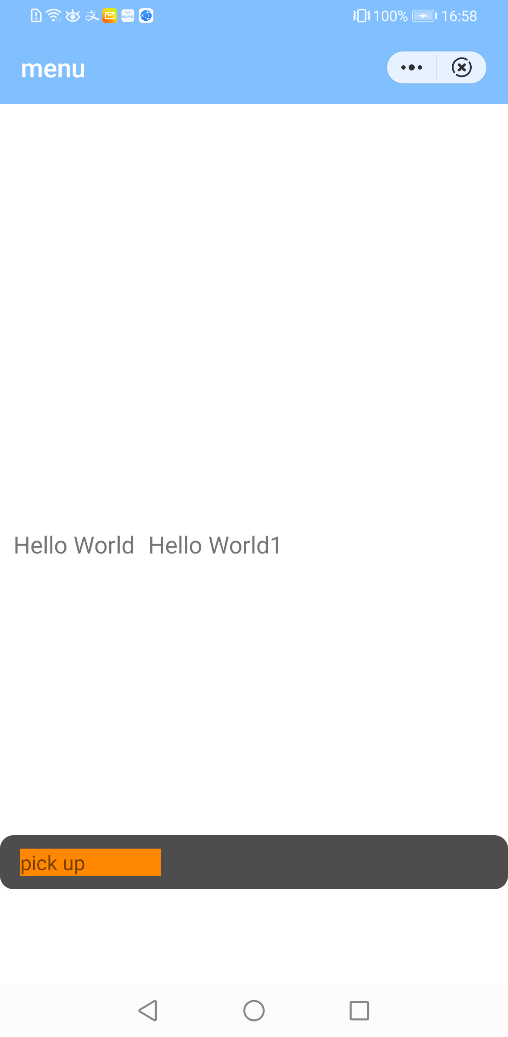
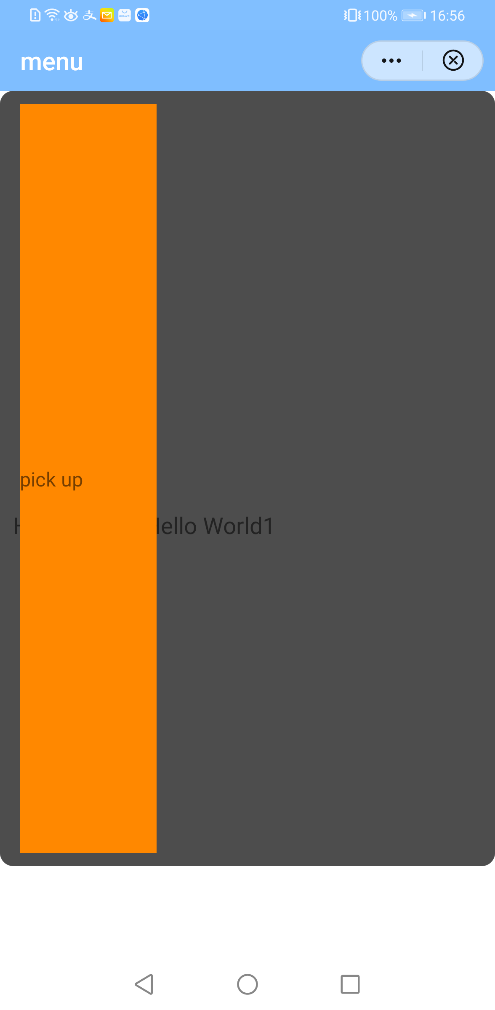
同样的布局代码在联盟调试器中正常,在华为显示异常,如下图所示:
|
|
|
| 图1 联盟调试器效果 | 图2 快应用加载器效果 |
布局代码如下:
<template> <!-- Only one root node is allowed in template. --> <div class="container"> <text class="title">Hello World</text> <text class="title">Hello World1</text> <div class="fixed"> <text class="desc">pick up</text> </div> </div></template><style lang="less"> .container { width: 100%; height: 100%; } .title { font-size: 35px; margin-left: 20px; }.desc{ background-color: #ff8800; width: 30%;} .fixed { justify-content: center; width: 100%; background-color: rgba(0, 0, 0, 0.7); flex-direction: row; padding: 20px 30px; border-radius: 20px; justify-content: space-between; bottom: 140px; position: fixed; }</style><script> module.exports = { data: { componentData: {}, }, onInit() { this.$page.setTitleBar({ text: 'menu', textColor: '#ffffff', backgroundColor: '#007DFF', backgroundOpacity: 0.5, menu: true }); } }</script>图中不一致的界面css样式是fixed布局,而根节点div的css样式container中没有设置方向,快应用规范中默认div是横向。当根节点div的方向是row时,且fixed布局的子元素没有设置高度时,快应用加载器在计算fixed元素的高度时是按照屏幕高度来计算的,这样就会导致展示出来的界面高度铺满全屏。
注意: 如果节点div的方向本身设置的是column,以上fixed布局的代码运行后显示的是正常的高度。
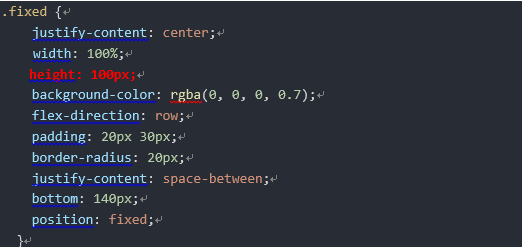
针对以上代码fixed布局的css样式中,需要对指定组件设置高度,这样在联盟调试器和快应用加载器中显示效果都是一致的。修改代码如下(见红色部分):
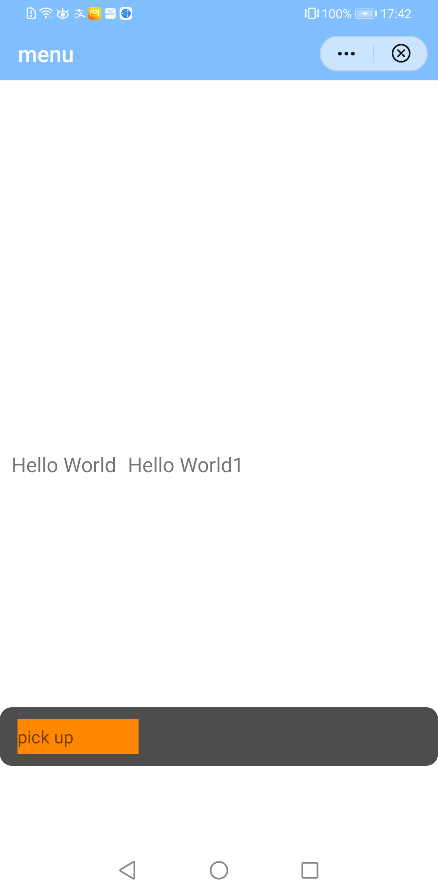
修改后运行效果如下:


我要发帖子


