














 我不是猫了
【HarmonyOS】【ARKUI】鸿蒙 ets方式tabs+tabcontent 实现底部导航栏
在鸿蒙开发中tab切换功能(如下图所示)是非常常见一个功能,今天描述如下功能怎么实现?开发中需要准备哪些资料?
今天我们从“资料准备”,“Tabs功能实现”,“底部按钮功能实现”,“运行效果”四个方面进行描述
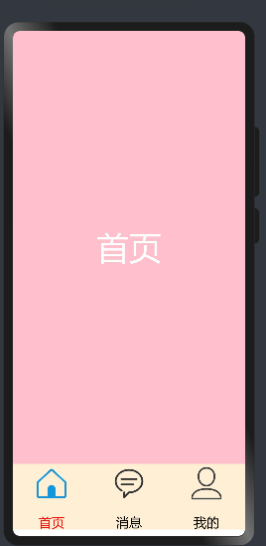
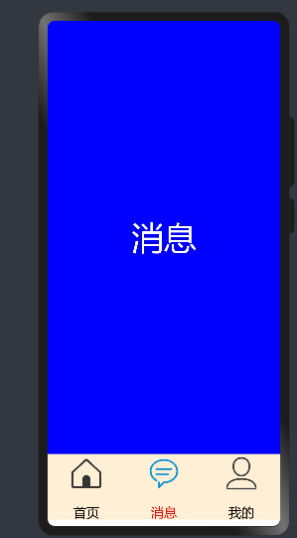
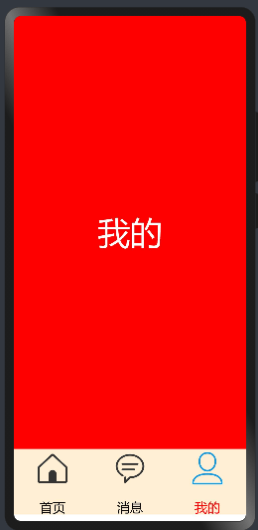
1. 开发准备
1.1资料准备 想要实现如上图功能的话,需要学习“Tabs”,“TabContent”,“ Row”,“Column”,等等相关技术
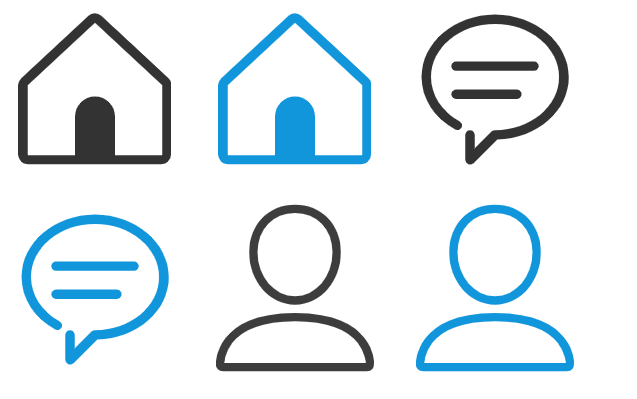
1.2 图片准备 准备六张图片(图片如下)放在resources/base/media/目录下
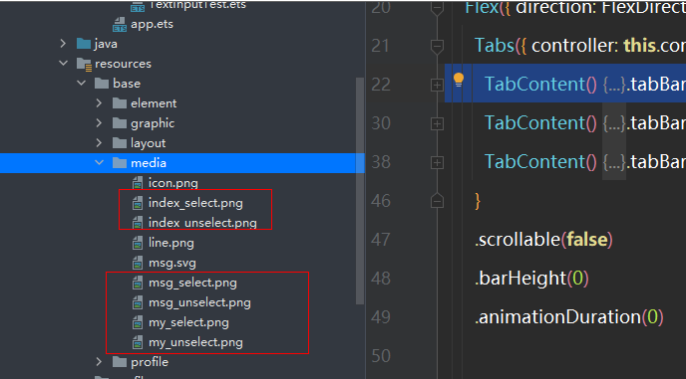
图片存放的位置
2. Tabs功能实现
2.1详细资料参考“Tabs”,“TabContent”的官方文档
代码如下
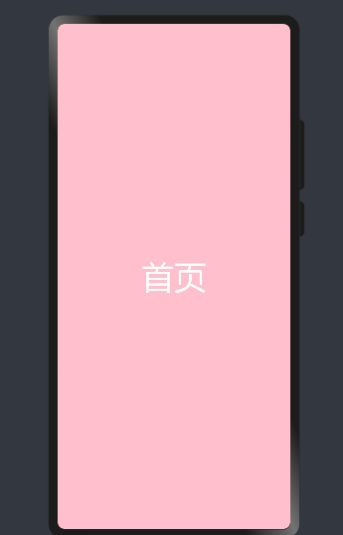
@Entry@Componentstruct MyNewsIndex { private controller: TabsController = new TabsController() build() { Flex({ direction: FlexDirection.Column, alignItems: ItemAlign.Center, justifyContent: FlexAlign.Center }) { Tabs({ controller: this.controller }) { TabContent() { Text("首页") .width('100%').height('100%') .fontSize(50) .textAlign(TextAlign.Center) .fontColor(Color.White) .backgroundColor(Color.Pink) }.tabBar('首页') TabContent() { Text("消息") .width('100%').height('100%') .fontSize(50) .textAlign(TextAlign.Center) .fontColor(Color.White) .backgroundColor(Color.Blue) }.tabBar('消息') TabContent() { Text("我的") .width('100%').height('100%') .fontSize(50) .textAlign(TextAlign.Center) .fontColor(Color.White) .backgroundColor(Color.Red) }.tabBar('我的') } .scrollable(false) .barHeight(0) .animationDuration(0) }.alignItems(VerticalAlign.Bottom).width('100%').height(120).margin({top:0,right:0,bottom:10,left:0}) } .width('100%') .height('100%') }}效果如下
3底部按钮功能实现
3.1底部功能实现主要使用“Row”,“Column”,“Text”,“Image”等相关技术实现,代码如下
Row() { Column(){ Image($r('app.media.index_select')) .width(60).height(60) Text('首页') .size({ width: '100%', height: 60 }).textAlign(TextAlign.Center) .fontSize(20) .fontColor(Color.Red) } .layoutWeight(1) .backgroundColor(0xFFEFD5) .height("100%") Column(){ Image($r('app.media.msg_unselect')) .width(60).height(60) Text('消息') .size({ width: '100%', height: 60 }).textAlign(TextAlign.Center) .fontSize(20) .fontColor(Color.Black) } .layoutWeight(1) .backgroundColor(0xFFEFD5) .height("100%") Column(){ Image($r('app.media.my_unselect')) .width(60).height(60) Text('我的') .size({ width: '100%', height: 60 }).textAlign(TextAlign.Center) .fontSize(20) .fontColor(Color.Black) } .layoutWeight(1) .backgroundColor(0xFFEFD5) .height("100%") }.alignItems(VerticalAlign.Bottom).width('100%').height(120).margin({top:0,right:0,bottom:10,left:0})4运行效果
4.1 Tabs和按钮联动问题实现
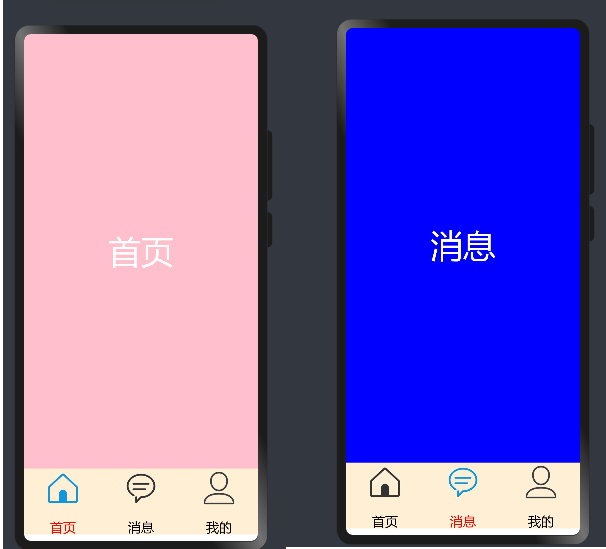
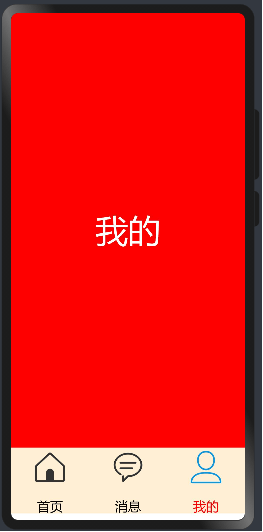
我们在定义一个全局变量SelectPos为当前选择的索引,当点击按钮的时候对当前索引进行赋值,并对Image和字体颜色进行改变,全部代码如下
@Entry@Componentstruct MyNewsIndex { private controller: TabsController = new TabsController() @State SelectPos:number=0; public IndexClick(){ this.SelectPos=0; this.controller.changeIndex(0) } public messageClick(){ this.SelectPos=1; this.controller.changeIndex(1) } public myClick(){ this.SelectPos=2; this.controller.changeIndex(2) } build() { Flex({ direction: FlexDirection.Column, alignItems: ItemAlign.Center, justifyContent: FlexAlign.Center }) { Tabs({ controller: this.controller }) { TabContent() { Text("首页") .width('100%').height('100%') .fontSize(50) .textAlign(TextAlign.Center) .fontColor(Color.White) .backgroundColor(Color.Pink) }.tabBar('首页') TabContent() { Text("消息") .width('100%').height('100%') .fontSize(50) .textAlign(TextAlign.Center) .fontColor(Color.White) .backgroundColor(Color.Blue) }.tabBar('消息') TabContent() { Text("我的") .width('100%').height('100%') .fontSize(50) .textAlign(TextAlign.Center) .fontColor(Color.White) .backgroundColor(Color.Red) }.tabBar('我的') } .scrollable(false) .barHeight(0) .animationDuration(0) Row() { Column(){ Image((this.SelectPos==0?$r('app.media.index_select'):$r('app.media.index_unselect'))) .width(60).height(60) Text('首页') .size({ width: '100%', height: 60 }).textAlign(TextAlign.Center) .fontSize(20) .fontColor((this.SelectPos==0?Color.Red:Color.Black)) } .layoutWeight(1) .backgroundColor(0xFFEFD5) .height("100%") .onClick(this.IndexClick.bind(this)) Column(){ Image((this.SelectPos==1?$r('app.media.msg_select'):$r('app.media.msg_unselect'))) .width(60).height(60) Text('消息') .size({ width: '100%', height: 60 }).textAlign(TextAlign.Center) .fontSize(20) .fontColor((this.SelectPos==1?Color.Red:Color.Black)) } .layoutWeight(1) .backgroundColor(0xFFEFD5) .height("100%") .onClick(this.messageClick.bind(this)) Column(){ Image((this.SelectPos==2?$r('app.media.my_select'):$r('app.media.my_unselect'))) .width(60).height(60) Text('我的') .size({ width: '100%', height: 60 }).textAlign(TextAlign.Center) .fontSize(20) .fontColor((this.SelectPos==2?Color.Red:Color.Black)) } .layoutWeight(1) .backgroundColor(0xFFEFD5) .height("100%") .onClick(this.myClick.bind(this)) }.alignItems(VerticalAlign.Bottom).width('100%').height(120).margin({top:0,right:0,bottom:10,left:0}) } .width('100%') .height('100%') }}运行效果如下

2

1

7


浏览1854 发布于2022-01-28 02:17未知归属地
全部评论
最多点赞
最新发布
最早发布



写回答
所见即所得编辑器, editor1
工具栏
0/50000
新增插入模板功能
一键使用模板,快速填写内容,轻松发帖~
知道了
- 为了保障您的信息安全,请勿上传您的敏感个人信息(如您的密码等信息)和您的敏感资产信息(如关键源代码、签名私钥、调试安装包、业务日志等信息),且您需自行承担由此产生的信息泄露等安全风险。
- 如您发布的内容为转载内容,请注明内容来源。
我要发帖子
目录 收起
1. 开发准备
2. Tabs功能实现
3底部按钮功能实现
4运行效果
了解社区公约,与您携手共创和谐专业的开发者社区。


 苏公安网备 32011402010933号