














 Mate40Pro爵士人生
#HarmonyOS挑战赛第三期#集成跨设备视频播放
<Image
    ohos:id="$+id:loading_pic"
    ohos:height="match_parent"
    ohos:width="match_parent"
    ohos:above="$+id:bottom_bar"
    ohos:image_src="$media:splash"
    ohos:background_element="$color:image_area"/>
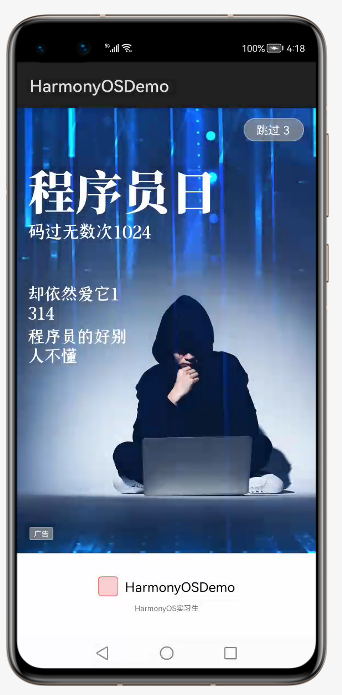
启动后将跳转到登录页
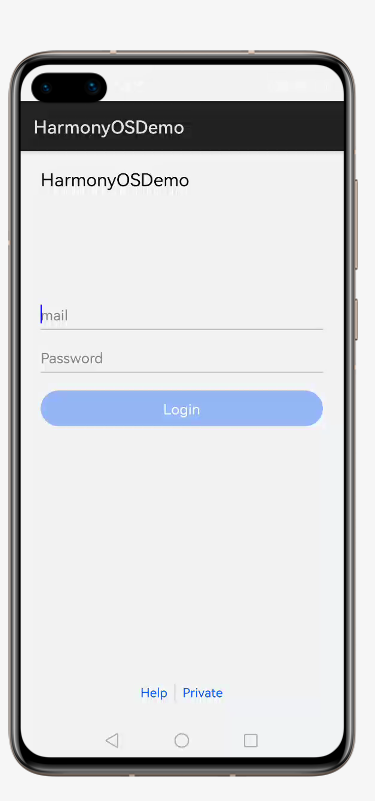
启动页跳转登录页代码:
private void initRedirectIntent() {
    redirectIntent = new Intent();

    // Set redirect destiny ability
    // Put the ability you want to show after the splash screen here
    Operation operation = new Intent.OperationBuilder().withDeviceId("")
            .withBundleName(getBundleName())
            .withAbilityName("com.example.demo.LoginAbility")
            .build();
    redirectIntent.setOperation(operation);
}
登录成功将跳转到跨设备视频播放工程
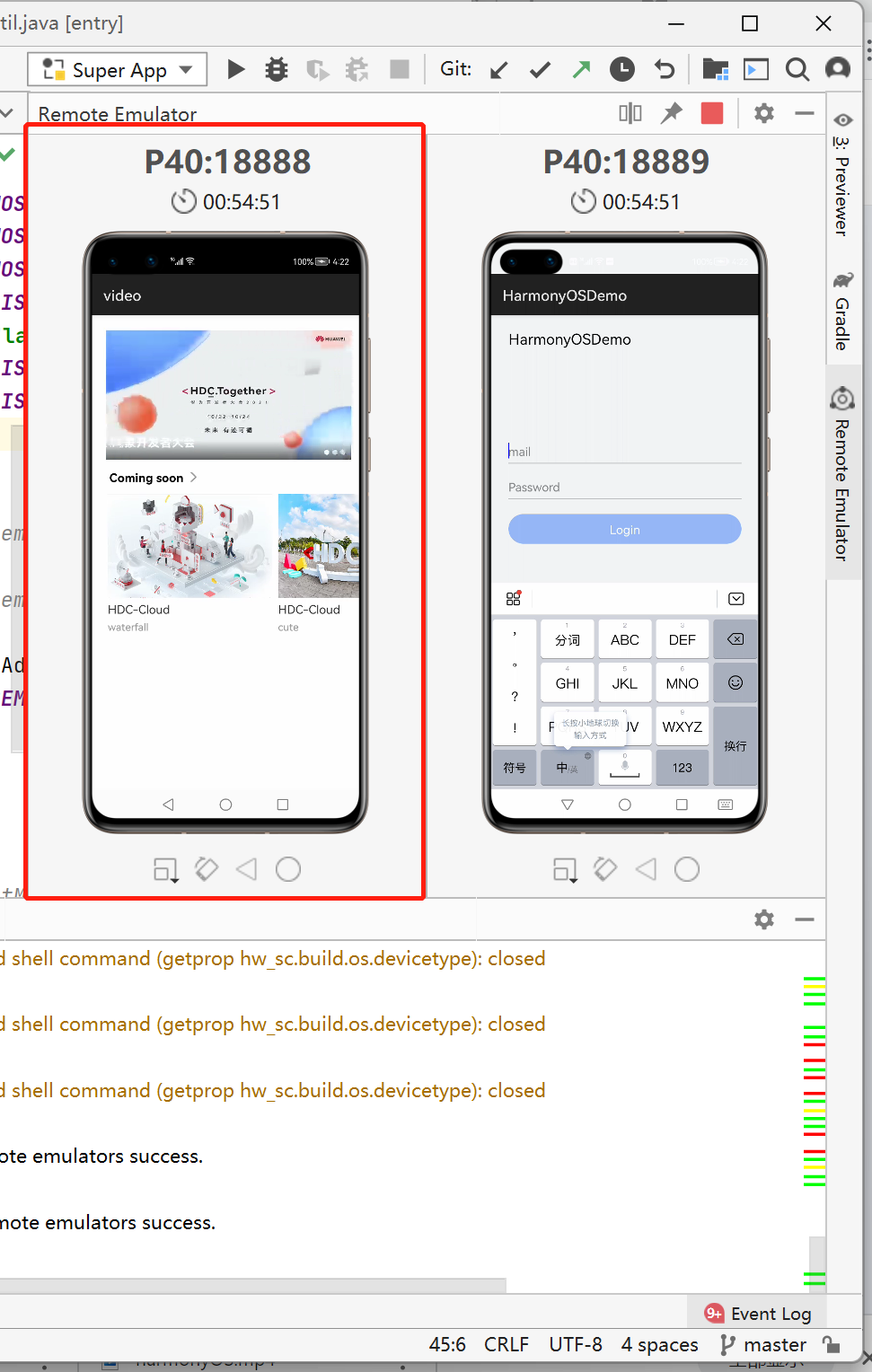
登录跳转代码如下:
Intent redirectIntent = new Intent();

// Set redirect destiny ability
// Put the ability you want to show after the splash screen here
Operation operation = new Intent.OperationBuilder().withDeviceId("")
        .withBundleName(getBundleName())
        .withAbilityName("com.example.demo.VideoAbility")
        .build();
redirectIntent.setOperation(operation);
startAbility(redirectIntent);
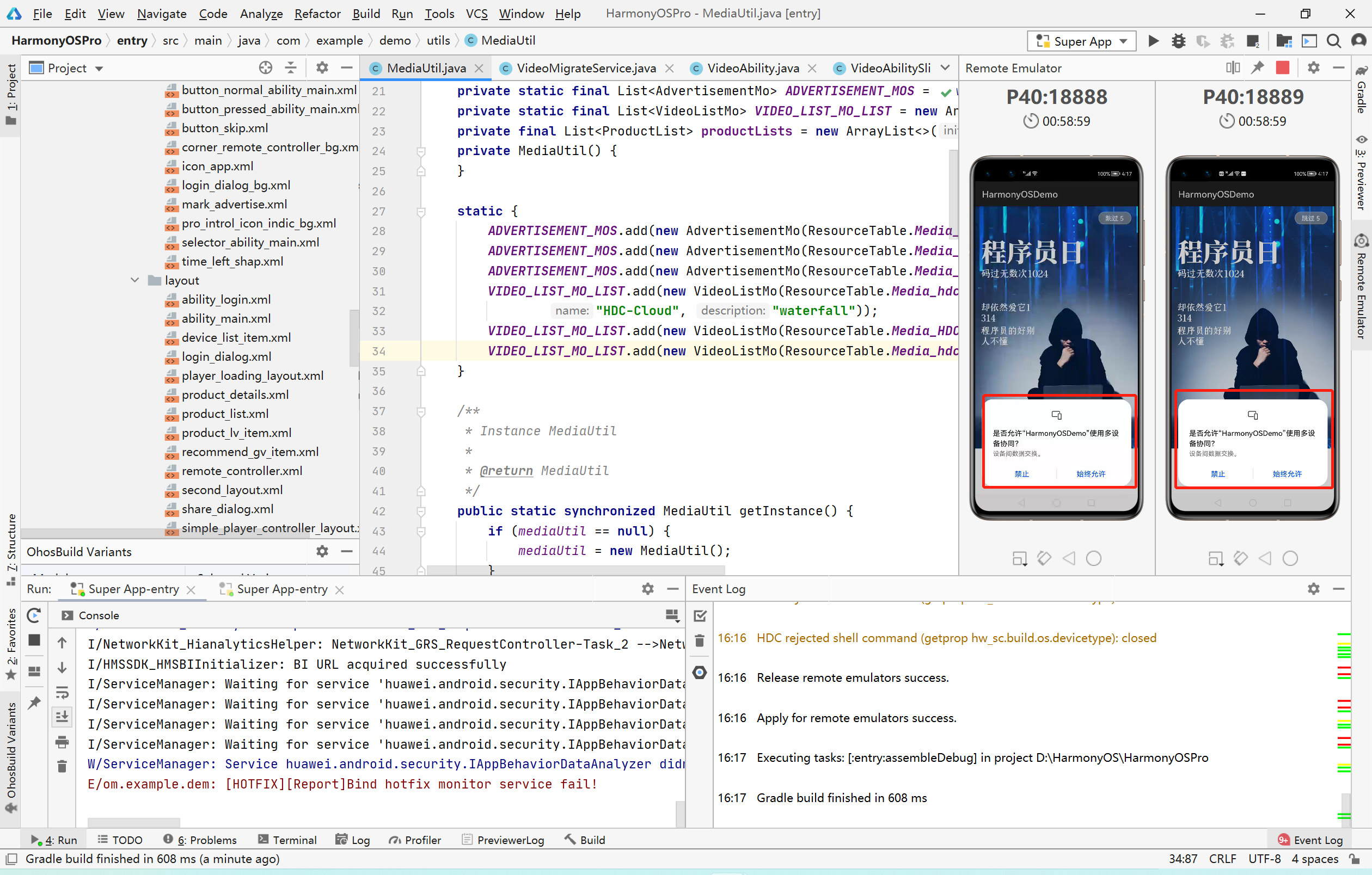
由于跨设备视频播放项目素材不符合主题内容,所以自己找了一些素材,移植上去,视频为华为开发者大会宣传视频(来源:微博)。
图片替换代码:
static {
    ADVERTISEMENT_MOS.add(new AdvertisementMo(ResourceTable.Media_harmonyOS2021, "鸿蒙开发者大会"));
    ADVERTISEMENT_MOS.add(new AdvertisementMo(ResourceTable.Media_HDC01, "HDC-Cloud"));
    ADVERTISEMENT_MOS.add(new AdvertisementMo(ResourceTable.Media_team, "漫天星火"));
    VIDEO_LIST_MO_LIST.add(new VideoListMo(ResourceTable.Media_hdc,
            "HDC-Cloud", "waterfall"));
    VIDEO_LIST_MO_LIST.add(new VideoListMo(ResourceTable.Media_HDCCloud, "HDC-Cloud", "cute"));
    VIDEO_LIST_MO_LIST.add(new VideoListMo(ResourceTable.Media_hdcShop, "HDC-Cloud", "drone"));
}
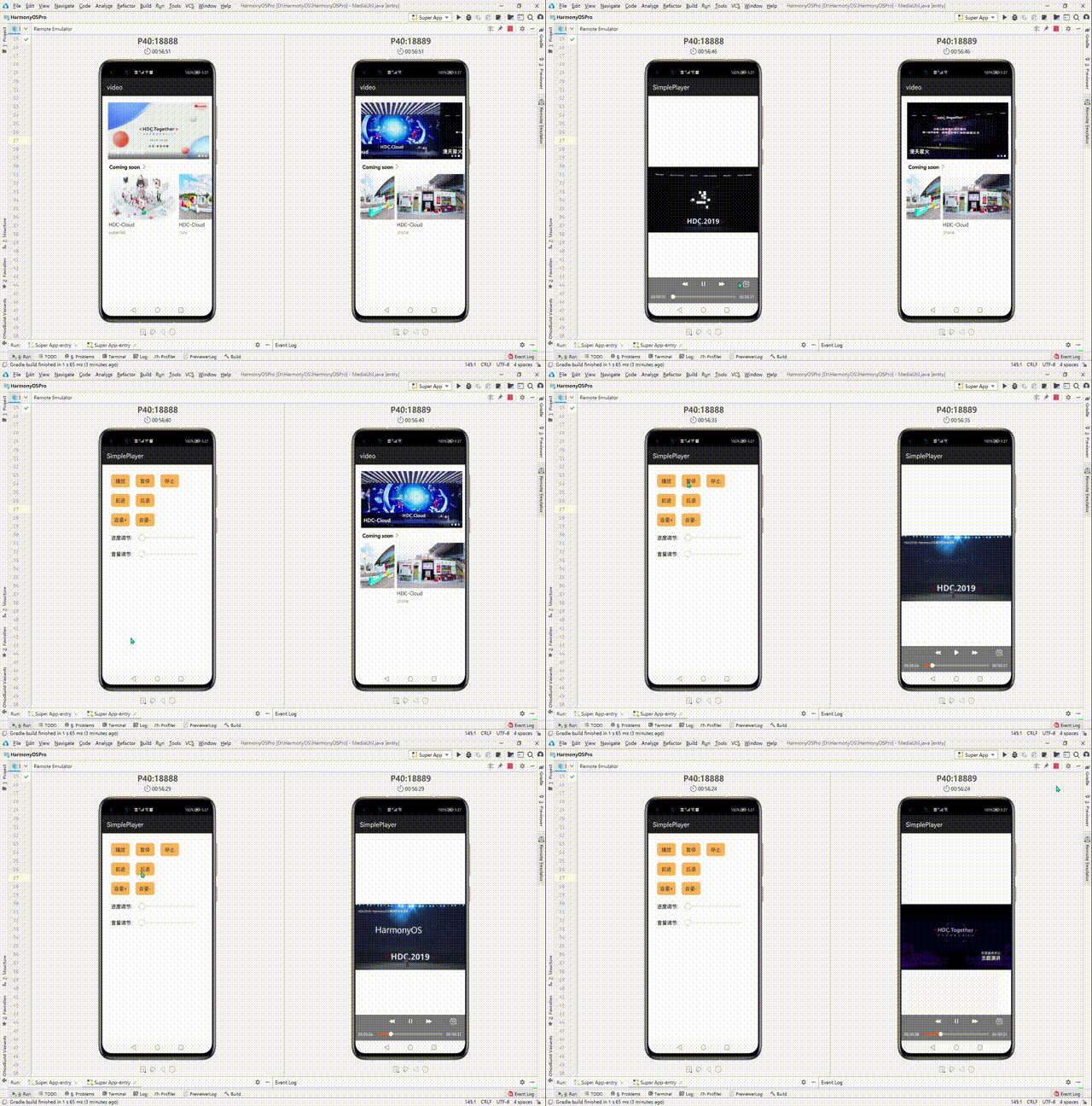
跨设备视频播放流程如下:
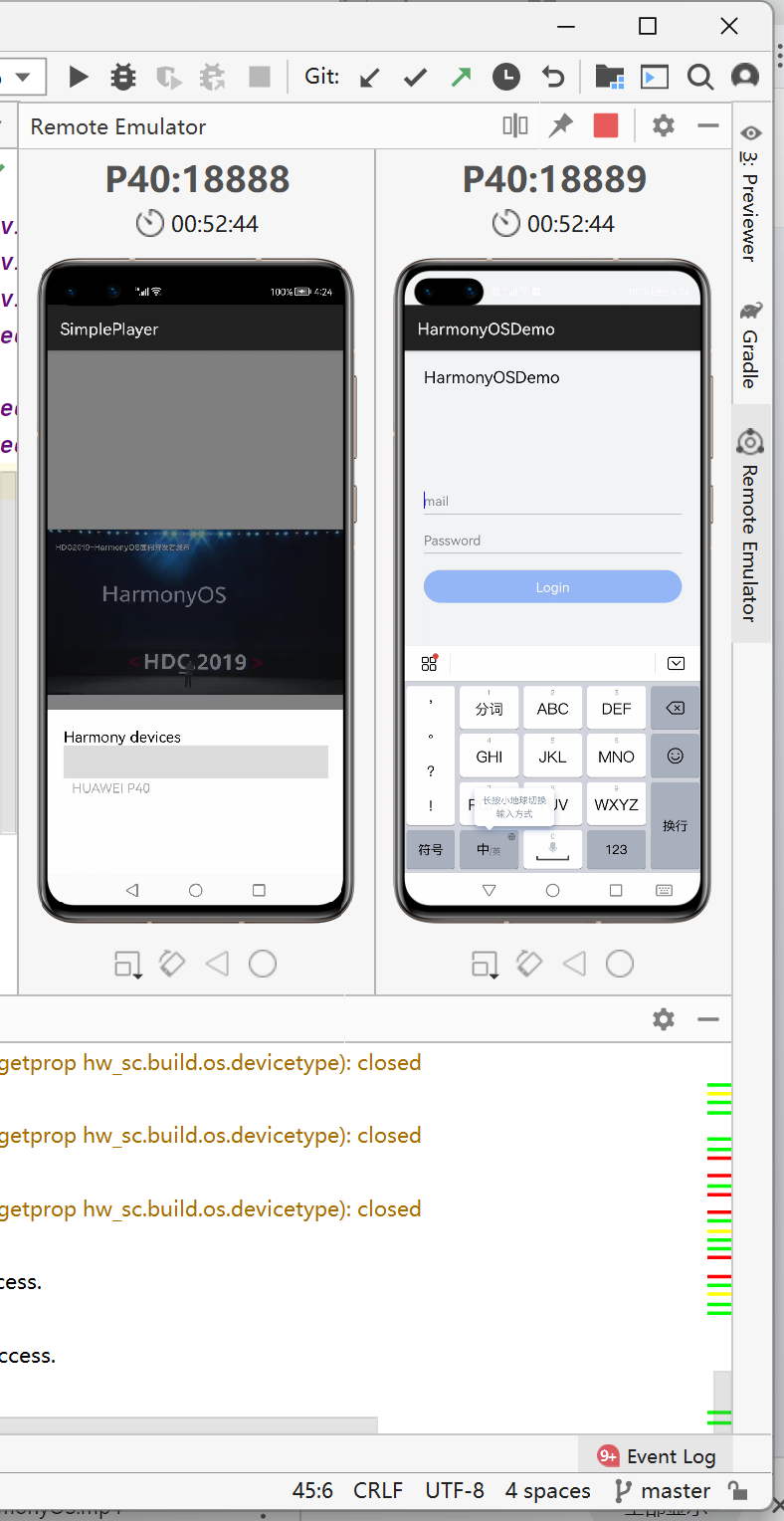
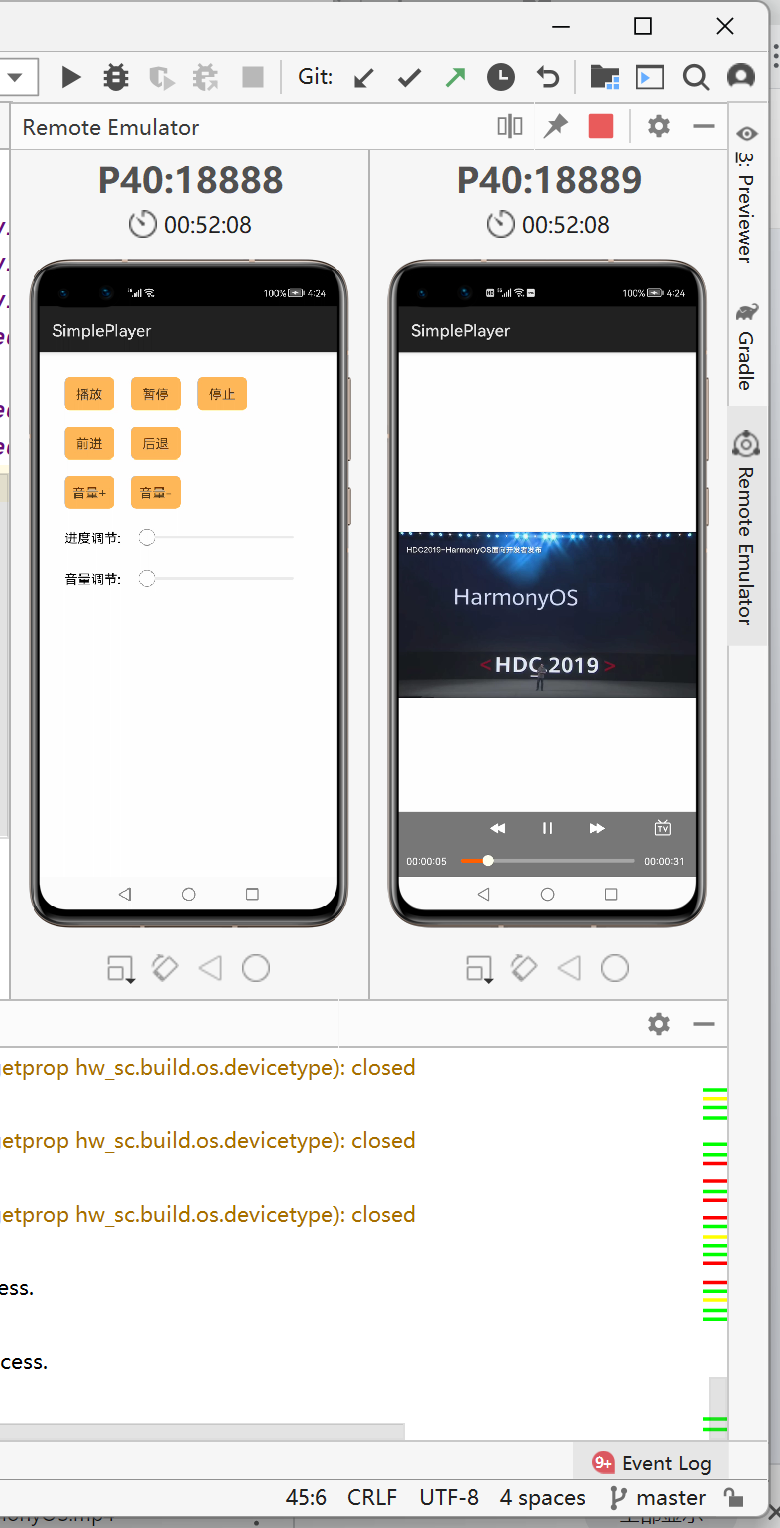
点击左边播放,暂停,前进,后退等按钮即可控制右边设备。
应用程序布局代码:
<DirectionalLayout xmlns:ohos="http://schemas.huawei.com/res/ohos" ohos:width="match_parent" ohos:height="match_parent" ohos:orientation="vertical">
<DirectionalLayout ohos:height="match_content" ohos:width="match_parent" ohos:orientation="vertical" >
<!--滚动的视频图片-->
<DependentLayout ohos:id="$+id:video_advertisement_container_view" ohos:width="match_parent" ohos:left_margin="20vp" ohos:height="175vp" ohos:top_margin="20vp" ohos:right_margin="12vp" >
<PageSlider ohos:id="$+id:video_advertisement_viewpager" ohos:width="match_parent" ohos:height="match_parent" ohos:orientation="horizontal"/>
<PageSliderIndicator ohos:id="$+id:video_advertisement_indicator" ohos:right_margin="8vp" ohos:bottom_margin="7vp" ohos:width="match_content" ohos:height="match_content" ohos:align_parent_bottom="true" ohos:align_parent_right="true" /> </DependentLayout>
<!--即将上映-->
<DirectionalLayout ohos:width="match_parent" ohos:height="22vp" ohos:top_margin="12vp" ohos:left_margin="24vp" ohos:right_margin="12vp" ohos:orientation="horizontal">
<Text ohos:id="$+id:video_play_title" ohos:text="$string:list_title" ohos:text_size="16fp" ohos:text_color="#ff000000" ohos:text_alignment="horizontal_center" ohos:layout_alignment="vertical_center" ohos:width="match_content" ohos:height="match_content" />
<Image ohos:left_margin="6vp" ohos:width="13vp" ohos:height="13vp" ohos:layout_alignment="vertical_center" ohos:image_src="$media:ic_next"/>
</DirectionalLayout>
<!--可横向滑动的视频图片-->
<DirectionalLayout ohos:width="match_parent" ohos:height="500vp" ohos:orientation="vertical">
<ListContainer ohos:id="$+id:video_list_play_view" ohos:width="match_parent" ohos:height="match_content" ohos:orientation="horizontal" ohos:left_margin="18vp" ohos:top_margin="12vp" >
</ListContainer>
</DirectionalLayout>
</DirectionalLayout>
</DirectionalLayout>
整体就是这样,跨设备项目讲解网站:
https://developer.huawei.com/consumer/cn/codelabsPortal/carddetails/HarmonyOS-DistributedVideo
还望大佬们多多点评!!!
重在参与!!!


- 为了保障您的信息安全,请勿上传您的敏感个人信息(如您的密码等信息)和您的敏感资产信息(如关键源代码、签名私钥、调试安装包、业务日志等信息),且您需自行承担由此产生的信息泄露等安全风险。
- 如您发布的内容为转载内容,请注明内容来源。
我要发帖子


 苏公安网备 32011402010933号