














 我不是猫了
我不是猫了【HarmonyOS】【JAVA UI】 鸿蒙 Webview怎么设置cookie和读取cookie
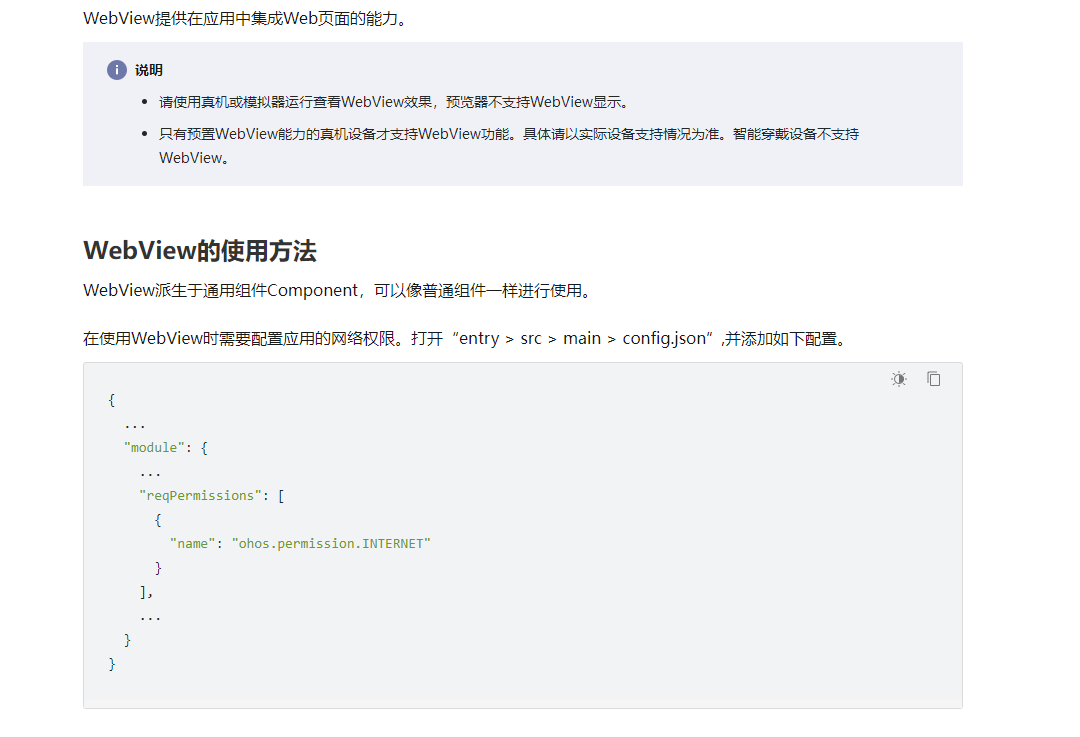
在大家开发中,可能会使用Webview去加载网页,需要将应用开发中使用到必要的cookie信息同步到HarmonyOS的webview,也有可能从HarmonyOS的webview中获取cookie信息,如下写一个demo作为参考,基础的webview学习,大家参考如下链接
1、设置cookie
我们需要重写webAgent的接口,实现isNeedLoadUrl的方法中设置如下代码
ohos.agp.components.webengine.CookieStore mCookieStore = ohos.agp.components.webengine.CookieStore.getInstance();
mCookieStore.setCookieEnable(true);
mCookieStore.setCookie(url, "Domain="+"1111");
mCookieStore.setCookie(url, "Path=/");
mCookieStore.setCookie(url, "Value=00000");
2、读取cookie
我们需要重写webAgent的接口,实现onPageLoaded的方法中设置如下代码
ohos.agp.components.webengine.CookieStore mCookieStore = ohos.agp.components.webengine.CookieStore.getInstance();
String cookiestr=mCookieStore.getCookie(url);
HiLogUtils.PrintLog(cookiestr);
3、整体代码如下
XML 代码如下
<?xml version="1.0" encoding="utf-8"?>

<DirectionalLayout

    xmlns:ohos="http://schemas.huawei.com/res/ohos"

    ohos:height="match_parent"

    ohos:width="match_parent"

    ohos:orientation="vertical">

    <ohos.agp.components.webengine.WebView

        ohos:id="$+id:webview"

        ohos:height="0fp"

        ohos:weight="1"

        ohos:width="match_parent">

    </ohos.agp.components.webengine.WebView>

</DirectionalLayout>
Java 代码如下
package com.harmony.alliance.mydemo.slice;


import com.harmony.alliance.mydemo.ResourceTable;

import ohos.aafwk.ability.AbilitySlice;

import ohos.aafwk.content.Intent;

import ohos.agp.components.webengine.CookieStore;

import ohos.agp.components.webengine.ResourceRequest;

import ohos.agp.components.webengine.WebAgent;

import ohos.agp.components.webengine.WebView;

import ohos.media.image.PixelMap;


public class WebviewAbilitySlice extends AbilitySlice {

    private WebView webView;


    @Override

    public void onStart(Intent intent) {

        super.onStart(intent);

        super.setUIContent(ResourceTable.Layout_ability_webview);


        webView = (WebView) findComponentById(ResourceTable.Id_webview);

        webView.getWebConfig().setJavaScriptPermit(true);

        webView.setWebAgent(new WebAgent() {

            @Override

            public void onLoadingPage(WebView webview, String url, PixelMap favicon) {

                super.onLoadingPage(webview, url, favicon);

                // 页面开始加载时自定义处理

                ohos.agp.components.webengine.CookieStore mCookieStore = ohos.agp.components.webengine.CookieStore.getInstance();

                mCookieStore.setCookieEnable(true);

                mCookieStore.setCookie(url, "Domain="+"luck");

                mCookieStore.setCookie(url, "Path=/");

                mCookieStore.setCookie(url, "Value=00000");

            }


            @Override

            public void onPageLoaded(WebView webView, String url) {

                super.onPageLoaded(webView, url);

                CookieStore cookieStore = CookieStore.getInstance();

                String cookiestr=cookieStore.getCookie(url);

                System.out.println("cookiestr=====>>"+cookiestr);

            }

        });

        autoLogin();

    }


    private void autoLogin() {

        Thread thread = new Thread(() -> {

            try {


                    getUITaskDispatcher().asyncDispatch(() -> {

                        showLoginedPage();

                    });

            } catch (Exception exception) {

                exception.printStackTrace();

            }

        });

        thread.start();

    }


    private void showLoginedPage() {

        try {

            String url = "https://www.baidu.com/";

            webView.load(url);

        } catch (Exception e) {

            e.printStackTrace();

        }

    }


    @Override

    public void onActive() {

        super.onActive();

    }


    @Override

    public void onForeground(Intent intent) {

        super.onForeground(intent);

    }

}
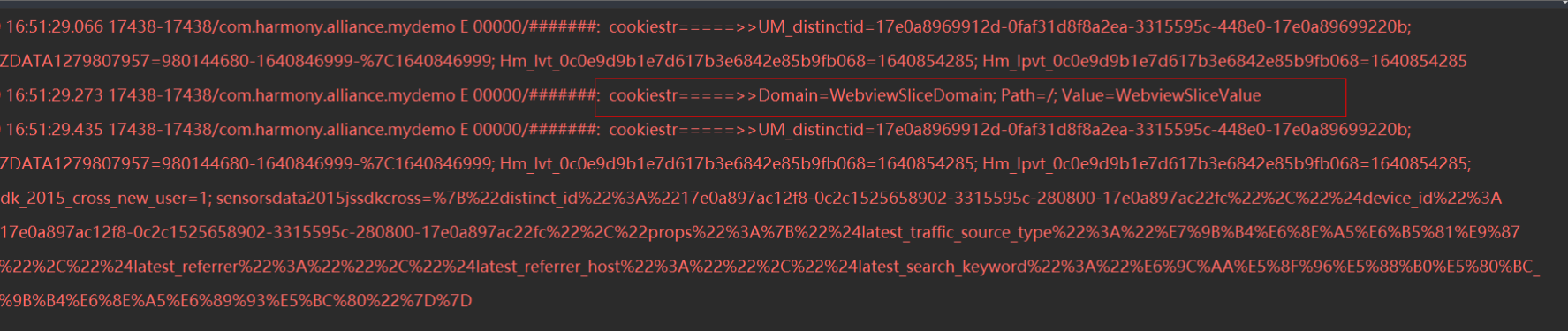
效果如下


浏览1313 编辑于2022-01-28 01:23未知归属地
全部评论
最多点赞
最新发布
最早发布
写回答
新增插入模板功能
一键使用模板,快速填写内容,轻松发帖~
知道了
- 为了保障您的信息安全,请勿上传您的敏感个人信息(如您的密码等信息)和您的敏感资产信息(如关键源代码、签名私钥、调试安装包、业务日志等信息),且您需自行承担由此产生的信息泄露等安全风险。
- 如您发布的内容为转载内容,请注明内容来源。
我要发帖子
了解社区公约,与您携手共创和谐专业的开发者社区。


 苏公安网备 32011402010933号