




文档开发者中心
我的
|

DevEco Studio

API11, @Builder按照参数引用传值,如果传多个参数,应该怎么写?

已解决
收起
自动换行
深色代码主题
复制
@Entry
@Component
struct HollowPage {
  @State indicatorTypes: string[] = ['KLINE', 'KDJ', 'BOLL']
  @State isShow: boolean = false

  build() {
    Column() {
      ForEach(this.indicatorTypes, (item: string) => {
        this.textClick()
      })


      if (this.isShow) {
        Rect().width(100).height(30).backgroundColor('#ff5500')
      }
    }
  }

  @Builder
  textClick() {
    Text('点击展示矩形').width(120).onClick(() => {
      this.isShow = !this.isShow
    })
  }
}

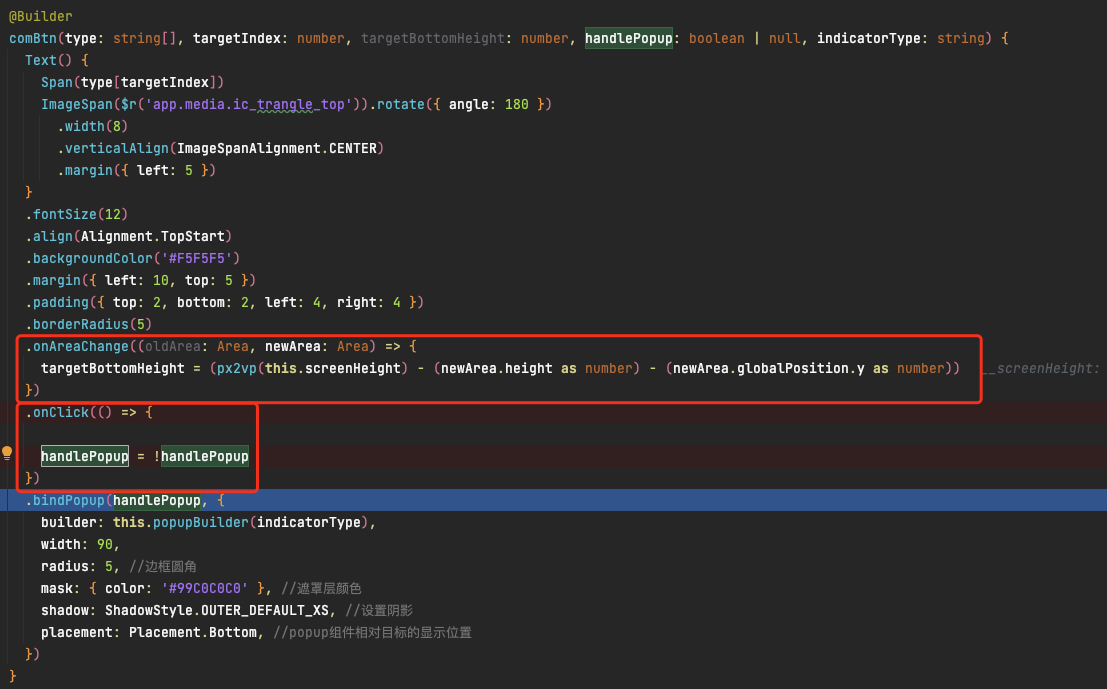
接上一篇帖子,builder中的点击事件,断点进不去,这是啥原因导致的,懵!
cke_146.png

点赞
2
收藏
回复
9
分享
举报
浏览780 编辑于2024-05-07 08:15辽宁
全部评论
最多点赞
最新发布
最早发布

|
采纳答复

@Builder中传递的参数需要用一个类封装起来

收起
自动换行
深色代码主题
复制
​
@Entry
@Component
struct BuilderPage {
  @State str: string = "默认的"
  @State num: number = 0

  build() {
    Column() {
      Text('点击变化值-按引用传递参数').fontSize(27).onClick(() => {
        this.str = '刘小宇'
        this.num = 24
      })
      textClick({ str: this.str, num: this.num })
    }.width('100%').margin({ top: 100 })
  }
}

// 强制的,要定义一个class里面放要接受参数的字段名
class Tmp {
  str: string = ''
  num: number = 0
}

@Builder
function
textClick($$: Tmp) {
  Row() {
    Text(`${$$.str}: ${$$.num}`).fontSize(20).margin({ top: 15 })
  }
}

​
展开全部
2楼回复于2024-05-15 08:41 来自辽宁

1、@Builder popupBuilder($$: {param1: <type>, param2: <type>,...}) {

Text(`${$$.param1}`)

    }

2、builder: () => { this.popupBuilder({param1: this.state_var, param2: this.state_var2}); }

3
1楼编辑于2024-05-07 16:21 来自浙江
  • 范小陆
    这个写法变异报错
    2024-07-16 07:51 来自北京
  • dGuru回复范小陆
    这是NEXT前的老帖了, API 9中语法是如此,NEXT中语法又改了,所以新版IDE下是会报错的。
    2024-07-16 08:30 来自浙江
  • 范小陆回复dGuru
    嗯 只能用楼上那种方式了
    2024-07-16 09:17 来自北京

Tabs 的文档中是通过===来判断应该展示哪个的!

收起
自动换行
深色代码主题
复制
@Entry
@Component
struct TestPage {
  @State currentIndex: number = 0

  @Builder
  tabBuilder(title: string, targetIndex: number, selectedImg: Resource, normalImg: Resource) {
    Column() {
      Image(this.currentIndex === targetIndex ? selectedImg : normalImg)
        .size({ width: 25, height: 25 })
      Text(title)
        .fontColor(this.currentIndex === targetIndex ? '#1698CE' : '#6B6B6B')
    }
    .width('100%')
    .height(50)
    .justifyContent(FlexAlign.Center)
  }

  build() {
    Column() {
      this.tabBuilder("标题0", 0, $r('app.media.icon_dianzan_1'), $r('app.media.icon_float'))
      Button('点击').onClick(() => {
        this.currentIndex++
        this.currentIndex = this.currentIndex % 2
      })
    }
  }
}

而@Builder中的超过两个参数不能渲染UI,是这种:

收起
自动换行
深色代码主题
复制
@Entry
@Component
struct TestPage {
  @State str: string = "默认的"
  @State num: number = 0

  @Builder
  textClick(str: string, num: number) {
    Row() {
      Text(`${str}: ${num}`).fontSize(20).margin({ top: 15 })
    }
  }

  build() {
    Column() {
      Text('点击变化值-按值传递参数').fontSize(27).onClick(() => {
        this.str = '刘小宇'
        this.num = 24
      })
      this.textClick(this.str, this.num)
    }.width('100%').margin({ top: 100 })
  }
}
展开全部
4楼回复于2024-12-19 05:14 来自辽宁

@Builder 的文档说了:


cke_986.png

但是我在Tabs 的文档中看到了这段:

收起
自动换行
深色代码主题
复制
@Builder tabBuilder(title: string, targetIndex: number, selectedImg: Resource, normalImg: Resource) {
  Column() {
    Image(this.currentIndex === targetIndex ? selectedImg : normalImg)
      .size({ width: 25, height: 25 })
    Text(title)
      .fontColor(this.currentIndex === targetIndex ? '#1698CE' : '#6B6B6B')
  }
  .width('100%')
  .height(50)
  .justifyContent(FlexAlign.Center)
}

为什么能渲染Ui呢?

2
3楼回复于2024-12-19 03:28 来自四川
  • 南 筏
    这个倒是给我启发了,我发个代码
    2024-12-19 05:13 来自辽宁
  • 南 筏
    这样写可能就方便看:在Builder中显示currentIndex的值 @Entry @Component struct TestPage { @State currentIndex: number = 0 @Builder tabBuilder(title: string, targetIndex: number, selectedImg: Resource, normalImg: Resource) { Column() { Text(targetIndex.toString()) Image(this.currentIndex === targetIndex ? selectedImg : normalImg) .size({ width: 25, height: 25 }) Text(title) .fontColor(this.currentIndex === targetIndex ? '#1698CE' : '#6B6B6B') } .width('100%') .height(100) .justifyContent(FlexAlign.Center) } build() { Column() { this.tabBuilder("标题0", 0, $r('app.media.icon_dianzan_1'), $r('app.media.icon_float')) Button('点击').onClick(() => { this.currentIndex++ this.currentIndex = this.currentIndex % 2 }) } } }
    2024-12-19 05:19 来自辽宁
写回答
新增插入模板功能
一键使用模板,快速填写内容,轻松发帖~
知道了
  • 为了保障您的信息安全,请勿上传您的敏感个人信息(如您的密码等信息)和您的敏感资产信息(如关键源代码、签名私钥、调试安装包、业务日志等信息),且您需自行承担由此产生的信息泄露等安全风险。
  • 如您发布的内容为转载内容,请注明内容来源。

我要提问题

了解社区公约,与您携手共创和谐专业的开发者社区。