














grid组件如何用onmove使用拖动排序
 无语的我回来了
|
HarmonyOS 5
grid组件如何用onmove使用拖动排序
已解决


2

9


浏览142 发布于2026-07-11 19:17海南
全部评论
最多点赞
最新发布
最早发布
 阿家
采纳答复
- 从API版本26.0.0开始,Grid支持onMove拖拽排序。
示例21(使用OnMove进行拖拽)
示例3(Grid规则布局使用ForEach的onMove进行拖拽,并设置拖拽事件回调) - Grid设置跨行跨列节点时应使用GridLayoutOptions实现,在onMove事件里,应用侧应同步修改相应的不规则节点信息与拖拽后的新布局保持一致。
具体可参考
示例4(Grid不规则布局使用ForEach的onMove进行拖拽,并设置拖拽事件回调)
示例5(Grid不规则布局使用LazyForEach的onMove进行拖拽,并设置拖拽事件回调)
示例6(Grid不规则布局使用Repeat的onMove进行拖拽,并设置拖拽事件回调)
8楼回复于2026-07-13 17:37 来自北京
 蓝瘦的蜕变

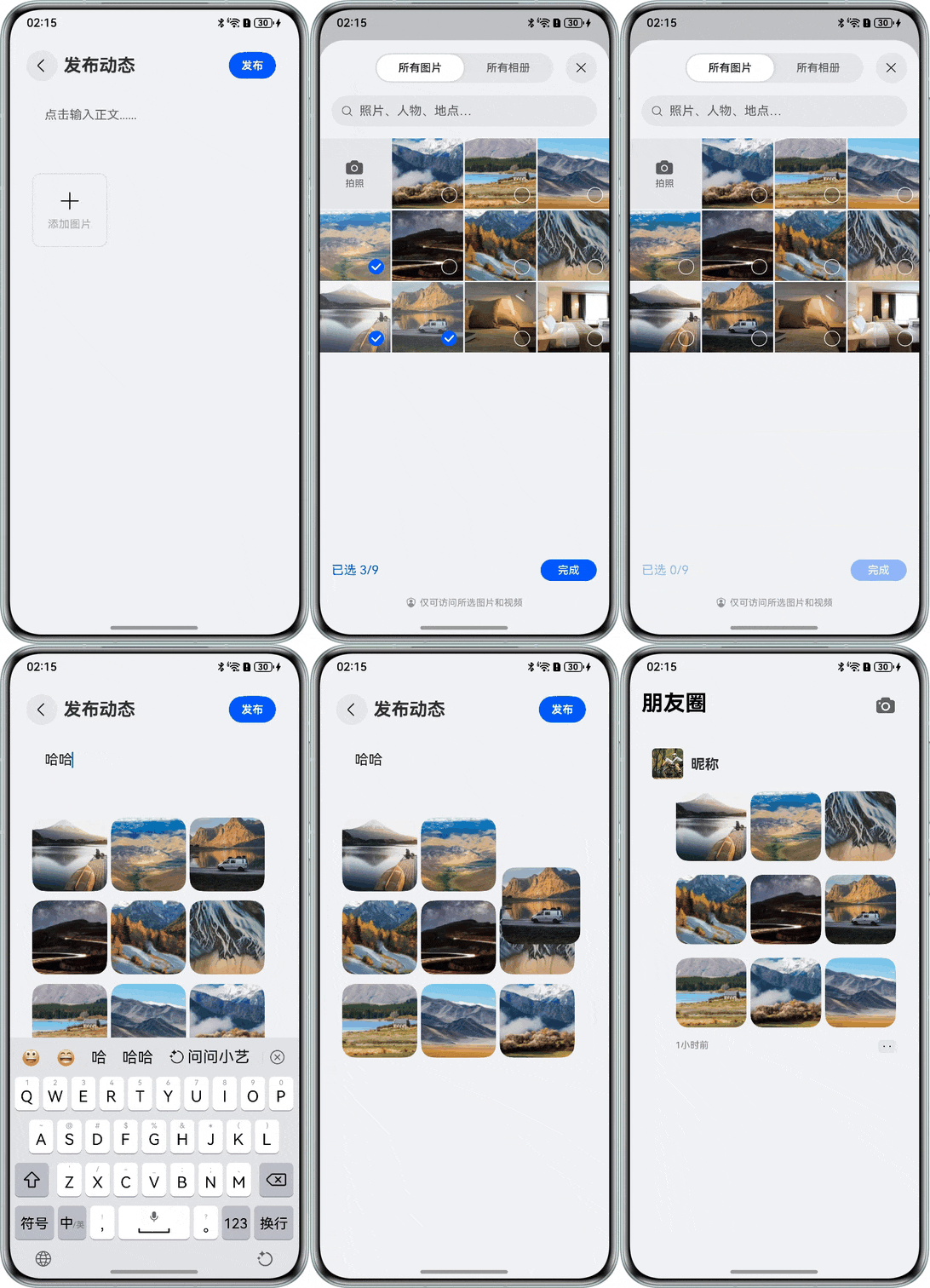 2
5楼回复于2026-07-13 01:54 来自广东
 不羁的木木
楼主你好。
onMove 本身不会自动帮你完成拖动排序,它只是把拖动前后的索引告诉你,真正的数据交换需要自己实现。
很多人第一次用的时候都会以为:
开启
editMode(true)+onMove(),Grid 就会自动调整顺序。
实际上不是这样的。
正确的实现流程
整个流程一般是:
开启编辑模式 → 长按开始拖动 → 触发 onMove(from, to) → 调整数据源顺序 → Grid 根据数据重新刷新
也就是说,真正决定 Grid 显示顺序的是你的数据源,而不是 onMove()。
例如:
收起
自动换行
深色代码主题
复制
Grid() {
  ForEach(this.list, (item) => {
    GridItem() {
      ...
    }
  })
}
.editMode(true)
.onMove((from, to) => {
  this.moveItem(from, to)
})
然后在 moveItem() 中调整数组:
收起
自动换行
深色代码主题
复制
moveItem(from: number, to: number) {
  const item = this.list.splice(from, 1)[0]
  this.list.splice(to, 0, item)
}
只要数据源发生变化,Grid 就会按照新的顺序重新布局。
为什么有时候拖了又弹回去?
这种情况基本都是因为:
onMove() 收到了新的位置,但是数据源没有修改。
例如:
收起
自动换行
深色代码主题
复制
A B C D

拖到:

B A C D
如果数组还是:
收起
自动换行
深色代码主题
复制
[A, B, C, D]
下一帧 Grid 又会重新按照数据源布局,所以看起来就是"拖过去又回来了"。
还有几个容易踩的坑
1、不要修改 ForEach 的 key
很多人写:
收起
自动换行
深色代码主题
复制
ForEach(this.list, item => {}, item => item.id)
这里的 id 最好保持唯一且固定。
不要因为排序就去修改 id,否则 Grid 会认为这是新的元素,容易出现闪烁或重建。
2、不要重新 new 整个数组
例如:
收起
自动换行
深色代码主题
复制
this.list = newList
虽然可以刷新,但如果数据量比较大,性能不如直接:
收起
自动换行
深色代码主题
复制
splice()
直接修改原数组。
3、开启编辑模式
如果没有:
收起
自动换行
深色代码主题
复制
.editMode(true)
默认是不能拖动排序的。
如果是动态控制,可以绑定状态:
收起
自动换行
深色代码主题
复制
.editMode(this.isEdit)
进入编辑模式后再允许拖动。
我的建议
如果只是做类似桌面图标、应用列表那种拖动排序,推荐直接使用 editMode(true) + onMove(),然后在 onMove() 中同步修改数据源即可。
整个流程建议理解成:
长按 GridItem → 开始拖动 → onMove(from, to) → 调整数组顺序 → Grid 自动刷新
展开全部 
17楼回复于2026-07-13 11:30 来自辽宁
 del枫
Grid组件使用onMove实现拖拽排序有两种路径,取决于你使用的API版本。从API版本26.0.0开始,Grid原生支持onMove拖拽排序,但仅在可滚动场景下生效。在此之前,onMove仅在父组件为List时有效果,Grid组件需要通过editMode+onItemDragStart+onItemDrop组合实现拖拽排序
16楼回复于2026-07-13 07:26 来自湖北
 大雷神
补一个可直接改造的 Grid 排序 demo。Grid 自己有拖拽回调,核心是:开启 `editMode(true)`,在 `onItemDrop` 里根据 `itemIndex` 和 `insertIndex` 调整数据源。
```ts
@Entry
@Component
struct GridDragDemo {
@State items: string[] = ['A', 'B', 'C', 'D', 'E', 'F'];
@State dragText: string = '';
@Builder
dragPreview() {
Text(this.dragText)
.width(72)
.height(72)
.textAlign(TextAlign.Center)
.backgroundColor('#E8F0FE')
.borderRadius(12)
}
private moveItem(from: number, to: number): void {
if (from === to || from < 0 || to < 0 ||
from >= this.items.length || to >= this.items.length) {
return;
}
const next = this.items.slice();
const moved = next.splice(from, 1)[0];
next.splice(to, 0, moved);
this.items = next;
}
build() {
Grid() {
ForEach(this.items, (item: string) => {
GridItem() {
Text(item)
.width('100%')
.height(72)
.textAlign(TextAlign.Center)
.backgroundColor('#F2F3F5')
.borderRadius(12)
}
}, (item: string) => item)
}
.columnsTemplate('1fr 1fr 1fr')
.rowsGap(12)
.columnsGap(12)
.padding(16)
.editMode(true)
.supportAnimation(true)
.onItemDragStart((_event: ItemDragInfo, itemIndex: number) => {
this.dragText = this.items[itemIndex];
return this.dragPreview();
})
.onItemDrop((_event: ItemDragInfo, itemIndex: number, insertIndex: number, isSuccess: boolean) => {
if (isSuccess) {
this.moveItem(itemIndex, insertIndex);
}
})
}
}
```
注意两点:
1. ForEach 的 key 不要用 index,用业务 id 或 item 本身,否则排序后复用可能错乱;
2. 如果需要拖到边缘自动滚动,要再配合 `onItemDragMove` 和滚动定位处理,单靠拖拽回调不一定自动滚屏。
官方参考:
https://developer.huawei.com/consumer/cn/doc/harmonyos-references/ts-container-grid
https://developer.huawei.com/consumer/cn/doc/best-practices/bpta-grid-drag-swap
展开全部
14楼回复于2026-07-12 11:27 来自湖北
 匿名用户
支持拖拽的
3楼回复于2026-07-12 07:59 来自河南
 lorin
`Grid` 组件支持 `onMove` 拖拽排序是从 **API version 26.0.0** 开始支持的。
12楼回复于2026-07-12 00:37 来自广东
- 无语的我回来了有现成的demo吗2026-07-12 07:37 来自海南
 空瞳
Grid 不能直接使用 ForEach/LazyForEach 的 onMove 做排序。onMove 目前仅适用于 List 中每次迭代生成 ListItem 的场景;Grid 应使用自身的拖拽回调。
处理步骤:
1. editMode(true) 开启 GridItem 拖拽;
2. supportAnimation(true) 开启内置拖拽动画;
3. onItemDragStart 返回拖拽预览;
4. onItemDrop 根据 itemIndex 和 insertIndex 更新数据源。
```
@Entry
@Component
struct GridDragPage {
@State private items: string[] = ['A', 'B', 'C', 'D', 'E', 'F']
@State private dragText: string = ''
@Builder
dragPreview() {
Text(this.dragText)
.width(80)
.height(80)
.textAlign(TextAlign.Center)
.backgroundColor('#E8F0FE')
}
private moveItem(from: number, to: number): void {
if (from === to || from < 0 || to < 0 ||
from >= this.items.length || to >= this.items.length) {
return
}
const next: string[] = [...this.items]
const moved: string = next.splice(from, 1)[0]
next.splice(to, 0, moved)
this.items = next
}
build() {
Grid() {
ForEach(this.items, (item: string) => {
GridItem() {
Text(item)
.width('100%')
.height(80)
.textAlign(TextAlign.Center)
.backgroundColor('#F2F3F5')
}
}, (item: string) => item)
}
.columnsTemplate('1fr 1fr 1fr')
.columnsGap(8)
.rowsGap(8)
.editMode(true)
.supportAnimation(true)
.onItemDragStart((event: ItemDragInfo, itemIndex: number) => {
this.dragText = this.items[itemIndex]
return this.dragPreview()
})
.onItemDrop((event: ItemDragInfo, itemIndex: number,
insertIndex: number, isSuccess: boolean) => {
if (!isSuccess || insertIndex < 0 || insertIndex >= this.items.length) {
return
}
this.moveItem(itemIndex, insertIndex)
})
}
}
```
注意:supportAnimation 的内置动画只支持滚动模式(rowsTemplate、columnsTemplate 只设置一个)且 GridItem 大小规则的 Grid;跨行跨列场景需要自定义动画。若使用 LazyForEach,请在数据源的 move/swap 方法中同步发送数据变更通知。
展开全部
1楼回复于2026-07-11 21:29 未知归属地
写回答
所见即所得编辑器, editor1
工具栏 撤消 快捷键 Ctrl+Z 重做 快捷键 Ctrl+Y 格式刷 快捷键 Ctrl+Shift+C 清除格式 加粗 快捷键 Ctrl+B 倾斜 快捷键 Ctrl+I 下划线 快捷键 Ctrl+U 删除线格式调整字号 文本颜色 背景颜色 增加缩进量 减少缩进量 左对齐 居中 右对齐 两端对齐段落间距行间距 项目列表 编号列表 插入水平线 块引用 插入/编辑超链接 快捷键 Ctrl+K 取消超链接 图片 表格 上传附件 导入Word 插入代码 MD编辑器 全屏模式
0/50000
新增插入模板功能
一键使用模板,快速填写内容,轻松发帖~
知道了
- 为了保障您的信息安全,请勿上传您的敏感个人信息(如您的密码等信息)和您的敏感资产信息(如关键源代码、签名私钥、调试安装包、业务日志等信息),且您需自行承担由此产生的信息泄露等安全风险。
- 如您发布的内容为转载内容,请注明内容来源。
我要提问题
相关推荐
换一批
1
HarmonyOS wrapperBuilder传递map时会丢失,到目标组件的时候,会变成undifined,换成其他的类型就没这个问题 (API12+)
2
HarmonyOS 组件出现在鼠标位置时,不会触发onHover (API12+)
3
HarmonyOS 页面显示Web组件,其中包含多个输入框,默认获取的是第一个输入框,怎么获取后面的输入框? (API12+)
4
HarmonyOS 组件怎样固定在指定位置 (API12+)
5
HarmonyOS grid网格拖拽交换顺序demo(API12+)
6
HarmonyOS List中的Item如何跨分组拖拽排序?(API12+)
7
HarmonyOS Grid可以用什么方法做上拉加载?(API12+)
8
HarmonyOS List使用onMove拖拽,如何指定部分Item不能拖动?(API12+)
了解社区公约,与您携手共创和谐专业的开发者社区。


 苏公安网备 32011402010933号