















 苏公安网备 32011402010933号
合作咨询
我们的专家服务团队将竭诚为您提供专业的合作咨询服务
 匿名用户
加载网络图片功用于界面显示
config.json代码如下
    "reqPermissions": [

      {"name": "ohos.permission.INTERNET"}
],复制<?xml version="1.0" encoding="utf-8"?>
<DirectionalLayout
xmlns:ohos="http://schemas.huawei.com/res/ohos"
ohos:height="match_parent"
ohos:width="match_parent"
ohos:orientation="vertical">
<Text
ohos:height="100vp"
ohos:width="match_parent"
ohos:id="$+id:LoadImage"
ohos:text_size="40vp"
ohos:background_element="#ed6262"
ohos:text_alignment="center"
ohos:text="加载图片"
/>
<Image
ohos:id="$+id:myImage"
ohos:height="match_parent"
ohos:width="match_parent"
ohos:image_src="$media:icon"/>
</DirectionalLayout>复制java代码实现
package com.harmony.alliance.mydemo.slice;

import com.harmony.alliance.mydemo.ResourceTable;
import ohos.aafwk.ability.AbilitySlice;
import ohos.aafwk.content.Intent;
import ohos.agp.components.Component;
import ohos.agp.components.ComponentProvider;
import ohos.agp.components.Image;
import ohos.media.image.ImageSource;
import ohos.media.image.PixelMap;
import ohos.media.image.common.PixelFormat;

import java.io.InputStream;
import java.net.HttpURLConnection;
import java.net.URL;
import java.net.URLConnection;

public class myImageAbilitySlice  extends AbilitySlice {
    private Image myImage;

    @Override
    protected void onStart(Intent intent) {
        super.onStart(intent);
        setUIContent(ResourceTable.Layout_my_image);
        myImage=findComponentById(ResourceTable.Id_myImage);
        findComponentById(ResourceTable.Id_LoadImage).setClickedListener(new Component.ClickedListener() {
            @Override
            public void onClick(Component component) {
                new Thread(){
                    @Override
                    public void run() {
                        super.run();
                        LoadImageData();
                    }
                }.start();
            }
        });

    }
    public  void  LoadImageData(){
        String   urlImage = "https://www.harmonyos.com/resource/image/community/20201009-164134eSpace.jpg";
        HttpURLConnection connection = null;
        try {
            URL url = new URL(urlImage);
            URLConnection urlConnection =   url.openConnection();
            if (urlConnection instanceof   HttpURLConnection) {
                connection =   (HttpURLConnection) urlConnection;
            }
            if (connection != null) {
                connection.connect();
                // 之后可进行url的其他操作
                // 得到服务器返回过来的流对象
                InputStream inputStream =   urlConnection.getInputStream();
                ImageSource imageSource = ImageSource.create(inputStream,   new ImageSource.SourceOptions());
                ImageSource.DecodingOptions   decodingOptions = new ImageSource.DecodingOptions();
                decodingOptions.desiredPixelFormat   = PixelFormat.ARGB_8888;
                // 普通解码叠加旋转、缩放、裁剪
                PixelMap pixelMap = imageSource.createPixelmap(decodingOptions);
                // 普通解码
                getUITaskDispatcher().syncDispatch(()   -> {
                    myImage.setPixelMap(pixelMap);
                    pixelMap.release();
                });
            }
        }   catch (Exception e) {
            e.printStackTrace();
        }
    }


}
复制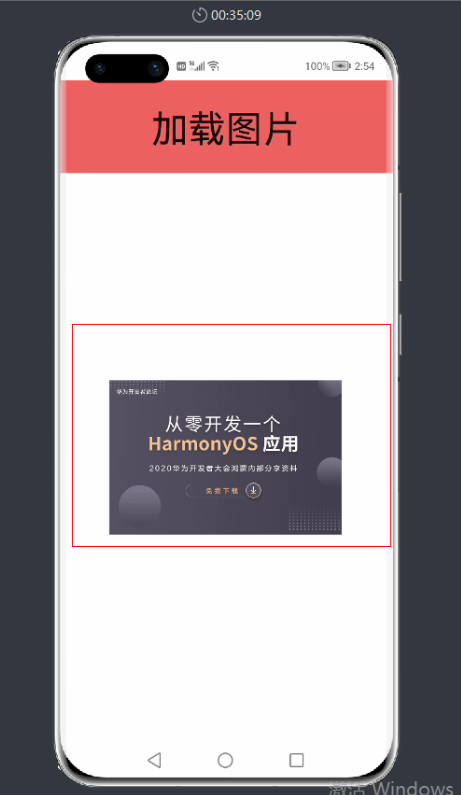


我要发帖子


