




Intelligent Assistant
Chat with our virtual assistant to get answers promptly.
To get your identity verified, sign in to HUAWEI Developers with your HUAWEI ID and click Console or Identity verification in the upper right corner to go to the identity verification page.
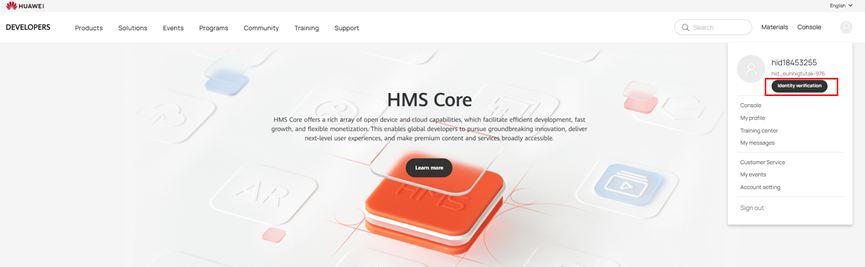
HUAWEI Developers supports multiple identity document combinations for verification, including:
ID card: Upload a scan of your ID card with your full name in English and a clear photo.
Passport: Upload a scan of your passport with your full name in English and a clear photo.
Other supporting documents: Upload scans of other supporting documents with your full name in English and a clear photo.
(All the preceding documents, including the ID card, passport, and other supporting materials, must be issued by the official authorities of the country/region selected for identity verification.)
Bank document: Upload a scan of your bank card, bankbook, bank account opening confirmation letter, bank statement, or any other legally valid document issued by the bank. The document should contain your full name in English and have a validity period of at least 6 months.
You must be of legal age in your country or region.
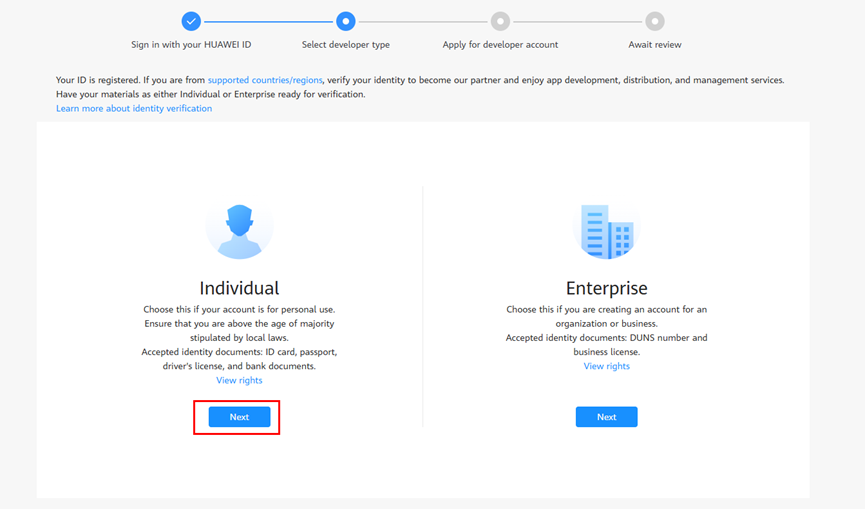
Step 1: On the page for selecting a developer type, click Next under Individual.
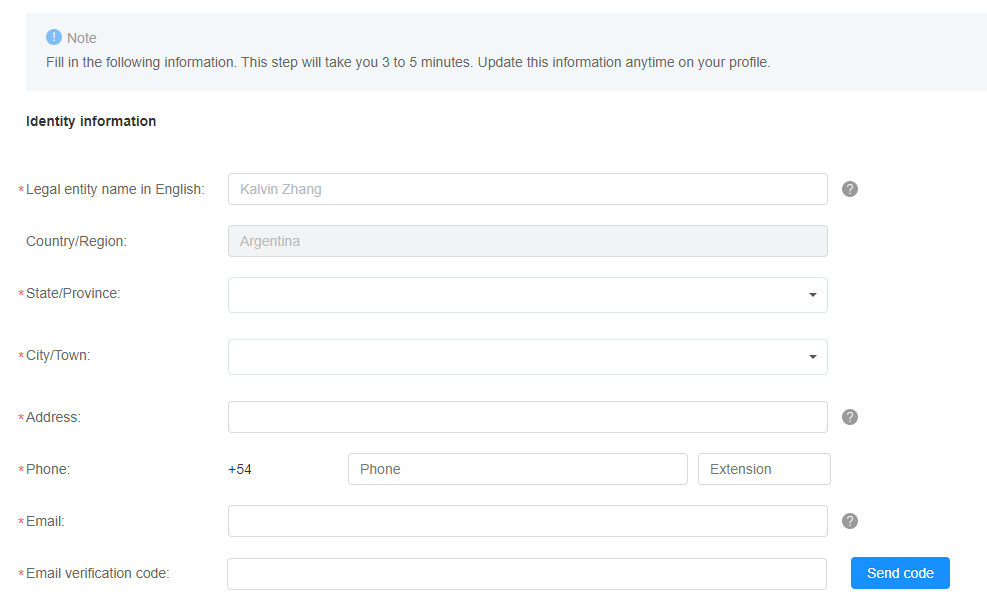
Step 2: Enter your identity information. Parameters marked with a red asterisk (*) are mandatory.
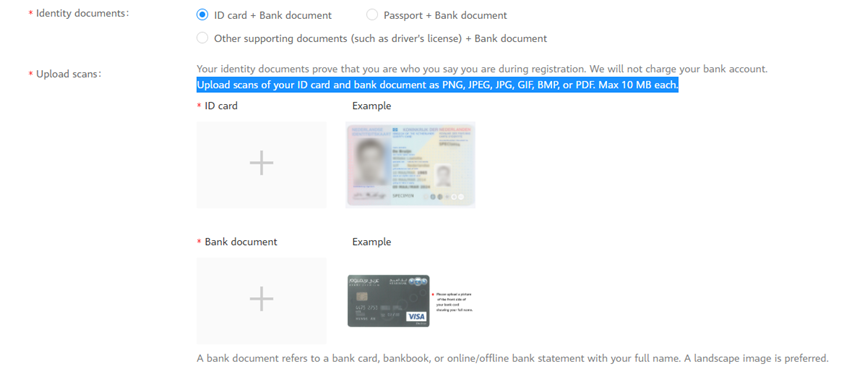
Step 3: Upload scans of your identity documents.
Using an ID card + bank document as an example, select ID card + Bank document and upload scans of your ID card and bank document with your full name on them.
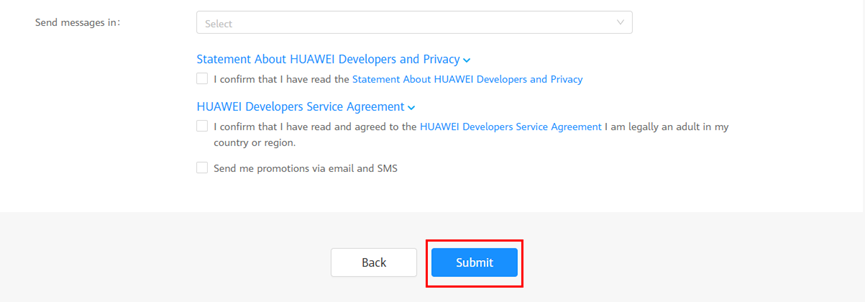
Step 4: Read and confirm the Statement About HUAWEI Developer and Privacy and HUAWEI Developers Service Agreement, and click Submit.
HUAWEI Developers will complete the review within 1 to 2 working days and send the review result to your email address provided in the contact information. You can also check the review result in the notification banner at the top of the HUAWEI Developers console.
If you have any questions during identity verification, contact our customer service for assistance.