HUAWEI Developers provides reports for app services and the HUAWEI Themes service. You can sign in to the HUAWEI Developers console, go to Developer center > My reports, and use these reports to optimize how you manage your products.
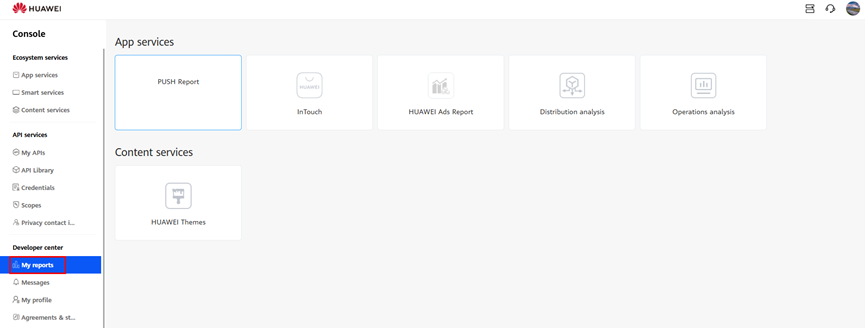
The following table lists the reports for different services.
Service Type | Report Name | Report Content |
App services | HUAWEI AppGallery | Downloads, installs, new users, retentions, and more. For details, please refer to Viewing App Analytics Data. |
HUAWEI IAP | Payment details, coupon details, and more. | |
Push Report | User details, message details, and more. For details, please refer to Viewing App Analytics Data. | |
AppTouch | Operation trends, app promotions, joint operations, game rankings, joint operations rankings, and more. | |
HUAWEI Ads Report | Revenue and detailed data charts related to your Petal Ads monetization business. | |
Theme service | HUAWEI Themes | Theme IDs, prices, sales, and more. |
HUAWEI IAP
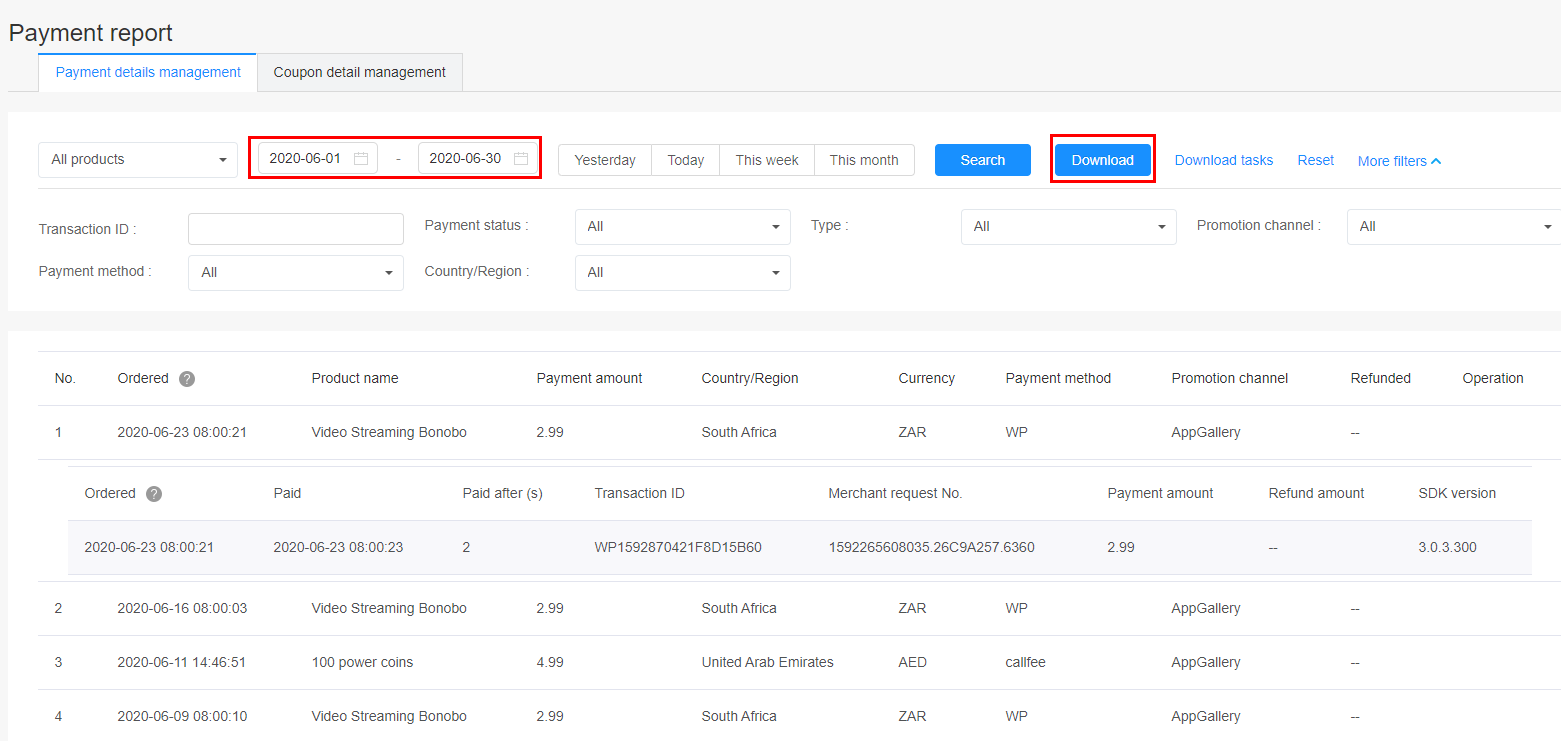
This report provides in-app payment details, including about payments and refunds. Set the search criteria, including a period, to show specified report data. Click Download to initiate a download task for all in-app payment data generated in that period.
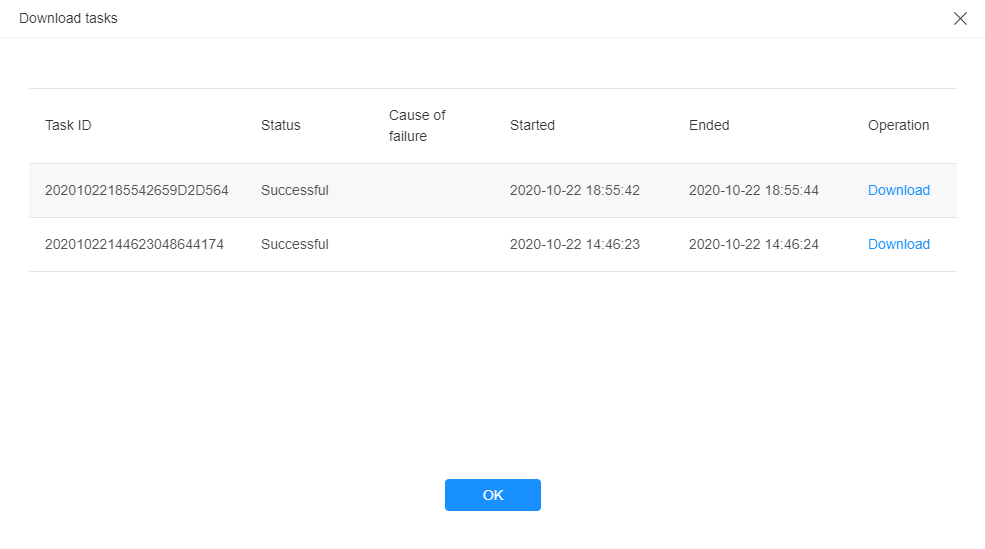
Click Download tasks. On the download task page, wait until the status of the download task indicates that it was successful, and click Download to download the data.
To view details in an IAP report, click here to download a sample.
The following table describes the parameters contained in an IAP report.
Parameter | Description | Remarks |
No | Sequence number of a report data record. | The first record is the latest report data in the specified period of time. |
Order No | Order number generated when a user purchased your product. | You can use this order number with your developer name to request Huawei customer service to confirm the corresponding payment amount and status when necessary. |
Payment Time | Time when the user made a payment. | It is the user's local time. |
Merchant Name | Merchant name corresponding to the payment. | / |
Application ID | App ID corresponding to the payment. | / |
App Name | App name corresponding to the payment. | / |
Product Name | Name of an in-app product purchased by the user. | An app configured in the AppGallery Connect can correspond to multiple in-app products. |
Payment Amount | Amount paid by the user. | / |
Currency | Currency used by the user for the payment. | The value is automatically set by the system according to the user's service area and cannot be manually changed. |
Payment Method | Payment method selected by the user. | Example: WorldPay |
Payment Status | Status of the payment, including successful and failed. | / |
Refunded | Time when the user was refunded. | A user can request for a refund if they did not receive a purchased product. |
Refund Amount | Amount refunded to the user. | Displayed only when a user has been refunded. |
Country | Country where the user is located. | / |