Built on its large user base, HUAWEI AppGallery provides Android users with secure and quality download service.
Ranked high in the apps available, distributed games, and user quality, HUAWEI AppGallery provides a convenient and quality platform for various app developers and is committed to building a fair, targeted, and efficient release channel to increase app exposure and download rate.
The promotion service is charged based on cost per download (CPD).
Spent = Bid per download * number of downloads
How does a user download an app from HUAWEI AppGallery?
We provide dedicated CPD promotion slots in the HUAWEI AppGallery. Once you have topped up your account and set a promotion task, you will be enrolled in the bidding list. Our smart algorithm is able to find the matching user group and promote your app to the targeted users and ensure high conversion rate. Your app quality and CPD bid are critical to impressions and downloads. A higher bid will increase your app’s impressions, but this is not the only decisive factor.
CPD-based promotion is launched immediately after you have gone through the required procedures including signing of agreement, app review and test, and account top-up.
You may also launch or end a promotion task, or set a promotion time based on your business needs. You do not need to negotiate a schedule with HUAWEI AppGallery.
The funds in your account will be invested in your app promotion only and no other charges are involved. You will be charged based on the download report that we will provide after a new user has downloaded your app.
You have full control over your account. You may start or end a promotion task, and set a daily budget limit to control your cost. When your account balance is insufficient for a promotion, the system will suspend the promotion until you top up your account.
There are plenty of opportunities on HUAWEI AppGallery to generate impressions, but you don’t have to study the value of each promotion slot. Instead, you may simply select an app you want to promote and offer your bid, and leave the rest to our system that can automatically display your app at an appropriate slot based on factors such as relevance, popularity, and your bid.
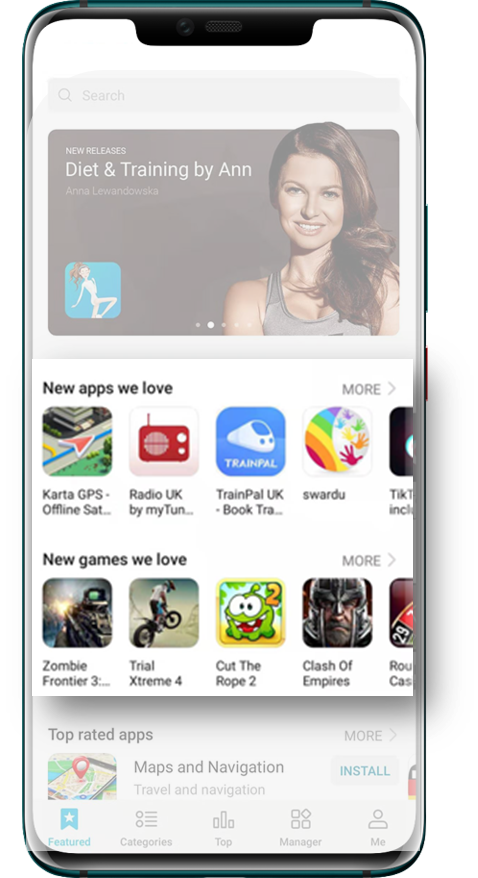
HUAWEI AppGallery CPD promotion service covers multiple resource slots on AppGallery.
Promotion resources in the standard section include NEW APPS WE LOVE, NEW GAMES WE LOVE, APP Ranking, GAME Ranking, etc.
App search resources include search results and quick search.
Search results
Create up to 200 keywords for a single task.
Configure different bidding prices for different keywords.
High CTR.
Quick search
Apps are recommended when a user enters relative words before pressing the search button.
Guide a user to download apps.

The Points section displays a list of apps when a user activates AppGallery for the first time. They can selectively download the apps from the list.
The top 9 apps are downloaded by default, which therefore have the highest conversion rates. Apps in the remaining resource slots also have high click-through rates.
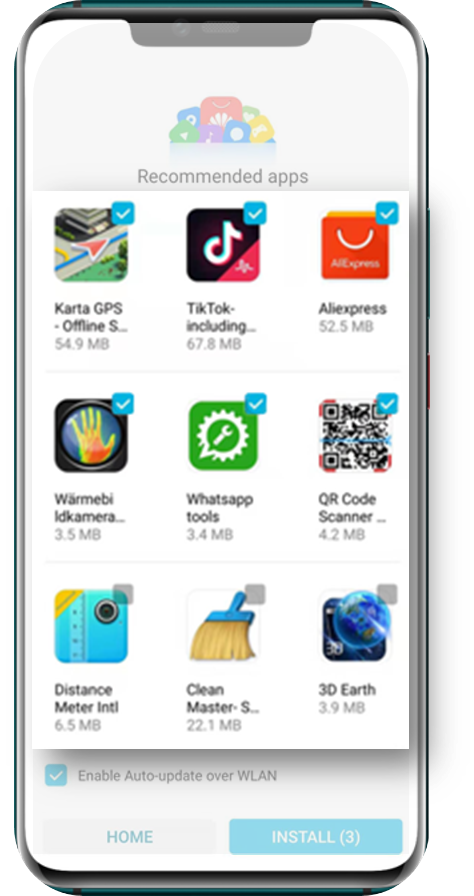
A list of apps will be displayed when a user activates their phone for the first time. It can seize the very first opportunity to touch users.

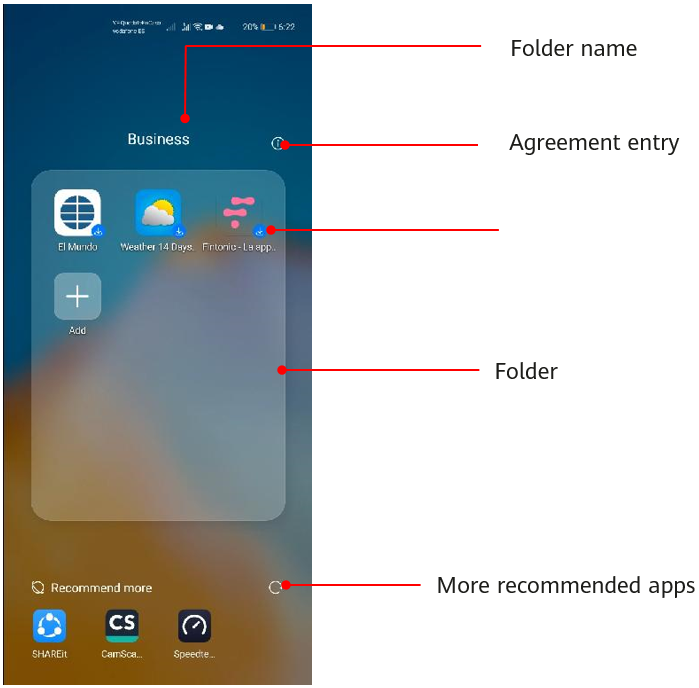
A desktop folder that recommends apps through cloud services.
Slot configuration in the folder:
① 3 x 4 layout, 10 slots on each screen.
② When more than 10 apps are recommended, the excessive ones are displayed on the second screen.
Slots in Recommended more:
① The function is enabled by default, and four slots are available.
② When more than 4 apps are promoted, swipe left or right to display more.
Register > Identity Verification > Create Your app > Submit for App test > Top up > Create a promotion task > View promotion data (check result)
For more details: HUAWEI AppGallery Paid Promotion User Guide.