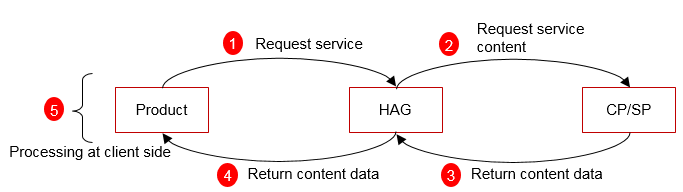
The HUAWEI Ability Gallery provides content ability by obtaining content from a developer server through an API. The service display is defined by the HUAWEI.
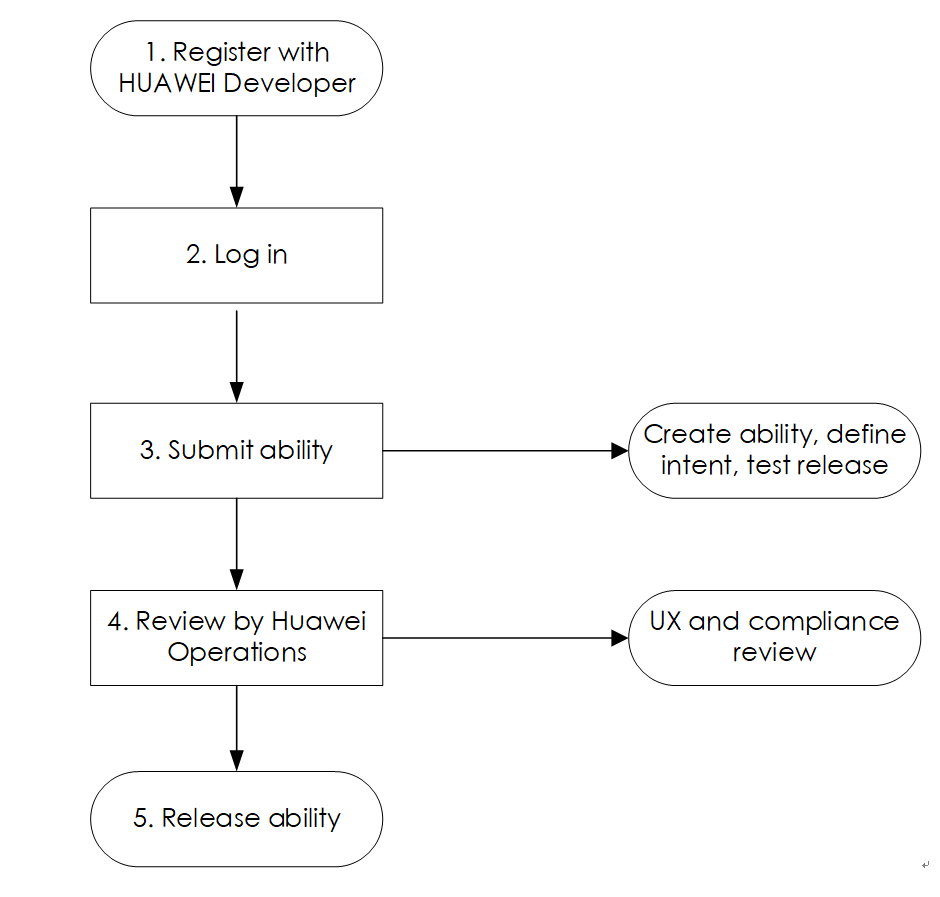
To create a content ability:
Register as a HUAWEI Developer.
To register a HUAWEI Developer account, please refer to Registration and ID Verification.
Develop the ability.
The content API provided by developers must comply with Huawei’s requirements. For details, see API Specifications.
Register the ability.
Register the ability on HUAWEI Ability Gallery.
The developer should provide the content API. For detailed API requirements, see the API Specifications.
Step 1: Log in to HUAWEI Developer and go to Console > Abilities > HUAWEI Ability Gallery.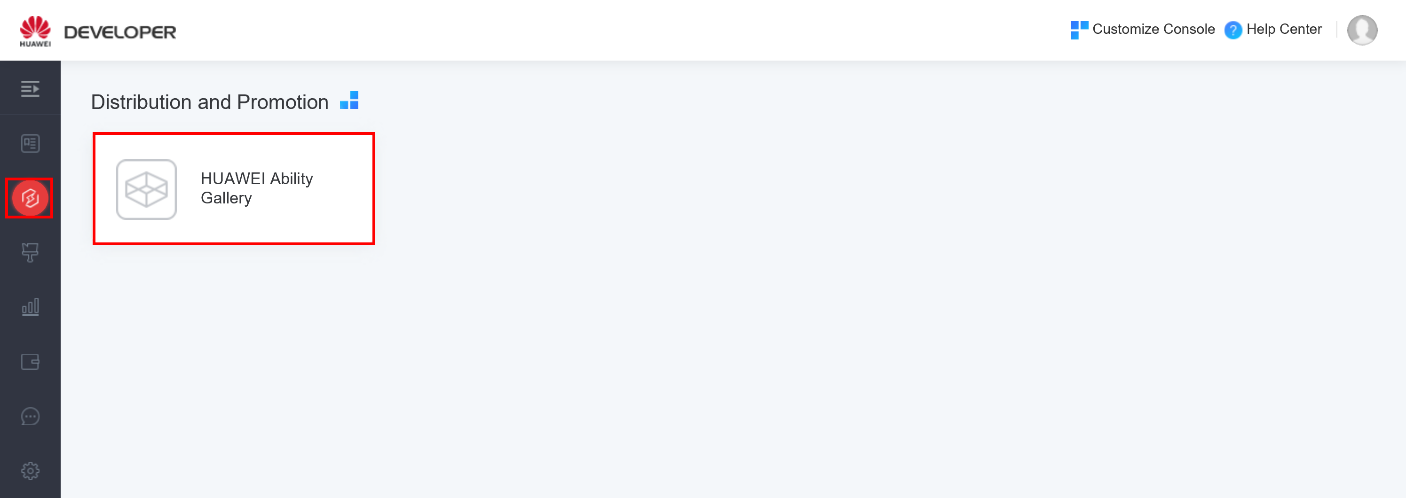
Step 2: Click Create to create a content ability.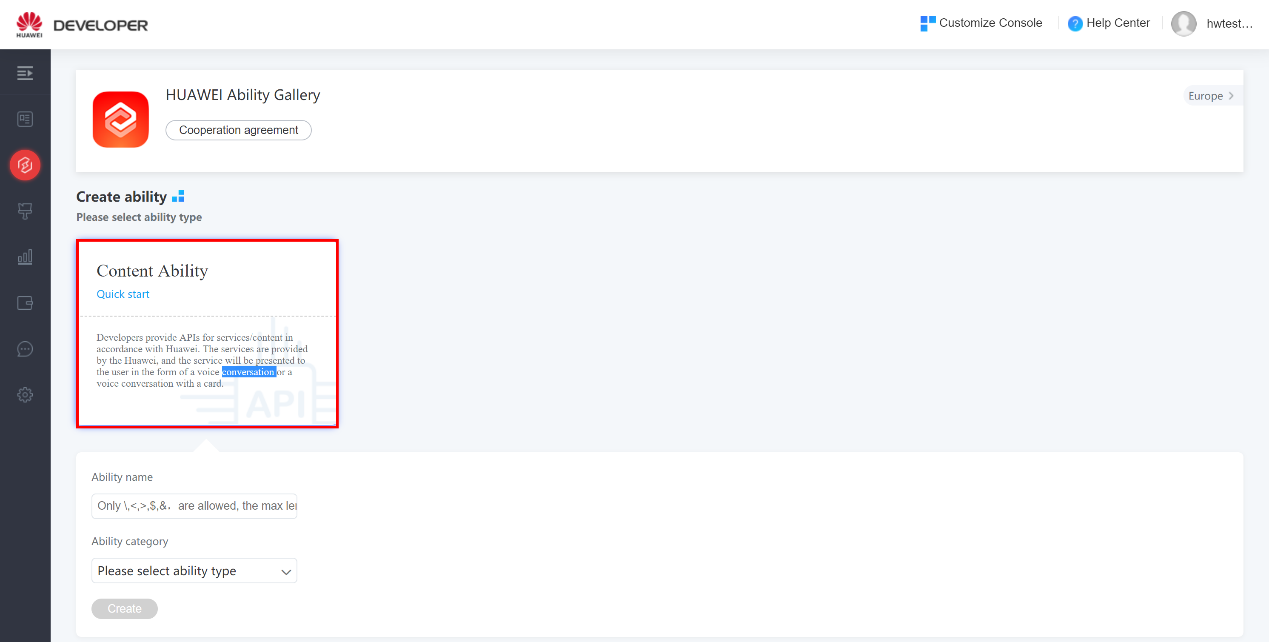
On the Create page, select the ability category and enter the ability name, for example, weather broadcasting. Click create to enter the configuration page.
Step 3: Under the interaction menu, add intent triggers.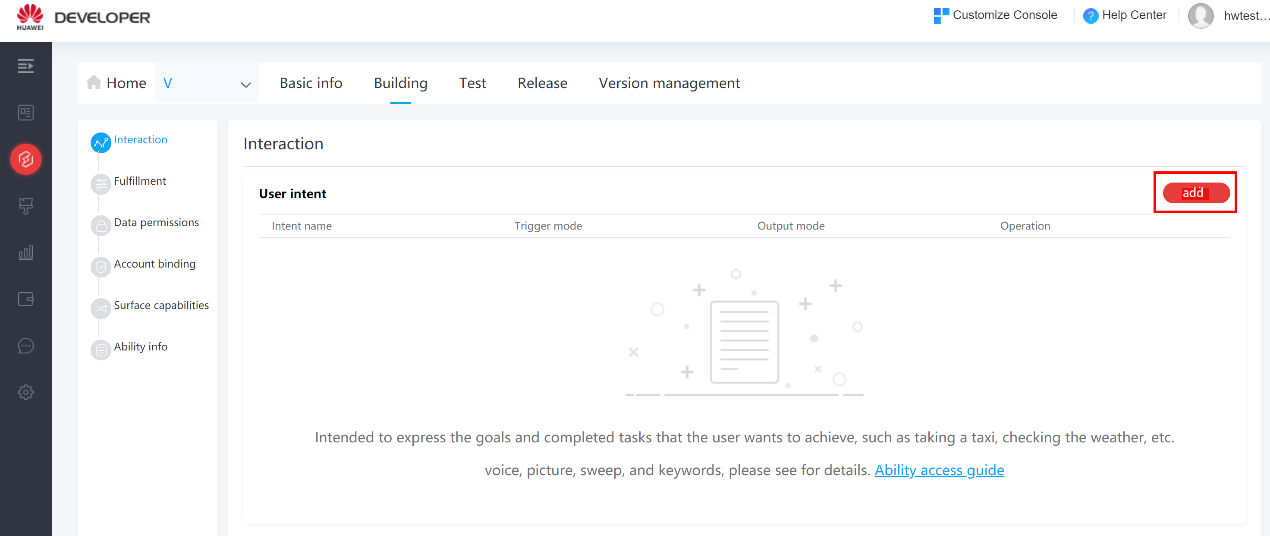
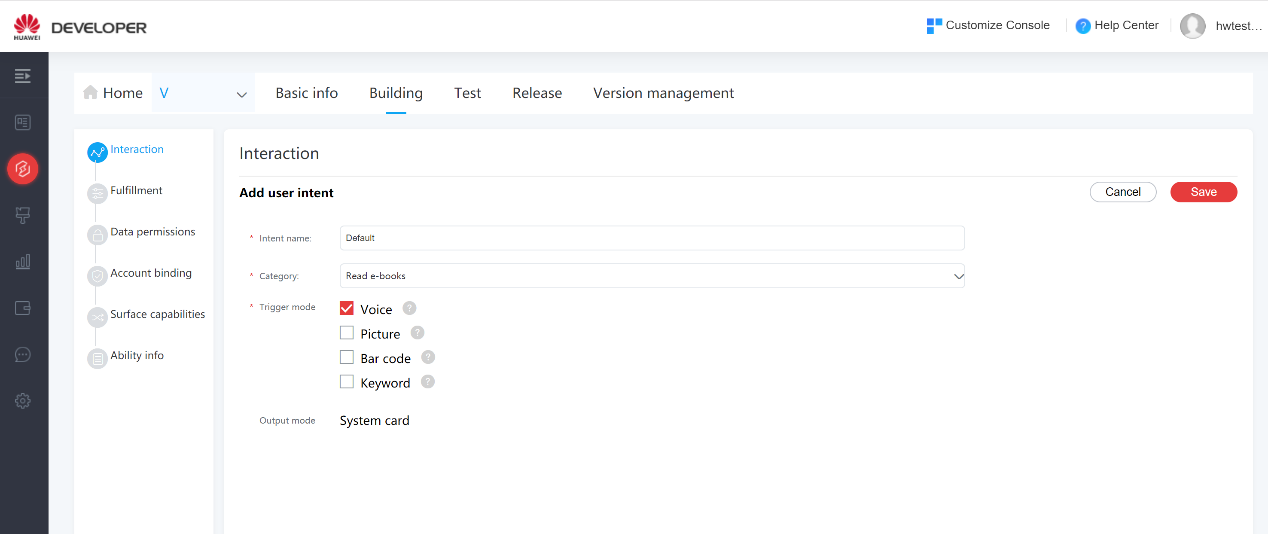
Instructions:
− Intent: Enter the intent name.
− Intention category: Select a category from the drop-down list.
− Trigger mode:
Step 4: Fullfillment
If system card is selected, click Fulfillment to complete the detailed configurations.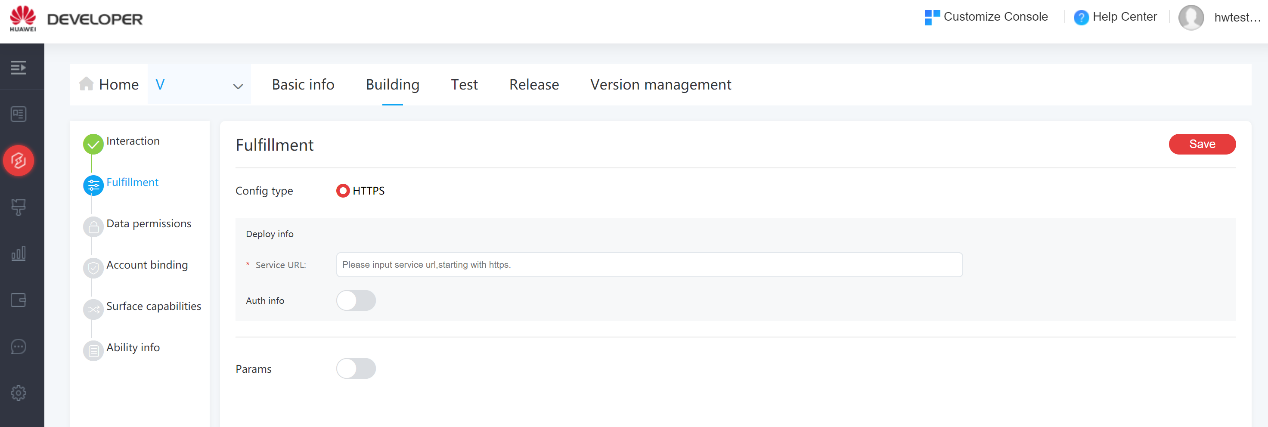
Step 5: Data permissions: choose the data permissions of the user authorization.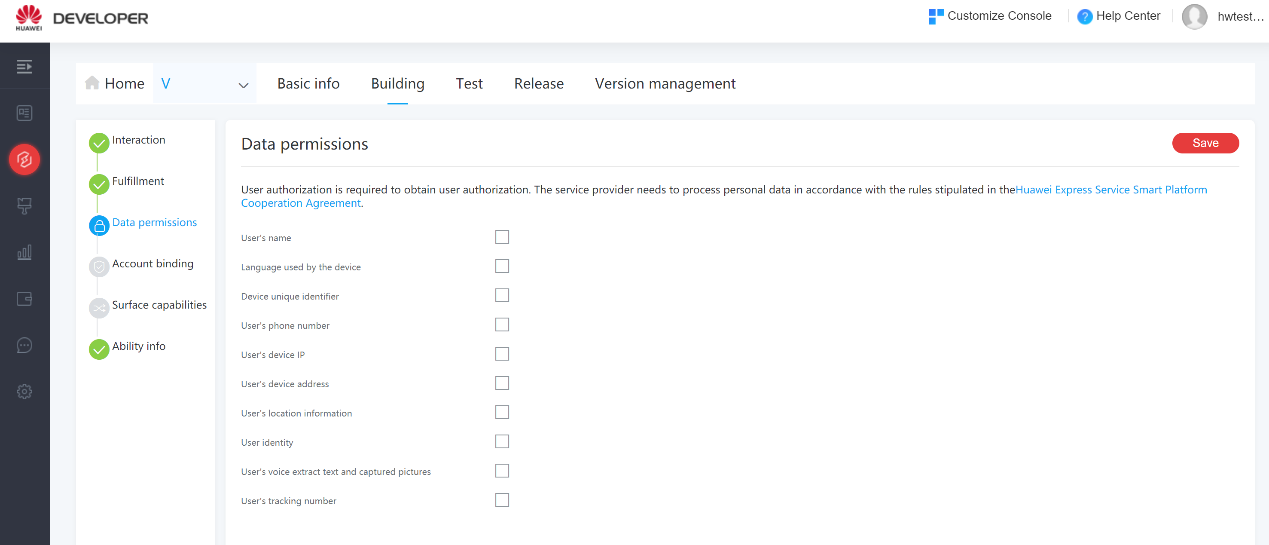
Step 6: Account binding: You can select an authentication method and set an access key and secret key. Then complete the service deployment information and save the settings.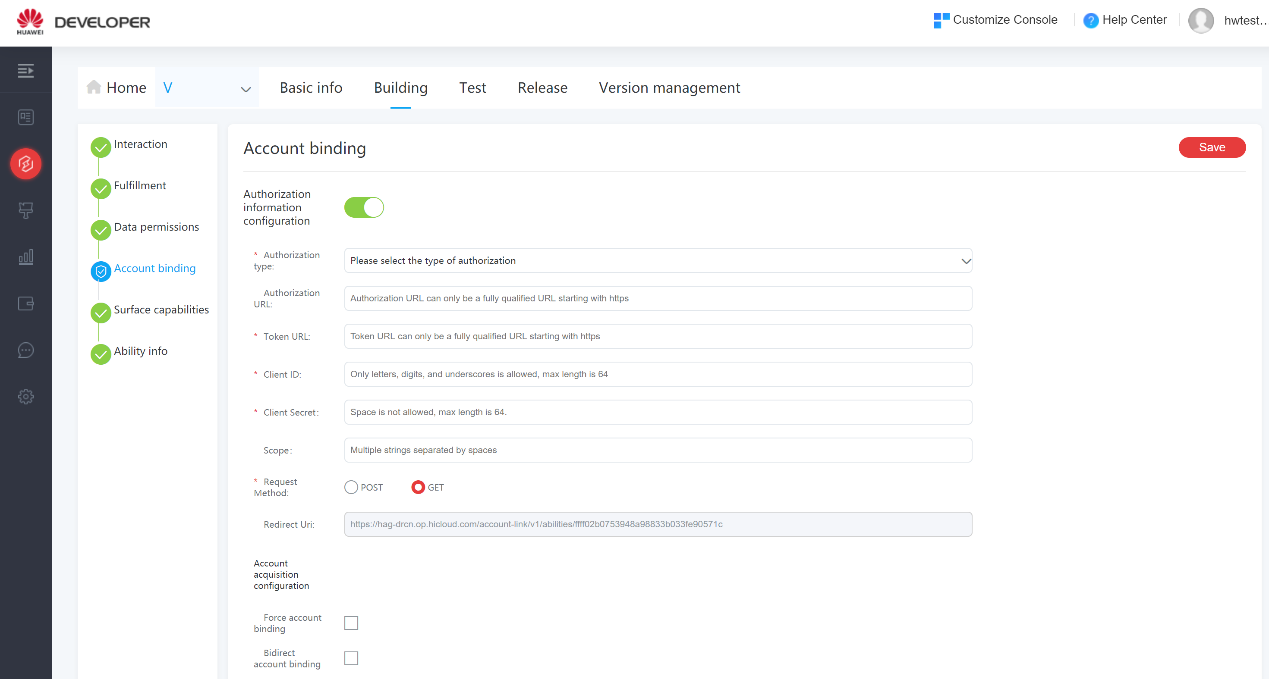
Step 7: Surface capabilities: choose the specific capabilities, then the service will be automatically distributed to available devices.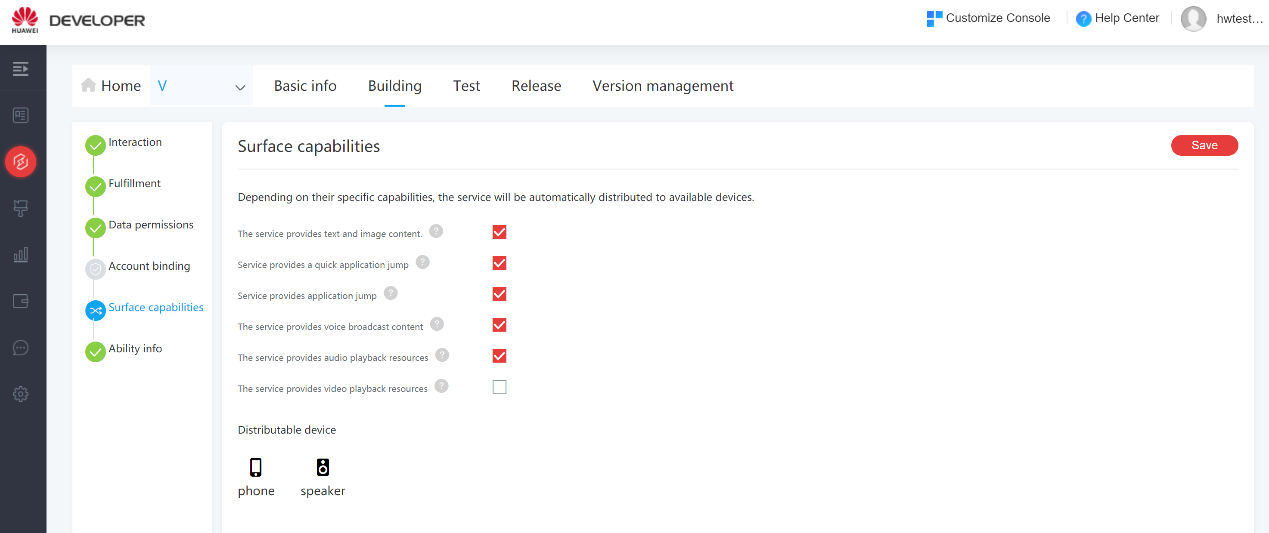
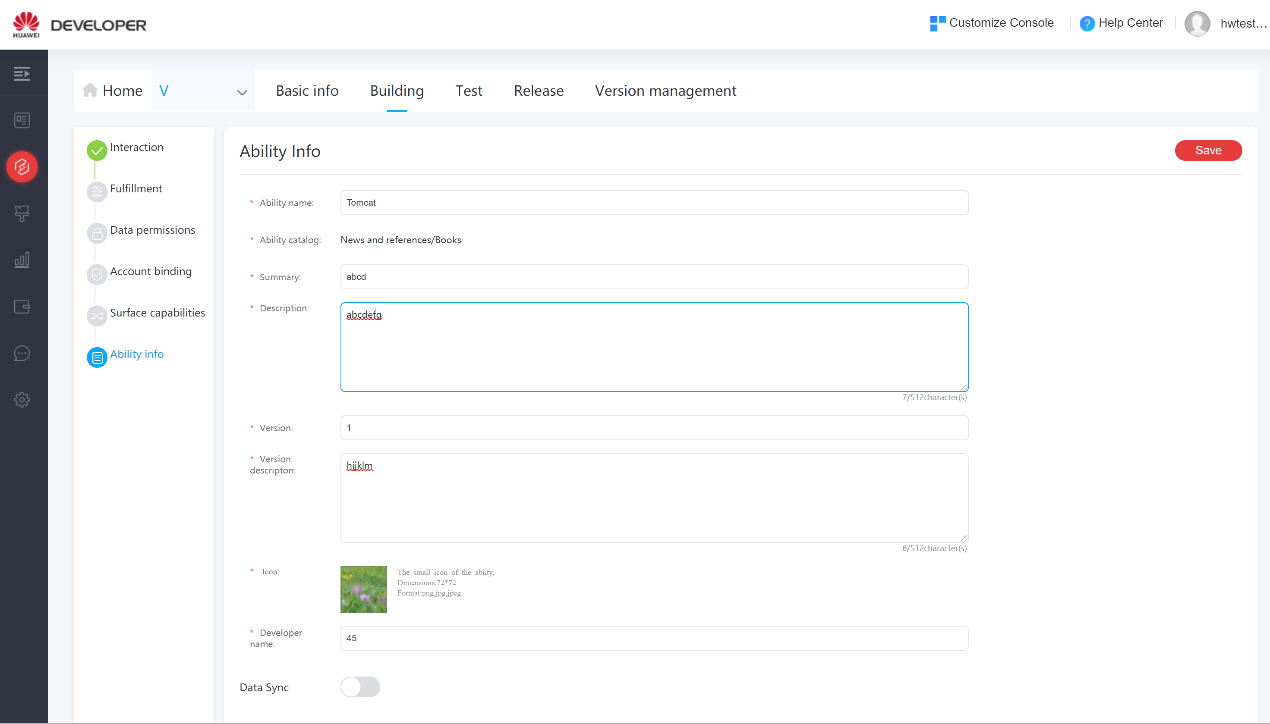
Step 8: On the Ability info page, enter the basic information about the service.
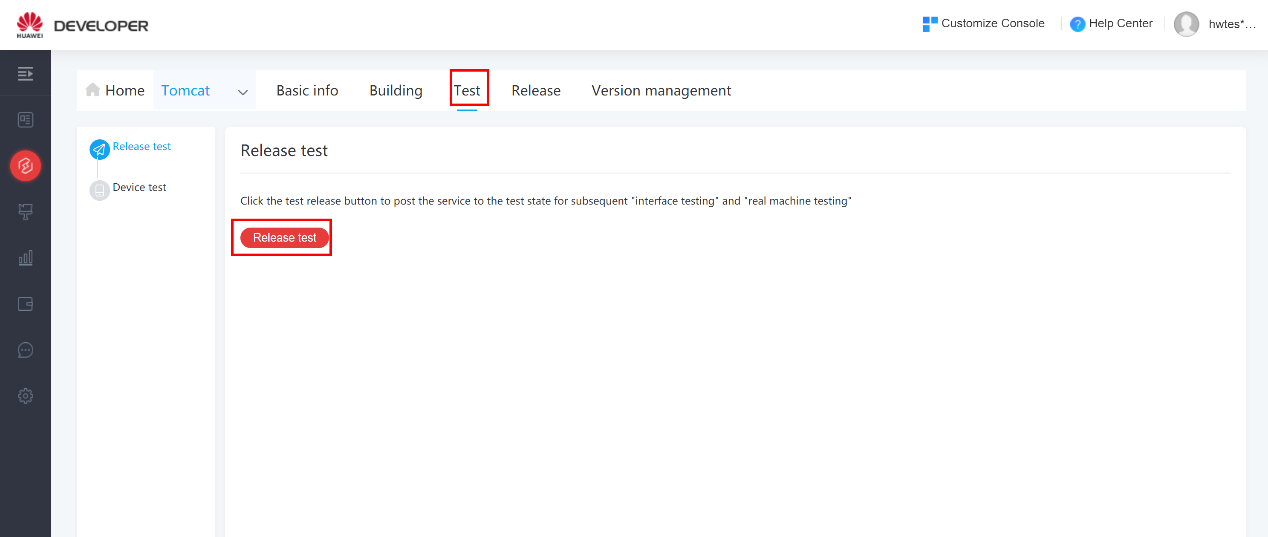
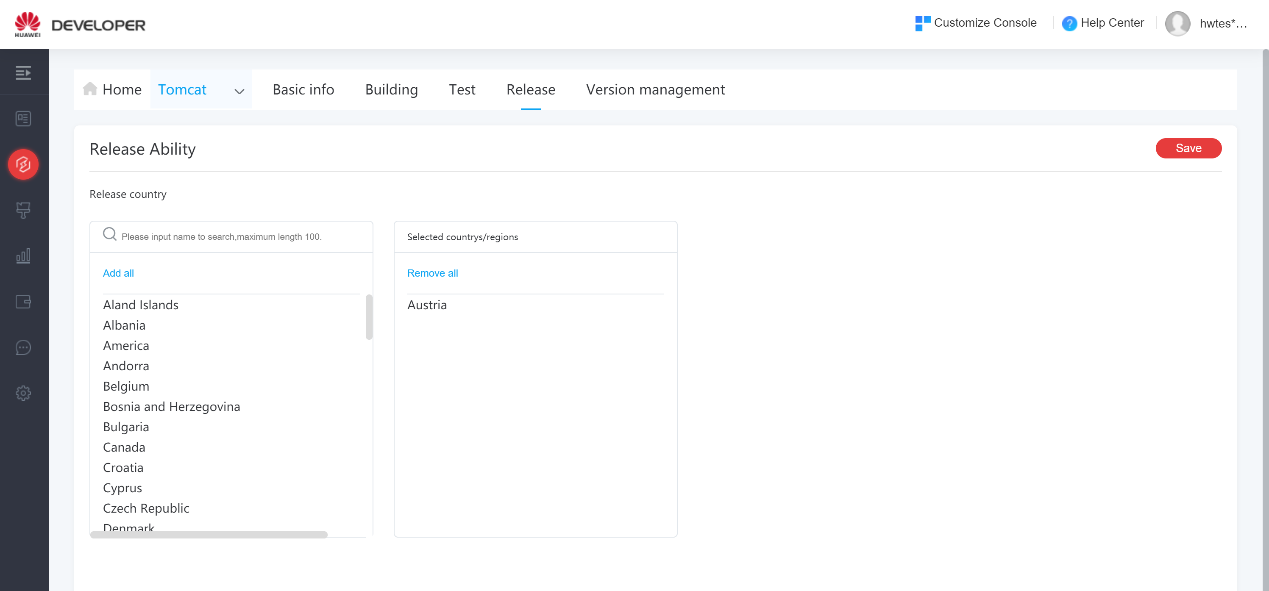
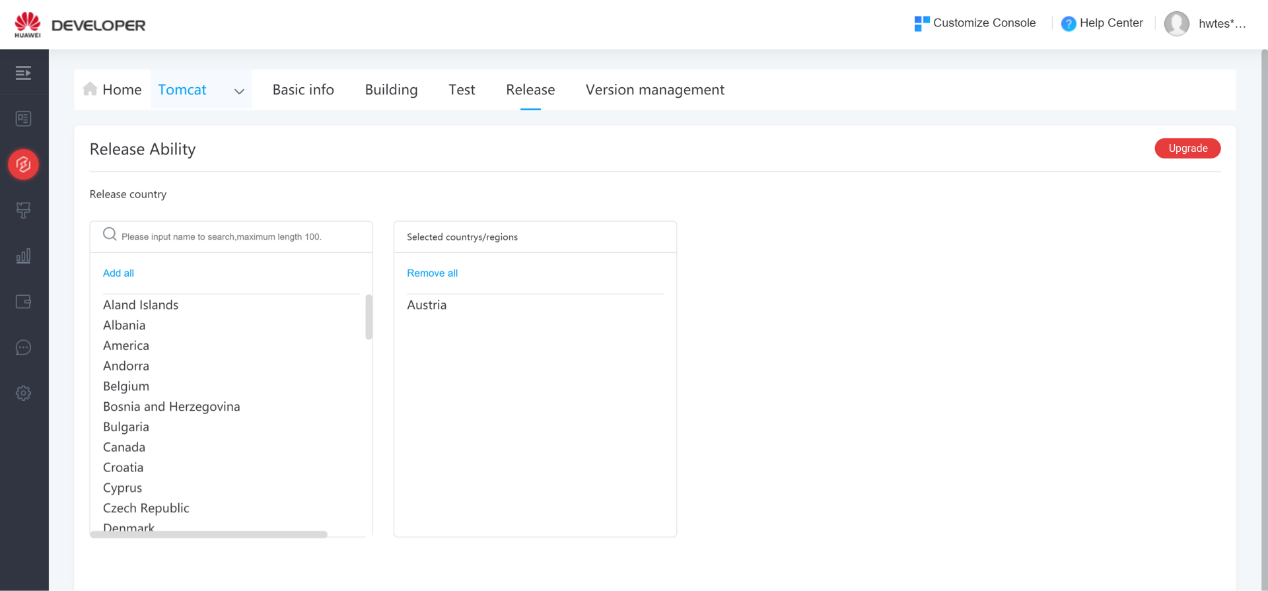
If you need to update an ability after submission, click the edit button. After you have updated it, you need to release it for test again, and click the Upgrade button after a successful test.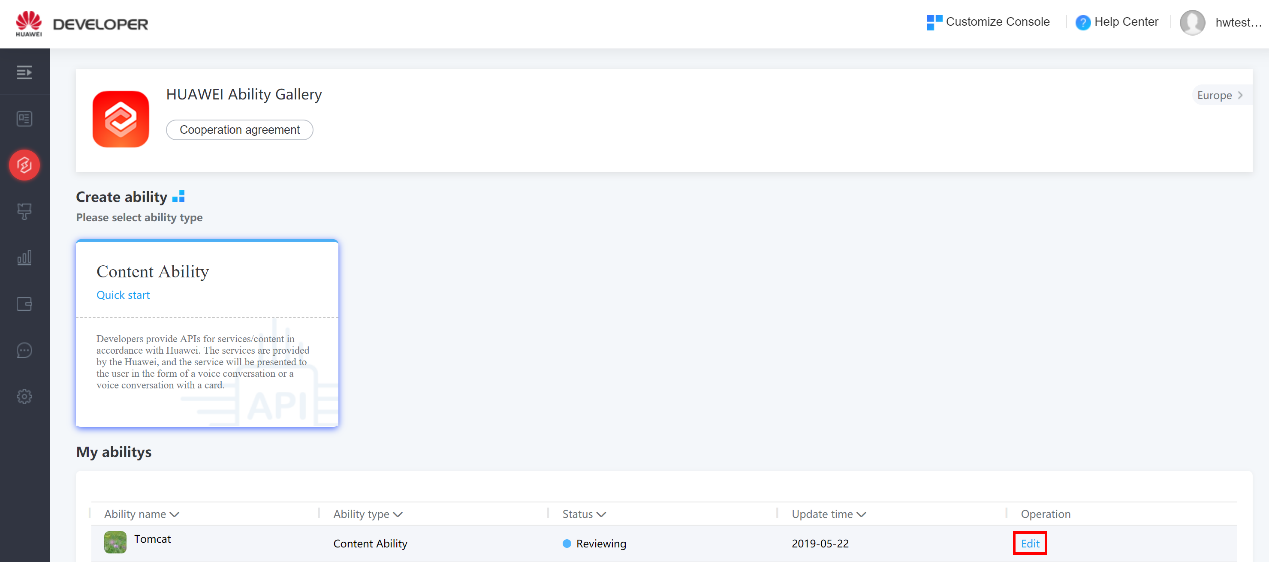
To remove an ability from HUAWEI Ability Gallery, click the Delete button.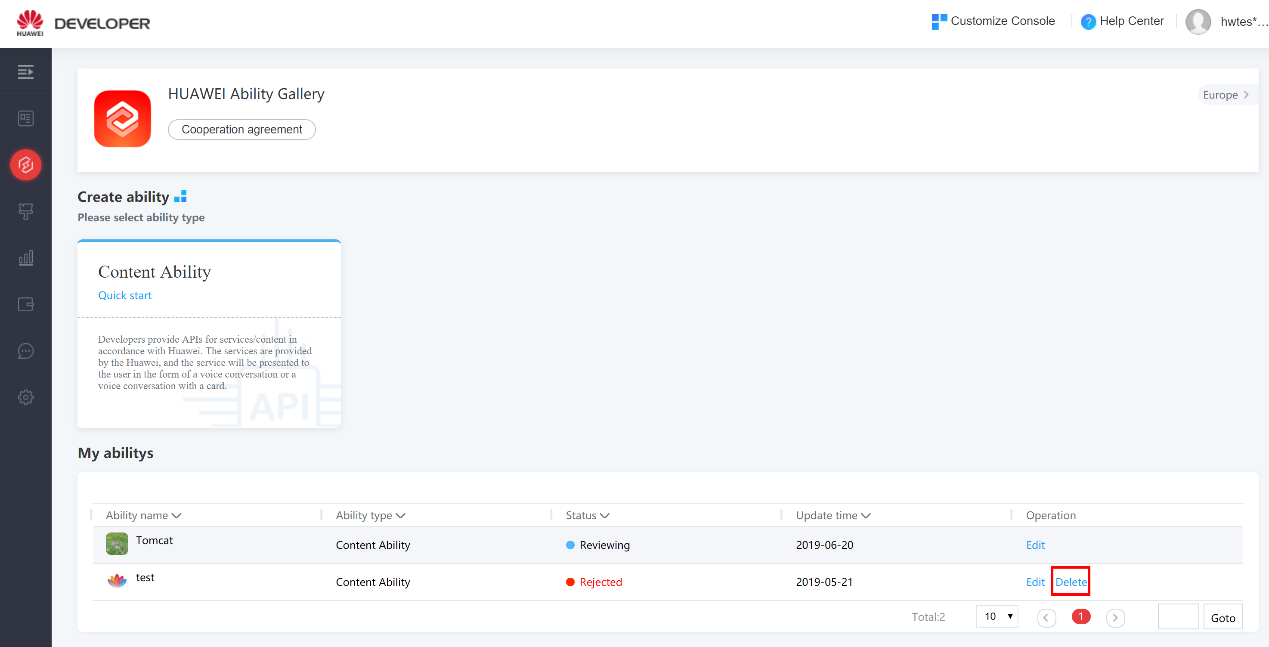
Developer can check their released ability versions under the Version management menu.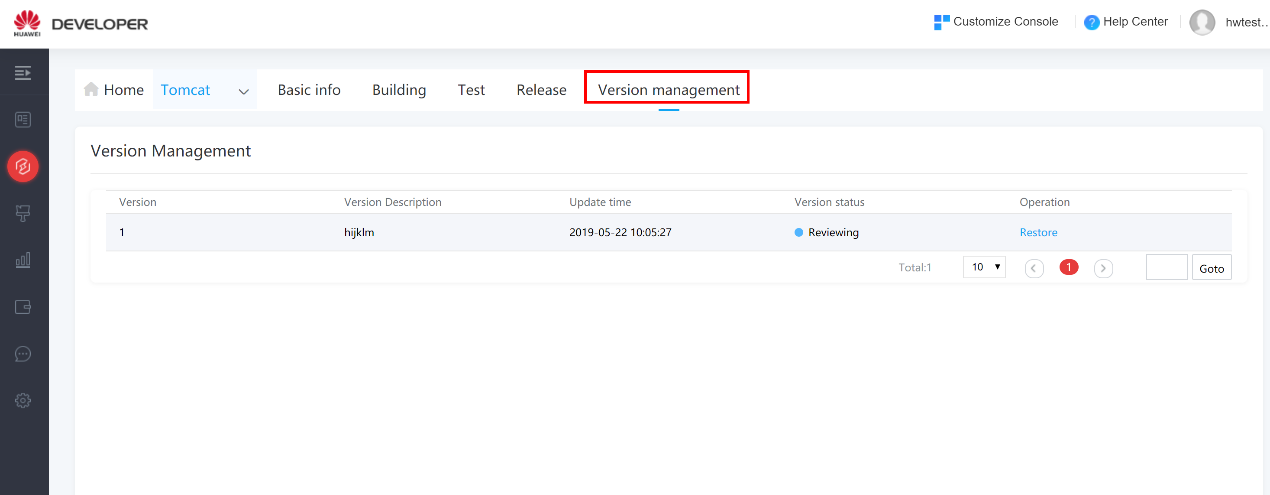
Performance requirements:
The interface TPS must be greater than 2000.
When the TPS is at its maximum, the latency should be less than 150 ms in 99% of cases.
Successful call rate should be higher than 99.99%. The service interruption is no longer than 20 minutes over a year.
The system should support horizontal scaling to support business development. Security requirements:
Interface protocol: HTTPS
HTTPS certificate requirements: Use valid CA certificate. Do not use a certificate with your signature.
Request method: POST
Max response size for an interface: 24KB. See the API definition for details.
Resource links (such as image and audio links) in interfaces must be HTTPS.
Certification requirements:
Standard OAuth2.0 or AK/SK authentication is required for interfaces.
(1) AK/SK authentication:
| Parameter List | Type | M/O | Description |
|---|---|---|---|
| accessKey | String(64) | M | Access key configured by developers on HUAWEI Ability Gallery. |
| sign | String(256) | M | Parameter signature =Base64(HMAC-SHA256(secretKey, ts)). SecretKey is the one configured by developers on HUAWEI Ability Gallery. |
| ts | String(16) | M | Timestamp, used to encrypt and cache penetration. Format: The difference between the current computer time and 00:00 January 1, 1970 GMT, in milliseconds. For example: The timestamp for 2018/1/1 08:00:00.000 is 1514764800000. |
(2) Replay prevention
To prevent replay, the server needs to check whether the time difference between the TS in the packet and the current time is within a certain range.
For example: The absolute value (ABS) of the difference between the timestamp on the server and that in the request packet is less than 15 minutes.
(3) Signature algorithm
The following is an example code for Sign. The server can calculate “sign” based on the TS and check it against the one in the request to verify the client identity.
Mac mac = Mac.getInstance(HMAC_SHA256);
SecretKey secretKey = new
SecretKeySpec(secret.getBytes(SystemCharsets.UTF_8), HMAC_SHA256);
mac.init(secretKey);
byte[] byteHMAC = mac.doFinal(ts.getBytes(SystemCharsets.UTF_8));
byte[] sign = Base64.encodeBase64(byteHMAC);
(4) OAuth2.0
OAuth2.0 standard is applied.
Error codes are described in the following table.
| HTTP Error Code | Description |
|---|---|
| 400 Bad Request | Invalid request. Request format error. The server cannot understand the request. |
| 401 Unauthorized | The request requires user authentication. |
| 403 Forbidden | The server understands the request but does not allow access. |
| 404 Not found | The server did not find any content matching the requested URI. |
| 429 UsageLimits | Traffic control. Client requests exceeds the limit. The client can try again later. |
| 500 Server Internal Error | The server is faulty. The service is unavailable. |
If a response contains any of the preceding errors, detailed error description is in the returned errorCode and errorMessage.
Service result code (errorCode) and result description are described in the following table.
| HTTP Status Codes | errorCode | errorMessage | Retry |
|---|---|---|---|
| 200 | 1 | Invalid parameter | No |
| 400 | 2 | Incorrect signature | No |
| 400 | 3 | Too many parameters | No |
| 400 | 4 | Unsupported signature method | No |
| 400 | 5 | Invalid/Used timestamp parameter | No |
| 400 | 6 | Unsupported open api | No |
| 401 | 20 | Invalid user id | No |
| 401 | 41 | Invalid API key | No |
| 401 | 42 | Session key invalid or no longer valid | No |
| 401 | 43 | Access token invalid or no longer valid | No |
| 401 | 64 | Access token expired | No |
| 403 | 60 | No permission to access user data | No |
| 403 | 61 | No permission to access data for this referer | No |
| 500 | 101 | Unknown error | Yes |
| 500 | 102 | Server internal error | Yes |
| 500 | 103 | Service temporarily unavailable | Yes |
| 500 | 104 | Unknown | Yes |
| 500 | 105 | Service temporarily unavailable | Yes |
| 200 | 10001 | The user’s domain state is null! | No |
| 200 | 10002 | The NLP result is null! | No |
| 200 | 10003 | The domain code is wrong, can’t handle it! | No |
| 200 | 10004 | Add NLP result exception in Decision Summary! | No |
| 200 | 10005 | No domain identified | No |
| 200 | 10006 | No asrText or malformated | No |
| 200 | 10103 | DeviceId is null | No |
| 200 | 10105 | Request data format error | No |
| 200 | 10106 | Request body oversize | No |
| 200 | 10107 | Request data redundant field exists | 200 |
| 200 | 10108 | Request param is null | 200 |
| 200 | 10109 | Request deviceId is different | 200 |