Symptom
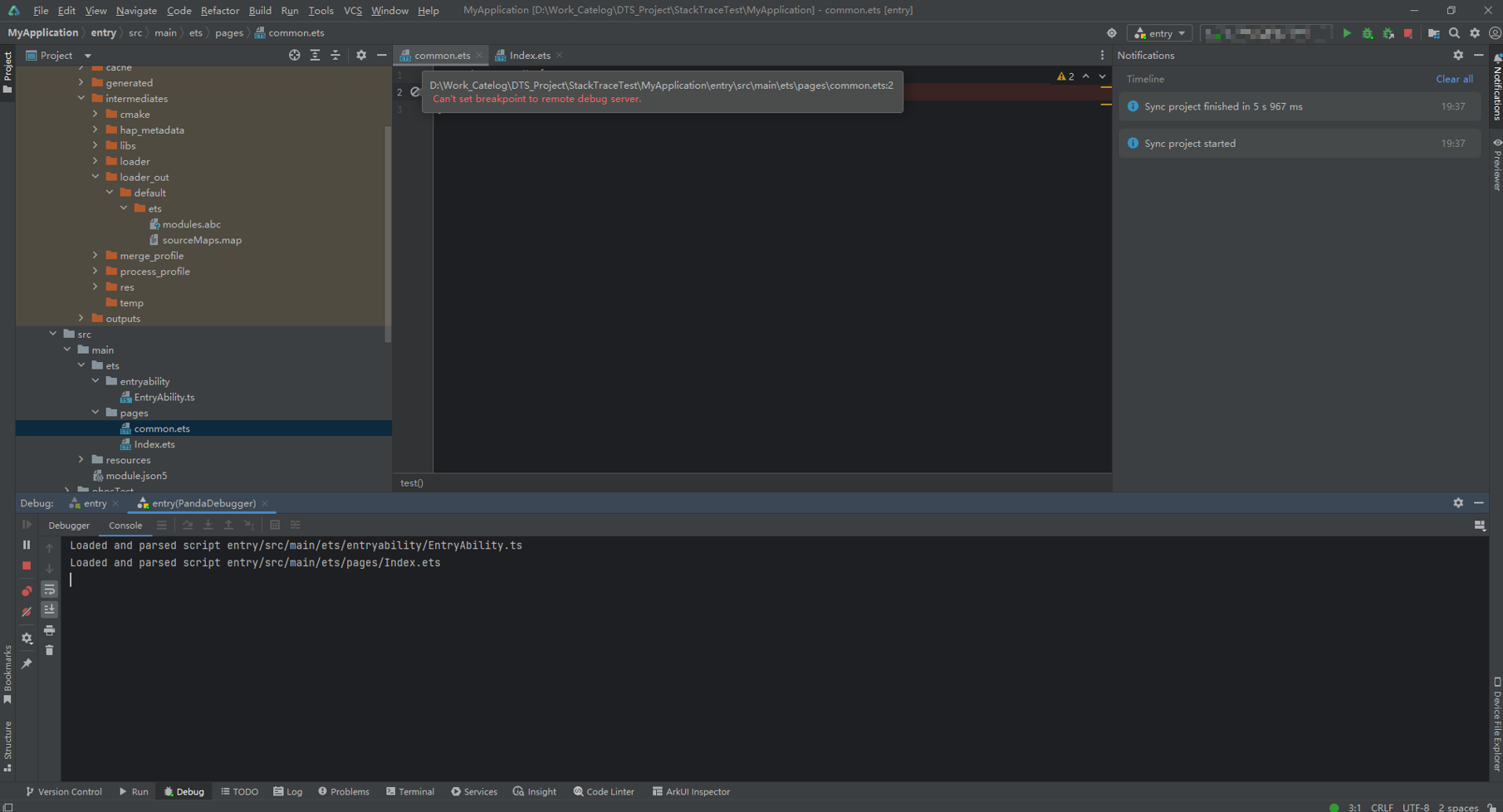
A breakpoint cannot be added during debugging, and the error message "Can't set breakpoint to remote debug server" is displayed, as shown in the following figure.

Solution
Perform the following steps:
Check for the xx.map file. If it is not found, compile and build the project again to generate the map file, and then try adding the breakpoint again.
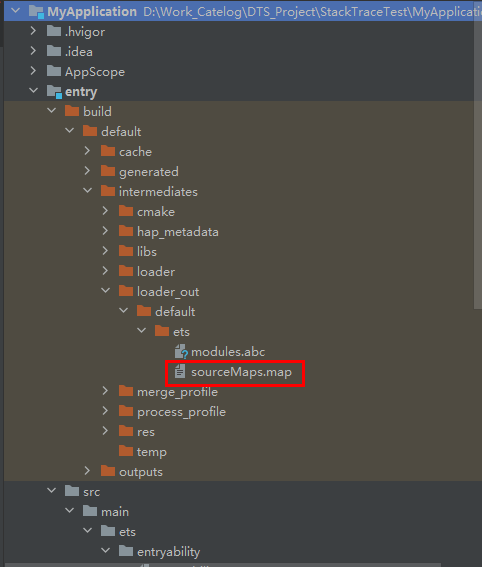
- For a stage model project, check whether the sourceMaps.map file exists. This file is generated during the build process and is stored under entry\build\default\intermediates\loader_out\default, as shown in the following figure.Figure 1 Directory of the sourceMaps.map file in the stage model project
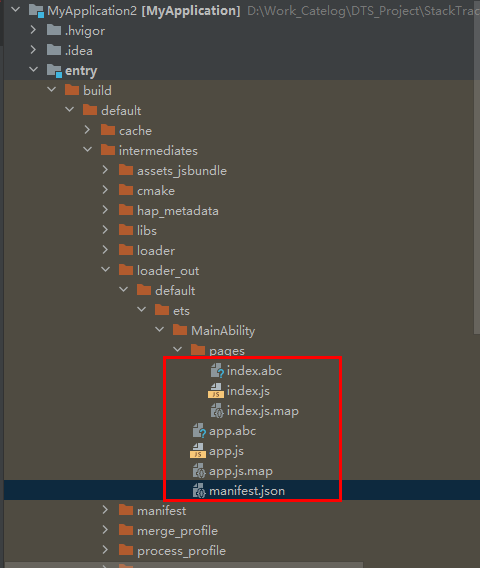
- For an FA model project, check whether the .map file corresponding to the file with the breakpoint issue exists. This file is generated during the build process and is stored under entry\build\default\intermediates\loader_out\default, as shown in the following figure.Figure 2 Directory of the .map file in the FA model project
- For a stage model project, check whether the sourceMaps.map file exists. This file is generated during the build process and is stored under entry\build\default\intermediates\loader_out\default, as shown in the following figure.
- Make sure the code file where the breakpoint is placed has been loaded. After the debugging session starts, if the code file has not been loaded (it will appear in the Console when loaded), the breakpoint cannot be added. The code file might not be loaded because it was not directly or indirectly referenced by the entry module. Once the code file is loaded, you should be able to add the breakpoint.Figure 3 Code file with the breakpoint issue not loaded
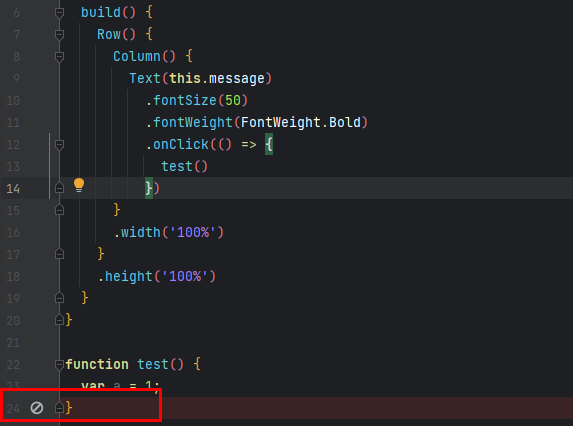
- Make sure the breakpoint is not placed at an invalid position. ArkTS does not support adding a breakpoint on the line containing only the closing parenthesis ()) of a method.Figure 4 Invalid breakpoint position