Symptom
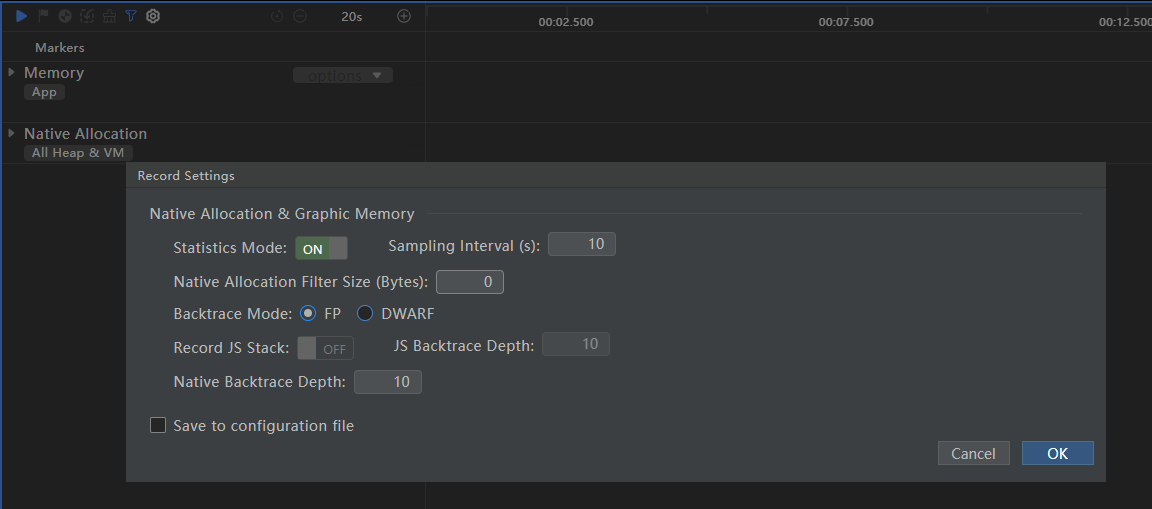
The memory of the Memory lane is different from that of the Native Allocation lane when recording the Allocation template.
Possible Causes
The Memory lane displays the actual physical memory usage (Proportional Set Size, PSS) of the selected application, while the Native Allocation lane shows the virtual memory dynamically requested by the application from the operating system during runtime, which does not represent the actual physical memory usage.
Solution
Before starting recording, click on the  button on the toolbar to set Native Allocation Filter Size to 0 or the minimum value, so that more or even all virtual memory allocation events can be collected. In this way, the data changes in the Native Allocation lane are similar to those in the Memory lane.