导入模块
在调用接口页面的<script>部分增加如下配置。
import telecom from '@system.telecom'
或
var telecom = require("@system.telecom")
[h2]telecom.getTelecomInfo(OBJECT)
描述
获取设备通信信息,检测设备是否为5G设备、5G开关是否打开。
OBJECT参数
参数 |
类型 |
是否必填 |
说明 |
|---|---|---|---|
success |
function |
否 |
成功回调。 |
fail |
function |
否 |
失败回调。 |
complete |
function |
否 |
执行结束后的回调。 |
success返回值:
参数 |
类型 |
说明 |
|---|---|---|
is5GDevice |
boolean |
设备为5G设备时,取值为true。 说明:
只有当设备支持5G,并且连接5G移动网络时,该设备才为5G设备。 |
is5GSwitchOpened |
boolean |
5G开关打开时,取值为true。 |
fail返回错误码:
错误码 |
说明 |
|---|---|
200 |
一般错误。 |
202 |
用户拒绝读取手机状态。 |
示例代码
telecom.getTelecomInfo({
  success:function(data) {
    console.log('success --> is5GDevice: ' + data.is5GDevice + ', is5GSwitchOpened: ' + data.is5GSwitchOpened);
  },
  fail:function(errorMessage, errorCode) {
    console.log('fail --> errorMessage: ' + errorMessage + ', errorCode: ' + errorCode);
  },
  complete:function() {
    console.log('getTelecomInfo.complete');
  }});
Demo
<template>
<div class="container">
  <div  class="item-container">
    <text>is5GDevice:</text>
    <text>{{telecomInfo.is5GDevice}}</text>
    <text>is5GSwitchOpened:</text>
    <text>{{telecomInfo.is5GSwitchOpened}}</text>
    <input class="btn" type="button" value="getTelecomInfo" onclick="gettelecominfo" />
  </div>
</div>
</template>
<style lang="sass">
 .container{
  flex: 1;
  flex-direction: column;
}

  .item-container {
    margin-bottom: 50px;
    margin-right: 60px;
    margin-left: 60px;
    flex-direction: column;
  }

  .btn {
      background-color: #00bfff;
      color: #ffffff;
  }

</style>
<script>
import router from '@system.router';
import telecom from '@system.telecom';
  module.exports = {
    data: {
      enableSwipe: true,
      telecomInfo:{ }
    },
    onInit () {
      this.$page.setTitleBar({ text: 'telecom' })
    },
    gettelecominfo() {
        var that = this
          telecom.getTelecomInfo({
              success: function (data) {
                  console.log('success --> is5GDevice: ' + data.is5GDevice + ', is5GSwitchOpened: ' + data.is5GSwitchOpened);
                  that.telecomInfo = data
              },
              fail: function (errorMessage, errorCode) {
                  console.log('fail --> errorMessage: ' + errorMessage + ', errorCode: ' + errorCode);
              },
              complete: function () {
                  console.log('getTelecomInfo.complete');
              }
          });
      }
  }
</script>
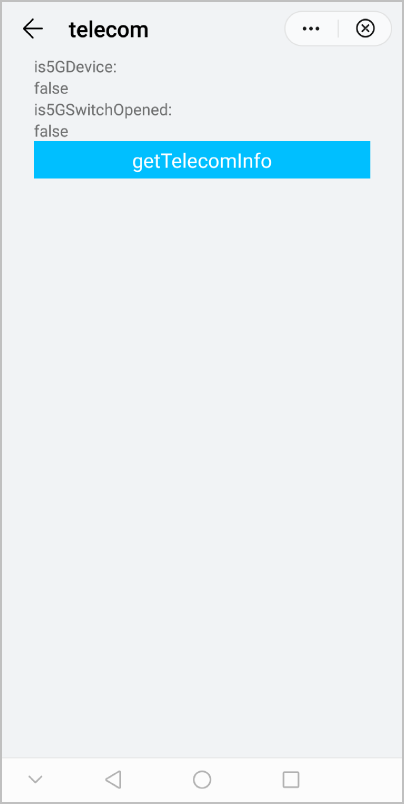
效果图如下: