属性
除了支持 通用属性 以外,还支持如下属性。
名称 |
类型 |
默认值 |
是否必填 |
描述 |
|---|---|---|---|---|
type |
html |
- |
是 |
html格式支持标准的h5标签与样式,用于静态页面的展现,复杂的富文本需求尽量采用html格式富文本,内容只支持静态内容,不支持数据绑定,渲染指令等功能 |
事件
支持 通用事件 ,不支持swipe事件。当属性type为html时,还支持如下事件。
名称 |
参数 |
描述 |
|---|---|---|
start(1070+) |
- |
开始加载时触发。 |
complete(1070+) |
- |
加载完成时触发。 |
示例代码
<template>
  <div class="container">
    <div class="page-title-wrap">
      <text class="page-title ">{{componentName}}</text>
    </div>
    <div class="item-container">
      <text style="color: #0faeff">richtext type=html</text>
      <richtext class="rich-text" type="html" ontouchstart="touchStart" onstart="richtextStart" oncomplete="richTextComplete"
        onclick="clickText" onlongpress="longPress" ontouchmove="touchMove" ontouchend="touchEnd">{{htmlText}}</richtext>
    </div>
  </div>
</template>
<style>
  .container {
    flex: 1;
    flex-direction: column;
  }
  .container .page-title-wrap {
    padding-top: 50px;
    padding-bottom: 80px;
    justify-content: center;
  }
  .container .page-title-wrap .page-title {
    padding: 30px 40px 30px 40px;
    border-color: #bbbbbb;
    color: #bbbbbb;
    border-bottom-width: 2px;
  }
  .container .item-container {
    margin-bottom: 30px;
    margin-right: 30px;
    margin-left: 30px;
    flex-direction: column;
  }
  .item-content {
    flex-direction: column;
    padding-bottom: 30px;
  }
  .item-title {
    padding-top: 50px;
    padding-bottom: 20px;
    color: #aaaaaa;
  }
</style>
<script>
  export default {
    data: {
      componentName: 'richtext component',
      htmlText:
        `<!DOCTYPE html>
          <html lang="en" style="background-color: transparent">
            <head>
              <meta charset="UTF-8" />
              <meta name="viewport" content="width=device-width, initial-scale=1.0" />
              <title>Document</title>
            </head>
            <body>
              <div>
                <p class="item-title">h1</p>
                <h1>Huawei</h1>
                <p class="item-title">h2</p>
                <h2>Huawei</h2>
                <p class="item-title">h3</p>
                <h3>Huawei</h3>
                <p class="item-title">h4</p>
                <h4>Huawei</h4>
                <p class="item-title">h5</p>
                <h5>Huawei</h5>
                <p class="item-title">h6</p>
                <h6>Huawei</h6>
                <p class="item-title">img</p>
                <div>
                  <img
                    src="https://www.huawei.com/Assets/CBG/img/logo.png"
                    style="width: 100%"
                  />
                </div>
                <p class="item-title">p</p>
                <p>Huawei</p>
                <p class="item-title">span</p>
                <p><span>Huawei</span></p>
                <p class="item-title">strong</p>
                <p><strong>Huawei</strong></p>
                <p class="item-title">del</p>
                <p><del>Huawei</del></p>
                <p class="item-title">b</p>
                <p><b>Huawei</b></p>
                <p class="item-title">i</p>
                <p><i>Huawei</i></p>
              </div>
            </body>
          </html>
        `
    },
    onInit() {
      this.$page.setTitleBar({ text: 'richtext' })
    },
    richtextStart: function () {
      console.log('richtext on Start')
    },
    richTextComplete: function () {
      console.log('richText on Complete')
    },
    clickText: function () {
      console.log('richText on click')
    },
    longPress: function () {
      console.log('richText on longPress')
    },
    touchStart: function () {
      console.log('richText ontouch Start')
    },
    touchMove: function () {
      console.log('richText on touch Move')
    },
    touchEnd: function () {
      console.log('richText on touch End')
    }
  }
</script>
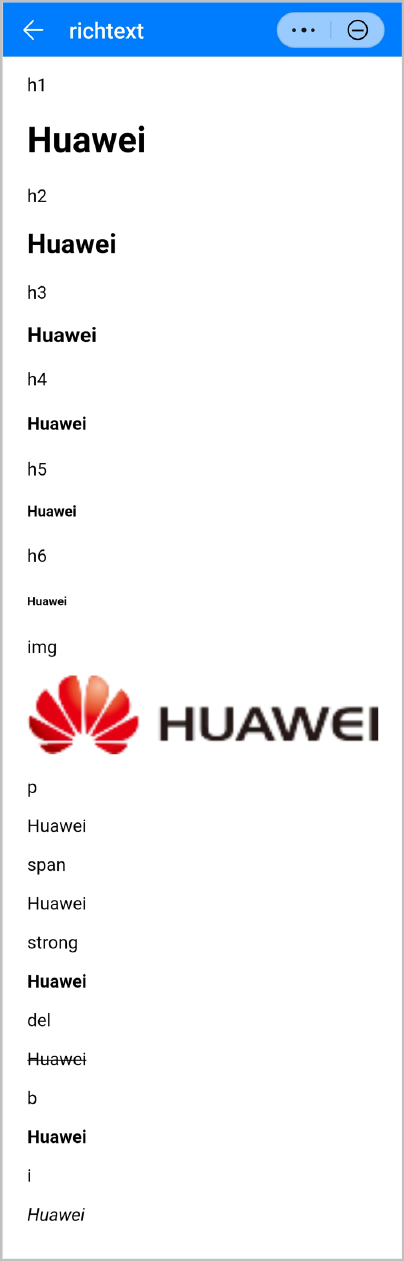
效果图如下: