


Intelligent Assistant
Chat with our virtual assistant to get answers promptly.
We use essential cookies for the website to function, as well as analytics cookies for analyzing and creating statistics of the website performance. To agree to the use of analytics cookies, click "Accept All". You can manage your preferences at any time by clicking "Cookie Settings" on the footer. More Information.
HarmonyOS NEXT
The Huawei map's movement functionality is implemented by simulating camera movements. You can control the visible region of a map by changing the camera's position, as shown in the following figure.
This section describes the attributes of the camera and how to move the camera.
| Figure 1 Before moving the camera 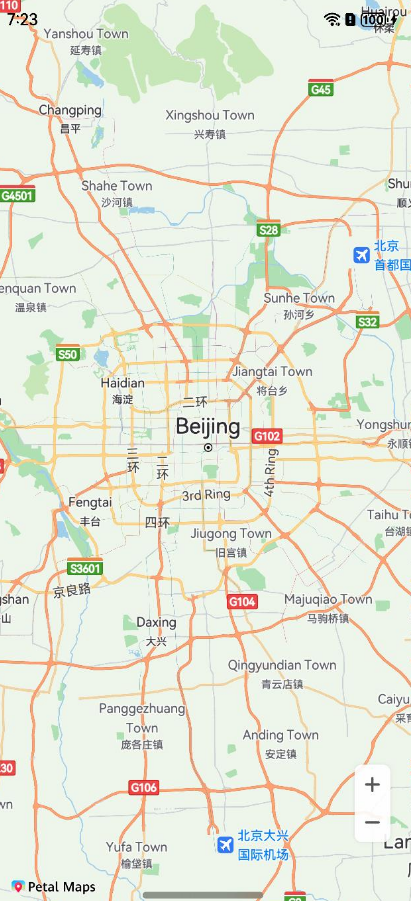 | Figure 2 After moving the camera 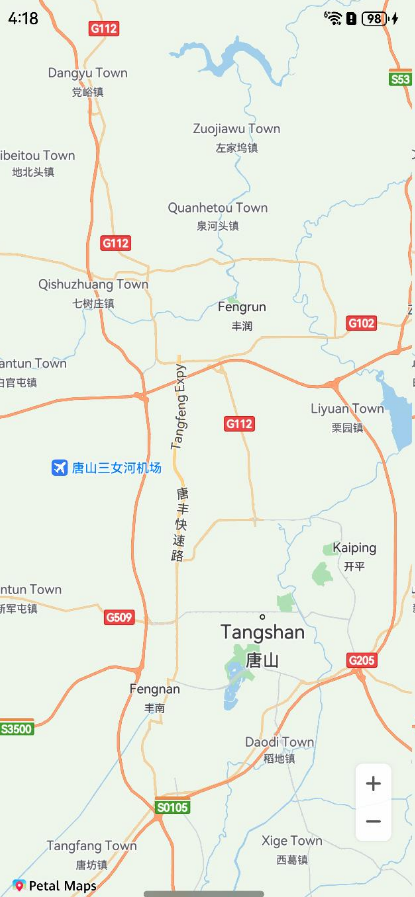 |
You can use the moveCamera(update: CameraUpdate), animateCamera(update: CameraUpdate, duration?: number), and animateCameraStatus (update: CameraUpdate, duration?: number) methods in the map namespace to move a map camera. The following describes how to create the input parameter CameraUpdate.
| API | Description |
|---|---|
| zoomTo(zoom: number): CameraUpdate | Sets the zoom level of a map. |
| Zooms out on a map by 1 level. | |
| Zooms in on a map by 1 level. | |
| zoomBy(amount: number, focus?: mapCommon.MapPoint): CameraUpdate | Zooms in or out on a map by a specified value with the specified pixel point as the center. |
| scrollBy(x: number, y: number): CameraUpdate | Moves the map center point by pixel. |
| newLatLngBounds(bounds: mapCommon.LatLngBounds, padding?: number): CameraUpdate | Sets the longitude and latitude ranges of a map, and the padding between the map region and map edges. |
| newLatLngBounds(bounds: mapCommon.LatLngBounds, width: number, height: number, padding: number): CameraUpdate | Sets the longitude and latitude ranges of a map, the height and width of the longitude and latitude rectangle range, and the padding between the map region and map edges. |
| newLatLngBounds(bounds: mapCommon.LatLngBounds, padding: mapCommon.Padding): CameraUpdate | Sets the longitude and latitude ranges of a map, and the padding between the map region and the four map edges. |
| newLatLng(latLng: mapCommon.LatLng, zoom?: number): CameraUpdate | Sets the map center and zoom level. |
| newCameraPosition(cameraPosition: mapCommon.CameraPosition): CameraUpdate | Updates the map status. |
- import { MapComponent, mapCommon, map } from '@kit.MapKit';
You can move the map camera in animation or non-animation mode.
- // Create a CameraUpdate object.
- let cameraPosition: mapCommon.CameraPosition = {
- target: {
- latitude: 32.0,
- longitude: 118.0
- },
- zoom: 10,
- tilt: 0,
- bearing: 0
- };
- let cameraUpdate = map.newCameraPosition(cameraPosition);
- // Move the map camera in non-animation mode.
- this.mapController.moveCamera(cameraUpdate);
-
- // Move the map camera in animation mode.
- this.mapController.animateCamera(cameraUpdate, 1000);
-
- // Move the map camera in animation mode and return the animation result.
- let animateResult = await this.mapController.animateCameraStatus(cameraUpdate, 1000);
| Figure 3 Before moving the camera 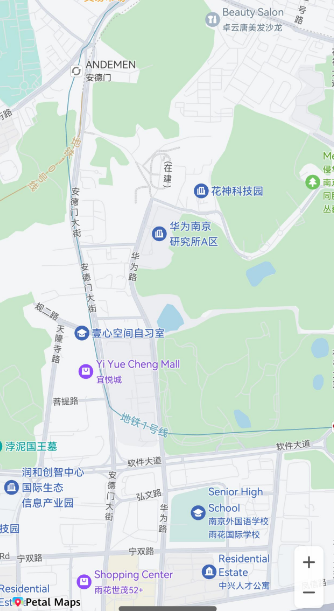 | Figure 4 After moving the camera 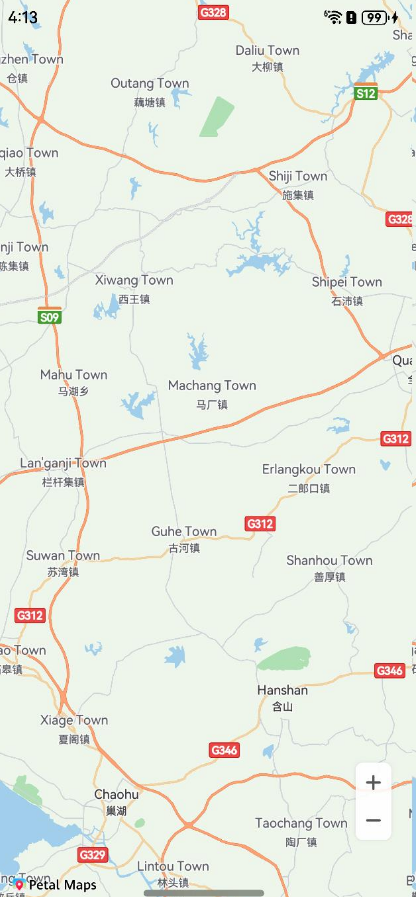 |
- // Method 1: Increase the camera zoom level by 1 and retain other attribute settings.
- let cameraUpdate = map.zoomIn();
-
- // Method 2: Decrease the camera zoom level by 1 and retain other attribute settings.
- let cameraUpdate1 = map.zoomOut();
-
- // Method 3: Set the camera zoom level to a specified value and retain other attribute settings.
- let zoom1 = 8.0;
- let cameraUpdate2 = map.zoomTo(zoom1);
-
- // Method 4:
- // a. Increase or decrease the camera zoom level by a specified value.
- // b. Move the camera to the specified center point and increase or decrease the camera zoom level.
- // The left vertex of the screen is used as the (0, 0) point. A positive value of positionX indicates that the visible region moves rightwards, while a negative value indicates that the visible region moves leftwards.
- // A positive value of positionY indicates that the visible region moves downwards, while a negative value indicates that the visible region moves upwards.
- let point: mapCommon.MapPoint = {
- positionX: 31,
- positionY: 118
- };
- let amount = 2.0;
- let cameraUpdate3 = map.zoomBy(amount, point);
-
- // Method 5: Set the longitude, latitude, and map zoom level of the camera.
- // a. Specify only the longitude and latitude of the camera to move the center point.
- // b. Specify the longitude, latitude, and map zoom level of the camera. You can call this API to move the camera to the center point and zoom in or out the camera.
- let latLng: mapCommon.LatLng = {
- latitude: 31.5,
- longitude: 118.9
- };
- let zoom2 = 10;
- let cameraUpdate4 = map.newLatLng(latLng, zoom2);
-
- // Method 6: Set the visible region of the camera.
- let latLngBounds: mapCommon.LatLngBounds = {
- northeast: {
- latitude: 32.5,
- longitude: 119.9
- },
- southwest: {
- latitude: 31.5,
- longitude: 118.9
- }
- };
- // Set the longitude and latitude ranges of the map, and set the padding between the map region and map edges to 5 pixels.
- let cameraUpdate5 = map.newLatLngBounds(latLngBounds, 5);
- // Method 7: Set the visible region of the camera.
- // Set the longitude and latitude ranges of the map. Set the width and height of the longitude and latitude rectangle to 9 pixels and 16 pixels respectively, and set the padding between the map area and edges to 5 pixels.
- let cameraUpdate6 = map.newLatLngBounds(latLngBounds, 9, 16, 5);
- // Method 8: Set the longitude and latitude range of the map. Set the padding between the map area and the left, top, right, and bottom edges to 5, 6, 7, and 8 pixels, respectively.
- let paddings: mapCommon.Padding = {
- left:5,
- top: 6,
- right: 7,
- bottom: 8
- };
- let cameraUpdate7 = map.newLatLngBounds(latLngBounds, paddings);
-
- // Method 9: Scroll the camera by a specified number of pixels.
- let x = 100.0;
- let y = 100.0;
- let cameraUpdate8 = map.scrollBy(x, y);
- // Set the preferred minimum zoom level. The value ranges from 2 to 20.
- this.mapController.setMinZoom(6);
- // Set the preferred maximum zoom level. The value ranges from 2 to 20.
- this.mapController.setMaxZoom(14);
Map Kit allows you to set the map camera bounds. You can call the setLatLngBounds (bounds: mapCommon.LatLngBounds) API to specify LatLngBounds to constrain the camera target so it will not get out of the specified bounds when users scroll the map camera. If this parameter is set to null, the map camera bounds will be cleared.
- let bounds: mapCommon.LatLngBounds = {
- northeast: {
- latitude: 31,
- longitude: 118
- },
- southwest: {
- latitude: 30,
- longitude: 113
- }
- };
- this.mapController.setLatLngBounds(bounds);
Intelligent Assistant
Chat with our virtual assistant to get answers promptly.
Quick start
Helps you find desired resources with ease.