Entry Point Method
Define an entry point method as follows:
module.exports.myHandler = function(event, context, callback, logger)
- myHandler: entry point method name.
- event: JSON event object passed by the caller. For details, please refer to event Object.
- context: function context, which encapsulates the log API, callback API, environment variable env, and more.
- callback: event handling result.
- logger: API for recording logs.
callback(object) must be called explicitly to send the event handling result (any object that is compatible with JSON.stringify) to AppGallery Connect, which will then convert the result into a JSON string and send it back. Function execution is complete after callback is executed.
For complete sample code of a cloud function (Node.js 18.x), please refer to Sample Function.
Recording Logs
- logger.debug()
- logger.error()
- logger.warn()
- logger.info()
Obtaining Environment Variables
let env1 = context.env.env1;
If the environment variable is not set, undefined is returned.

Troubleshooting
You can define your function code to capture an exception, encapsulate the captured exception into an error object, and send the error object to the caller. The exception captured by the system during function execution is also encapsulated into an error object and then sent back to the caller. The error object is defined as follows:
error:
{
    "code": xxxxxx,
    "message": "xxxxxxxx"
}
In the preceding information, code indicates the result code and message indicates the result code description.
The sample code is as follows:
try {
    logger.info(JSON.stringify(event));
    let result = { "message": "success" };
    callback(result);
} catch (err) {
    let error = {
        code: 400,
        message: err.message
    }
    callback(error);
}
Sample Function
The following is a sample function:

The return value type of the myHandler() entry point method in the sample code is for reference only. You can define it as needed.
/**
 * Describe the basic method of Cloud Functions.
 */

let myHandler = function(event, context, callback, logger){
    // Display environment variables.
    let env1 = context.env.env1;

    // Display logs.
    logger.info("Test info log");
    logger.warn("Test warn log");
    logger.debug("Test debug log");
    logger.error("Test error log");

    logger.info("--------Start-------");
    try {
        let startTime = new Date().getTime();
        let endTime = startTime;
        let interval = 0;
        startTime = process.uptime() * 1000;

        // Display input parameters and environment variables.
        logger.info("request: " + JSON.stringify(event.request));
        logger.info("env1: " + env1);

        endTime = process.uptime() * 1000;
        interval = endTime - startTime;
        logger.info("intervalTime: " + interval);
        logger.info("--------Finished-------");

        let res = new context.HTTPResponse(context.env, {
            "res-type": "context.env",
            "faas-content-type": "json",
        }, "application/json", "200");
        res.body = {"intervalTime": interval};
        callback(res);
    } catch (error) {
        logger.error("--------Error-------");
        logger.error("error: " + error);
        callback(error);
    }
};

module.exports.myHandler = myHandler;
Preparing Your Function Deployment Package
The Node.js deployment package you upload must use the following structure. The code file (handler.js in this example) of the handler must be in the root directory of the ZIP package, and the dependencies must be placed in the node_modules directory.
my-function.zip
  |---- handler.js
  |---- node_modules
    |----async
    |----async-listener
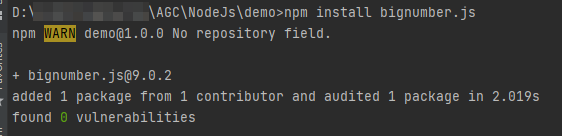
You can run commands of the npm tool to install and manage dependencies. For example, run the npm install xxx command (no restriction on the execution path) to automatically install dependency xxx to the node_modules folder in the root directory.