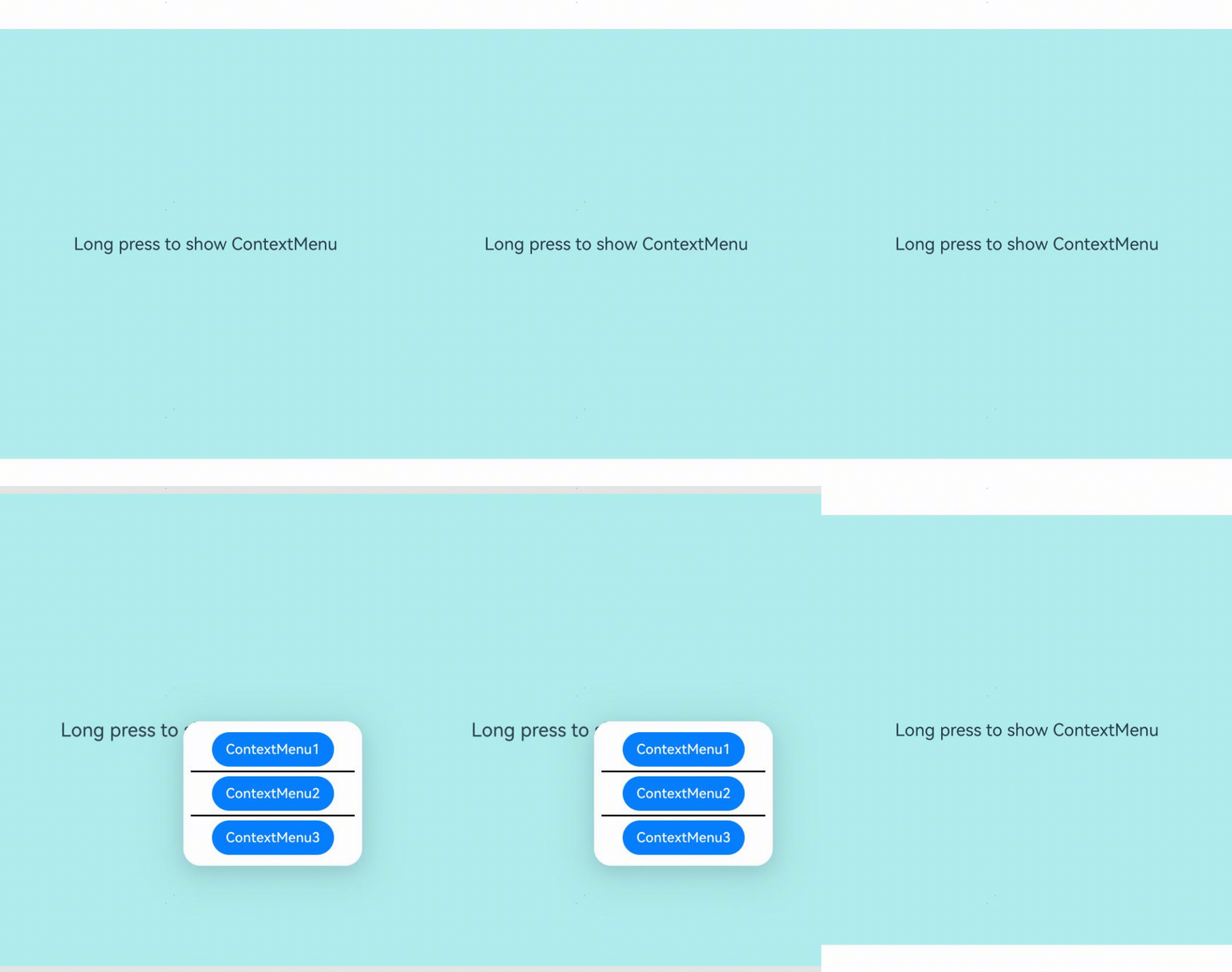
在页面范围内关闭通过bindContextMenu属性绑定的菜单。

从API version 8开始支持。后续版本如有新增内容,则采用上角标单独标记该内容的起始版本。
ContextMenu.close(deprecated)
static close()
在页面范围内关闭通过bindContextMenu绑定的菜单。常用于页面跳转、拖拽开始等需要主动关闭已显示菜单的交互场景。

从API version 8开始支持。从API version 18开始废弃,建议使用UIContext中的getContextMenuController获取ContextMenuController实例,再通过此实例调用替代方法close。
两者功能相同,区别在于:ContextMenu.close()是静态方法,在多窗口场景下可能无法明确指定要关闭哪个窗口的菜单;而通过UIContext获取的ContextMenuController实例调用close()可以关联到具体的UIContext,从而明确指定操作的UI上下文,建议在API version 12及以上版本中使用UIContext方式。
元服务API: 从API version 11开始,该接口支持在元服务中使用。
系统能力: SystemCapability.ArkUI.ArkUI.Full
示例
该示例演示ContextMenu.close的使用方法,在拖拽开始时关闭通过bindContextMenu绑定的菜单。

// xxx.ets
@Entry
@Component
struct Index {
  @Builder MenuBuilder() {
    Flex({ direction: FlexDirection.Column, alignItems: ItemAlign.Center, justifyContent: FlexAlign.Center }) {
      Button('ContextMenu1')
      Divider().strokeWidth(2).margin(5).color(Color.Black)
      Button('ContextMenu2')
      Divider().strokeWidth(2).margin(5).color(Color.Black)
      Button('ContextMenu3')
    }
    .width(200)
    .height(160)
  }

  build() {
    Flex({ direction: FlexDirection.Column, alignItems: ItemAlign.Center, justifyContent: FlexAlign.Center }) {
      Column() {
        Text('Long press to show ContextMenu')
          .fontSize(20)
          .width('100%')
          .height(500)
          .backgroundColor(0xAFEEEE)
          .textAlign(TextAlign.Center)
      }
      .bindContextMenu(this.MenuBuilder, ResponseType.LongPress)
      .onDragStart(() => {
        // 拖拽时关闭菜单
        ContextMenu.close() // 建议使用 this.getUIContext().getContextMenuController().close()
      })
    }
    .width('100%')
    .height('100%')
  }
}