


Intelligent Assistant
Chat with our virtual assistant to get answers promptly.
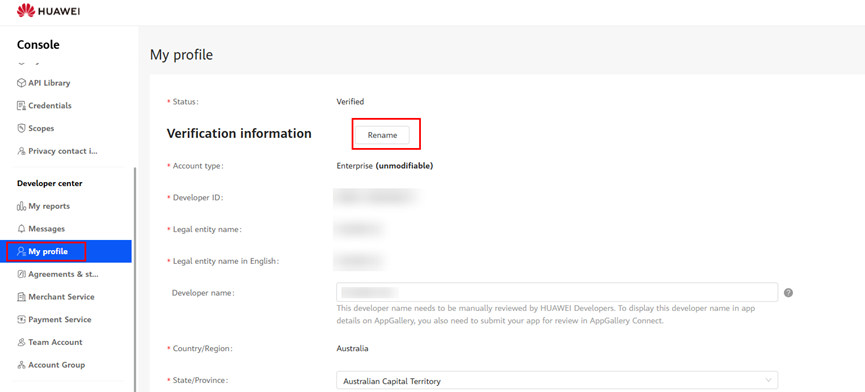
After your identity is verified, you can view identity information in Console > Developer center > Settings > My profile.
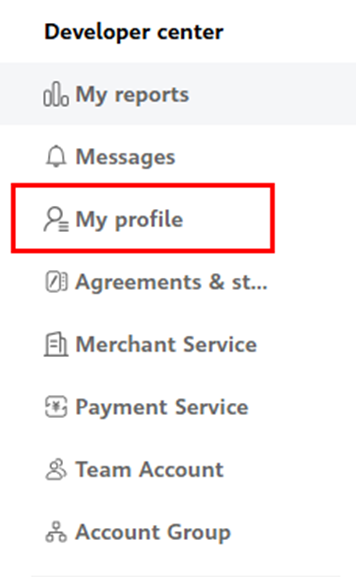
If you want to change your legal entity name, apply for the renaming permission through customer service first. After the renaming permission is enabled, go to Settings > My profile, click Rename, and modify your information.
If you have already applied for the Merchant Service, it is necessary to modify the merchant information when renaming. If you haven't applied for the Merchant Service, you only need to modify developer information. Click to download the HUAWEI Developers Renaming Application Form.

If you would like to carry out joint operations (for apps, games, and themes) with Huawei, please apply for the Merchant Service.
If you would like to carry out paid promotions (such as advertising and AppGallery promotions), please apply for the Payment Service.