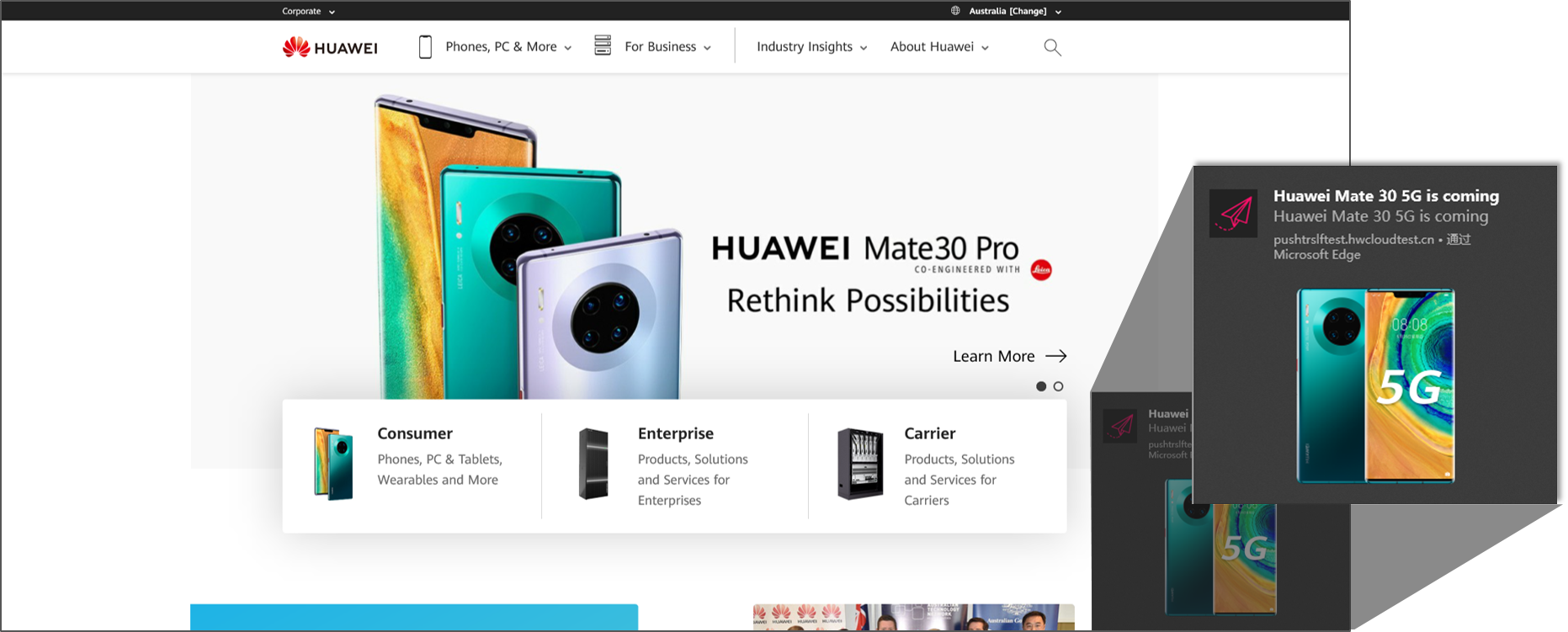
Push Kit支持向网页应用(浏览器)的消息推送能力(WebPush),当前仅支持网页应用的消息代理。WebPush 相关协议标准请参考RFC8030。
WebPush推送效果如下图所示:
浏览器支持情况:
终端类型 | 浏览器类型 | 支持情况 | 版本 |
PC端 | Chrome | 支持 | 78及以上 |
Firefox | 支持 | 56及以上 | |
Edge | 支持 | 44.18362.1.0及以上 |
当前向网页应用推送消息是通过AppGallery Connect上创建的安卓应用来代理实现的,如何创建应用请参考安卓应用开发准备。
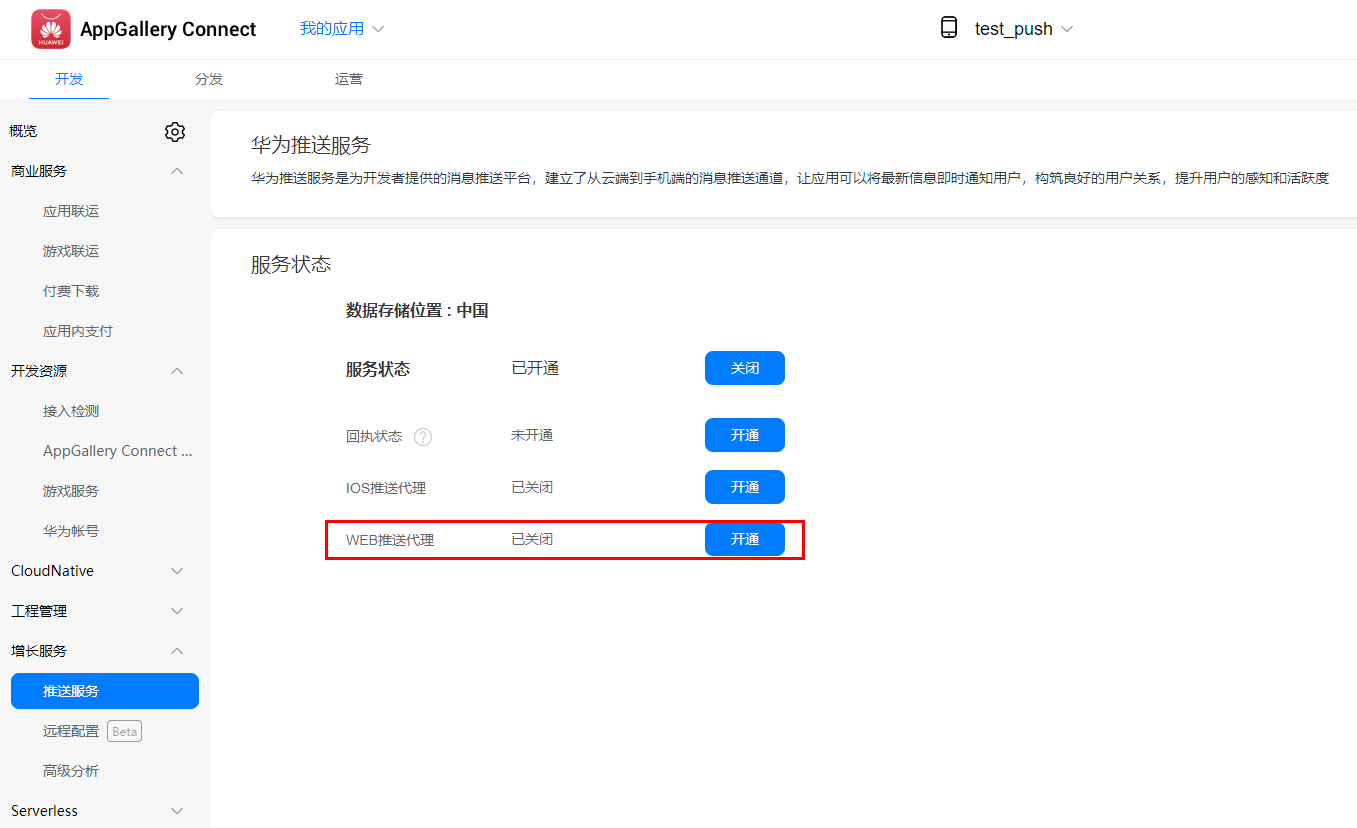
在开通Push基础权益之后,开通WebPush代理权益
先点击生成密钥对,得到有效的密钥对。
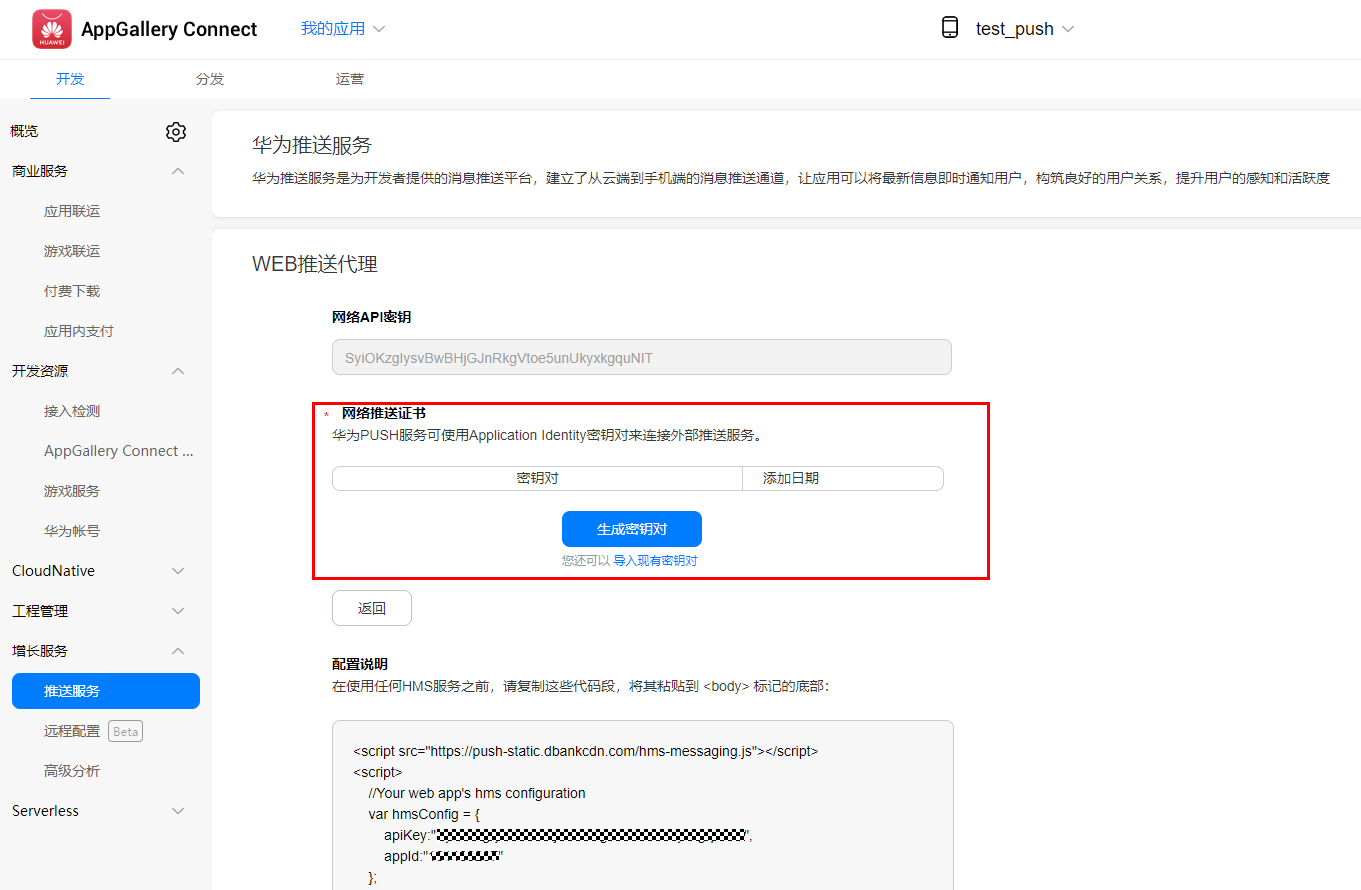
除上述方式外,也可使用命令行生成您的秘钥,导入密钥时去除任何的换行符。
1.生成VAPID秘钥:openssl ecparam -name prime256v1 -genkey -noout -out vapid_private.pem
2.创建密钥DER形式base64编码:
openssl ec -in ./vapid_private.pem -outform DER|tail -c +8|head -c 32|base64|tr -d '=' |tr '/+' '_-' >> private_key.txt
openssl ec -in ./vapid_private.pem -pubout -outform DER|tail -c 65|base64|tr -d '=' |tr '/+' '_-' >> public_key.txt
将WebPush推送权益开通时的配置说明中的代码段,复制到您的开发工程中,将其粘贴到<body>标记的底部,红框中的内容需要您自行开发。
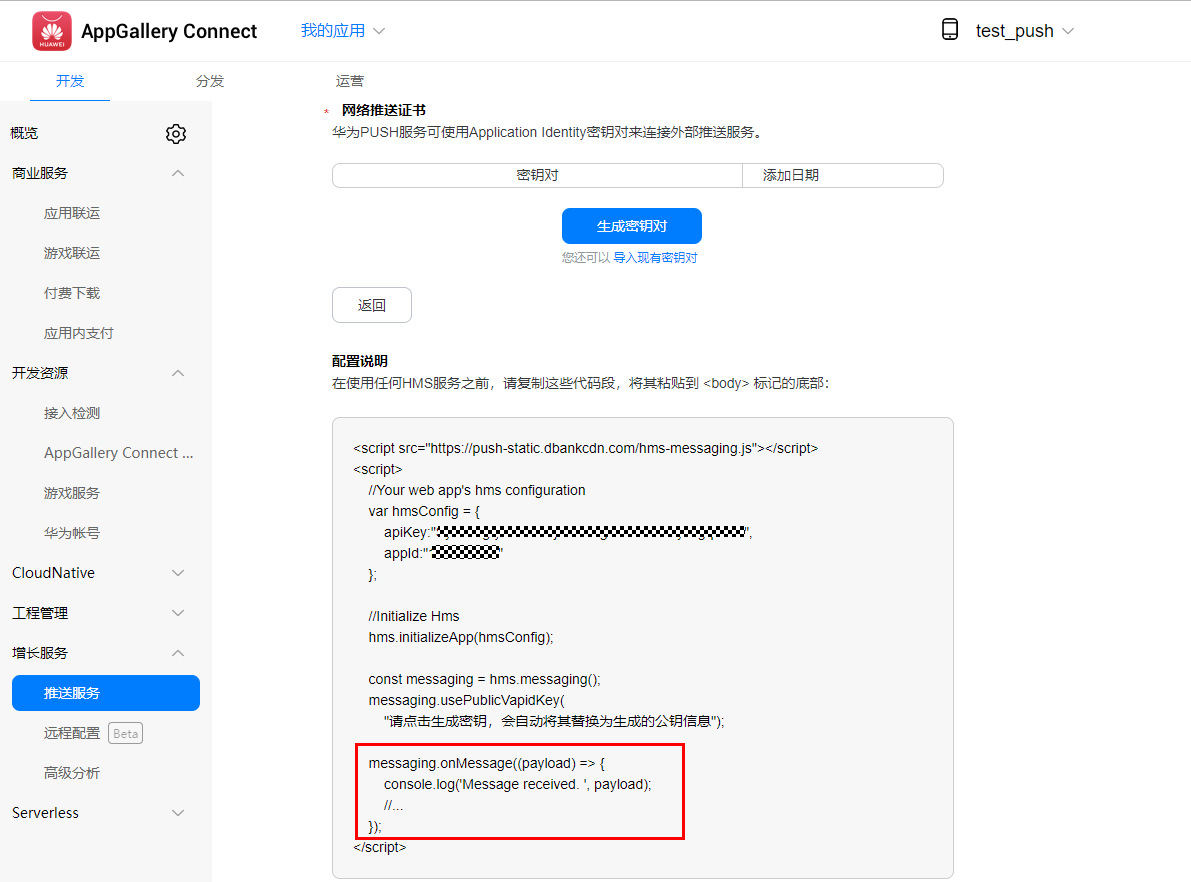
当浏览器在前台运行时需要实现messaging.onMessage(payload)回调函数来接收处理消息。
示例代码:
- messaging.onMessage((payload) => {
- console.log('Message received. ', payload);
- });
当浏览器在后台运行时需要实现后台进程(serviceworker)回调函数,即实现messaging.setBackgroundMessageHandler(payload)来接收处理消息。
示例代码:
- messaging.setBackgroundMessageHandler(function (payload) {
- console.log('[hms-messaging-sw.js] Received background message ', payload);
- const notificationTitle = 'Background Message Title';
- const notificationOptions = {
- body: 'Background Message body.',
- icon: '/hms-logo.png'
- };
- return self.registration.showNotification(notificationTitle,
- notificationOptions);
- });
申请token,调用getToken接口。
示例代码:
- messaging.getToken().then((currentToken) => {
- if (currentToken) {
- console.log('Current token: ', currentToken);
- } else {
- console.log('No Instance ID token available. Request permission to generate one.');
- }
- }).catch((err) => {
- console.log('An error occurred while retrieving token. ', err);
- });
如何调用服务端发送Push消息接口进行消息推送,请参考服务端发送Push消息。如果是透传消息,则接收消息中字段orignData为透传消息内容。
服务端发送Push消息接口的示例报文:
- {
- "validate_only": false,
- "message": {
- "notification": {
- "title": "Big News",
- "body": "This is a Big News!"
- },
- "data": "this is data",
- "webpush": {
- "headers": {
- "ttl": "990",
- "urgency": "low",
- "topic": "12313"
- },
- "notification": {
- "title": "notication string",
- "body": "web push body",
- "actions": [
- {
- "action": "",
- "icon": "",
- "title": "string"
- }
- ],
- "badge": "string",
- "dir": "auto",
- "icon": "string",
- "image": "string",
- "lang": "string",
- "renotify": true,
- "require_interaction": true,
- "silent": true,
- "tag": "string",
- "timestamp": 1545201266,
- "vibrate": [100,200,300]
- },
- "hms_options": {
- "link": "https://example.com"
- }
- },
- "token": [
- "your token1",
- "your token2"
- ]
- }
- }