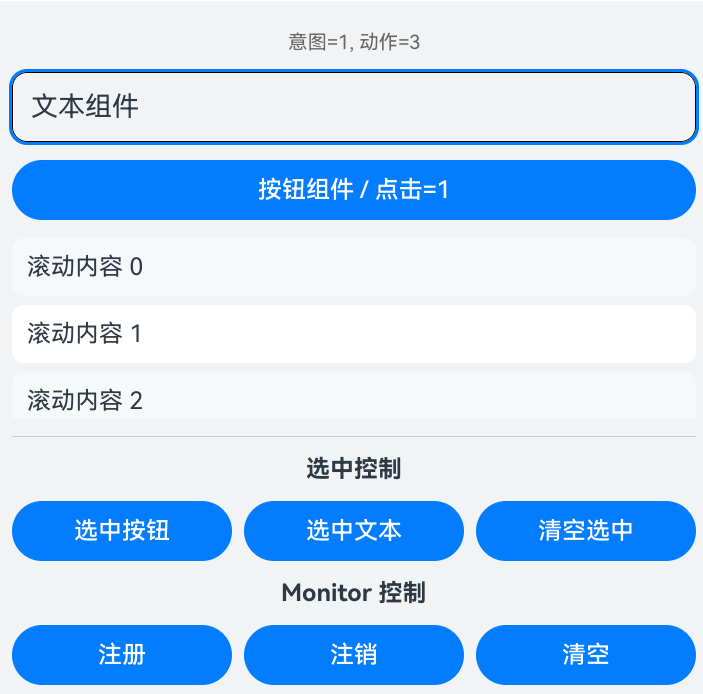
提供智慧手势使能、监听、选中态控制,以及动态决策智慧手势行为的能力,适用于应用接入智慧手势、监听系统默认手势处理意图并自定义手势响应行为的场景,可帮助应用灵活控制智慧手势交互流程。

起始版本: 26.0.0
enableSmartTapAndSlideGestures
enableSmartTapAndSlideGestures(enabled: boolean): void
设置是否启用智慧手势的敲一敲和划一划操作。

起始版本: 26.0.0
模型约束: 此接口仅可在Stage模型下使用。
元服务API: 从API版本26.0.0开始,该接口支持在元服务中使用。
系统能力: SystemCapability.ArkUI.ArkUI.Full
参数:
| 参数名 | 类型 | 必填 | 说明 |
|---|---|---|---|
| enabled | boolean | 是 | 是否启用智慧手势的敲一敲和划一划手势处理。true表示启用,false表示关闭。 |
示例:
本示例通过enableSmartTapAndSlideGestures接口实现了启用和关闭智慧手势,完整示例请参考示例1(启用智慧手势并自定义动作处理)。
@Entry
@Component
struct SmartGestureControllerExample {
  private controller = this.getUIContext().getSmartGestureController();
  aboutToAppear(): void {
    this.controller.enableSmartTapAndSlideGestures(true);
  }

  aboutToDisappear(): void {
    this.controller.enableSmartTapAndSlideGestures(false);
  }

  build() {
    Scroll() {
      Column({ space: 12 }) {
        Text('文本组件')
          .id('target_text')
          .fontSize(18)
          .width('100%')
          .padding(12)
          .borderRadius(10)
          .borderWidth(1)
          .smartGestureShortcut({ action: GestureShortcut.PRIMARY, enabled: true, selectable: true })
          .onClick(() => {
            console.info('smartGesture click is triggered');
          })
      }.width('100%')
    }
    .layoutWeight(1)
    .width('100%')
    .height('100%')
    .padding(12)
  }
} 
registerMonitor
registerMonitor(monitorCallback: Callback<BaseGestureHandlingProposal, GestureHandlingResolution>): void
注册智慧手势监听回调。在系统处理当前智慧手势前,应用可接收当前手势的默认动作处理并进行自定义干预。使用callback异步回调。

- 该接口使应用能够在系统处理当前智慧手势事件前接收其处理意图,并进行自定义干预。
- 应用可通过该回调自定义决策本次智慧手势的行为。
- 应用可注册多个监听回调,按照后注册先执行的顺序触发,当某个监听回调消费智慧手势事件后,即返回值Class (GestureHandlingResolution).isConsumed为true时,后续监听回调不再执行。
- 当应用重复注册相同回调时,只会保存首次注册的回调,重复注册不生效。
- 回调返回值必须是合法的Class (GestureHandlingResolution)实例,否则本次改写不生效。
起始版本: 26.0.0
模型约束: 此接口仅可在Stage模型下使用。
元服务API: 从API版本26.0.0开始,该接口支持在元服务中使用。
系统能力: SystemCapability.ArkUI.ArkUI.Full
参数:
| 参数名 | 类型 | 必填 | 说明 |
|---|---|---|---|
| monitorCallback | Callback<BaseGestureHandlingProposal, GestureHandlingResolution> | 是 | 智慧手势监听回调。回调参数为系统给出的默认动作处理,返回值用于声明是否消费当前智慧手势以及是否替换默认动作处理。 |
示例:
本示例通过registerMonitor接口实现了注册智慧手势监听回调,完整示例请参考示例1(启用智慧手势并自定义动作处理)。
import {
  BaseGestureHandlingProposal,
  GestureHandlingResolution,
} from '@kit.ArkUI';

@Entry
@Component
struct SmartGestureControllerExample {
  private controller = this.getUIContext().getSmartGestureController();
  private smartGestureMonitor = (proposal: BaseGestureHandlingProposal) => {
    // 消费当前智慧手势并沿用系统默认动作处理。
    return new GestureHandlingResolution(true);
  };

  aboutToAppear(): void {
    this.controller.enableSmartTapAndSlideGestures(true);
    this.controller.registerMonitor(this.smartGestureMonitor);
  }

  aboutToDisappear(): void {
    this.controller.unregisterMonitor(this.smartGestureMonitor);
    this.controller.enableSmartTapAndSlideGestures(false);
  }

  build() {
    Scroll() {
      Column({ space: 12 }) {
        Text('文本组件')
          .id('target_text')
          .fontSize(18)
          .width('100%')
          .padding(12)
          .borderRadius(10)
          .borderWidth(1)
          .smartGestureShortcut({ action: GestureShortcut.PRIMARY, enabled: true, selectable: true })
          .onClick(() => {
            console.info('smartGesture click is triggered');
          })
      }.width('100%')
    }
    .layoutWeight(1)
    .width('100%')
    .height('100%')
    .padding(12)
  }
} 
unregisterMonitor
unregisterMonitor(monitorCallback: Callback<BaseGestureHandlingProposal, GestureHandlingResolution>): void
注销智慧手势监听回调。
起始版本: 26.0.0
模型约束: 此接口仅可在Stage模型下使用。
元服务API: 从API版本26.0.0开始,该接口支持在元服务中使用。
系统能力: SystemCapability.ArkUI.ArkUI.Full
参数:
| 参数名 | 类型 | 必填 | 说明 |
|---|---|---|---|
| monitorCallback | Callback<BaseGestureHandlingProposal, GestureHandlingResolution> | 是 | 需要注销的智慧手势监听回调。 |
示例:
本示例通过unregisterMonitor接口实现了注销智慧手势监听回调,完整示例请参考示例1(启用智慧手势并自定义动作处理)。
import {
  BaseGestureHandlingProposal,
  GestureHandlingResolution,
} from '@kit.ArkUI';

@Entry
@Component
struct SmartGestureControllerExample {
  private controller = this.getUIContext().getSmartGestureController();
  private smartGestureMonitor = (proposal: BaseGestureHandlingProposal) => {
    return new GestureHandlingResolution(true);
  };

  aboutToAppear(): void {
    this.controller.enableSmartTapAndSlideGestures(true);
    this.controller.registerMonitor(this.smartGestureMonitor);
  }

  aboutToDisappear(): void {
    this.controller.unregisterMonitor(this.smartGestureMonitor);
    this.controller.enableSmartTapAndSlideGestures(false);
  }

  build() {
    Scroll() {
      Column({ space: 12 }) {
        Text('文本组件')
          .id('target_text')
          .fontSize(18)
          .width('100%')
          .padding(12)
          .borderRadius(10)
          .borderWidth(1)
          .smartGestureShortcut({ action: GestureShortcut.PRIMARY, enabled: true, selectable: true })
          .onClick(() => {
            console.info('smartGesture click is triggered');
          })
      }.width('100%')
    }
    .layoutWeight(1)
    .width('100%')
    .height('100%')
    .padding(12)
  }
} 
clearMonitors
clearMonitors(): void
清空当前UIContext下注册的全部智慧手势监听回调。
起始版本: 26.0.0
模型约束: 此接口仅可在Stage模型下使用。
元服务API: 从API版本26.0.0开始,该接口支持在元服务中使用。
系统能力: SystemCapability.ArkUI.ArkUI.Full
示例:
本示例通过clearMonitors接口实现了清空智慧手势监听回调,完整示例请参考示例1(启用智慧手势并自定义动作处理)。
import {
  BaseGestureHandlingProposal,
  GestureHandlingResolution,
} from '@kit.ArkUI';

@Entry
@Component
struct SmartGestureControllerExample {
  private controller = this.getUIContext().getSmartGestureController();
  private smartGestureMonitor = (proposal: BaseGestureHandlingProposal) => {
    return new GestureHandlingResolution(true);
  };

  aboutToAppear(): void {
    this.controller.enableSmartTapAndSlideGestures(true);
    this.controller.registerMonitor(this.smartGestureMonitor);
  }

  aboutToDisappear(): void {
    this.controller.clearMonitors();
    this.controller.enableSmartTapAndSlideGestures(false);
  }

  build() {
    Scroll() {
      Column({ space: 12 }) {
        Text('文本组件')
          .id('target_text')
          .fontSize(18)
          .width('100%')
          .padding(12)
          .borderRadius(10)
          .borderWidth(1)
          .smartGestureShortcut({ action: GestureShortcut.PRIMARY, enabled: true, selectable: true })
          .onClick(() => {
            console.info('smartGesture click is triggered');
          })
      }.width('100%')
    }
    .layoutWeight(1)
    .width('100%')
    .height('100%')
    .padding(12)
  }
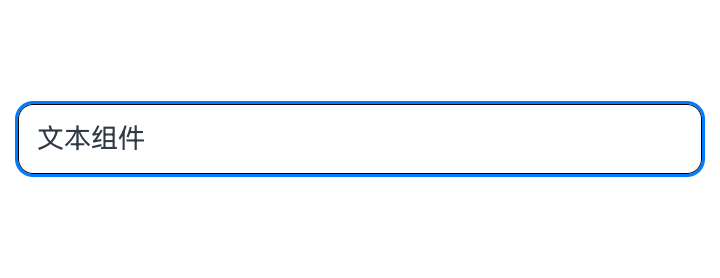
} 
requestSelected
requestSelected(id: string): void
请求将指定组件设置为当前智慧手势选中节点。成功选中后会显示选中提示框,选中框样式根据设备有所不同。

- 仅当目标组件满足以下全部条件时,请求才会生效:组件可以响应智慧手势,组件在屏幕内可见,且组件绑定了onClick或绑定了单击手势TapGesture。
- 组件能否响应智慧手势由smartGestureShortcut中的enabled决定。
起始版本: 26.0.0
模型约束: 此接口仅可在Stage模型下使用。
元服务API: 从API版本26.0.0开始,该接口支持在元服务中使用。
系统能力: SystemCapability.ArkUI.ArkUI.Full
参数:
| 参数名 | 类型 | 必填 | 说明 |
|---|---|---|---|
| id | string | 是 | 组件的id,该id对应的目标组件需满足:可以响应智慧手势、在屏幕内可见,且组件绑定了onClick或绑定了单击手势TapGesture。 |
示例:
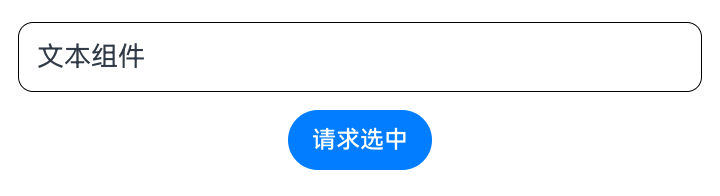
本示例通过requestSelected接口和clearSelected接口实现了请求组件选中并在5000ms后自动清除选中,完整示例请参考示例1(启用智慧手势并自定义动作处理)。
@Entry
@Component
struct SmartGestureControllerExample {
  private controller = this.getUIContext().getSmartGestureController();

  aboutToAppear(): void {
    this.controller.enableSmartTapAndSlideGestures(true);
  }

  aboutToDisappear(): void {
    this.controller.enableSmartTapAndSlideGestures(false);
  }

  build() {
    Scroll() {
      Column({ space: 12 }) {
        Text('文本组件')
          .id('target_text')
          .fontSize(18)
          .width('100%')
          .padding(12)
          .borderRadius(10)
          .borderWidth(1)
          .smartGestureShortcut({ action: GestureShortcut.PRIMARY, enabled: true, selectable: true })
          .onClick(() => {
            console.info('smartGesture click is triggered');
          })
        Button('请求选中')
          .onClick(() => {
            this.controller.requestSelected('target_text');
            setTimeout(() => {
              this.controller.clearSelected();
              console.info('smartGesture selected is clear');
            }, 5000);
          })
      }.width('100%')
    }
    .layoutWeight(1)
    .width('100%')
    .height('100%')
    .padding(12)
  }
} 
clearSelected
clearSelected(): void
清空当前智慧手势选中节点。
起始版本: 26.0.0
模型约束: 此接口仅可在Stage模型下使用。
元服务API: 从API版本26.0.0开始,该接口支持在元服务中使用。
系统能力: SystemCapability.ArkUI.ArkUI.Full
示例:
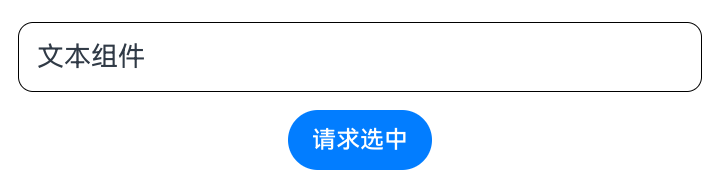
本示例通过requestSelected接口和clearSelected接口实现了请求组件选中并在5000ms后自动清除选中,完整示例请参考示例1(启用智慧手势并自定义动作处理)。
@Entry
@Component
struct SmartGestureControllerExample {
  private controller = this.getUIContext().getSmartGestureController();

  aboutToAppear(): void {
    this.controller.enableSmartTapAndSlideGestures(true);
  }

  aboutToDisappear(): void {
    this.controller.enableSmartTapAndSlideGestures(false);
  }

  build() {
    Scroll() {
      Column({ space: 12 }) {
        Text('文本组件')
          .id('target_text')
          .fontSize(18)
          .width('100%')
          .padding(12)
          .borderRadius(10)
          .borderWidth(1)
          .smartGestureShortcut({ action: GestureShortcut.PRIMARY, enabled: true, selectable: true })
          .onClick(() => {
            console.info('smartGesture click is triggered');
          })
        Button('请求选中')
          .onClick(() => {
            this.controller.requestSelected('target_text');
            setTimeout(() => {
              this.controller.clearSelected();
              console.info('smartGesture selected is clear');
            }, 5000);
          })
      }.width('100%')
    }
    .layoutWeight(1)
    .width('100%')
    .height('100%')
    .padding(12)
  }
} 
[h2]示例1(启用智慧手势并自定义动作处理)
以下示例通过enableSmartTapAndSlideGestures接口启用、关闭智慧手势,通过registerMonitor、unregisterMonitor、clearMonitors接口注册、注销或清空监听回调实现自定义动作处理,以及通过requestSelected选中组件。
从API版本26.0.0开始,新增enableSmartTapAndSlideGestures、registerMonitor、unregisterMonitor、clearMonitors、requestSelected、clearSelected。
import {
  BackPressActionProposal,
  BaseGestureHandlingProposal,
  ClickActionProposal,
  GestureHandlingResolution,
  NoneActionProposal,
  PageSwitchActionProposal,
  ScrollActionProposal,
  SelectActionProposal
} from '@kit.ArkUI';

@Entry
@Component
struct SmartGestureControllerExample {
  private controller = this.getUIContext().getSmartGestureController();
  @State clickCount: number = 0;
  @State hint: string = '';
  // 自定义监听回调函数
  private callback = (proposal: BaseGestureHandlingProposal): GestureHandlingResolution => {
    // proposal.operateIntention表示底层操作意图,取值包括TAP/SLIDE_FORWARD/BACK_PRESS
    // proposal.action表示最终执行动作,取值包括NONE/SELECT/CLICK/PAGE_FORWARD/SCROLL_FORWARD/BACK_PRESS
    this.hint = `意图=${proposal.operateIntention}, 动作=${proposal.action}`;

    // 消费当前智慧手势,后续根据proposal.action改写默认动作处理。
    const resolution = new GestureHandlingResolution(true);

    // 覆盖为点击动作
    if (proposal.action === SmartGestureAction.CLICK) {
      const node = this.getUIContext().getFrameNodeById('target_button');
      if (node) {
        resolution.selectedProposal = new ClickActionProposal(node);
      }
    }
    // 覆盖为选中动作
    else if (proposal.action === SmartGestureAction.SELECT) {
      const node = this.getUIContext().getFrameNodeById('target_text');
      if (node) {
        resolution.selectedProposal = new SelectActionProposal(node);
      }
    }
    // 覆盖为翻页动作
    else if (proposal.action === SmartGestureAction.PAGE_FORWARD) {
      const node = this.getUIContext().getFrameNodeById('scroll_area');
      if (node) {
        // pageCount:取值为[0, +∞),单位为页
        resolution.selectedProposal = new PageSwitchActionProposal(node, 1);
      }
    }
    // 覆盖为滚动动作
    else if (proposal.action === SmartGestureAction.SCROLL_FORWARD) {
      const node = this.getUIContext().getFrameNodeById('scroll_area');
      if (node) {
        // distance:取值为[0, +∞),单位为vp
        resolution.selectedProposal = new ScrollActionProposal(node, 180);
      }
    }
    // 覆盖为空动作(不执行任何操作)
    else if (proposal.action === SmartGestureAction.NONE) {
      resolution.selectedProposal = new NoneActionProposal();
    }
    // 覆盖为返回动作
    else if (proposal.action === SmartGestureAction.BACK_PRESS) {
      resolution.selectedProposal = new BackPressActionProposal();
    }

    return resolution;
  };

  build() {
    Scroll() {
      Column({ space: 12 }) {
        // 操作意图提示
        Text(this.hint).fontSize(13).fontColor('#666')

        // 目标节点:文本
        Text('文本组件')
          .id('target_text')
          .fontSize(18)
          .width('100%')
          .padding(12)
          .borderRadius(10)
          .borderWidth(1)
          .smartGestureShortcut({ action: GestureShortcut.PRIMARY, enabled: true, selectable: true })
          .onClick(() => {
            console.info('smartGesture click is triggered');
          })

        // 目标节点:按钮
        Button(`按钮组件 / 点击=${this.clickCount}`)
          .id('target_button').width('100%')
          .smartGestureShortcut({ action: GestureShortcut.PRIMARY, enabled: true, selectable: true })
          .onClick(() => {
            this.clickCount += 1;
          })

        // 目标节点:滚动区域
        Scroll() {
          Column({ space: 6 }) {
            ForEach([0, 1, 2, 3], (item: number) => {
              Text(`滚动内容 ${item}`).width('100%').padding(10).borderRadius(8)
                .backgroundColor(item % 2 === 0 ? '#f6f8fa' : '#ffffff')
            })
          }.width('100%')
        }
        .id('scroll_area').height(120)

        Divider()

        // requestSelected/clearSelected
        Text('选中控制').fontWeight(FontWeight.Bold).fontSize(16)
        Row({ space: 8 }) {
          Button('选中按钮').layoutWeight(1)
            .onClick(() => this.controller.requestSelected('target_button'))
          Button('选中文本').layoutWeight(1)
            .onClick(() => this.controller.requestSelected('target_text'))
          Button('清空选中').layoutWeight(1)
            .onClick(() => this.controller.clearSelected())
        }.width('100%')

        // registerMonitor/unregisterMonitor/clearMonitors
        Text('Monitor 控制').fontWeight(FontWeight.Bold).fontSize(16)
        Row({ space: 8 }) {
          Button('注册').layoutWeight(1)
            .onClick(() => this.controller.registerMonitor(this.callback))
          Button('注销').layoutWeight(1)
            .onClick(() => this.controller.unregisterMonitor(this.callback))
          Button('清空').layoutWeight(1)
            .onClick(() => this.controller.clearMonitors())
        }.width('100%')

        // enableSmartTapAndSlideGestures
        Row({ space: 8 }) {
          Button('启用手势').layoutWeight(1)
            .onClick(() => this.controller.enableSmartTapAndSlideGestures(true))
          Button('禁用手势').layoutWeight(1)
            .onClick(() => this.controller.enableSmartTapAndSlideGestures(false))
        }.width('100%')
      }.width('100%')
    }
    .layoutWeight(1)
    .onAppear(() => {
      this.controller.enableSmartTapAndSlideGestures(true);
      this.controller.registerMonitor(this.callback);
    })
    .width('100%')
    .height('100%')
    .padding(12)
    .backgroundColor('#f1f3f5')
  }
}