本模块提供发起主动拖拽的能力,当应用接收到触摸或长按等事件时可以主动发起拖拽动作,并在拖拽过程中携带拖拽信息,适用于应用需要自主控制拖拽发起时机、拖拽预览效果和拖拽数据传递的场景,帮助应用实现更灵活的自定义拖拽交互。

dragController.executeDrag(deprecated)
executeDrag(custom: CustomBuilder | DragItemInfo, dragInfo: DragInfo, callback: AsyncCallback<DragEventParam>): void
主动发起拖拽能力,传入拖拽发起后跟手效果所拖拽的对象以及携带拖拽信息。使用callback异步回调。

-
从API version 10开始支持,从API version 18开始废弃,建议使用executeDrag替代。executeDrag需先通过UIContext中的getDragController方法获取DragController实例,然后通过该对象进行调用。
-
从API version 11开始,可以通过使用UIContext中的getDragController方法获取当前UI上下文关联的DragController对象。
元服务API: 从API version 12开始,该接口支持在元服务中使用。
系统能力: SystemCapability.ArkUI.ArkUI.Full
参数:
| 参数名 | 类型 | 必填 | 说明 |
|---|---|---|---|
| custom | CustomBuilder | DragItemInfo | 是 | 拖拽发起后跟手效果所拖拽的对象。 说明: 不支持全局builder。如果builder中使用了Image组件,应尽量开启同步加载,即配置Image的syncLoad为true。该builder只用于生成当次拖拽中显示的图片。builder的根组件宽高为0时,无法生成拖拽显示的图片导致拖拽失败。builder的修改不会同步到当前正在拖拽的图片,对builder的修改需要在下一次拖拽时生效。 |
| dragInfo | DragInfo | 是 | 拖拽信息。 |
| callback | AsyncCallback<DragEventParam> | 是 | 回调函数。当拖拽成功结束,err为undefined,data为获取到的DragEventParam;否则为错误对象。 |
错误码:
以下错误码的详细介绍请参见通用错误码。
| 错误码ID | 错误信息 |
|---|---|
| 401 | Parameter error. Possible causes: 1. Mandatory parameters are left unspecified; 2.Incorrect parameters types; 3. Parameter verification failed. |
| 100001 | Internal handling failed. |
示例:

import { dragController } from '@kit.ArkUI';
import { unifiedDataChannel } from '@kit.ArkData';

class DragInfo {
  event: DragEvent | undefined = undefined;
  extraParams: string = '';
}

@Entry
@Component
struct DragControllerPage {
  @State text: string = ''

  @Builder
  draggingBuilder() {
    Column() {
      Text('DraggingBuilder')
        .fontColor(Color.White)
        .fontSize(12)
    }
    .width(100)
    .height(100)
    .backgroundColor(Color.Blue)
  }

  build() {
    Column() {
      Button('touch to execute drag')
        .margin(10)
        .onTouch((event?: TouchEvent) => {
          if (event) {
            if (event.type == TouchType.Down) {
              let text = new unifiedDataChannel.PlainText();
              text.textContent = 'drag text'
              text.abstract = 'abstract'
              let unifiedData = new unifiedDataChannel.UnifiedData(text)

              let dragInfo: dragController.DragInfo = {
                pointerId: 0,
                data: unifiedData,
                extraParams: ''
              }
              let eve: DragInfo = new DragInfo();
              this.getUIContext().getDragController().executeDrag(() => {
                this.DraggingBuilder()
              }, dragInfo, (err, eve) => { // 建议使用 this.getUIContext().getDragController().executeDrag()接口
                if (eve.event) {
                  if (eve.event.getResult() == DragResult.DRAG_SUCCESSFUL) {
                    // ...
                  } else if (eve.event.getResult() == DragResult.DRAG_FAILED) {
                    // ...
                  }
                }
              })
            }
          }
        })
      Text(this.text)
        .height(100)
        .width(150)
        .margin({ top: 20 })
        .border({ color: Color.Black, width: 1 })
        .onDrop((dragEvent?: DragEvent) => {
          if (dragEvent) {
            let records: Array<unifiedDataChannel.UnifiedRecord> = dragEvent.getData().getRecords();
            let plainText: unifiedDataChannel.PlainText = records[0] as unifiedDataChannel.PlainText;
            this.text = plainText.textContent;
          }
        })
    }
    .width('100%')
    .height('100%')
  }
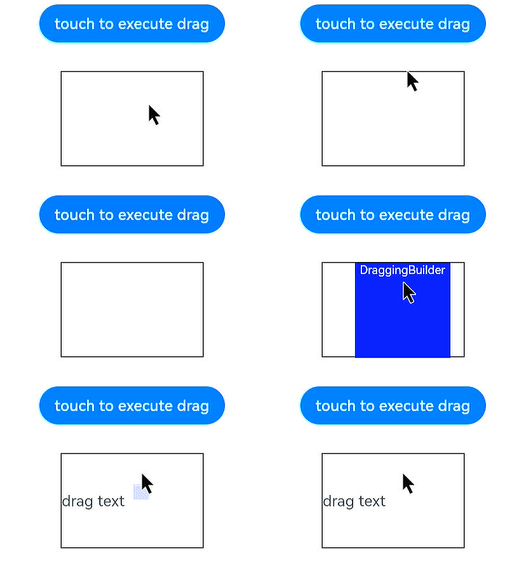
} 
dragController.executeDrag(deprecated)
executeDrag(custom: CustomBuilder | DragItemInfo, dragInfo: DragInfo): Promise<DragEventParam>
主动发起拖拽能力,传入拖拽发起后跟手效果所拖拽的对象以及携带拖拽信息。使用Promise异步回调。

-
从API version 10开始支持,从API version 18开始废弃,建议使用executeDrag替代。executeDrag需先通过UIContext中的getDragController方法获取DragController实例,然后通过该对象进行调用。
-
从API version 11开始,可以通过使用UIContext中的getDragController方法获取当前UI上下文关联的DragController对象。
元服务API: 从API version 12开始,该接口支持在元服务中使用。
系统能力: SystemCapability.ArkUI.ArkUI.Full
参数:
| 参数名 | 类型 | 必填 | 说明 |
|---|---|---|---|
| custom | CustomBuilder | DragItemInfo | 是 | 拖拽发起后跟手效果所拖拽的对象。 |
| dragInfo | DragInfo | 是 | 拖拽信息。 |
返回值:
| 类型 | 说明 |
|---|---|
| Promise<DragEventParam> | Promise对象,拖拽结束时返回结果。 |
错误码:
以下错误码的详细介绍请参见通用错误码。
| 错误码ID | 错误信息 |
|---|---|
| 401 | Parameter error. Possible causes: 1. Mandatory parameters are left unspecified; 2.Incorrect parameters types; 3. Parameter verification failed. |
| 100001 | Internal handling failed. |
示例:

import { dragController } from '@kit.ArkUI';
import { image } from '@kit.ImageKit';
import { unifiedDataChannel } from '@kit.ArkData';

class DragInfo {
  event: DragEvent | undefined = undefined;
  extraParams: string = '';
}

@Entry
@Component
struct DragControllerPage {
  @State pixmap: image.PixelMap | undefined = undefined
  @State text: string = ''

  @Builder
  DraggingBuilder() {
    Column() {
      Text("DraggingBuilder")
        .fontColor(Color.White)
    }
    .width(100)
    .height(100)
    .backgroundColor(Color.Blue)
  }

  @Builder
  PixmapBuilder() {
    Column() {
      Text("PixmapBuilder")
        .fontColor(Color.White)
        .fontSize(15)
    }
    .width(100)
    .height(100)
    .backgroundColor(Color.Blue)
  }

  aboutToAppear() {
    let pb: CustomBuilder = (): void => {
      this.PixmapBuilder()
    }
    this.getUIContext().getComponentSnapshot().createFromBuilder(pb).then((pix: image.PixelMap) => {
      this.pixmap = pix;
    })
  }

  build() {
    Column() {
      Button('touch to execute drag')
        .margin(10)
        .onTouch((event?: TouchEvent) => {
          if (event) {
            if (event.type == TouchType.Down) {
              let text = new unifiedDataChannel.PlainText()
              text.textContent = 'drag text'
              text.abstract = 'abstract'
              let unifiedData = new unifiedDataChannel.UnifiedData(text)

              let dragInfo: dragController.DragInfo = {
                pointerId: 0,
                data: unifiedData,
                extraParams: ''
              }
              let dragItemInfo: DragItemInfo = {
                pixelMap: this.pixmap,
                builder: () => {
                  this.DraggingBuilder()
                },
                extraInfo: "DragItemInfoTest"
              }
              let eve: DragInfo = new DragInfo();
              this.getUIContext()
                .getDragController()
                .executeDrag(dragItemInfo, dragInfo) // 建议使用 this.getUIContext().getDragController().executeDrag()接口
                .then((eve) => {
                  if (eve.event.getResult() == DragResult.DRAG_SUCCESSFUL) {
                    // ...
                  } else if (eve.event.getResult() == DragResult.DRAG_FAILED) {
                    // ...
                  }
                })
                .catch((err: Error) => {
                })
            }
          }
        })
      Text(this.text)
        .height(100)
        .width(150)
        .margin({ top: 20 })
        .border({ color: Color.Black, width: 1 })
        .onDrop((dragEvent?: DragEvent) => {
          if (dragEvent) {
            let records: Array<unifiedDataChannel.UnifiedRecord> = dragEvent.getData().getRecords();
            let plainText: unifiedDataChannel.PlainText = records[0] as unifiedDataChannel.PlainText;
            this.text = plainText.textContent;
          }
        })
    }
    .width('100%')
    .height('100%')
  }
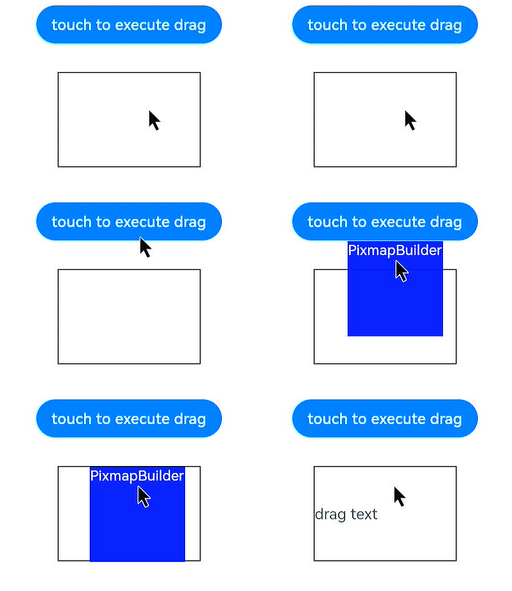
} 
DragInfo
发起拖拽所需要的属性和拖拽时携带的信息。
系统能力: SystemCapability.ArkUI.ArkUI.Full
| 名称 | 类型 | 只读 | 可选 | 说明 |
|---|---|---|---|---|
| pointerId | number | 否 | 否 | 设置启动拖拽时屏幕上触摸点的Id。取值范围为[0, 9]的整数。 元服务API: 从API version 12开始,该接口支持在元服务中使用。 |
| data | unifiedDataChannel.UnifiedData | 否 | 是 | 设置拖拽过程中携带的数据。与dataLoadParams同时设置时,dataLoadParams生效。 默认值:空 元服务API: 从API version 12开始,该接口支持在元服务中使用。 |
| extraParams | string | 否 | 是 | 设置拖拽事件额外信息,具体功能暂未实现。 默认值:空 元服务API: 从API version 12开始,该接口支持在元服务中使用。 |
| touchPoint11+ | TouchPoint | 否 | 是 | 配置跟手点坐标。不配置时,左右居中,顶部向下偏移20%。 元服务API: 从API version 12开始,该接口支持在元服务中使用。 |
| previewOptions11+ | DragPreviewOptions | 否 | 是 | 设置拖拽过程中背板图处理模式及数量角标的显示。当需要自定义拖拽预览背板效果或数量角标显示方式时传入;不传入时使用系统默认的拖拽预览背板处理模式和数量角标显示策略。 元服务API: 从API version 12开始,该接口支持在元服务中使用。 |
| autoHideComponentUniqueIds | number | number[] | 否 | 是 | 设置在主动拖拽过程中由系统自动隐藏的组件uniqueId,支持传入单个uniqueId或数组。 主动拖拽成功发起后,系统会在显示拖拽预览窗口前自动隐藏目标组件。 若主动拖拽源本身也需要被隐藏,需要同时传入其uniqueId。 组件的uniqueId可通过UIContext.getFrameNodeById()配合FrameNode.getUniqueId()获取。 开发者需要在拖拽结束回调中按需恢复组件显示状态。 起始版本: 26.0.0 元服务API: 从API版本26.0.0开始,该接口支持在元服务中使用。 模型约束: 此接口仅可在Stage模型下使用。 |
| dataLoadParams20+ | unifiedDataChannel.DataLoadParams | 否 | 是 | 设置起拖方延迟提供数据。调用此方法向系统提供数据加载参数,而非直接传入完整的数据对象。当用户将数据拖拽至目标应用程序并释放时,系统将使用此参数从起拖方请求实际数据。与data同时设置时,dataLoadParams生效。 默认值:空 元服务API: 从API version 20开始,该接口支持在元服务中使用。 |
示例:
该示例通过DragInfo的autoHideComponentUniqueIds属性,在主动拖拽成功发起后自动隐藏指定组件。
从API版本26.0.0开始,DragInfo新增autoHideComponentUniqueIds属性。
import { dragController } from '@kit.ArkUI';
import { unifiedDataChannel } from '@kit.ArkData';

@Entry
@Component
struct DragInfoAutoHideSample {
  @State sourceVisibility: Visibility = Visibility.Visible;
  @State badgeVisibility: Visibility = Visibility.Visible;
  @State statusText: string = '状态:等待主动拖拽';

  @Builder
  PreviewBuilder() {
    Text('Drag Preview')
      .width(140)
      .height(60)
      .backgroundColor('#3F51B5')
      .borderRadius(10)
      .fontColor(Color.White);
  }

  private buildData(content: string): unifiedDataChannel.UnifiedData {
    let plainText = new unifiedDataChannel.PlainText();
    plainText.textContent = content;
    plainText.abstract = content;
    return new unifiedDataChannel.UnifiedData(plainText);
  }

  private collectHideIds(): number[] {
    let hideIds: number[] = [];
    let sourceNode = this.getUIContext().getFrameNodeById('active_source');
    let badgeNode = this.getUIContext().getFrameNodeById('active_badge');
    if (sourceNode?.getUniqueId() !== undefined) {
      hideIds.push(sourceNode.getUniqueId());
    }
    if (badgeNode?.getUniqueId() !== undefined) {
      hideIds.push(badgeNode.getUniqueId());
    }
    return hideIds;
  }

  private hideTargets(): void {
    this.sourceVisibility = Visibility.Hidden;
    this.badgeVisibility = Visibility.Hidden;
    this.statusText = '状态:主动拖拽中,目标组件已隐藏';
  }

  private restoreTargets(): void {
    this.sourceVisibility = Visibility.Visible;
    this.badgeVisibility = Visibility.Visible;
    this.statusText = '状态:拖拽结束,组件已恢复显示';
  }

  build() {
    Column({ space: 12 }) {
      Text(this.statusText)
        .width('100%')
        .fontSize(14)
        .fontColor('#BF360C');

      Row({ space: 12 }) {
        Column() {
          Text('主动拖拽源')
            .fontColor(Color.White)
            .fontWeight(FontWeight.Medium);
          Text('id: active_source')
            .fontSize(10)
            .fontColor('#E8F5E9');
        }
          .id('active_source')
          .width(140)
          .height(90)
          .backgroundColor('#2E7D32')
          .borderRadius(12)
          .justifyContent(FlexAlign.Center)
          .visibility(this.sourceVisibility);

        Column() {
          Text('跟随隐藏组件')
            .fontColor(Color.White)
            .fontWeight(FontWeight.Medium);
          Text('id: active_badge')
            .fontSize(10)
            .fontColor('#E3F2FD');
        }
          .id('active_badge')
          .width(140)
          .height(90)
          .backgroundColor('#1565C0')
          .borderRadius(12)
          .justifyContent(FlexAlign.Center)
          .visibility(this.badgeVisibility);
      }

      Button('发起主动拖拽')
        .width('100%')
        .height(56)
        .backgroundColor('#FF8F00')
        .onTouch((touchEvent) => {
          if (!touchEvent || touchEvent.type !== TouchType.Down) {
            return;
          }
          let hideIds = this.collectHideIds();
          let dragInfo: dragController.DragInfo = {
            pointerId: 0,
            data: this.buildData('active drag data'),
            extraParams: '',
            autoHideComponentUniqueIds: hideIds
          };
          this.hideTargets();
          this.getUIContext().getDragController().executeDrag(() => {
            this.PreviewBuilder();
          }, dragInfo, () => {
            this.restoreTargets();
          });
        })
    }
    .width('100%')
    .padding(16)
  }
} dragController.createDragAction(deprecated)
createDragAction(customArray: Array<CustomBuilder | DragItemInfo>, dragInfo: DragInfo): DragAction
创建拖拽的Action对象,需要显式指定拖拽背板图(可多个),以及拖拽的数据,跟手点等信息;当通过一个已创建的 Action 对象发起的拖拽未结束时,无法再次创建新的 Action 对象,接口会抛出异常;当Action对象的生命周期结束后,注册在该对象上的回调函数会失效,因此需要在一个尽量长的作用域下持有该对象,并在每次发起拖拽前通过createDragAction返回新的对象覆盖旧值。

-
从API version 11开始支持,从API version 18开始废弃,建议使用createDragAction替代。createDragAction需先通过UIContext中的getDragController方法获取DragController实例,然后通过该对象进行调用。
-
从API version 11开始,可以通过使用UIContext中的getDragController方法获取当前UI上下文关联的DragController对象。
-
建议控制传递的拖拽背板数量,传递过多容易导致拖起的效率问题。
元服务API: 从API version 12开始,该接口支持在元服务中使用。
系统能力: SystemCapability.ArkUI.ArkUI.Full
参数:
| 参数名 | 类型 | 必填 | 说明 |
|---|---|---|---|
| customArray | Array<CustomBuilder | DragItemInfo> | 是 | 拖拽发起后跟手效果所拖拽的对象。 |
| dragInfo | DragInfo | 是 | 拖拽信息。 |
返回值:
| 类型 | 说明 |
|---|---|
| DragAction | 创建拖拽Action对象,主要用于后面实现注册监听拖拽状态改变事件和启动拖拽服务。 |
错误码:
以下错误码的详细介绍请参见通用错误码。
| 错误码ID | 错误信息 |
|---|---|
| 401 | Parameter error. Possible causes: 1. Mandatory parameters are left unspecified; 2.Incorrect parameters types; 3. Parameter verification failed. |
| 100001 | Internal handling failed. |
示例:

import { dragController } from '@kit.ArkUI';
import { image } from '@kit.ImageKit';
import { unifiedDataChannel } from '@kit.ArkData';

@Entry
@Component
struct DragControllerPage {
  @State pixmap: image.PixelMap | null = null
  @State text: string = ''
  private dragAction: dragController.DragAction | null = null;
  customBuilders: Array<CustomBuilder | DragItemInfo> = new Array<CustomBuilder | DragItemInfo>();

  @Builder
  DraggingBuilder() {
    Column() {
      Text("DraggingBuilder")
        .fontColor(Color.White)
        .fontSize(12)
    }
    .width(100)
    .height(100)
    .backgroundColor(Color.Blue)
  }

  build() {
    Column() {

      Column() {
        Text(this.text)
          .width('100%')
          .height('100%')
          .fontColor(Color.White)
          .fontSize(18)
          .onDrop((dragEvent?: DragEvent) => {
            if (dragEvent) {
              let records: Array<unifiedDataChannel.UnifiedRecord> = dragEvent.getData().getRecords();
              let plainText: unifiedDataChannel.PlainText = records[0] as unifiedDataChannel.PlainText;
              this.text = plainText.textContent;
            }
          })
      }
      .width(100)
      .height(100)
      .backgroundColor(Color.Red)
      .margin(10)

      Button('多对象dragAction customBuilder拖拽').onTouch((event?: TouchEvent) => {
        if (event) {
          if (event.type == TouchType.Down) {
            console.info("multi drag Down by listener");
            this.customBuilders.splice(0, this.customBuilders.length);
            this.customBuilders.push(() => {
              this.DraggingBuilder()
            });
            this.customBuilders.push(() => {
              this.DraggingBuilder()
            });
            this.customBuilders.push(() => {
              this.DraggingBuilder()
            });
            let text = new unifiedDataChannel.PlainText()
            text.textContent = 'drag text'
            let unifiedData = new unifiedDataChannel.UnifiedData(text)
            let dragInfo: dragController.DragInfo = {
              pointerId: 0,
              data: unifiedData,
              extraParams: ''
            }
            try {
              this.dragAction = this.getUIContext()
                .getDragController()
                .createDragAction(this.customBuilders,
                  dragInfo) // 建议使用 this.getUIContext().getDragController().createDragAction()接口
              if (!this.dragAction) {
                console.info("listener dragAction is null");
                return
              }
              this.dragAction.on('statusChange', (dragAndDropInfo: dragController.DragAndDropInfo) => {
                if (dragAndDropInfo.status == dragController.DragStatus.STARTED) {
                  console.info("drag has start");
                } else if (dragAndDropInfo.status == dragController.DragStatus.ENDED) {
                  console.info("drag has end");
                  if (!this.dragAction) {
                    return
                  }
                  this.dragAction.off('statusChange')
                }
              })
              this.dragAction.startDrag().then(() => {
              }).catch((err: Error) => {
                console.error(`Failed to start drag. Code: ${err.code}, message: ${err.message}`);
              })
            } catch (err) {
              console.error(`Failed to create dragAction. Code: ${err.code}, message: ${err.message}`);
            }
          }
        }
      }).margin({ top: 20 })
    }
  }
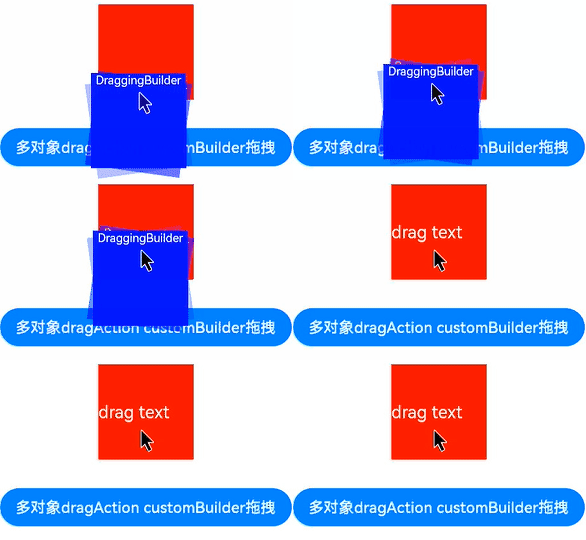
} 
DragAction11+
监听状态改变,启动拖拽服务的对象。
元服务API: 从API version 12开始,该接口支持在元服务中使用。
系统能力: SystemCapability.ArkUI.ArkUI.Full
[h2]startDrag11+
startDrag(): Promise<void>
启动拖拽服务。适用于通过createDragAction创建DragAction对象后,主动发起多对象拖拽或自定义拖拽背板的场景。使用Promise异步回调。
元服务API: 从API version 12开始,该接口支持在元服务中使用。
系统能力: SystemCapability.ArkUI.ArkUI.Full
返回值:
| 类型 | 说明 |
|---|---|
| Promise<void> | Promise对象,无返回结果。 |
错误码:
| 错误码ID | 错误信息 |
|---|---|
| 100001 | Internal handling failed. |
示例1:

import { dragController } from '@kit.ArkUI';
import { unifiedDataChannel } from '@kit.ArkData';

@Entry
@Component
struct DragControllerPage {
  private dragAction: dragController.DragAction | null = null;
  customBuilders: Array<CustomBuilder | DragItemInfo> = new Array<CustomBuilder | DragItemInfo>();

  @Builder
  draggingBuilder() {
    Column() {
      Text('DraggingBuilder')
        .fontColor(Color.White)
        .fontSize(12)
    }
    .width(100)
    .height(100)
    .backgroundColor(Color.Blue)
  }

  build() {
    Column() {
      Button('touch to execute drag').onTouch((event?: TouchEvent) => {
        if (event) {
          if (event.type == TouchType.Down) {
            this.customBuilders.splice(0, this.customBuilders.length);
            this.customBuilders.push(() => {
              this.draggingBuilder();
            });
            let text = new unifiedDataChannel.PlainText()
            text.textContent = 'drag text'
            let unifiedData = new unifiedDataChannel.UnifiedData(text)
            let dragInfo: dragController.DragInfo = {
              pointerId: 0,
              data: unifiedData,
              extraParams: ''
            }
            try {
              this.dragAction = this.getUIContext()
                .getDragController()
                .createDragAction(this.customBuilders,
                  dragInfo) // 建议使用 this.getUIContext().getDragController().createDragAction()接口
              if (!this.dragAction) {
                console.info('listener dragAction is null');
                return;
              }
              this.dragAction.startDrag().then(() => {
              }).catch((err: Error) => {
                console.error(`Failed to start drag. Message: ${err.message}`);
              })
            } catch (err) {
              console.error(`Failed to create dragAction. Code: ${err.code}, message: ${err.message}`);
            }
          }
        }
      }).margin({ top: 20 })
    }
  }
}
示例2:
从API version 20开始,在DragInfo中配置dataLoadParams,设置起拖方延迟提供数据。
import { unifiedDataChannel, uniformTypeDescriptor, uniformDataStruct } from '@kit.ArkData';
import { fileUri, fileIo } from '@kit.CoreFileKit';
import { common } from '@kit.AbilityKit';
import { dragController } from '@kit.ArkUI';

@Entry
@Component
struct ImageExample {
  private dragAction: dragController.DragAction | null = null;
  customBuilders: Array<CustomBuilder | DragItemInfo> = new Array<CustomBuilder | DragItemInfo>();
  @State uri: string = '';
  @State blockArr: string[] = [];
  uiContext = this.getUIContext();
  udKey: string = '';

  @Builder
  DraggingBuilder() {
    Video({ src: $rawfile('test1.mp4'), controller: new VideoController() })
      .width(100)
      .height(100)
  }

  build() {
    Column() {
      Flex({ direction: FlexDirection.Row, alignItems: ItemAlign.Center, justifyContent: FlexAlign.SpaceAround }) {
        Button('touch to execute drag')
          .margin(10)
          .onTouch((event?: TouchEvent) => {
            if (event) {
              if (event.type == TouchType.Down) {
                this.customBuilders.splice(0, this.customBuilders.length);
                this.customBuilders.push(() => {
                  this.DraggingBuilder();
                });
                const context: Context | undefined = this.uiContext.getHostContext();
                if (context) {
                  // 延迟加载拖拽数据时,将rawfile中的视频复制到应用文件目录并构造UnifiedData返回。
                  let loadHandler: unifiedDataChannel.DataLoadHandler = () => {
                    let data =
                      context.resourceManager.getRawFdSync('test1.mp4');
                    let filePath = context.filesDir + '/test1.mp4';
                    let file = fileIo.openSync(filePath, fileIo.OpenMode.CREATE | fileIo.OpenMode.READ_WRITE);
                    let bufferSize = data.length as number;
                    let buf = new ArrayBuffer(bufferSize);
                    fileIo.readSync(data.fd, buf, { offset: data.offset, length: bufferSize });
                    fileIo.writeSync(file.fd, buf, { offset: 0, length: bufferSize });
                    fileIo.closeSync(file.fd);
                    context.resourceManager.closeRawFdSync('test1.mp4')
                    this.uri = fileUri.getUriFromPath(filePath);
                    let videoMp: uniformDataStruct.FileUri = {
                      uniformDataType: 'general.file-uri',
                      oriUri: this.uri,
                      fileType: 'general.video',
                    }
                    let unifiedRecord = new unifiedDataChannel.UnifiedRecord();
                    let unifiedData = new unifiedDataChannel.UnifiedData();
                    unifiedRecord.addEntry(uniformTypeDescriptor.UniformDataType.FILE_URI, videoMp);
                    unifiedData.addRecord(unifiedRecord);
                    return unifiedData;
                  }

                  let dragInfo: dragController.DragInfo = {
                    pointerId: 0,
                    extraParams: '',
                    dataLoadParams: {
                      loadHandler: loadHandler,
                      dataLoadInfo: { types: new Set([uniformTypeDescriptor.UniformDataType.VIDEO]), recordCount: 1 }
                    }
                  }

                  let statusChangeCallback = (dragAndDropInfo: dragController.DragAndDropInfo) => {
                    console.info(`ndq Register to listen on drag status ${JSON.stringify(dragAndDropInfo)}`);
                  }
                  try {
                    this.dragAction = this.getUIContext()
                      .getDragController()
                      .createDragAction(this.customBuilders,
                        dragInfo)
                    if (!this.dragAction) {
                      console.info("listener dragAction is null");
                      return;
                    }
                    this.dragAction.on('statusChange', statusChangeCallback);
                    this.dragAction.startDrag().then(() => {
                    }).catch((err: Error) => {
                      console.error(`start drag Error: ${err.message}`);
                    })
                  } catch (err) {
                    console.error(`create dragAction Error: ${err.message}`);
                  }
                }
              }
            }
          })
      }
      .margin({ bottom: 20 })

      Row() {
        Column() {
          Text('可释放区域')
            .fontSize('15dp')
            .height('10%')
          List() {
            ForEach(this.blockArr, (item: string, index) => {
              ListItem() {
                Video({ src: item, controller: new VideoController() })
                  .width(100)
                  .height(100)
                  .border({ width: 1 })
              }
              .margin({ left: 30, top: 30 })
            }, (item: string) => item)
          }
          .border({ width: 1 })
          .height('90%')
          .width('100%')
          .allowDrop([uniformTypeDescriptor.UniformDataType.VIDEO])
          .onDrop((event?: DragEvent, extraParams?: string) => {
            let context = this.uiContext.getHostContext() as common.UIAbilityContext;
            let pathDir: string = context.distributedFilesDir;
            let destUri = fileUri.getUriFromPath(pathDir);
            let progressListener: unifiedDataChannel.DataProgressListener =
              (progress: unifiedDataChannel.ProgressInfo, dragData: UnifiedData | null) => {
                if (dragData != null) {
                  let arr: Array<unifiedDataChannel.UnifiedRecord> = dragData.getRecords();
                  if (arr.length > 0) {
                    if (arr[0].getType() === uniformTypeDescriptor.UniformDataType.VIDEO) {
                      this.blockArr.splice(JSON.parse(extraParams as string).insertIndex, 0, this.uri);
                    }
                  } else {
                    console.info('dragData arr is null');
                  }
                } else {
                  console.info('dragData is undefined');
                }
                console.info(`percentage: ${progress.progress}`);
              };
            let options: DataSyncOptions = {
              destUri: destUri,
              fileConflictOptions: unifiedDataChannel.FileConflictOptions.OVERWRITE,
              progressIndicator: unifiedDataChannel.ProgressIndicator.DEFAULT,
              dataProgressListener: progressListener,
            }
            try {
              this.udKey = (event as DragEvent).startDataLoading(options);
              console.info('udKey: ', this.udKey);
            } catch (e) {
              console.error(`startDataLoading errorCode: ${e.code}, errorMessage: ${e.message}`);
            }
          }, { disableDataPrefetch: true })
        }
        .height("50%")
        .width("90%")
        .border({ width: 1 })
      }

      Button('取消数据传输')
        .onClick(() => {
          try {
            this.getUIContext().getDragController().cancelDataLoading(this.udKey);
          } catch (e) {
            console.error(`cancelDataLoading errorCode: ${e.code}, errorMessage: ${e.message}`);
          }
        })
        .margin({ top: 10 })
    }.width('100%')
  }
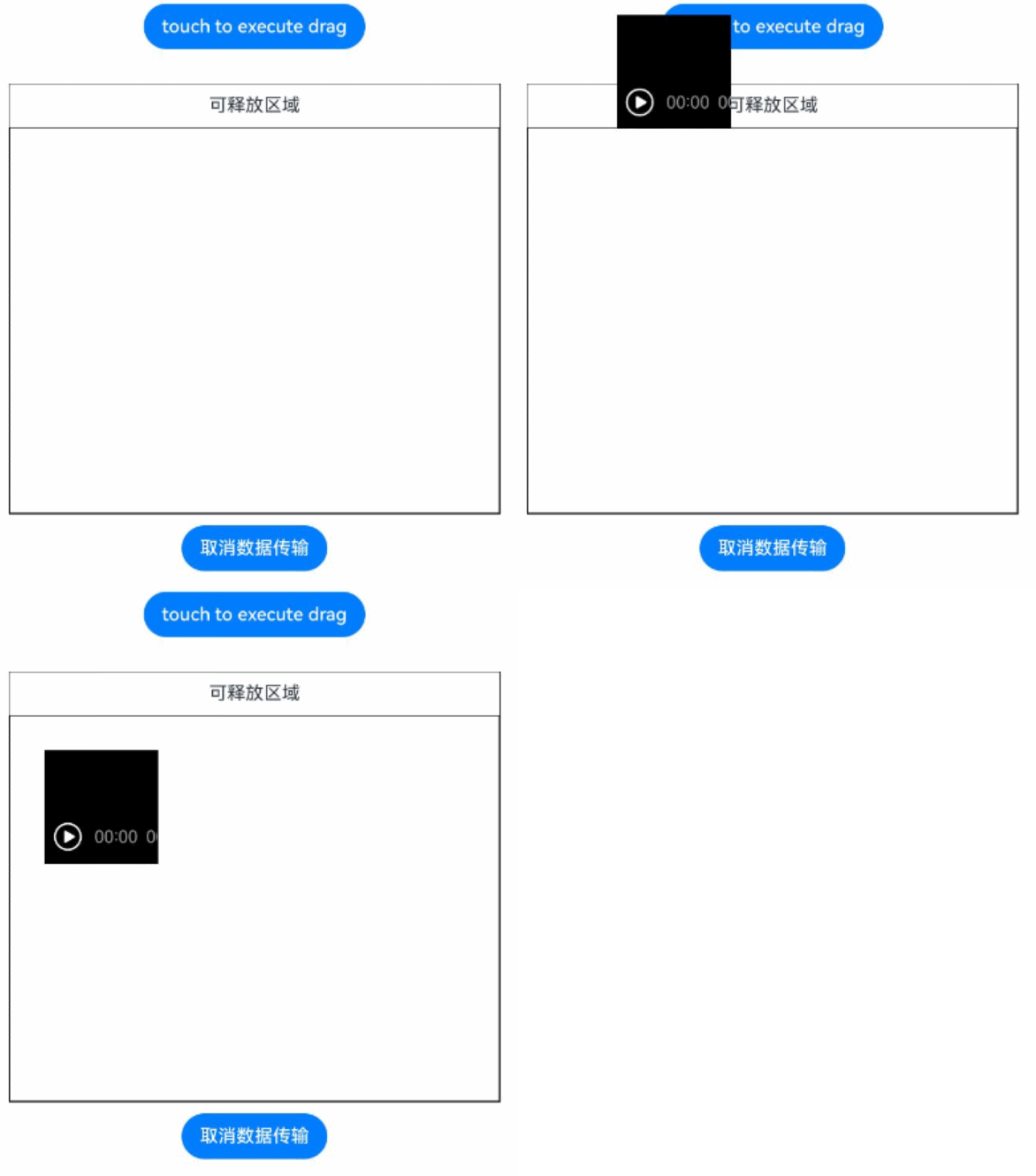
} 
[h2]on('statusChange')11+
on(type: 'statusChange', callback: Callback<DragAndDropInfo>): void
注册监听拖拽状态改变事件,用于在主动拖拽开始或结束时获取拖拽状态,并执行更新UI、记录状态或清理资源等操作。
元服务API: 从API version 12开始,该接口支持在元服务中使用。
系统能力: SystemCapability.ArkUI.ArkUI.Full
参数:
| 参数名 | 类型 | 必填 | 说明 |
|---|---|---|---|
| type | string | 是 | 监听事件,固定为'statusChange',即注册监听拖拽状态改变事件。 |
| callback | Callback<DragAndDropInfo> | 是 | 回调函数,返回当前的DragAndDropInfo拖拽状态信息。 |
示例:

import { dragController } from '@kit.ArkUI';
import { unifiedDataChannel } from '@kit.ArkData';

@Entry
@Component
struct DragControllerPage {
  private dragAction: dragController.DragAction | null = null;
  customBuilders: Array<CustomBuilder | DragItemInfo> = new Array<CustomBuilder | DragItemInfo>();

  @Builder
  draggingBuilder() {
    Column() {
      Text('DraggingBuilder')
        .fontColor(Color.White)
        .fontSize(12)
    }
    .width(100)
    .height(100)
    .backgroundColor(Color.Blue)
  }

  build() {
    Column() {
      Button('touch to execute drag').onTouch((event?: TouchEvent) => {
        if (event) {
          if (event.type == TouchType.Down) {
            this.customBuilders.splice(0, this.customBuilders.length);
            this.customBuilders.push(() => {
              this.draggingBuilder();
            });
            let text = new unifiedDataChannel.PlainText()
            text.textContent = 'drag text'
            let unifiedData = new unifiedDataChannel.UnifiedData(text)
            let dragInfo: dragController.DragInfo = {
              pointerId: 0,
              data: unifiedData,
              extraParams: ''
            }
            let statusChangeCallback = (dragAndDropInfo: dragController.DragAndDropInfo) => {
              console.info(`Register to listen on drag status ${JSON.stringify(dragAndDropInfo)}`);
            }
            try {
              this.dragAction = this.getUIContext()
                .getDragController()
                .createDragAction(this.customBuilders,
                  dragInfo) // 建议使用 this.getUIContext().getDragController().createDragAction()接口
              if (!this.dragAction) {
                console.info('listener dragAction is null');
                return;
              }
              // 监听状态改变,触发后打印func中的日志
              this.dragAction.on('statusChange', statusChangeCallback);
              this.dragAction.startDrag().then(() => {
              }).catch((err: BusinessError) => {
                console.error(`Failed to start drag. Code: ${err.code}, message: ${err.message}`);
              })
            } catch (err) {
              console.error(`Failed to create dragAction. Code: ${err.code}, message: ${err.message}`);
            }
          }
        }
      }).margin({ top: 20 })
    }
  }
} [h2]off('statusChange')11+
off(type: 'statusChange', callback?: Callback<DragAndDropInfo>): void
取消注册监听拖拽状态改变事件,适用于拖拽结束、页面销毁或不再需要响应拖拽状态变化时释放监听的场景。
元服务API: 从API version 12开始,该接口支持在元服务中使用。
系统能力: SystemCapability.ArkUI.ArkUI.Full
参数:
| 参数名 | 类型 | 必填 | 说明 |
|---|---|---|---|
| type | string | 是 | 监听事件,固定为'statusChange',即取消监听拖拽状态改变事件。 |
| callback | Callback<DragAndDropInfo> | 否 | 回调函数,返回当前的DragAndDropInfo拖拽状态信息。 |
示例:

import { dragController } from '@kit.ArkUI';
import { unifiedDataChannel } from '@kit.ArkData';

@Entry
@Component
struct DragControllerPage {
  private dragAction: dragController.DragAction | null = null;
  customBuilders: Array<CustomBuilder | DragItemInfo> = new Array<CustomBuilder | DragItemInfo>();

  @Builder
  draggingBuilder() {
    Column() {
      Text("DraggingBuilder")
        .fontColor(Color.White)
        .fontSize(12)
    }
    .width(100)
    .height(100)
    .backgroundColor(Color.Blue)
  }

  build() {
    Column() {
      Button('touch to execute drag').onTouch((event?: TouchEvent) => {
        if (event) {
          if (event.type == TouchType.Down) {
            this.customBuilders.splice(0, this.customBuilders.length);
            this.customBuilders.push(() => {
              this.draggingBuilder();
            });
            let text = new unifiedDataChannel.PlainText()
            text.textContent = 'drag text'
            let unifiedData = new unifiedDataChannel.UnifiedData(text)
            let dragInfo: dragController.DragInfo = {
              pointerId: 0,
              data: unifiedData,
              extraParams: ''
            }
            let statusChangeCallback = (dragAndDropInfo: dragController.DragAndDropInfo) => {
              console.info(`Register to listen on drag status ${JSON.stringify(dragAndDropInfo)}`);
            }
            this.dragAction = this.getUIContext()
              .getDragController()
              .createDragAction(this.customBuilders,
                dragInfo) // 建议使用 this.getUIContext().getDragController().createDragAction()接口
            if (!this.dragAction) {
              console.info('listener dragAction is null');
              return;
            }
            this.dragAction.on('statusChange', statusChangeCallback);
            // 取消监听,发起拖拽后不会打印func中的日志
            this.dragAction.off('statusChange', statusChangeCallback);
            this.dragAction.startDrag().then(() => {
            }).catch((err: BusinessError) => {
              console.error(`Failed to start drag. Code: ${err.code}, message: ${err.message}`);
            })
          }
        }
      }).margin({ top: 20 })
    }
  }
} DragAndDropInfo11+
拖拽过程中监听到status改变时上报的数据。
元服务API: 从API version 12开始,该接口支持在元服务中使用。
系统能力: SystemCapability.ArkUI.ArkUI.Full
| 名称 | 类型 | 只读 | 可选 | 说明 |
|---|---|---|---|---|
| status | DragStatus | 否 | 否 | 当前拖拽状态(启动和结束)。 |
| event | DragEvent | 否 | 否 | 当前状态所对应的拖拽事件。通过dragController发起的dragEvent仅支持获取result和behavior,且用于拖拽结束状态。 |
| extraParams | string | 否 | 是 | 设置拖拽事件额外信息,具体功能暂未实现。默认值为空。 |
DragStatus11+
拖拽开始和结束状态。
元服务API: 从API version 12开始,该接口支持在元服务中使用。
系统能力: SystemCapability.ArkUI.ArkUI.Full
| 名称 | 值 | 说明 |
|---|---|---|
| STARTED | 0 | 拖拽已成功发起。 |
| ENDED | 1 | 拖拽结束。 |
AnimationOptions11+
拖拽相关的动效参数。
元服务API: 从API version 12开始,该接口支持在元服务中使用。
系统能力: SystemCapability.ArkUI.ArkUI.Full
DragEventParam12+
拖拽结束返回结果的回调。
元服务API: 从API version 12开始,该接口支持在元服务中使用。
系统能力: SystemCapability.ArkUI.ArkUI.Full
| 名称 | 类型 | 只读 | 可选 | 说明 |
|---|---|---|---|---|
| event10+ | DragEvent | 否 | 否 | 拖拽事件信息,仅包括拖拽结果。 |
| extraParams10+ | string | 否 | 否 | 拖拽事件额外信息。 |
dragController.getDragPreview(deprecated)
getDragPreview(): DragPreview
返回一个代表拖拽背板的对象。

-
从API version 11开始支持,从API version 18开始废弃,建议使用getDragPreview替代。getDragPreview需先通过UIContext中的getDragController方法获取DragController实例,然后通过该对象进行调用。
-
从API version 11开始,可以通过使用UIContext中的getDragController方法获取当前UI上下文关联的DragController对象。
元服务API: 从API version 12开始,该接口支持在元服务中使用。
系统能力: SystemCapability.ArkUI.ArkUI.Full
返回值:
| 类型 | 说明 |
|---|---|
| DragPreview | 一个代表拖拽背板的对象,提供背板样式设置的接口,在onDrop和onDragEnd回调中使用不生效。 |
示例:
请参考animate。
DragPreview11+
拖拽背板的对象,在onDrop和onDragEnd回调中使用不生效。
元服务API: 从API version 12开始,该接口支持在元服务中使用。
系统能力: SystemCapability.ArkUI.ArkUI.Full
[h2]setForegroundColor11+
setForegroundColor(color: ResourceColor): void
设置背板蒙版颜色,在onDrop和onDragEnd回调中使用不生效,仅支持通过 getDragPreview() 方法获取到的对象上使用。
元服务API: 从API version 12开始,该接口支持在元服务中使用。
系统能力: SystemCapability.ArkUI.ArkUI.Full
参数:
| 参数名 | 类型 | 必填 | 说明 |
|---|---|---|---|
| color | ResourceColor | 是 | 背板蒙版颜色。 |
示例:
请参考animate。
[h2]animate11+
animate(options: AnimationOptions, handler: () => void): void
设置背板蒙版颜色变化动效,在onDrop和onDragEnd回调中使用不生效,仅支持通过 getDragPreview() 方法获取到的对象上使用。
元服务API: 从API version 12开始,该接口支持在元服务中使用。
系统能力: SystemCapability.ArkUI.ArkUI.Full
参数:
| 参数名 | 类型 | 必填 | 说明 |
|---|---|---|---|
| options | AnimationOptions | 是 | 背板蒙版颜色变化的动效配置参数,用于设置动画持续时间、动画曲线等效果。 |
| handler | () => void | 是 | 用于修改背板蒙版颜色等属性的回调方法。 |
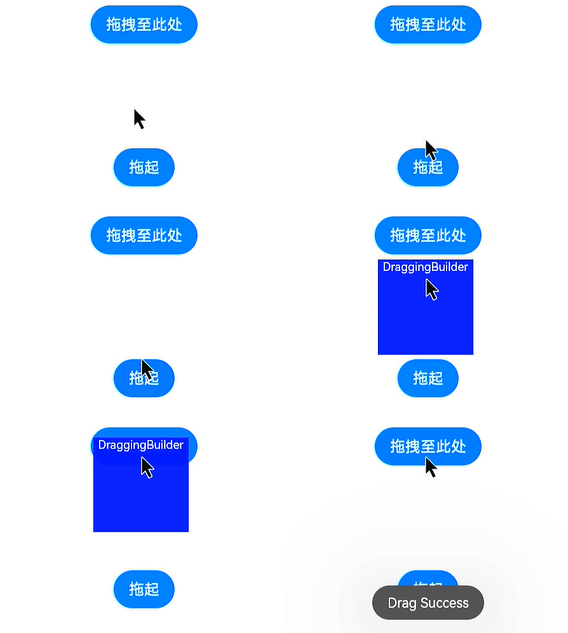
示例:

- 在EntryAbility.ets中获取UI上下文并保存至LocalStorage中。
import { AbilityConstant, UIAbility, Want } from '@kit.AbilityKit'; import { hilog } from '@kit.PerformanceAnalysisKit'; import { window, UIContext } from '@kit.ArkUI'; let uiContext: UIContext; let localStorage: LocalStorage = new LocalStorage('uiContext'); export default class EntryAbility extends UIAbility { storage: LocalStorage = localStorage; onCreate(want: Want, launchParam: AbilityConstant.LaunchParam): void { hilog.info(0x0000, 'testTag', '%{public}s', 'Ability onCreate'); } onDestroy(): void { hilog.info(0x0000, 'testTag', '%{public}s', 'Ability onDestroy'); } onWindowStageCreate(windowStage: window.WindowStage): void { hilog.info(0x0000, 'testTag', '%{public}s', 'Ability onWindowStageCreate'); windowStage.loadContent('pages/Index', this.storage, (err, data) => { if (err.code) { hilog.error(0x0000, 'testTag', 'Failed to load the content. Cause: %{public}s', `Code is ${err.code}, message is ${err.message}`); return; } hilog.info(0x0000, 'testTag', 'Succeeded in loading the content. Data: %{public}s', `Code is ${err.code}, message is ${err.message}`); windowStage.getMainWindow((err, data) => { if (err.code) { console.error(`Failed to obtain the main window. Code: ${err.code}, message: ${err.message}`); return; } uiContext = data.getUIContext(); this.storage.setOrCreate<UIContext>('uiContext', uiContext); }) }); } } - 在Index.ets中通过this.getUIContext().getSharedLocalStorage()获取UI上下文,进而获取DragController对象实施后续操作。
import { unifiedDataChannel } from '@kit.ArkData';
import { hilog } from '@kit.PerformanceAnalysisKit';
import { dragController, curves, UIContext } from '@kit.ArkUI';
import { BusinessError } from '@kit.BasicServicesKit';

class DragInfo {
  event: DragEvent | undefined = undefined;
  extraParams: string = '';
}

@Entry()
@Component
struct DragControllerPage {
  storages = this.getUIContext().getSharedLocalStorage();

  @Builder
  draggingBuilder() {
    Column() {
      Text('DraggingBuilder')
        .fontColor(Color.White)
        .fontSize(12)
    }
    .width(100)
    .height(100)
    .backgroundColor(Color.Blue)
  }

  build() {
    Column() {
      Button('拖拽至此处')
        .margin(10)
        .onDragEnter(() => {
          try {
            let uiContext: UIContext = this.storages?.get<UIContext>('uiContext') as UIContext;
            let previewObj: dragController.DragPreview = uiContext.getDragController().getDragPreview();
            let foregroundColor: ResourceColor = Color.Green;

            let previewAnimation: dragController.AnimationOptions = {
              curve: curves.cubicBezierCurve(0.2, 0, 0, 1),
            }
            previewObj.animate(previewAnimation, () => {
              previewObj.setForegroundColor(foregroundColor);
            });
          } catch (error) {
            let msg = (error as BusinessError).message;
            let code = (error as BusinessError).code;
            hilog.error(0x0000, `show error code is ${code}, message is ${msg}`, '');
          }
        })
        .onDrop(() => {
          this.getUIContext().getPromptAction().showToast({ duration: 100, message: 'Drag Success', bottom: 400 })
        })
      Button('拖起').onTouch((event?: TouchEvent) => {
        if (event) {
          if (event.type == TouchType.Down) {
            let text = new unifiedDataChannel.Text()
            let unifiedData = new unifiedDataChannel.UnifiedData(text)
            let dragInfo: dragController.DragInfo = {
              pointerId: 0,
              data: unifiedData,
              extraParams: ''
            }
            let eve: DragInfo = new DragInfo();
            this.getUIContext()
              .getDragController()
              .executeDrag(() => { // 建议使用 this.getUIContext().getDragController().executeDrag()接口
                this.draggingBuilder()
              }, dragInfo, (err, eve) => {
                hilog.info(0x0000, `${JSON.stringify(err)}`, '')
                if (eve && eve.event) {
                  if (eve.event.getResult() == DragResult.DRAG_SUCCESSFUL) {
                    hilog.info(0x0000, 'success', '');
                  } else if (eve.event.getResult() == DragResult.DRAG_FAILED) {
                    hilog.info(0x0000, 'failed', '');
                  }
                }
              })
          }
        }
      }).margin({ top: 100 })
    }
    .width('100%')
    .height('100%')
  }
}
DragStartRequestStatus18+
定义应用是否可以发起拖拽的枚举类型。仅在onDragStart调用时有效。
元服务API: 从API version 18开始,该接口支持在元服务中使用。
系统能力: SystemCapability.ArkUI.ArkUI.Full
| 名称 | 值 | 说明 |
|---|---|---|
| WAITING | 0 | 应用在准备数据阶段,无法发起拖拽。 |
| READY | 1 | 应用数据准备完成,可以发起拖拽。 |
DragSpringLoadingState20+
定义拖拽的悬停检测状态的枚举类型。
元服务API: 从API version 20开始,该接口支持在元服务中使用。
系统能力: SystemCapability.ArkUI.ArkUI.Full
| 名称 | 值 | 说明 |
|---|---|---|
| BEGIN | 0 | 拖拽进入组件范围并静止达到stillTimeLimit配置的时长后,被识别为悬停状态。此时允许进行悬停检测所需的数据准备、状态记录等准备操作。 |
| UPDATE | 1 | 拖拽已处于悬停状态,如果继续静止会定期触发UPDATE通知,以检查悬停状态。此时允许UI效果刷新以突出悬停状态。 |
| END | 2 | 如果最后一次UPDATE通知后拖拽继续静止会进入END,整个悬停检测结束。进入END后拖拽需要移出组件范围后再次进入组件或移入组件内子组件才会重新开始悬停检测。此时应用可进行清理、导航或视图切换操作。 |
| CANCEL | 3 | 拖拽进入BEGIN后,在手指/鼠标抬起、切换窗口、息屏、移出组件范围、移入组件内子组件或组件内移动超过检测阈值等场景会触发CANCEL通知,悬停检测中断。应用将恢复UI样式,并取消待定的导航及视图切换操作。 |
DragSpringLoadingConfiguration20+
定义拖拽的悬停检测配置参数的接口。默认的配置参数通常已能满足需求。可以在绑定onDragSpringLoading时指定配置,或者在BEGIN状态期间使用updateConfiguration方法动态修改该配置参数。
元服务API: 从API version 20开始,该接口支持在元服务中使用。
系统能力: SystemCapability.ArkUI.ArkUI.Full
| 名称 | 类型 | 只读 | 可选 | 说明 |
|---|---|---|---|---|
| stillTimeLimit | number | 否 | 是 | 进入悬停检测BEGIN状态所需保持静止的时间,单位:ms。取值范围为[0, 231-1]的整数。输入浮点数时只取整数部分。输入非法值(负数、null、undefined、NaN)时取默认值500。 |
| updateInterval | number | 否 | 是 | 进入悬停检测UPDATE状态后,更新通知的时间间隔,单位:ms。取值范围为[0, 231-1]的整数。输入浮点数时只取整数部分。输入非法值(负数、null、undefined、NaN)时取默认值100。 |
| updateNotifyCount | number | 否 | 是 | 进入悬停检测UPDATE状态后,更新通知的最大次数。取值范围为[0, 231-1]的整数。输入浮点数时只取整数部分。输入非法值(负数、null、undefined、NaN)时取默认值3。取值为0时,不发送UPDATE通知,并在BEGIN状态后立即触发END状态。 |
| updateToFinishInterval | number | 否 | 是 | 从UPDATE状态到END状态的最长等待时间,单位:ms。取值范围为[0, 231-1]的整数。输入浮点数时只取整数部分。输入非法值(负数、null、undefined、NaN)时取默认值100。 |
SpringLoadingDragInfos20+
定义触发悬停检测时拖拽事件信息的接口。该接口提供了拖拽数据摘要和拖拽事件额外信息,应用可以据此决定是否响应悬停检测回调。
元服务API: 从API version 20开始,该接口支持在元服务中使用。
系统能力: SystemCapability.ArkUI.ArkUI.Full
| 名称 | 类型 | 只读 | 可选 | 说明 |
|---|---|---|---|---|
| dataSummary | unifiedDataChannel.Summary | 否 | 是 | 拖拽数据的摘要,默认为null。 |
| extraInfos | string | 否 | 是 | 拖拽事件额外信息,默认为空字符串。 |
[h2]属性
元服务API: 从API version 20开始,该接口支持在元服务中使用。
系统能力: SystemCapability.ArkUI.ArkUI.Full
| 名称 | 类型 | 只读 | 可选 | 说明 |
|---|---|---|---|---|
| state | DragSpringLoadingState | 否 | 否 | 当前悬停检测的状态。 |
| currentNotifySequence | number | 否 | 否 | 在一次悬停检测流转中的回调通知次数,从0开始。 |
| dragInfos | SpringLoadingDragInfos | 否 | 是 | 拖拽信息,当悬停检测状态为CANCEL时缺失,为undefined时取SpringLoadingDragInfos默认值。 |
| currentConfig | DragSpringLoadingConfiguration | 否 | 是 | 当前回调中的配置信息,当悬停检测状态为CANCEL时缺失,为undefined时取DragSpringLoadingConfiguration默认值。 |
[h2]abort20+
abort(): void
终止后续的悬停检测。该方法应在悬停检测回调中通过SpringLoadingContext对象调用。本方法不会触发CANCEL状态通知,应用程序需要在执行本方法时进行状态清理。
元服务API: 从API version 20开始,该接口支持在元服务中使用。
系统能力: SystemCapability.ArkUI.ArkUI.Full
[h2]updateConfiguration20+
updateConfiguration(config: DragSpringLoadingConfiguration): void
更新悬停检测的配置,仅在悬停检测状态为BEGIN时生效。应用通常在绑定onDragSpringLoading时设置悬停检测配置或使用默认配置。该方法不会修改绑定时的原始配置,而是在后续悬停检测中更新动态的配置信息。使用本方法时,应根据拖拽数据类型调整悬停检测相关时间配置,因为不同的拖拽数据类型可能需要不同的用户交互响应时间。
元服务API: 从API version 20开始,该接口支持在元服务中使用。
系统能力: SystemCapability.ArkUI.ArkUI.Full
参数:
| 参数名 | 类型 | 必填 | 说明 |
|---|---|---|---|
| config | DragSpringLoadingConfiguration | 是 | 需要更新的悬停检测配置,用于动态设置进入BEGIN状态的静止时间、UPDATE通知间隔、通知次数和结束等待时间等,仅在悬停检测状态为BEGIN时生效。 |