提供获取组件截图的能力,包括已加载组件和未加载组件的截图,适用于需要获取组件渲染结果用于展示或后续处理的场景。

-
本模块首批接口从API version 10开始支持。后续版本的新增接口,采用上角标单独标记接口的起始版本。
-
本Class首批接口从API version 12开始支持。
-
本模块接口仅可在Stage模型下使用。
-
以下API需先使用UIContext中的getComponentSnapshot()方法获取ComponentSnapshot对象,再通过此实例调用对应方法。
-
缩放、平移、旋转等图形变换属性只对被截图组件的子组件生效;对目标组件本身应用图形变换属性不生效,显示的还是图形变换前的效果。
get12+
get(id: string, callback: AsyncCallback<image.PixelMap>, options?: componentSnapshot.SnapshotOptions): void
获取已加载的组件的截图,传入组件的组件标识,找到对应组件进行截图,适用于生成组件预览图、保存或分享局部UI截图等场景。使用callback异步回调。

截图会获取最近一帧的绘制内容。如果在组件触发更新的同时调用截图,更新的渲染内容不会被截取到,截图会返回上一帧的绘制内容。
元服务API: 从API version 12开始,该接口支持在元服务中使用。
系统能力: SystemCapability.ArkUI.ArkUI.Full
参数:
| 参数名 | 类型 | 必填 | 说明 |
|---|---|---|---|
| id | string | 是 | 目标组件的组件标识。 说明: 不支持未挂树组件,当传入的组件标识是离屏或缓存未挂树的节点时,系统不会对其进行截图。 |
| callback | AsyncCallback<image.PixelMap> | 是 | 回调函数。当截图返回结果成功,err为undefined,data为获取到的image.PixelMap;否则为错误对象。 |
| options | componentSnapshot.SnapshotOptions | 否 | 截图相关的自定义参数。当需要自定义截图缩放比例、等待渲染完成策略等配置时传入;不传入时使用系统默认截图配置。 |
错误码:
以下错误码的详细介绍请参见通用错误码、截图错误码和接口调用异常错误码。
| 错误码ID | 错误信息 |
|---|---|
| 401 | Parameter error. Possible causes: 1. Mandatory parameters are left unspecified; 2.Incorrect parameters types; 3. Parameter verification failed. |
| 100001 | Invalid ID. |
| 160003 | Unsupported color space or dynamic range mode in snapshot options. 适用版本:23+ |
示例:
import { image } from '@kit.ImageKit';
import { UIContext } from '@kit.ArkUI';

@Entry
@Component
struct SnapshotExample {
  @State pixmap: image.PixelMap | undefined = undefined;
  uiContext: UIContext = this.getUIContext();

  build() {
    Column() {
      Row() {
        Image(this.pixmap).width(150).height(150).border({ color: Color.Black, width: 2 }).margin(5)
        // $r('app.media.img')需要替换为开发者所需的图像资源文件
        Image($r('app.media.img'))
          .autoResize(true)
          .width(150)
          .height(150)
          .margin(5)
          .id('root')
      }

      Button('click to generate UI snapshot')
        .onClick(() => {
          this.uiContext.getComponentSnapshot().get('root', (error: Error, pixmap: image.PixelMap) => {
            if (error) {
              console.error(`Failed to get component snapshot: ${JSON.stringify(error)}`);
              return;
            }
            this.pixmap = pixmap;
          }, { scale: 2, waitUntilRenderFinished: true });
        }).margin(10)
    }
    .width('100%')
    .height('100%')
    .alignItems(HorizontalAlign.Center)
  }
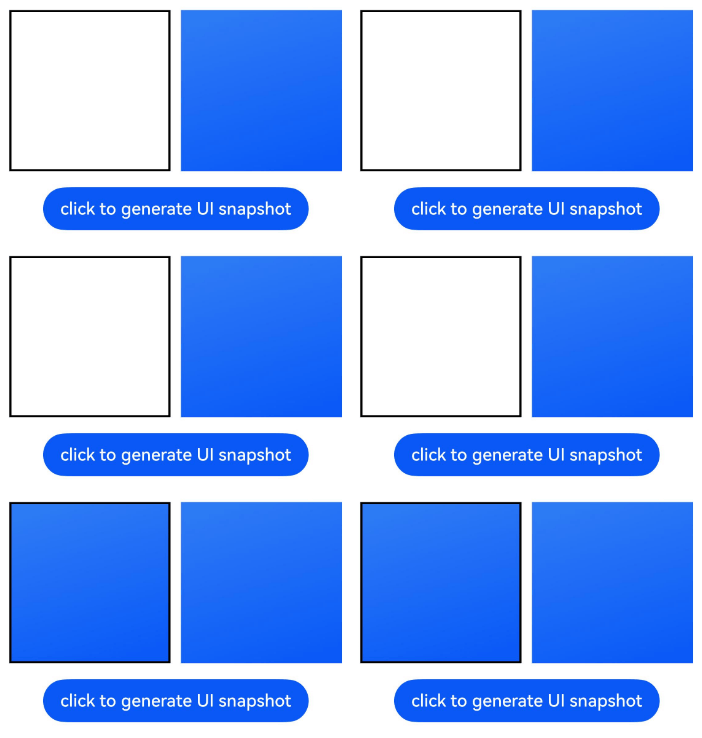
} 
get12+
get(id: string, options?: componentSnapshot.SnapshotOptions): Promise<image.PixelMap>
获取已加载的组件的截图,传入组件的组件标识,找到对应组件进行截图,适用于生成组件预览图、保存或分享局部UI截图等场景。使用Promise异步回调。

截图会获取最近一帧的绘制内容。如果在组件触发更新的同时调用截图,更新的渲染内容不会被截取到,截图会返回上一帧的绘制内容。
元服务API: 从API version 12开始,该接口支持在元服务中使用。
系统能力: SystemCapability.ArkUI.ArkUI.Full
参数:
| 参数名 | 类型 | 必填 | 说明 |
|---|---|---|---|
| id | string | 是 | 目标组件的组件标识。 说明: 不支持未挂树组件,当传入的组件标识是离屏或缓存未挂树的节点时,系统不会对其进行截图。 |
| options | componentSnapshot.SnapshotOptions | 否 | 截图相关的自定义参数。当需要自定义截图缩放比例、等待渲染完成策略等配置时传入;不传入时使用系统默认截图配置。 |
返回值:
| 类型 | 说明 |
|---|---|
| Promise<image.PixelMap> | Promise对象,返回组件截图对象。 |
错误码:
以下错误码的详细介绍请参见通用错误码、截图错误码和接口调用异常错误码。
| 错误码ID | 错误信息 |
|---|---|
| 401 | Parameter error. Possible causes: 1. Mandatory parameters are left unspecified; 2.Incorrect parameters types; 3. Parameter verification failed. |
| 100001 | Invalid ID. |
| 160003 | Unsupported color space or dynamic range mode in snapshot options. 适用版本:23+ |
示例:
import { image } from '@kit.ImageKit';
import { UIContext } from '@kit.ArkUI';

@Entry
@Component
struct SnapshotExample {
  @State pixmap: image.PixelMap | undefined = undefined;
  uiContext: UIContext = this.getUIContext();

  build() {
    Column() {
      Row() {
        Image(this.pixmap).width(150).height(150).border({ color: Color.Black, width: 2 }).margin(5)
        // $r('app.media.icon')需要替换为开发者所需的图像资源文件
        Image($r('app.media.icon'))
          .autoResize(true)
          .width(150)
          .height(150)
          .margin(5)
          .id('root')
      }

      Button('click to generate UI snapshot')
        .onClick(() => {
          this.uiContext.getComponentSnapshot()
            .get('root', { scale: 2, waitUntilRenderFinished: true })
            .then((pixmap: image.PixelMap) => {
              this.pixmap = pixmap;
            })
            .catch((err: Error) => {
              console.error(`Failed to get component snapshot: ${err}`);
            });
        }).margin(10)
    }
    .width('100%')
    .height('100%')
    .alignItems(HorizontalAlign.Center)
  }
} createFromBuilder12+
createFromBuilder(builder: CustomBuilder, callback: AsyncCallback<image.PixelMap>, delay?: number, checkImageStatus?: boolean, options?: componentSnapshot.SnapshotOptions): void
传入CustomBuilder自定义组件,系统对其进行离屏构建后进行截图,适用于生成未上屏组件预览图、分享卡片或导出临时构建组件图片等场景。使用callback异步回调。

元服务API: 从API version 12开始,该接口支持在元服务中使用。
系统能力: SystemCapability.ArkUI.ArkUI.Full
参数:
| 参数名 | 类型 | 必填 | 说明 |
|---|---|---|---|
| builder | CustomBuilder | 是 | 自定义组件构建函数。 说明: 不支持全局builder。 builder的根组件宽高为0时,截图操作会失败并抛出100001错误码。 |
| callback | AsyncCallback<image.PixelMap> | 是 | 回调函数。当截图返回结果成功,err为undefined,data为获取到的image.PixelMap;否则为错误对象。支持在回调中获取离屏组件绘制区域坐标和大小。 |
| delay | number | 否 | 指定触发截图指令的延迟时间。当布局中使用了Image组件时,需要指定延迟时间,以便系统解码图片资源。资源越大,解码需要的时间越长,建议优先使用不需要解码的PixelMap资源。 当使用PixelMap资源或对Image组件设置syncLoad为true时,可以配置delay为0,强制不等待触发截图。该延迟时间并非指接口从调用到返回的时间,由于系统需要对传入的builder进行临时离屏构建,因此返回的时间通常要比该延迟时间长。 说明: 截图接口传入的builder中,不应使用状态变量控制子组件的构建;如果必须使用状态变量控制子组件构建,在调用截图接口时,相关状态变量的值不应再变化,以避免出现截图不符合预期的情况。 默认值:300 单位:毫秒 取值范围:[0, +∞),小于0时按默认值处理。 |
| checkImageStatus | boolean | 否 | 指定是否允许在截图之前,校验图片解码状态。如果为true,则会在截图之前检查所有Image组件是否已经解码完成;如果存在未完成解码的Image组件,则会放弃截图并返回异常;如果为false,则不会在截图之前检查Image组件解码状态。 默认值:false |
| options | componentSnapshot.SnapshotOptions | 否 | 截图相关的自定义参数。当需要自定义截图缩放比例、等待渲染完成策略等配置时传入;不传入时使用系统默认截图配置。 |
错误码:
以下错误码的详细介绍请参见通用错误码、截图错误码和接口调用异常错误码。
| 错误码ID | 错误信息 |
|---|---|
| 401 | Parameter error. Possible causes: 1. Mandatory parameters are left unspecified; 2.Incorrect parameters types; 3. Parameter verification failed. |
| 100001 | The builder is not a valid build function. |
| 160001 | An image component in builder is not ready for taking a snapshot. The check for the ready state is required when the checkImageStatus option is enabled. |
| 160003 | Unsupported color space or dynamic range mode in snapshot options. 适用版本:23+ |
| 160004 | isAuto(true) is not supported for offscreen node snapshots. 适用版本:23+ |
示例:
import { image } from '@kit.ImageKit';
import { UIContext } from '@kit.ArkUI';

@Entry
@Component
struct ComponentSnapshotExample {
  @State pixmap: image.PixelMap | undefined = undefined;
  uiContext: UIContext = this.getUIContext();

  @Builder
  randomBuilder() {
    Flex({ direction: FlexDirection.Column, justifyContent: FlexAlign.Center, alignItems: ItemAlign.Center }) {
      Text('Test menu item 1')
        .fontSize(20)
        .width(100)
        .height(50)
        .textAlign(TextAlign.Center)
      Divider().height(10)
      Text('Test menu item 2')
        .fontSize(20)
        .width(100)
        .height(50)
        .textAlign(TextAlign.Center)
    }
    .width(100)
    .id('builder')
  }

  build() {
    Column() {
      Button('click to generate UI snapshot')
        .onClick(() => {
          this.uiContext.getComponentSnapshot().createFromBuilder(() => {
            this.randomBuilder()
          },
            (error: Error, pixmap: image.PixelMap) => {
              if (error) {
                console.error(`Failed to create component snapshot from builder: ${error}`);
                return;
              }
              this.pixmap = pixmap;
            }, 320, true, { scale: 2, waitUntilRenderFinished: true });
        })
      Image(this.pixmap)
        .margin(10)
        .height(200)
        .width(200)
        .border({ color: Color.Black, width: 2 })
    }.width('100%').margin({ left: 10, top: 5, bottom: 5 }).height(300)
  }
} createFromBuilder12+
createFromBuilder(builder: CustomBuilder, delay?: number, checkImageStatus?: boolean, options?: componentSnapshot.SnapshotOptions): Promise<image.PixelMap>
传入CustomBuilder自定义组件,系统对其进行离屏构建后进行截图,适用于生成未上屏组件预览图、分享卡片或导出临时构建组件图片等场景。使用Promise异步回调。

元服务API: 从API version 12开始,该接口支持在元服务中使用。
系统能力: SystemCapability.ArkUI.ArkUI.Full
参数:
| 参数名 | 类型 | 必填 | 说明 |
|---|---|---|---|
| builder | CustomBuilder | 是 | 自定义组件构建函数。 说明: 不支持全局builder。 builder的根组件宽高为0时,截图操作会失败并抛出100001错误码。 |
| delay | number | 否 | 指定触发截图指令的延迟时间。当布局中使用了图片组件时,需要指定延迟时间,以便系统解码图片资源。资源越大,解码需要的时间越长,建议优先使用不需要解码的PixelMap资源。 当使用PixelMap资源或对Image组件设置syncLoad为true时,可以配置delay为0,强制不等待触发截图。该延迟时间并非指接口从调用到返回的时间,由于系统需要对传入的builder进行临时离屏构建,因此返回的时间通常要比该延迟时间长。 说明: 截图接口传入的builder中,不应使用状态变量控制子组件的构建;如果必须使用状态变量控制子组件构建,在调用截图接口时,相关状态变量的值不应再变化,以避免出现截图不符合预期的情况。 默认值:300 单位:毫秒 取值范围:[0, +∞),小于0时按默认值处理。 |
| checkImageStatus | boolean | 否 | 指定是否允许在截图之前,校验图片解码状态。如果为true,则会在截图之前检查所有Image组件是否已经解码完成;如果存在未完成解码的Image组件,则会放弃截图并返回异常。 默认值:false |
| options | componentSnapshot.SnapshotOptions | 否 | 截图相关的自定义参数。当需要自定义截图缩放比例、等待渲染完成策略等配置时传入;不传入时使用系统默认截图配置。 |
返回值:
| 类型 | 说明 |
|---|---|
| Promise<image.PixelMap> | Promise对象,返回组件截图对象。 |
错误码:
以下错误码的详细介绍请参见通用错误码、截图错误码和接口调用异常错误码。
| 错误码ID | 错误信息 |
|---|---|
| 401 | Parameter error. Possible causes: 1. Mandatory parameters are left unspecified; 2.Incorrect parameters types; 3. Parameter verification failed. |
| 100001 | The builder is not a valid build function. |
| 160001 | An image component in builder is not ready for taking a snapshot. The check for the ready state is required when the checkImageStatus option is enabled. |
| 160003 | Unsupported color space or dynamic range mode in snapshot options. 适用版本:23+ |
| 160004 | isAuto(true) is not supported for offscreen node snapshots. 适用版本:23+ |
示例:
import { image } from '@kit.ImageKit';
import { UIContext } from '@kit.ArkUI';

@Entry
@Component
struct ComponentSnapshotExample {
  @State pixmap: image.PixelMap | undefined = undefined;
  uiContext: UIContext = this.getUIContext();

  @Builder
  randomBuilder() {
    Flex({ direction: FlexDirection.Column, justifyContent: FlexAlign.Center, alignItems: ItemAlign.Center }) {
      Text('Test menu item 1')
        .fontSize(20)
        .width(100)
        .height(50)
        .textAlign(TextAlign.Center)
      Divider().height(10)
      Text('Test menu item 2')
        .fontSize(20)
        .width(100)
        .height(50)
        .textAlign(TextAlign.Center)
    }
    .width(100)
    .id('builder')
  }

  build() {
    Column() {
      Button('click to generate UI snapshot')
        .onClick(() => {
          this.uiContext.getComponentSnapshot()
            .createFromBuilder(() => {
              this.randomBuilder()
            }, 320, true, { scale: 2, waitUntilRenderFinished: true })
            .then((pixmap: image.PixelMap) => {
              this.pixmap = pixmap;
            })
            .catch((err: Error) => {
              console.error(`Failed to create component snapshot from builder: ${err}`);
            });
        })
      Image(this.pixmap)
        .margin(10)
        .height(200)
        .width(200)
        .border({ color: Color.Black, width: 2 })
    }.width('100%').margin({ left: 10, top: 5, bottom: 5 }).height(300)
  }
} getSync12+
getSync(id: string, options?: componentSnapshot.SnapshotOptions): image.PixelMap
获取已加载的组件的截图,传入组件的组件标识,找到对应组件进行截图,同步等待截图完成返回PixelMap,适用于需要即时获取截图结果且对性能要求不高的场景。本方法会阻塞主线程,请谨慎使用。接口的最大等待时间为3s,如果3s后未返回将会抛出异常。

截图会获取最近一帧的绘制内容。如果在组件触发更新的同时调用截图,更新的渲染内容不会被截取到,截图会返回上一帧的绘制内容。
元服务API: 从API version 12开始,该接口支持在元服务中使用。
系统能力: SystemCapability.ArkUI.ArkUI.Full
参数:
| 参数名 | 类型 | 必填 | 说明 |
|---|---|---|---|
| id | string | 是 | 目标组件的组件标识。 说明: 不支持未挂树组件,当传入的组件标识是离屏或缓存未挂树的节点时,系统不会对其进行截图。 |
| options | componentSnapshot.SnapshotOptions | 否 | 截图相关的自定义参数。 |
返回值:
| 类型 | 说明 |
|---|---|
| image.PixelMap | 截图返回的结果。 |
错误码:
以下错误码的详细介绍请参见通用错误码、截图错误码和接口调用异常错误码。
| 错误码ID | 错误信息 |
|---|---|
| 401 | Parameter error. Possible causes: 1. Mandatory parameters are left unspecified; 2.Incorrect parameters types; 3. Parameter verification failed. |
| 100001 | Invalid ID. |
| 160002 | Timeout. |
| 160003 | Unsupported color space or dynamic range mode in snapshot options. 适用版本:23+ |
示例:
import { image } from '@kit.ImageKit';

@Entry
@Component
struct SnapshotExample {
  @State pixmap: image.PixelMap | undefined = undefined;

  build() {
    Column() {
      Row() {
        Image(this.pixmap).width(150).height(150).border({ color: Color.Black, width: 2 }).margin(5)
        // $r('app.media.img')需要替换为开发者所需的图像资源文件
        Image($r('app.media.img'))
          .autoResize(true)
          .width(150)
          .height(150)
          .margin(5)
          .id('root')
      }

      Button('click to generate UI snapshot')
        .onClick(() => {
          try {
            let pixelmap =
              this.getUIContext().getComponentSnapshot().getSync('root', { scale: 2, waitUntilRenderFinished: true });
            this.pixmap = pixelmap;
          } catch (error) {
            console.error(`getSync errorCode: ${error.code} message: ${error.message}`);
          }
        }).margin(10)
    }
    .width('100%')
    .height('100%')
    .alignItems(HorizontalAlign.Center)
  }
} getWithUniqueId15+
getWithUniqueId(uniqueId: number, options?: componentSnapshot.SnapshotOptions): Promise<image.PixelMap>
获取已加载的组件的截图,传入组件的uniqueId,找到对应组件进行截图,适用于通过FrameNode等节点对象管理组件并需要按节点唯一ID生成组件截图的场景。使用Promise异步回调。

截图会获取最近一帧的绘制内容。如果在组件触发更新的同时调用截图,更新的渲染内容不会被截取到,截图会返回上一帧的绘制内容。
元服务API: 从API version 15开始,该接口支持在元服务中使用。
系统能力: SystemCapability.ArkUI.ArkUI.Full
参数:
| 参数名 | 类型 | 必填 | 说明 |
|---|---|---|---|
| uniqueId | number | 是 | 目标组件的uniqueId。FrameNode节点的uniqueId可通过getUniqueId接口获取。 说明: 不支持未挂树组件,当传入的组件uniqueId对应的是离屏或缓存未挂树的节点时,系统不会对其进行截图。 |
| options | componentSnapshot.SnapshotOptions | 否 | 截图相关的自定义参数。 |
返回值:
| 类型 | 说明 |
|---|---|
| Promise<image.PixelMap> | Promise对象,返回组件截图对象。 |
错误码:
以下错误码的详细介绍请参见通用错误码、截图错误码和接口调用异常错误码。
| 错误码ID | 错误信息 |
|---|---|
| 401 | Parameter error. Possible causes: 1. Mandatory parameters are left unspecified; 2.Incorrect parameters types; 3. Parameter verification failed. |
| 100001 | Invalid ID. |
| 160003 | Unsupported color space or dynamic range mode in snapshot options. 适用版本:23+ |
示例:
import { NodeController, FrameNode, typeNode } from '@kit.ArkUI';
import { image } from '@kit.ImageKit';
import { UIContext } from '@kit.ArkUI';

class MyNodeController extends NodeController {
  public node: FrameNode | null = null;
  public imageNode: FrameNode | null = null;

  makeNode(uiContext: UIContext): FrameNode | null {
    this.node = new FrameNode(uiContext);
    this.node.commonAttribute.width('100%').height('100%');

    let image = typeNode.createNode(uiContext, 'Image');
    // $r('app.media.img')需要替换为开发者所需的图像资源文件
    image.initialize($r('app.media.img')).width('100%').height('100%').autoResize(true);
    this.imageNode = image;

    this.node.appendChild(image);
    return this.node;
  }
}

@Entry
@Component
struct SnapshotExample {
  private myNodeController: MyNodeController = new MyNodeController();
  @State pixmap: image.PixelMap | undefined = undefined;

  build() {
    Column() {
      Row() {
        Image(this.pixmap).width(200).height(200).border({ color: Color.Black, width: 2 }).margin(5)
        NodeContainer(this.myNodeController).width(200).height(200).margin(5)
      }

      Button('UniqueId get snapshot')
        .onClick(() => {
          try {
            this.getUIContext()
              .getComponentSnapshot()
              .getWithUniqueId(this.myNodeController.imageNode?.getUniqueId(),
                { scale: 2, waitUntilRenderFinished: true })
              .then((pixmap: image.PixelMap) => {
                this.pixmap = pixmap;
              })
              .catch((err: Error) => {
                console.error(`UniqueId get snapshot Error: ${err}`);
              });
          } catch (error) {
            console.error(`UniqueId get snapshot Error. Code: ${error.code}, message: ${error.message}`);
          }
        }).margin(10)
    }
    .width('100%')
    .height('100%')
    .alignItems(HorizontalAlign.Center)
  }
} getSyncWithUniqueId15+
getSyncWithUniqueId(uniqueId: number, options?: componentSnapshot.SnapshotOptions): image.PixelMap
获取已加载的组件的截图,传入组件的uniqueId,找到对应组件进行截图,适用于通过FrameNode等节点对象管理组件且需要同步获取组件截图的场景。同步等待截图完成返回PixelMap。本方法会阻塞主线程,请谨慎使用;如无同步获取截图的强诉求,建议使用getWithUniqueId异步获取截图。

截图会获取最近一帧的绘制内容。如果在组件触发更新的同时调用截图,更新的渲染内容不会被截取到,截图会返回上一帧的绘制内容。
元服务API: 从API version 15开始,该接口支持在元服务中使用。
系统能力: SystemCapability.ArkUI.ArkUI.Full
参数:
| 参数名 | 类型 | 必填 | 说明 |
|---|---|---|---|
| uniqueId | number | 是 | 目标组件的uniqueId。FrameNode节点的uniqueId可通过getUniqueId接口获取。 说明: 不支持未挂树组件,当传入的uniqueId对应离屏或缓存未挂树的节点时,系统不会对其进行截图。 |
| options | componentSnapshot.SnapshotOptions | 否 | 截图相关的自定义参数。当需要自定义截图缩放比例、等待渲染完成策略等配置时传入;不传入时使用系统默认截图配置。 |
返回值:
| 类型 | 说明 |
|---|---|
| image.PixelMap | 截图返回的结果。 |
错误码:
以下错误码的详细介绍请参见通用错误码、截图错误码和接口调用异常错误码。
| 错误码ID | 错误信息 |
|---|---|
| 401 | Parameter error. Possible causes: 1. Mandatory parameters are left unspecified; 2.Incorrect parameters types; 3. Parameter verification failed. |
| 100001 | Invalid ID. |
| 160002 | Timeout. |
| 160003 | Unsupported color space or dynamic range mode in snapshot options. 适用版本:23+ |
示例:
import { NodeController, FrameNode, typeNode, UIContext } from '@kit.ArkUI';
import { image } from '@kit.ImageKit';
// 自定义节点控制器,创建包含Image的FrameNode节点
class MyNodeController extends NodeController {
  public node: FrameNode | null = null;
  public imageNode: FrameNode | null = null;
  // 构建自定义节点,创建根FrameNode并添加Image子节点,配置Image资源与样式
  makeNode(uiContext: UIContext): FrameNode | null {
    this.node = new FrameNode(uiContext);
    this.node.commonAttribute.width('100%').height('100%');

    let image = typeNode.createNode(uiContext, 'Image');
    // $r('app.media.img')需要替换为开发者所需的图像资源文件
    image.initialize($r('app.media.img')).width('100%').height('100%').autoResize(true);
    this.imageNode = image;

    this.node.appendChild(image);
    return this.node;
  }
}

@Entry
@Component
struct SnapshotExample {
  private myNodeController: MyNodeController = new MyNodeController();
  @State pixmap: image.PixelMap | undefined = undefined;

  build() {
    Column() {
      Row() {
        Image(this.pixmap).width(200).height(200).border({ color: Color.Black, width: 2 }).margin(5)
        NodeContainer(this.myNodeController).width(200).height(200).margin(5)
      }

      Button('UniqueId getSync snapshot')
        .onClick(() => {
          try {
            // 通过节点唯一ID同步生成组件快照,缩放比例为2倍,等待渲染完成后生成
            this.pixmap = this.getUIContext()
              .getComponentSnapshot()
              .getSyncWithUniqueId(this.myNodeController.imageNode?.getUniqueId(),
                { scale: 2, waitUntilRenderFinished: true });
          } catch (error) {
            console.error(`UniqueId getSync snapshot Error. Code: ${error.code}, message: ${error.message}`);
          }
        }).margin(10)
    }
    .width('100%')
    .height('100%')
    .alignItems(HorizontalAlign.Center)
  }
} createFromComponent18+
createFromComponent<T extends Object>(content: ComponentContent<T>, delay?: number, checkImageStatus?: boolean, options?: componentSnapshot.SnapshotOptions): Promise<image.PixelMap>
将传入的content对象进行截图。与createFromBuilder传入CustomBuilder由系统离屏构建不同,createFromComponent传入的是已构建的ComponentContent对象,适用于已经通过ComponentContent管理组件内容的场景(如弹窗、节点管理等)。使用Promise异步回调。
元服务API: 从API version 18开始,该接口支持在元服务中使用。
系统能力: SystemCapability.ArkUI.ArkUI.Full
参数:
| 参数名 | 类型 | 必填 | 说明 |
|---|---|---|---|
| content | ComponentContent<T> | 是 | 当前UIContext显示的组件内容。 |
| delay | number | 否 | 指定触发截图指令的延迟时间。当布局中使用了图片组件时,需要指定延迟时间,以便系统解码图片资源。资源越大,解码需要的时间越长,建议优先使用不需要解码的PixelMap资源。 当使用PixelMap资源或对Image组件设置syncLoad为true时,可以配置delay为0,强制不等待触发截图。该延迟时间并非指接口从调用到返回的时间,由于系统需要对传入的content对象进行截图处理,因此返回的时间通常要比该延迟时间长。 说明: 截图接口传入的content对象中,不应使用状态变量控制子组件的构建,如果必须要使用,在调用截图接口时,也不应再有变化,以避免出现截图不符合预期的情况。 取值范围:[0,+∞) ,小于0时按默认值处理。 默认值:300 单位:毫秒 |
| checkImageStatus | boolean | 否 | 指定是否允许在截图之前,校验图片解码状态。如果为true,则会在截图之前检查所有Image组件是否已经解码完成;如果存在未完成解码的Image组件,则会放弃截图并返回异常。 默认值:false |
| options | componentSnapshot.SnapshotOptions | 否 | 截图相关的自定义参数,可以指定截图时图形侧绘制PixelMap的缩放比例与是否强制等待系统执行截图指令前所有绘制指令都执行完成之后再截图。当需要自定义截图缩放比例或等待渲染完成策略时传入;不传入时使用系统默认截图配置。 |
返回值:
| 类型 | 说明 |
|---|---|
| Promise<image.PixelMap> | Promise对象,返回组件截图对象。 |
错误码:
以下错误码的详细介绍请参见通用错误码、截图错误码和接口调用异常错误码。
| 错误码ID | 错误信息 |
|---|---|
| 401 | Parameter error. Possible causes: 1. Mandatory parameters are left unspecified; 2.Incorrect parameters types; 3. Parameter verification failed. |
| 100001 | The builder is not a valid build function. |
| 160001 | An image component in builder is not ready for taking a snapshot. The check for the ready state is required when the checkImageStatus option is enabled. |
| 160003 | Unsupported color space or dynamic range mode in snapshot options. 适用版本:23+ |
| 160004 | isAuto(true) is not supported for offscreen node snapshots. 适用版本:23+ |
示例:
import { image } from '@kit.ImageKit';
import { ComponentContent, UIContext } from '@kit.ArkUI';

class Params {
  text: string | undefined | null = '';

  constructor(text: string | undefined | null) {
    this.text = text;
  }
}

@Builder
function buildText(params: Params) {
  ReusableChildComponent({ text: params.text })
}

@Component
struct ReusableChildComponent {
  @Prop text: string | undefined | null = '';

  aboutToReuse(params: Record<string, object>) {
    console.info(`ReusableChildComponent Reusable ${JSON.stringify(params)}`);
  }

  aboutToRecycle(): void {
    console.info(`ReusableChildComponent aboutToRecycle ${this.text}`);
  }

  build() {
    Column() {
      Text(this.text)
        .fontSize(90)
        .fontWeight(FontWeight.Bold)
        .margin({ bottom: 36 })
        .width('100%')
        .height('100%')
    }.backgroundColor('#FFF0F0F0')
  }
}

@Entry
@Component
struct Index {
  @State pixmap: image.PixelMap | undefined = undefined;
  @State message: string | undefined | null = 'hello';
  uiContext: UIContext = this.getUIContext();

  build() {
    Row() {
      Column() {
        Button('点击生成组件截图')
          .onClick(() => {
            let uiContext = this.getUIContext();
            let contentNode = new ComponentContent(uiContext, wrapBuilder(buildText), new Params(this.message));
            this.uiContext.getComponentSnapshot()
              .createFromComponent(contentNode
                , 320, true, { scale: 2, waitUntilRenderFinished: true })
              .then((pixmap: image.PixelMap) => {
                this.pixmap = pixmap;
              })
              .catch((err: Error) => {
                console.error(`Failed to create component snapshot from component content: ${err}`);
              });
          });
        Image(this.pixmap)
          .margin(10)
          .height(200)
          .width(200)
          .border({ color: Color.Black, width: 2 })
      }.width('100%').margin({ left: 10, top: 5, bottom: 5 }).height(300)
    }
    .width('100%')
    .height('100%')
  }
}
getSizeLimitation
getSizeLimitation(): componentSnapshot.SnapshotSizeLimitation
查询组件截图的最大尺寸限制,适用于在执行组件截图前校验目标组件尺寸是否超过系统限制的场景。
起始版本: 26.0.0
模型约束: 此接口仅可在Stage模型下使用。
元服务API: 从API版本26.0.0开始,该接口支持在元服务中使用。
系统能力: SystemCapability.ArkUI.ArkUI.Full
返回值:
| 类型 | 说明 |
|---|---|
| componentSnapshot.SnapshotSizeLimitation | 组件截图的尺寸限制信息。 |
示例:
import { image } from '@kit.ImageKit';

@Entry
@Component
struct SnapshotColorModeExample {
  @State pixmap: image.PixelMap | undefined = undefined;

  build() {
    Column() {
      Row() {
        Image(this.pixmap).width(200).height(200).border({ color: Color.Black, width: 2 }).margin(5)
        Image($r('app.media.startIcon'))
          .autoResize(true)
          .width(200)
          .height(200)
          .margin(5)
          .id('root')
      }

      Button('click to generate UI snapshot')
        .onClick(() => {
          let componentSnapshot = this.getUIContext().getComponentSnapshot();
          // 检查尺寸限制
          let limitation = componentSnapshot.getSizeLimitation();
          console.info(`Max width: ${limitation.maxWidth}, Max height: ${limitation.maxHeight}`);
          // 验证节点尺寸是否符合最大尺寸限制
          if (limitation.maxWidth >= this.getUIContext().vp2px(200) &&
            limitation.maxHeight >= this.getUIContext().vp2px(200)) {
            this.getUIContext().getComponentSnapshot().get('root', (error: Error, pixmap: image.PixelMap) => {
              if (error) {
                console.error(`Failed to get component snapshot: ${error}`);
                return;
              }
              this.pixmap = pixmap;
            });
          }
        }).margin(10)
    }
    .width('100%')
    .height('100%')
    .alignItems(HorizontalAlign.Center)
  }
}