


智能客服
你问我答,随时在线为你解决问题















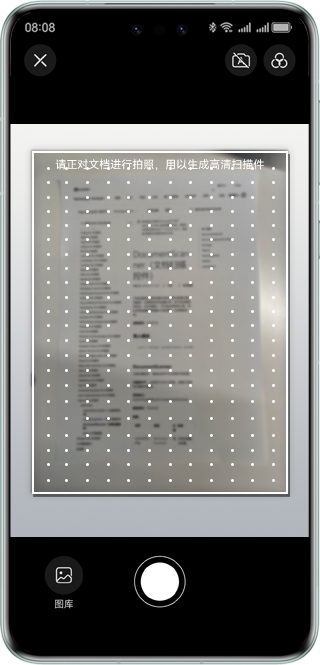
文档扫描控件提供拍摄文档并转换为高清扫描件的服务。仅需使用手机拍摄文档,即可自动裁剪和优化,并支持图片保存和分享;同时支持拍摄或从图库选择图片识别表格,生成表格文档。
可广泛用于教育办公场景,扫描文档、票据、课堂PPT和书籍等输出图片供用户完成发送、存档等操作。
该能力当前不支持模拟器。
- import { DocType, DocumentScanner, DocumentScannerConfig, SaveOption, FilterId, ShootingMode } from "@kit.VisionKit";
- import { hilog } from '@kit.PerformanceAnalysisKit';
-
- const TAG = 'DocumentScanner'
-
- @Entry
- @Component
- struct Index {
- private docScanConfig = new DocumentScannerConfig()
-
- aboutToAppear() {
- this.docScanConfig.supportType = [DocType.DOC, DocType.SHEET]
- this.docScanConfig.isGallerySupported = true
- this.docScanConfig.editTabs = []
- this.docScanConfig.maxShotCount = 3
- this.docScanConfig.defaultFilterId = FilterId.ORIGINAL
- this.docScanConfig.defaultShootingMode = ShootingMode.MANUAL
- this.docScanConfig.isShareable = true
- this.docScanConfig.originalUris = []
- }
-
- build() {
- Column() {
- DocumentScanner({
- scannerConfig: this.docScanConfig,
- onResult: (code: number, saveType: SaveOption, uris: string[]) => {
- hilog.info(0x0001, TAG, `result code: ${code}, save: ${saveType}`)
- uris.forEach(uriString => {
- hilog.info(0x0001, TAG, `uri: ${uriString}`)
- })
- }
- }).size({ width: '100%', height: '100%' })
- }
- .height('100%')
- .width('100%')
- }
- }
- //开发实例分两页实现,一页为文档扫描入口页,一页为文档扫描实现页
- //文档扫描入口页,需引入文档扫描实现页,以下文实例为例,实现页文件名为DocDemoPage
- import { DocDemoPage } from './DocDemoPage'
-
- @Entry
- @Component
- struct MainPage {
- @Provide('pathStack') pathStack: NavPathStack = new NavPathStack()
-
- @Builder
- PageMap(name: string) {
- if (name === 'documentScanner') {
- DocDemoPage()
- }
- }
-
- //文档扫描入口按钮,可替换为业务入口
- build() {
- Navigation(this.pathStack) {
- Button('DocumentScanner', { stateEffect: true, type: ButtonType.Capsule })
- .width('50%')
- .height(40)
- .onClick(() => {
- this.pathStack.pushPath({ name: 'documentScanner' })
- })
- }.title('文档扫描控件demo').navDestination(this.PageMap)
- .mode(NavigationMode.Stack)
- }
- }
- //文档扫描实现页,文件名为DocDemoPage,需被引入至入口页
- import {
- DocType,
- DocumentScanner,
- DocumentScannerConfig,
- SaveOption,
- FilterId,
- ShootingMode
- } from "@kit.VisionKit"
- import { hilog } from '@kit.PerformanceAnalysisKit';
-
- const TAG: string = 'DocDemoPage'
-
- //文档扫描页,用于加载uiExtensionAbility
- @Entry
- @Component
- export struct DocDemoPage {
- @State docImageUris: string[] = []
- @Consume('pathStack') pathStack: NavPathStack
- private docScanConfig = new DocumentScannerConfig()
-
- aboutToAppear() {
- this.docScanConfig.supportType = [DocType.DOC, DocType.SHEET]
- this.docScanConfig.isGallerySupported = true
- this.docScanConfig.editTabs = []
- this.docScanConfig.maxShotCount = 3
- this.docScanConfig.defaultFilterId = FilterId.ORIGINAL
- this.docScanConfig.defaultShootingMode = ShootingMode.MANUAL
- this.docScanConfig.isShareable = true
- this.docScanConfig.originalUris = []
- }
-
- build() {
- NavDestination() {
- Stack({ alignContent: Alignment.Top }) {
- //展示文档扫描结果
- List() {
- ForEach(this.docImageUris, (uri: string) => {
- ListItem() {
- Image(uri)
- .objectFit(ImageFit.Contain)
- .width(100)
- .height(100)
- }
- })
- }
- .listDirection(Axis.Vertical)
- .alignListItem(ListItemAlign.Center)
- .margin({
- top: 50
- })
- .width('80%')
- .height('80%')
-
- //文档扫描
- DocumentScanner({
- scannerConfig: this.docScanConfig,
- onResult: (code: number, saveType: SaveOption, uris: string[]) => {
- hilog.info(0x0001, TAG, `result code: ${code}, save: ${saveType}`)
- if (code === -1) {
- this.pathStack.pop()
- }
- uris.forEach(uriString => {
- hilog.info(0x0001, TAG, `uri: ${uriString}`)
- })
- this.docImageUris = uris
- }
- })
- .size({ width: '100%', height: '100%' })
- }
- .width('100%')
- .height('100%')
- }
- .width('100%')
- .height('100%')
- .hideTitleBar(true)
- }
- }
智能客服
你问我答,随时在线为你解决问题
合作咨询
我们的专家服务团队将竭诚为您提供专业的合作咨询服务
解决方案
精准高效的一站式服务支持,助力开发者商业成功