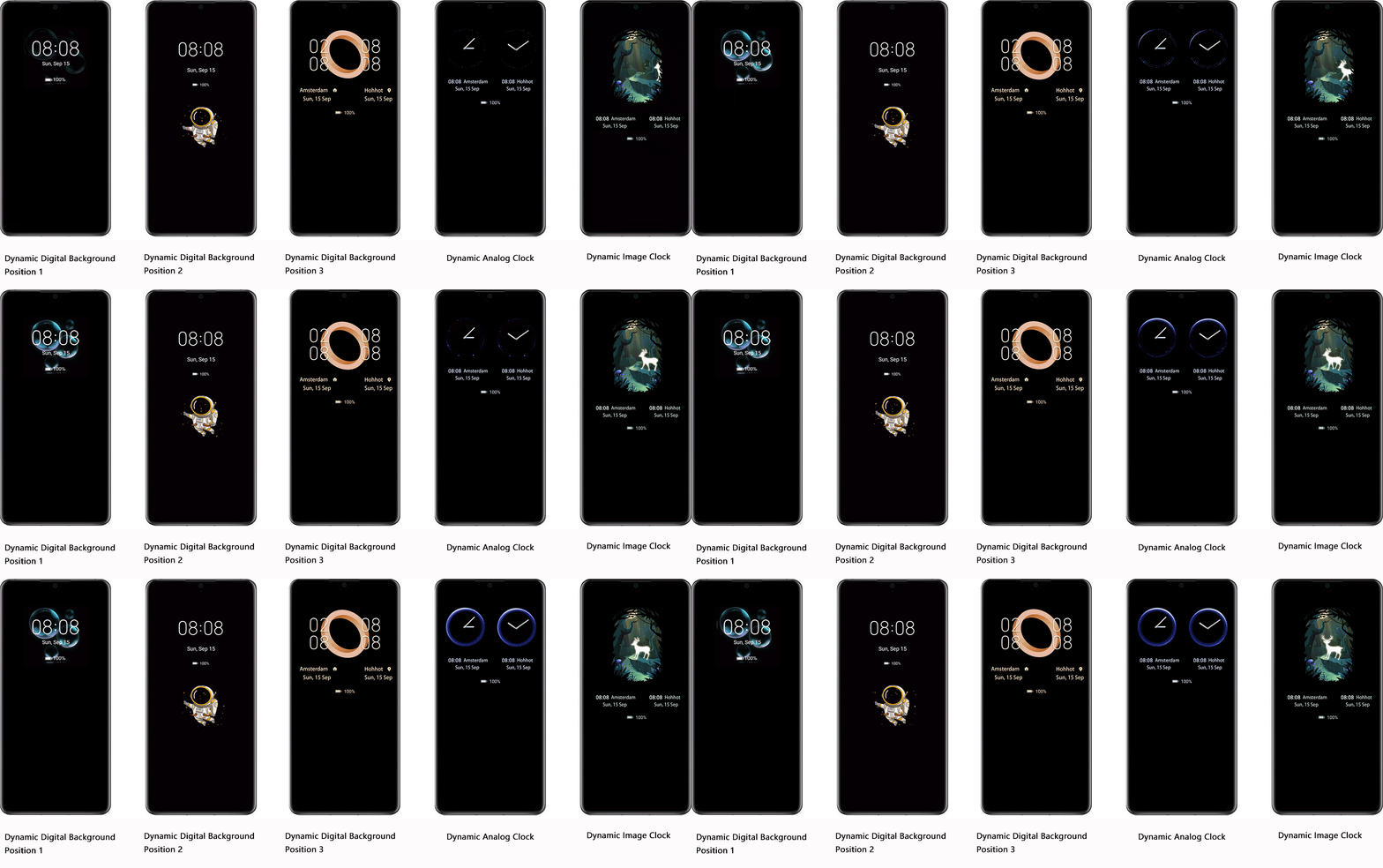
 3. AOD Development Process
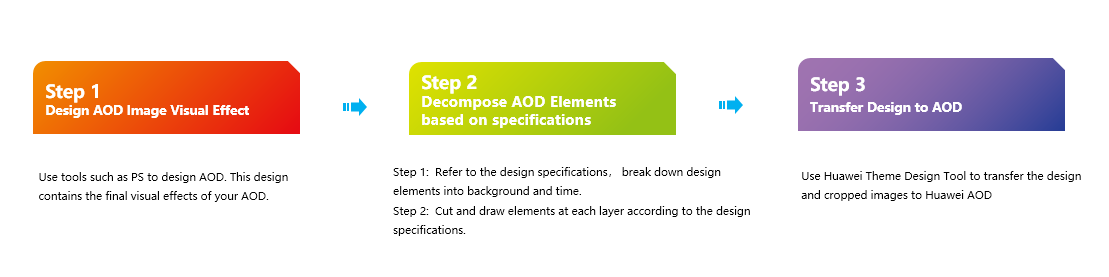
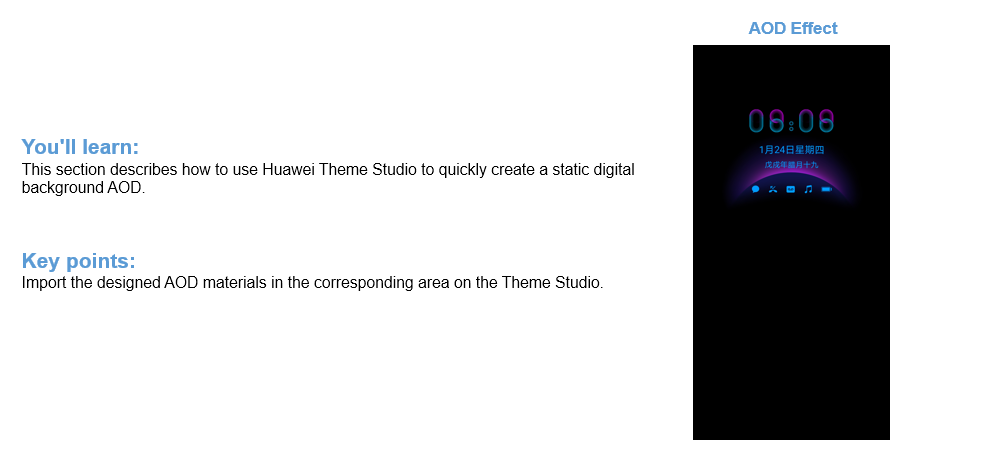
1. Click and open Huawei Theme Studio.
2. Click New Project.
3. Enter the Chinese and English names, set Version to EMUI10.1, and Project Type to AOD.
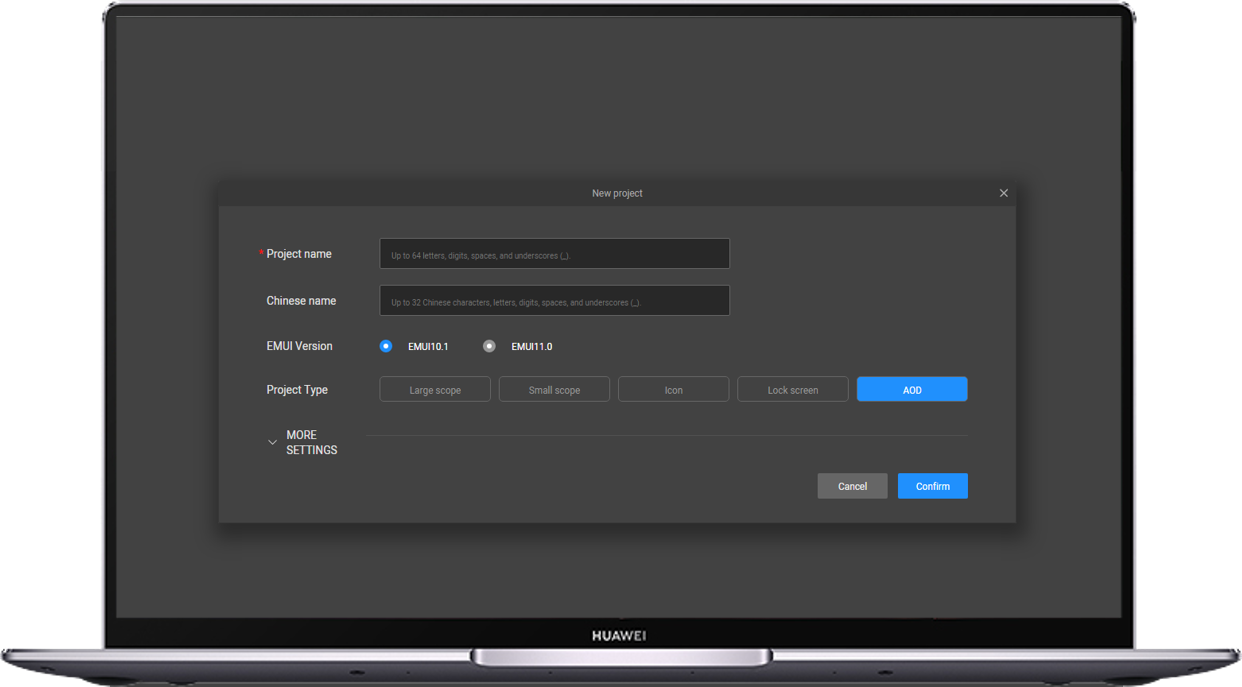
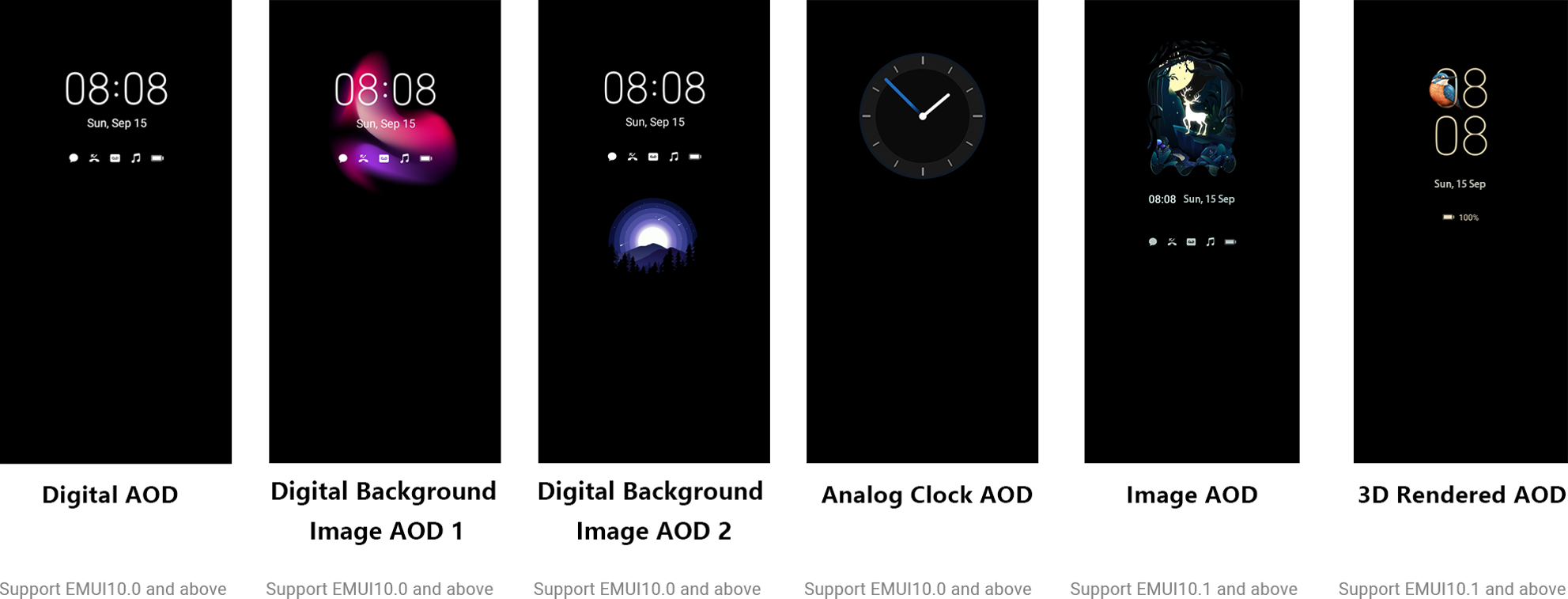
1.Select Digital style (ensure that is selected).
2.Turn on the Clock background switch. Select Position 1.
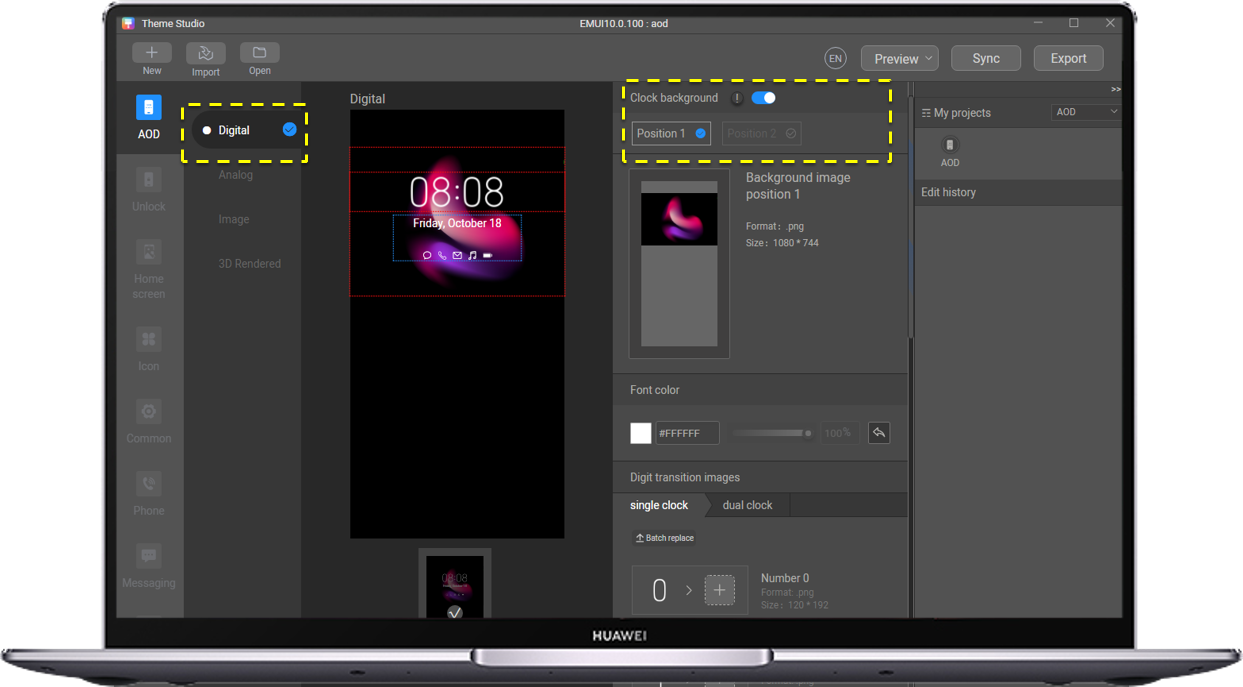
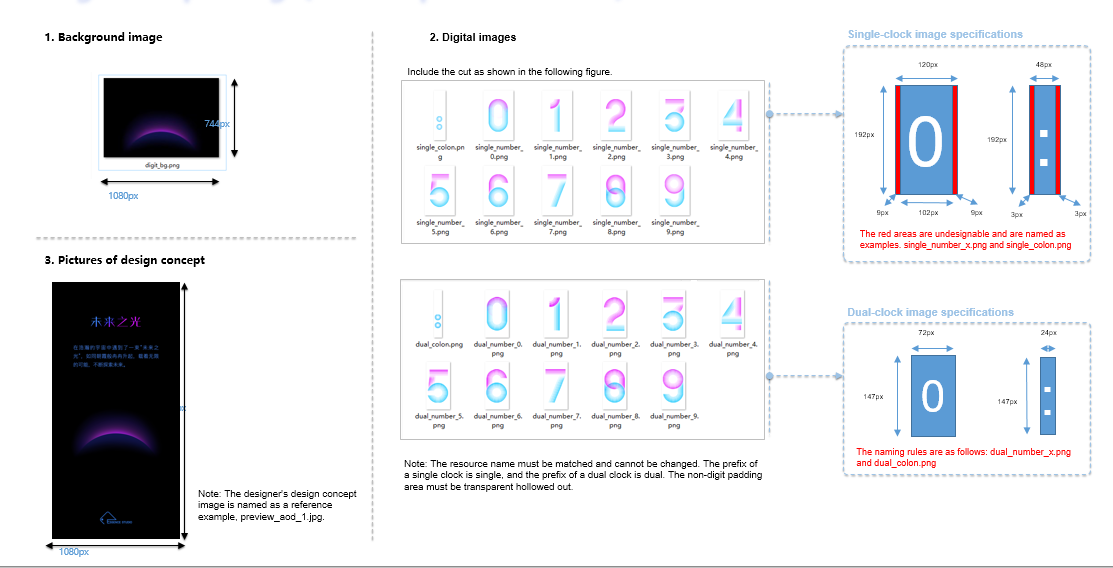
1. Import the designed background image for replacement.
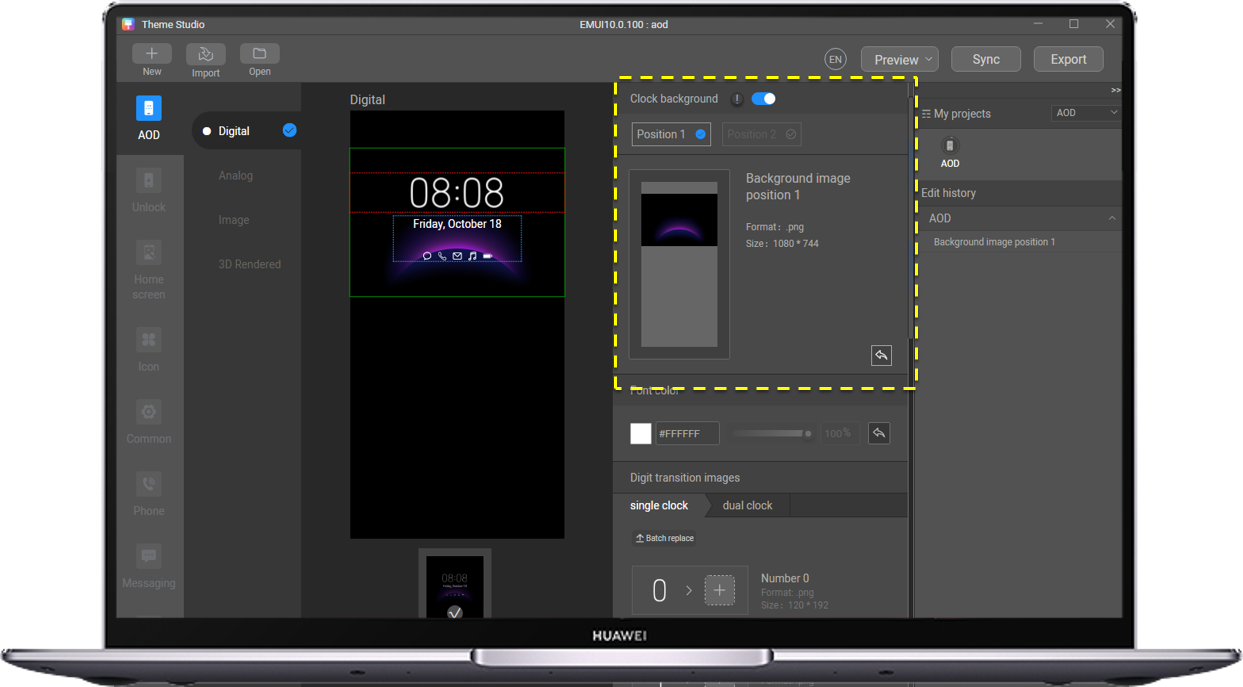
1. Adjust the color of the text to be consistent with the AOD design.
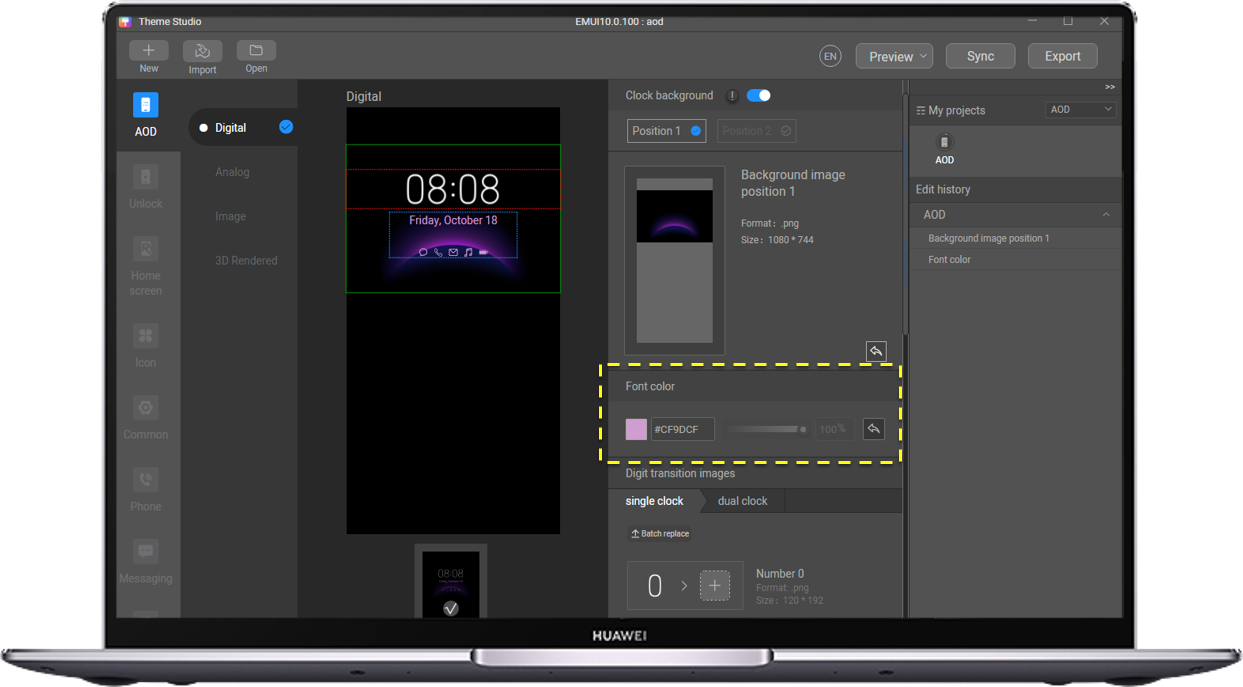
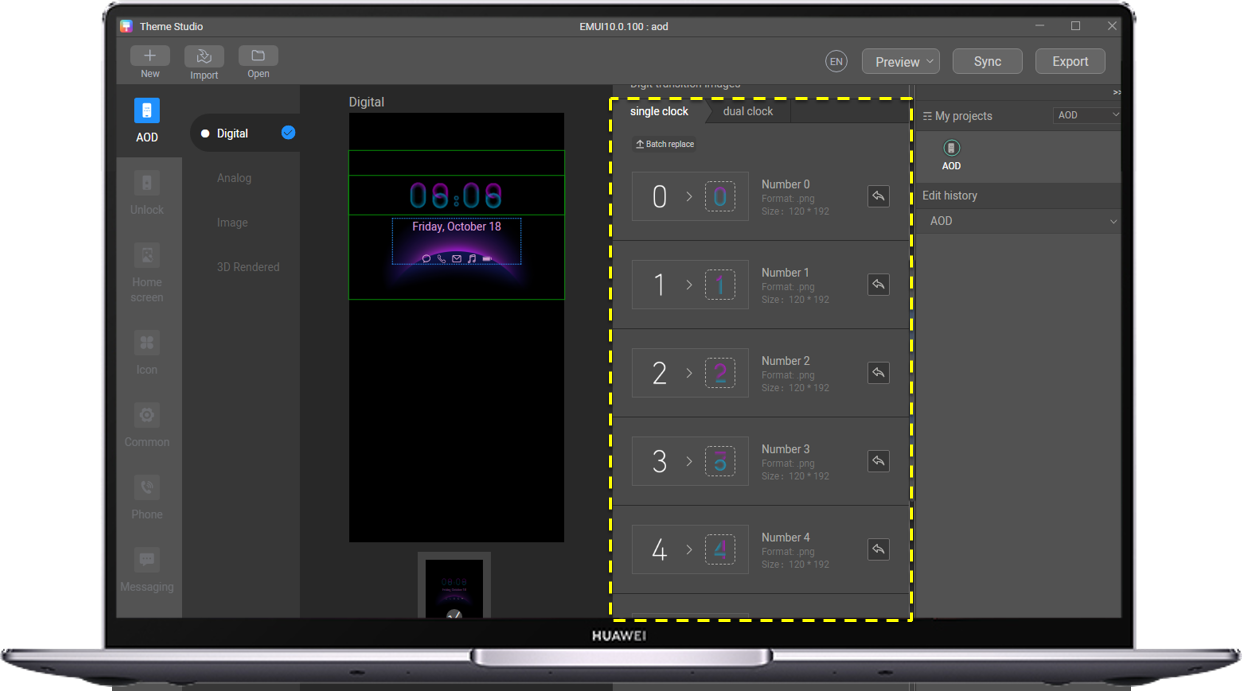
Import the cropped images of the designed numbers. Both single clock and dial clock need to be imported.
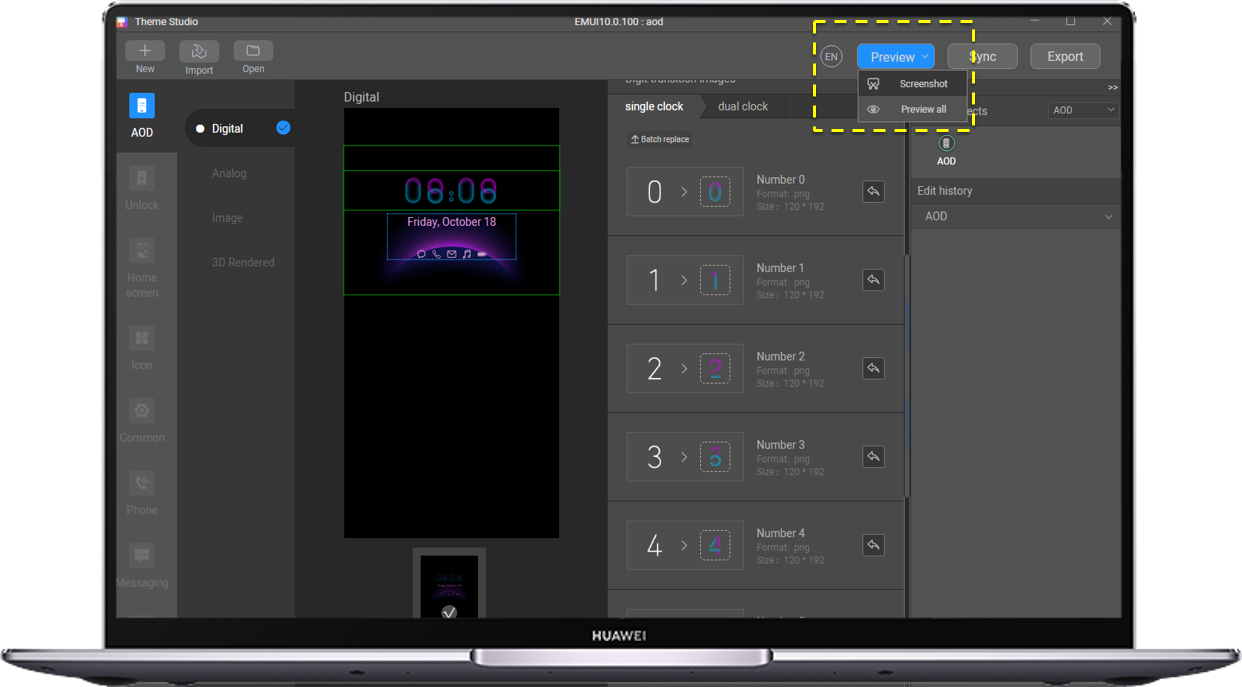
On the single clock and dual clock screens, capture screenshots to generate preview image.
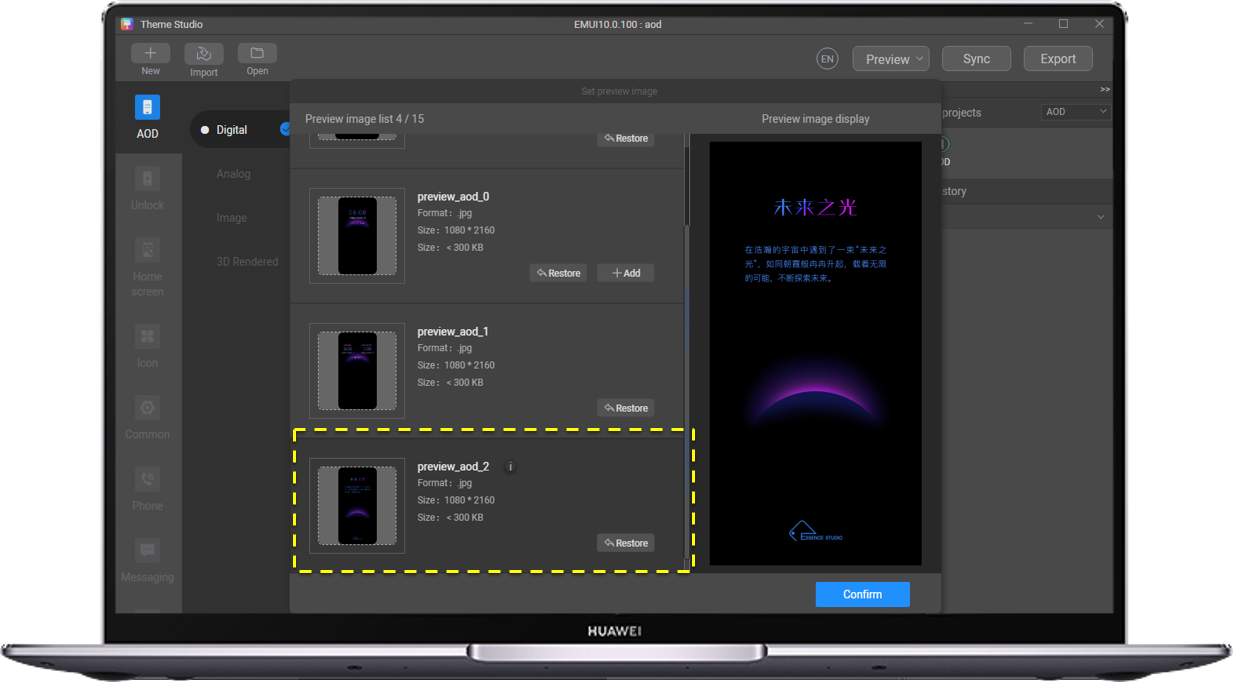
Import the image of the design concept.
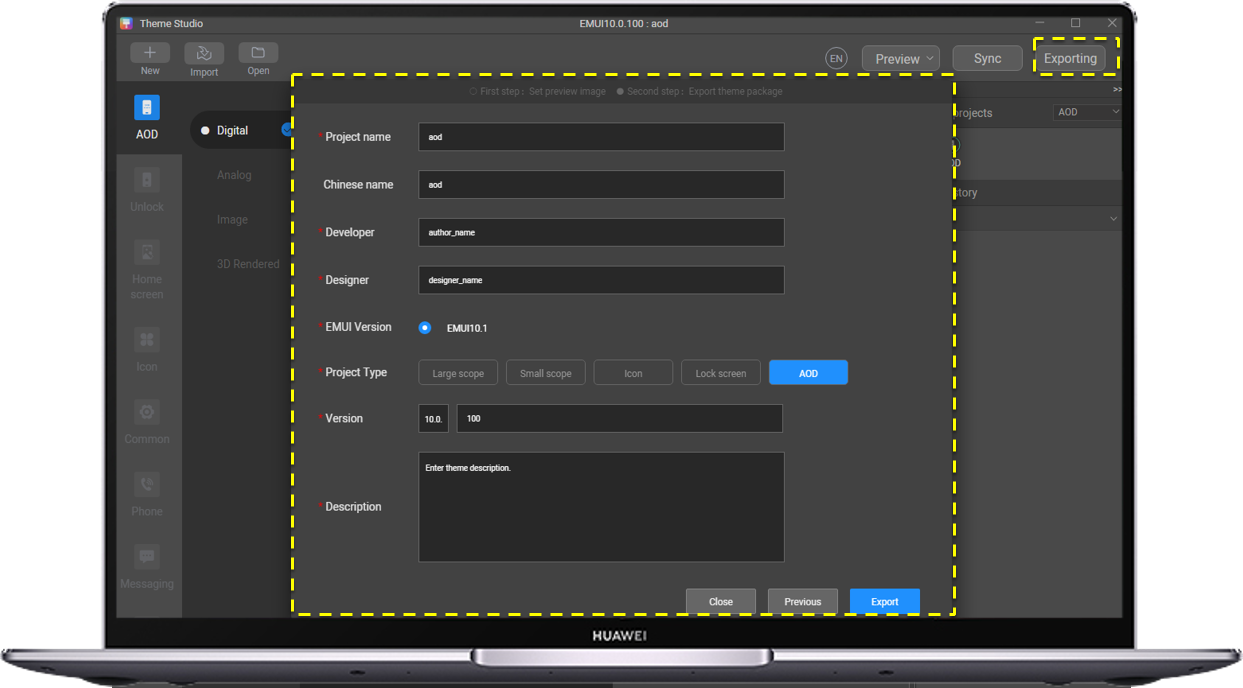
1.Click Export and enter related information.
2.Save the prepared AOD file.
Note:
AOD Name (English), Chinese, Developer Name, and Designer Name (The four items cannot be modified after go-live.)
The designer name is bound to the developer alliance account of the designer.
Version number: AOD version number. Enter 10.0.0 for the first version. Change it to 10.0.X for subsequent updates.
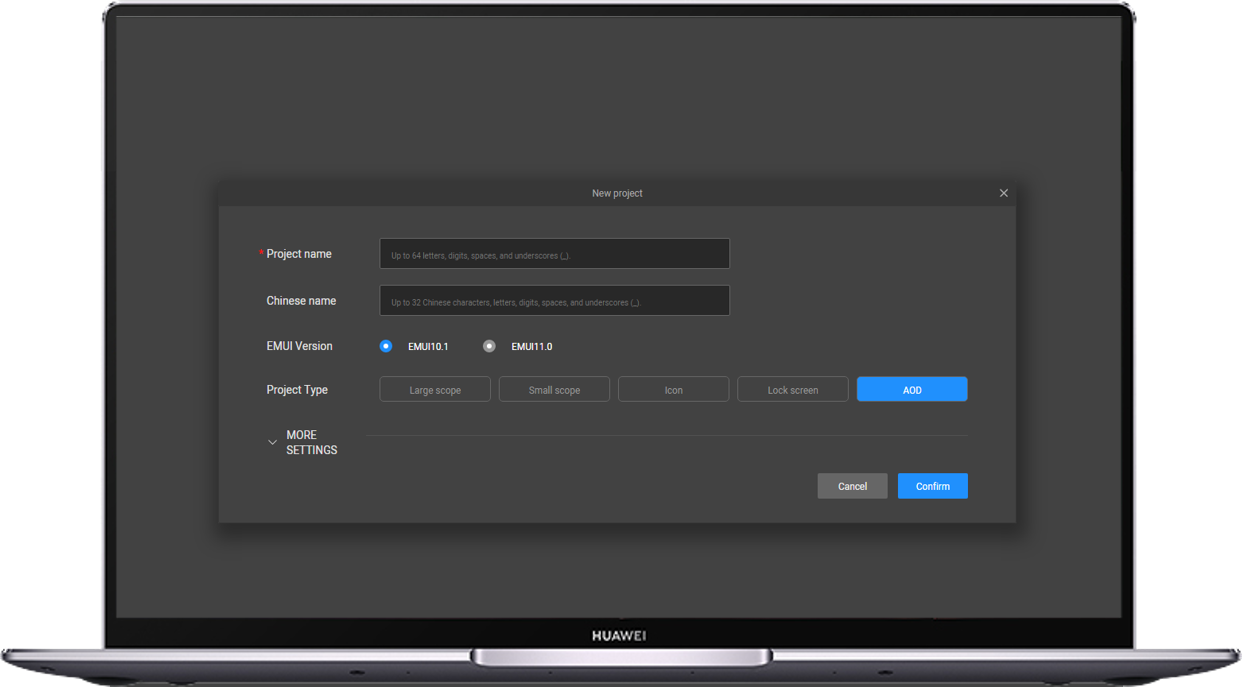
1. Click and open Huawei Theme Studio.
2. Click New Project.
3. Enter the Chinese and English names, set Version to EMUI10.1, and Project Type to AOD.
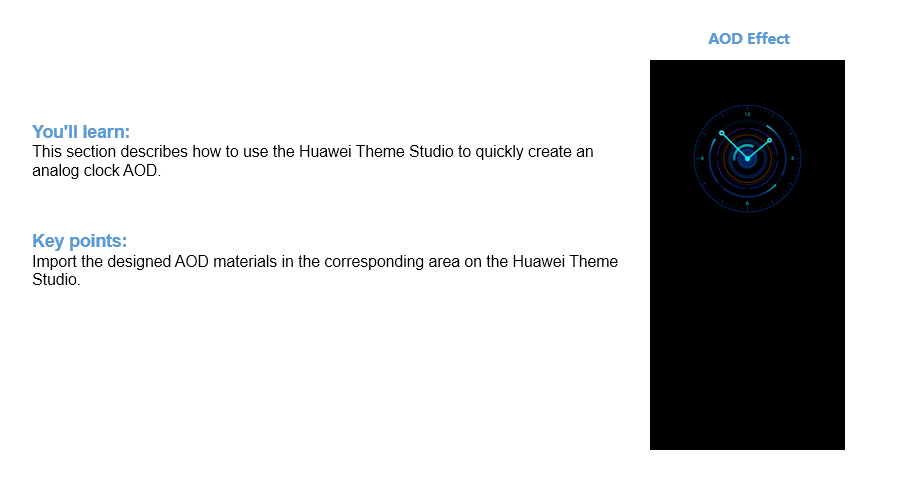
1.Select the Analog clock style (ensure that is selected).
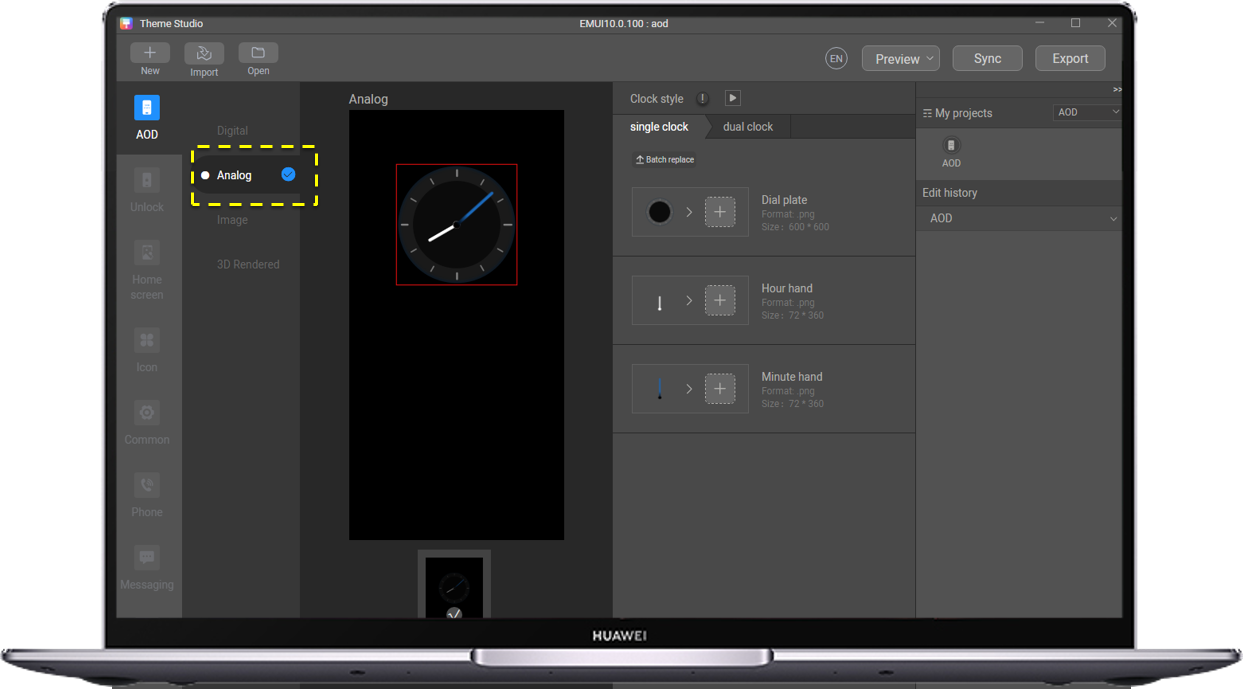
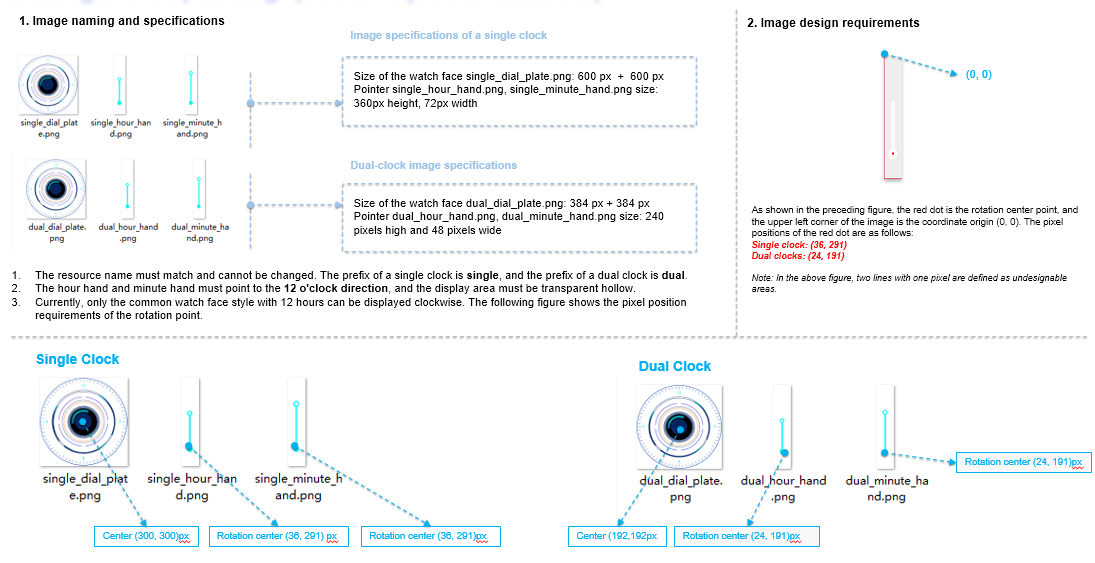
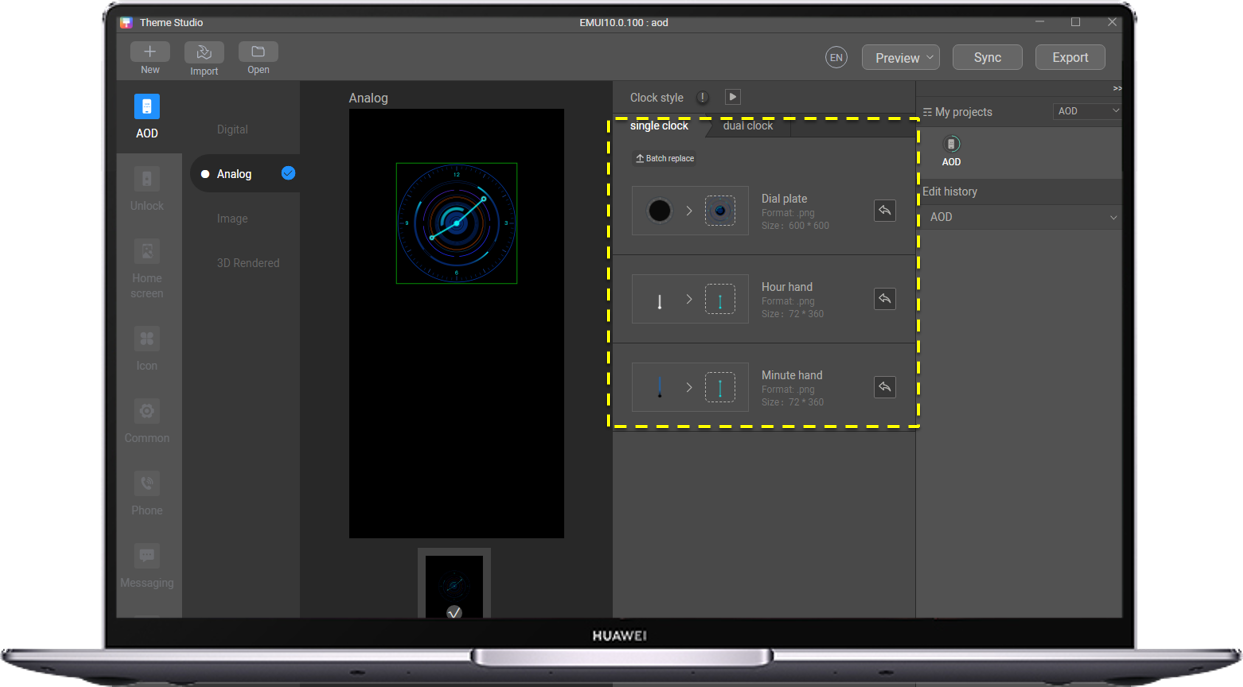
Import the designed picture for replacement. Both the single clock and dual clock need to be replaced.
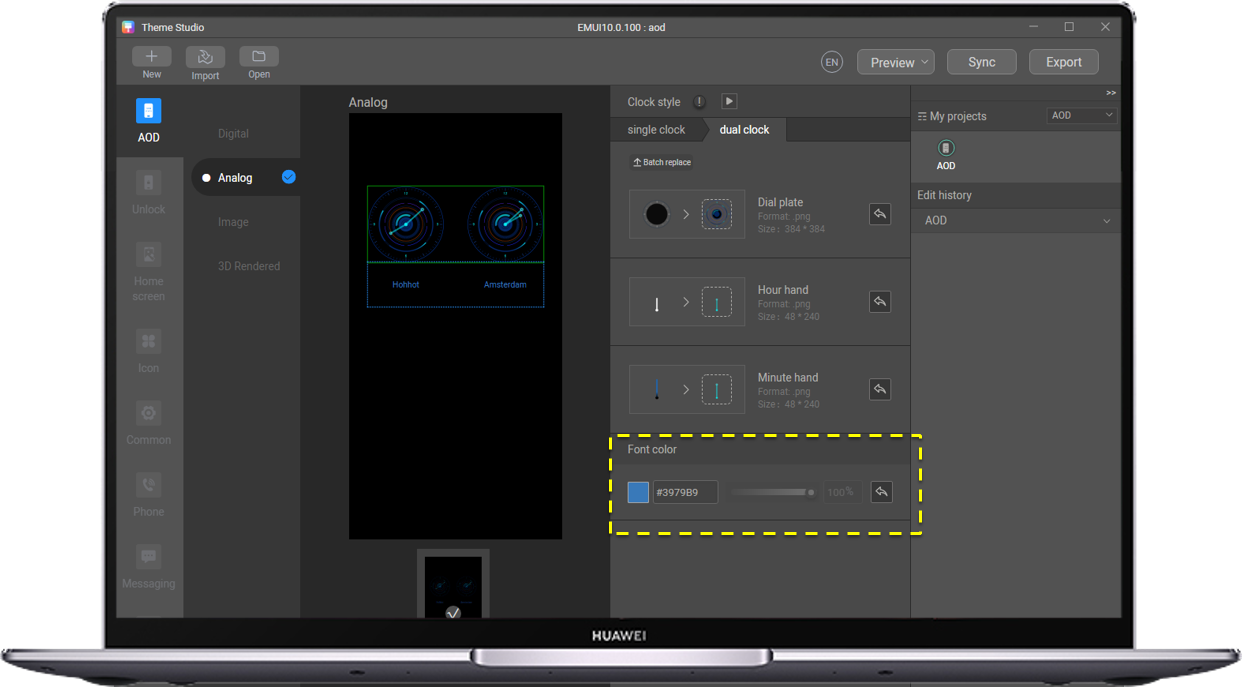
After the data is imported in dual-clock mode, adjust the text color to be consistent with the image color.
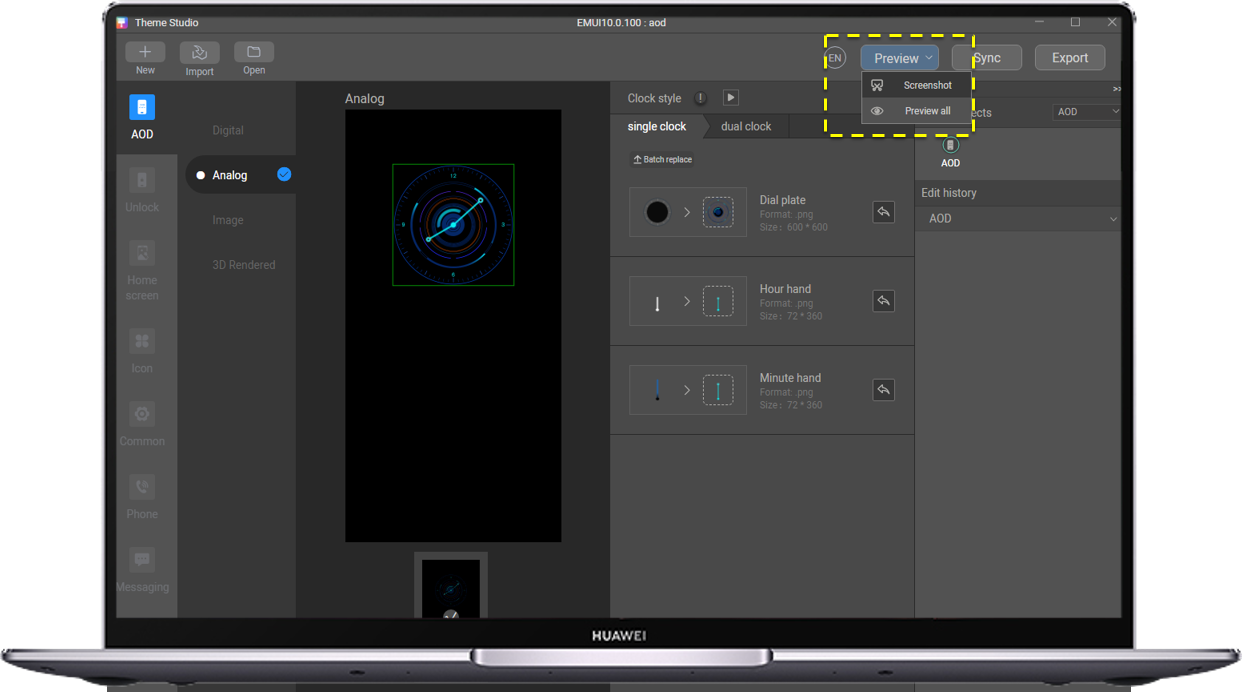
On the single clock and dual clock screens, capture screenshots to generate preview image.
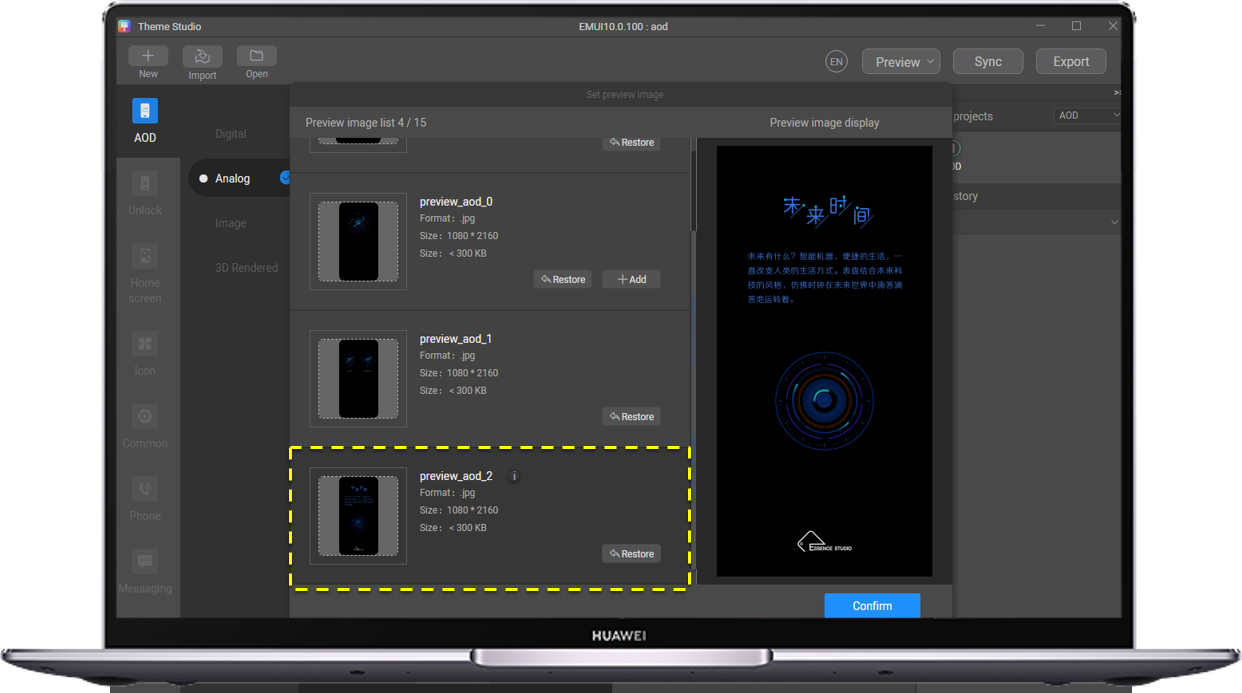
Import the image of the design concept.
1.Click Export and enter related information.
2.Save the prepared AOD file.
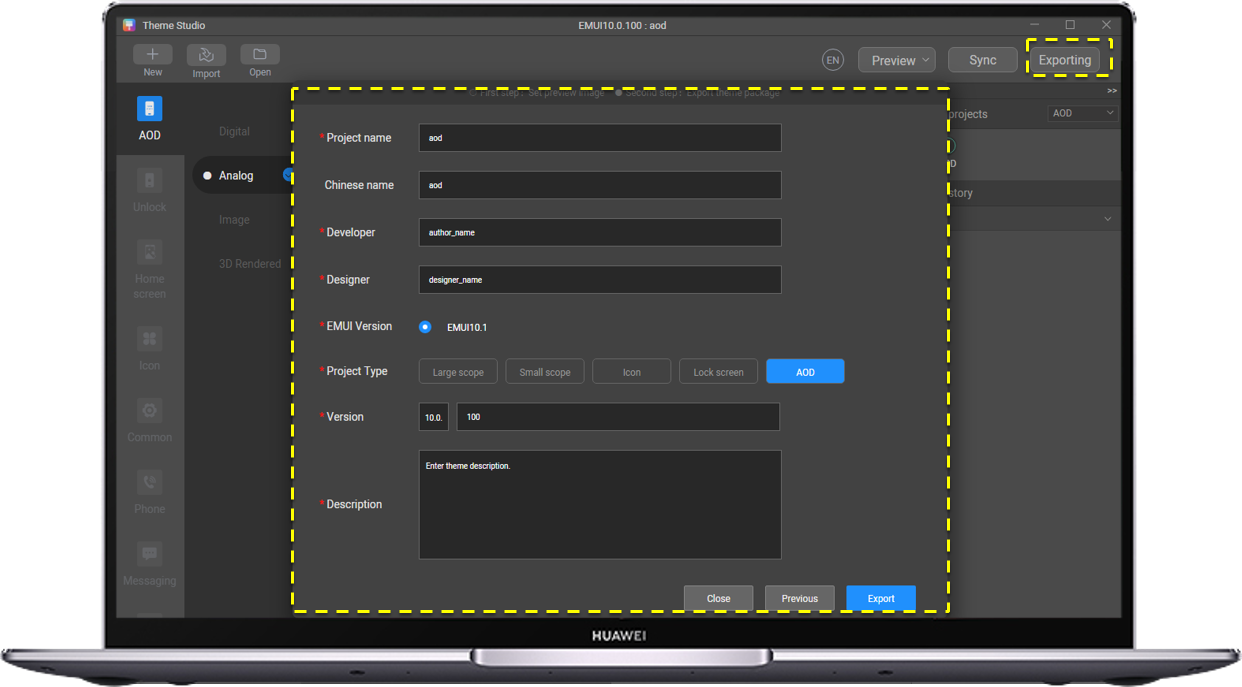
Note:
AOD Name (English), Chinese, Developer Name, and Designer Name (The four items cannot be modified after go-live.)
The designer name is bound to the developer alliance account of the designer.
Version number: AOD version number. Enter 10.0.0 for the first version. Change it to 10.0.X for subsequent updates.
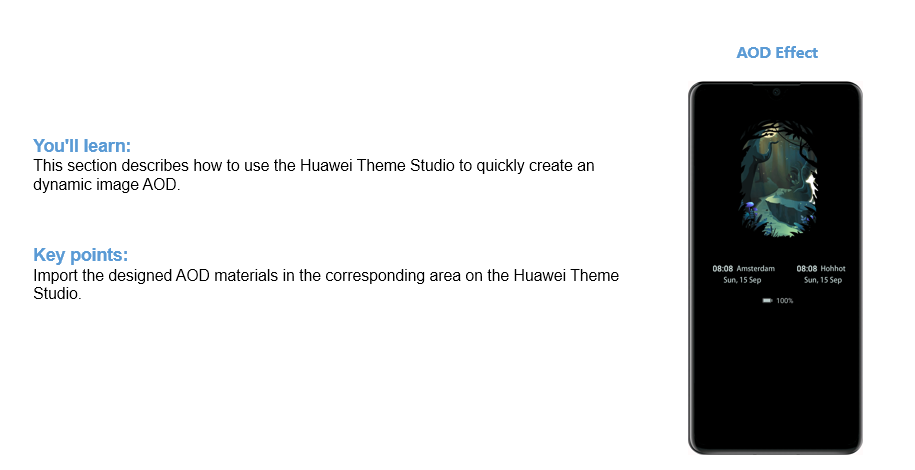
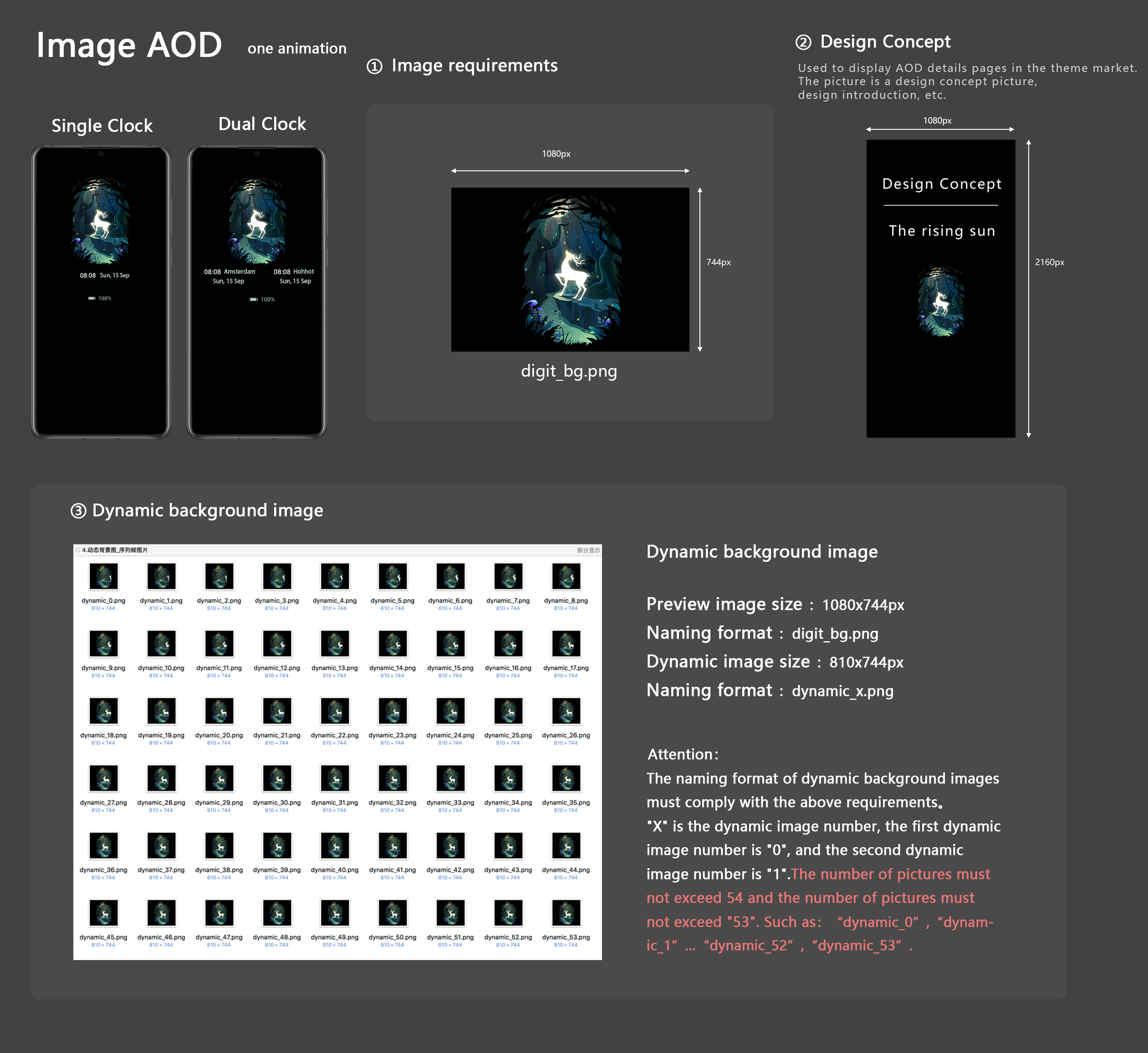
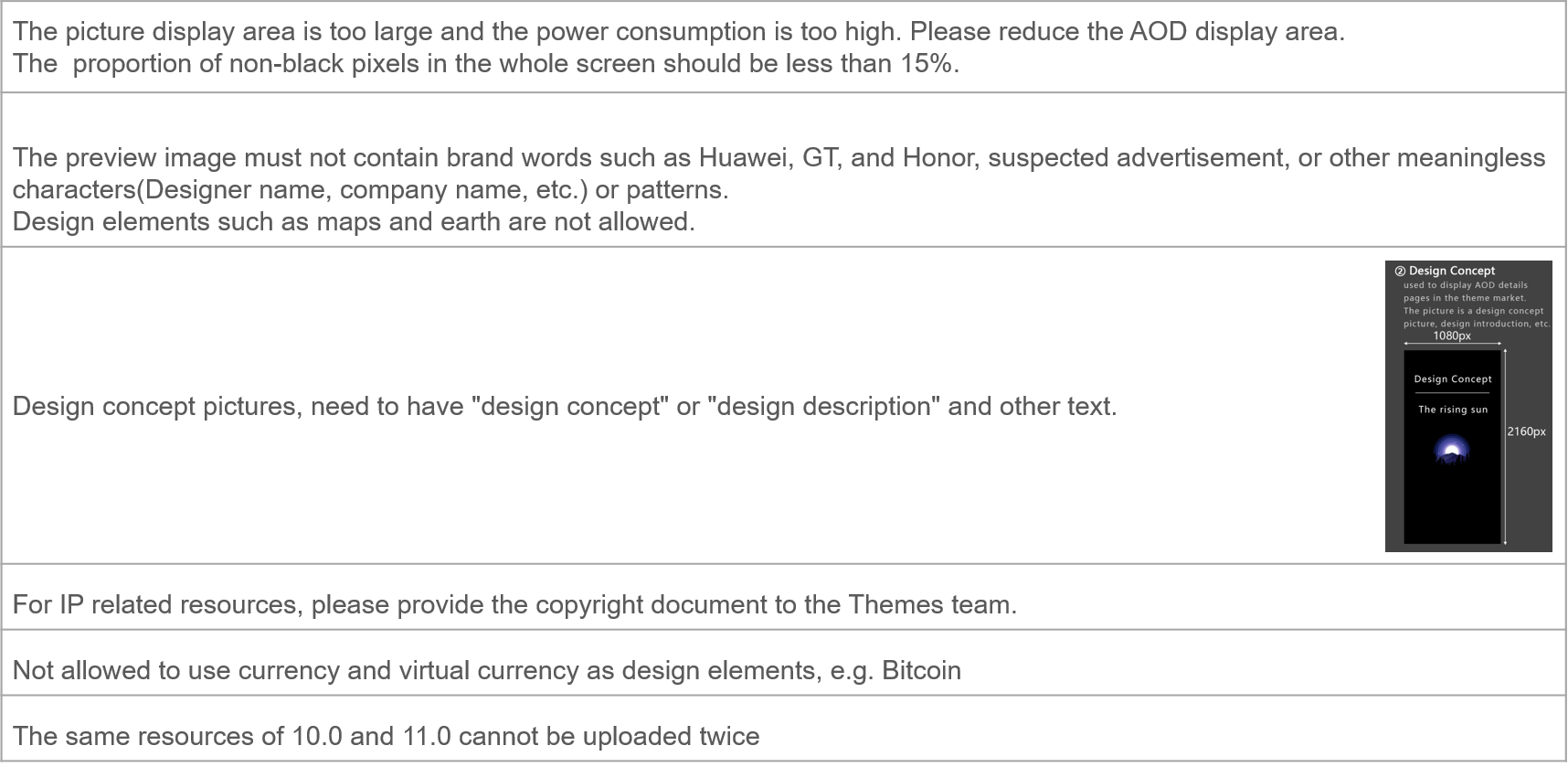
The ratio of non-black pixels of the background image, digital clock, font, and icon to the total pixels on the screen is less than 15%.
Design background images based on the following rules. Using one of the following layouts will make it easier to get your images approved.
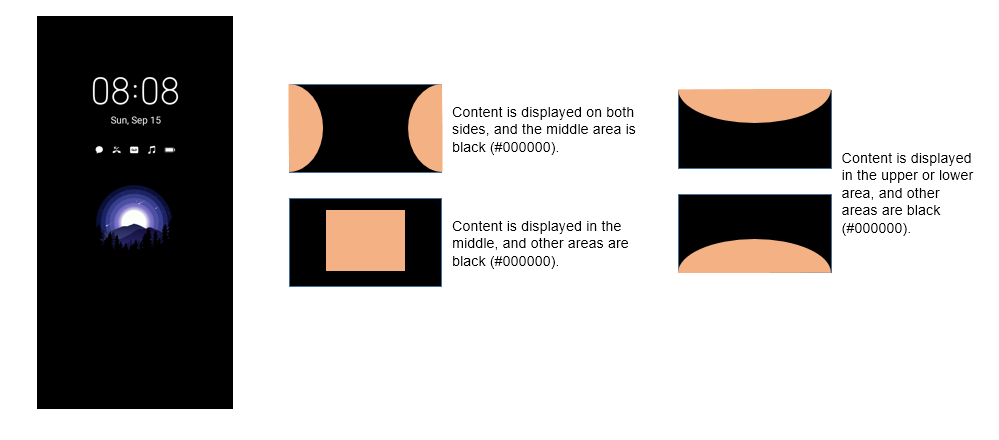
The directory contains the following files:
cover_aod.jpg: used for preview display in the AOD zone in the theme market.
preview_aod_0.jpg and preview_aod_1.jpg: used to display the AOD details page in the theme market.
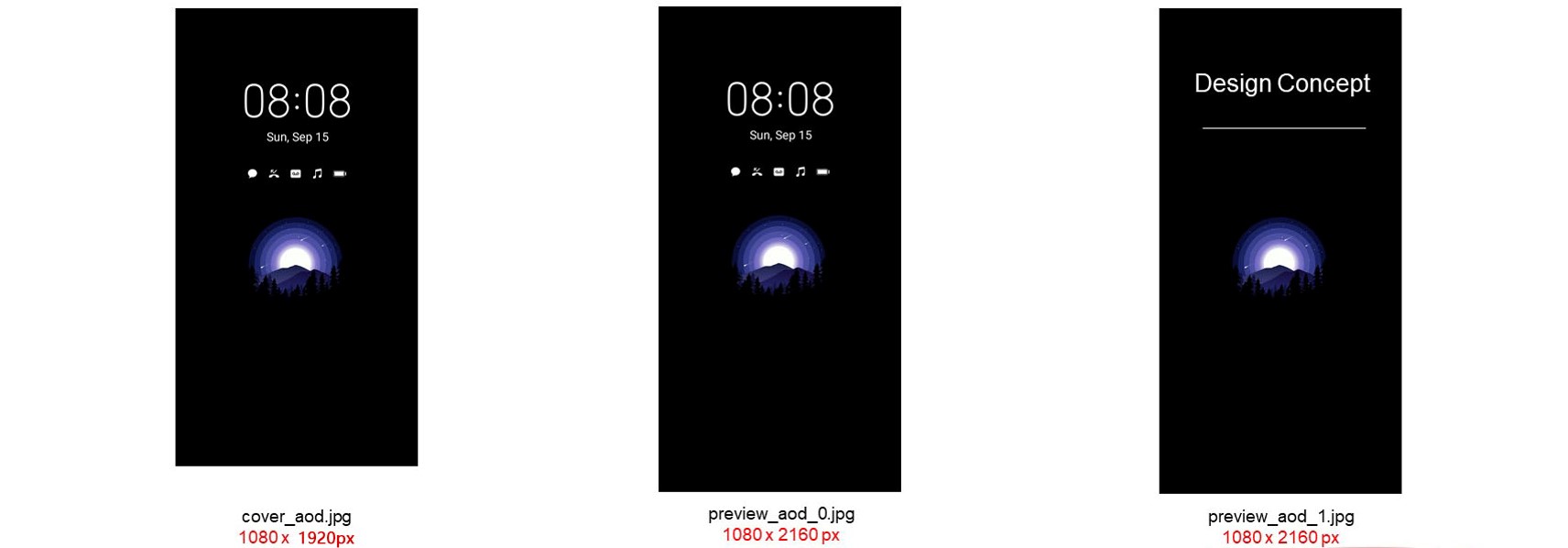
Note:
preview_aod_0.jpg must be the actual preview image of the screen-off effect.
preview_aod_1.jpg is the design concept diagram of the screen-off effect.