华为地图SDK支持在地图上显示信息窗。信息窗分为两种,一种是单独显示文本或图像;另一种是基于Marker在标记上方的弹出窗口中显示文本或图像,为标记提供详细信息。
创建信息窗
调用HWMapJsSDK.HWInfoWindow(infoWindowOptions)创建信息窗。
var infoWindow;

function initMap() {
    var mapOptions = {};
    mapOptions.center = {lat: 48.856613, lng: 2.352222};
    mapOptions.zoom = 8;
    var map = new HWMapJsSDK.HWMap(document.getElementById('map'), mapOptions);
    // 初始化信息窗
    infoWindow = new HWMapJsSDK.HWInfoWindow({
        map,
        position: {lat: 48.856613, lng: 2.352222},
        content: 'This is to show mouse event of another marker',
        offset: [0, -40],
    });
}
显示/关闭信息窗
调用infoWindow.open()、infoWindow.close()方法显示、关闭信息窗。
// 显示信息窗
function openInfoWindowBtnClick() {
    infoWindow.open();
}
// 关闭信息窗
function closeInfoWindowBtnClick() {
    infoWindow.close();
}
信息窗显示效果:
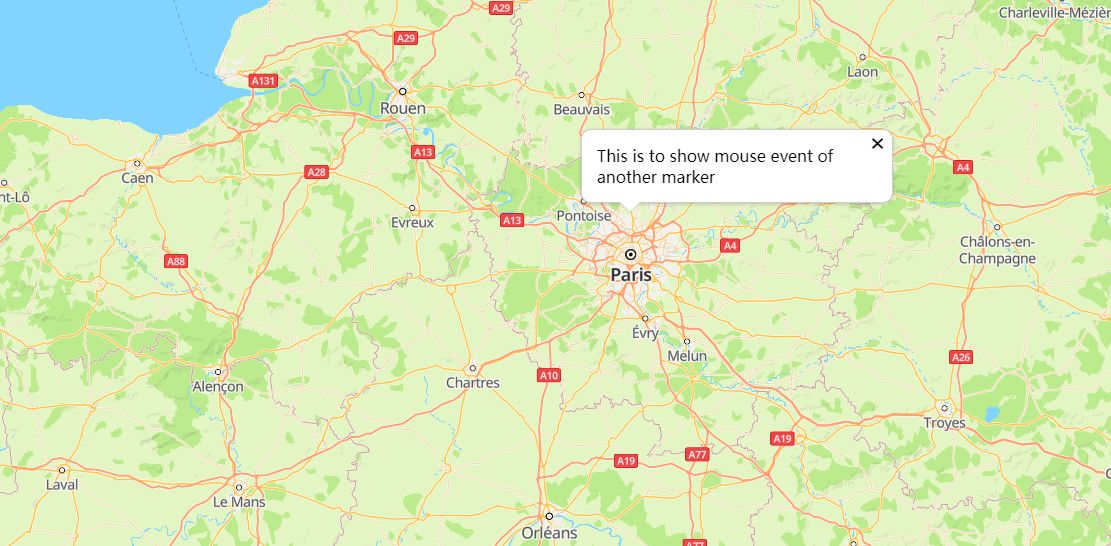
信息窗基于Marker显示
调用infoWindow.open(marker)方法,基于Marker显示信息窗。
var mMarker;
var infoWindow;

function initMap() {
    var mapOptions = {};
    mapOptions.center = {lat: 48.856613, lng: 2.352222};
    mapOptions.zoom = 8;

    var map = new HWMapJsSDK.HWMap(document.getElementById('map'), mapOptions);

    // 初始化marker标记
    mMarker = new HWMapJsSDK.HWMarker({
        map,
        position: {lat: 48.856613, lng: 2.352222},
        label: 'A',
    });

    // 初始化信息窗
    infoWindow = new HWMapJsSDK.HWInfoWindow({
        map,
        content: 'This is a InfoWindow.',
        offset: [0, -40],
    });
    // 在标记为A的marker处打开一个信息窗
    infoWindow.open(mMarker);

    // 监听点击marker打开一个信息窗
    mMarker.addListener('click', () => {
        infoWindow.open(mMarker);
    });
}
在地图上显示标记及信息窗效果:
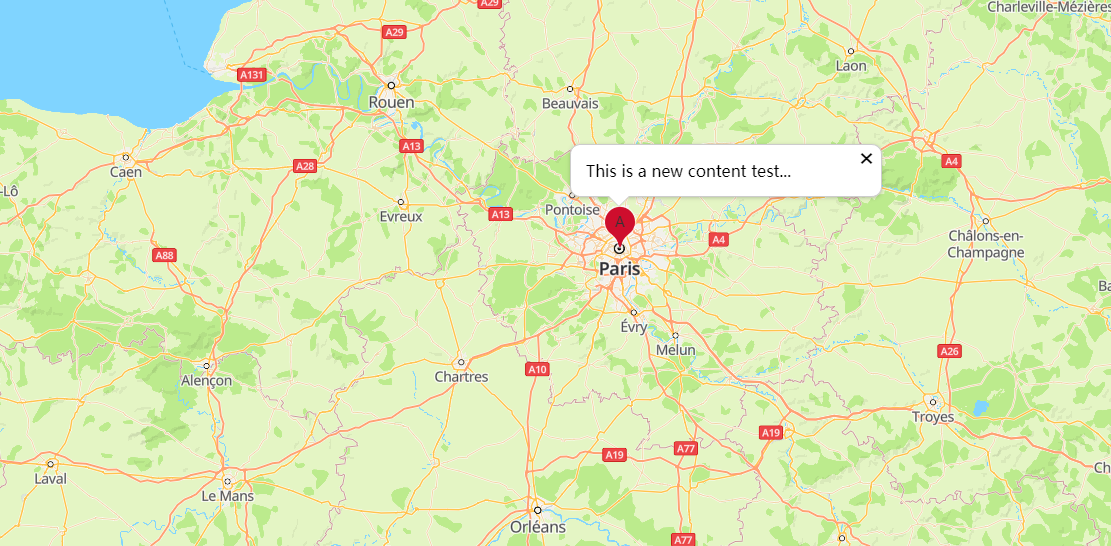
修改信息窗
通过HWInfoWindow提供的方法对属性进行修改,例如调用setContent(content)方法修改信息窗的显示文本:
<tr>
    <td>Content:</td>
    <td><input id="contentInput" type="text" value="This is a new content test..."/></td>
</tr>
<script>
    let content = document.getElementById("contentInput").value;
    infoWindow.setContent(content);

    // 信息窗的点击关闭事件
    infoWindow.addListener('close', () => {
        alert("Info window close...");
    });
</script> 信息窗的以下属性支持自定义,具体请参见HWInfoWindow方法。
| 属性 | 含义 |
|---|---|
| setContent(content) | 设置信息窗的文本内容。 |
| setPosition(position) | 设置信息窗的显示坐标。 |
信息窗事件
在地图上设置信息窗关闭事件侦听,请调用HWInfoWindow对象的addListener('close', callback)方法:
function handleClose() {
    alert("Info window close...");
}
infoWindow.addListener('close', handleClose);