















合作咨询
我们的专家服务团队将竭诚为您提供专业的合作咨询服务
给List组件的Item绑定上下文菜单,按条件判断是否显示上下文菜单,且需要根据列表项的不同,弹出不同的上下文菜单,该如何实现?
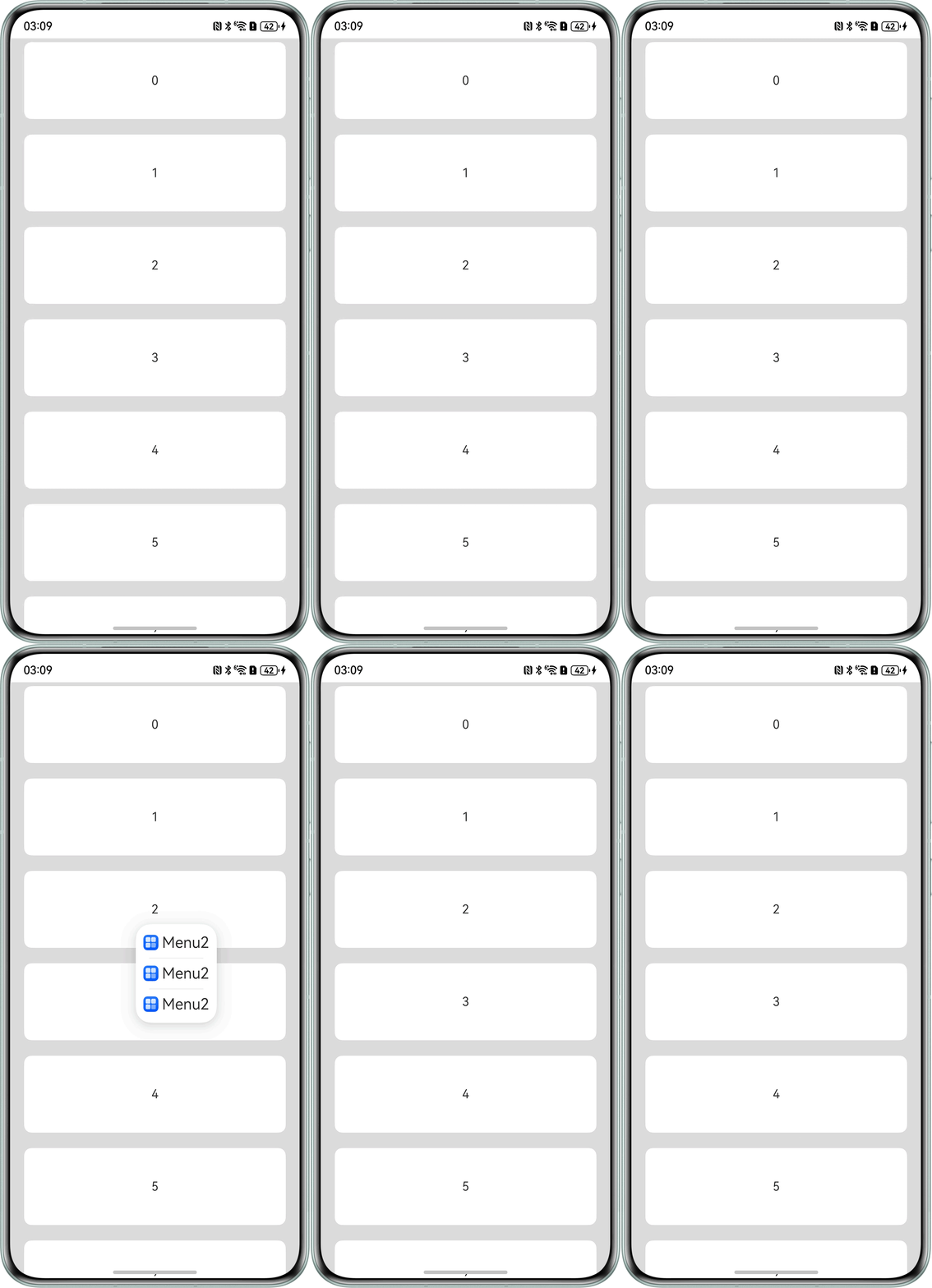
首先对List组件的Item进行判断,使偶数项有菜单弹出,奇数项则无菜单弹出。菜单弹出方式为长按弹出菜单且弹出菜单的内容也不同。
完整示例参考如下:
- @Entry
- @Component
- struct listDemo {
- private arr: number[] = [0, 1, 2, 3, 4, 5, 6, 7, 8, 9];
- @State listData: number[] = [0, 0, 0];
-
- // @Builder装饰器:构建上下文菜单组件
- @Builder
- MenuBuilder(num: number, flag: boolean) {
- // 根据flag参数决定是否显示菜单
- if (flag) {
- Flex({ direction: FlexDirection.Column, justifyContent: FlexAlign.Center, alignItems: ItemAlign.Center }) {
- ForEach(this.listData, (index:number) => {
- Column() {
- Row() {
- Image($r('app.media.startIcon')).width(20).height(20).margin({ right: 5 }) // 可根据具体需要引用资源
- Text(`Menu${num}`).fontSize(20)
- }
- .width('100%')
- .height(30)
- .justifyContent(FlexAlign.Center)
- .align(Alignment.Center)
-
- // 如果不是最后一个菜单项,显示分隔线
- if (index !== this.listData.length - 1) {
- Divider().height(10).width('80%').color('#ccc')
- }
- }.padding(5).height(40)
- });
- }.width(100)
- }
- };
-
- build() {
- Column() {
- List({ space: 20, initialIndex: 0 }) {
- ForEach(this.arr, (item: number) => {
- // 根据item奇偶性决定是否绑定上下文菜单
- if (item % 2 === 0) {
- ListItem() {
- Text('' + item)
- .width('100%')
- .height(100)
- .fontSize(16)
- .textAlign(TextAlign.Center)
- .borderRadius(10)
- .backgroundColor(0xFFFFFF) // 绑定上下文菜单,使用MenuBuilder生成菜单,长按触发
- .bindContextMenu(this.MenuBuilder(item, true), ResponseType.LongPress)
- };
- } else {
- ListItem() {
- Text('' + item)
- .width('100%')
- .height(100)
- .fontSize(16)
- .textAlign(TextAlign.Center)
- .borderRadius(10)
- .backgroundColor(0xFFFFFF)
- .bindContextMenu(this.MenuBuilder(item, false), ResponseType.LongPress)
- };
- }
- }, (item: string) => item)
- }.width('90%')
- .scrollBar(BarState.Off)
- }.width('100%').height('100%').backgroundColor(0xDCDCDC).padding({ top: 5 })
- }
- }
合作咨询
我们的专家服务团队将竭诚为您提供专业的合作咨询服务
解决方案
精准高效的一站式服务支持,助力开发者商业成功