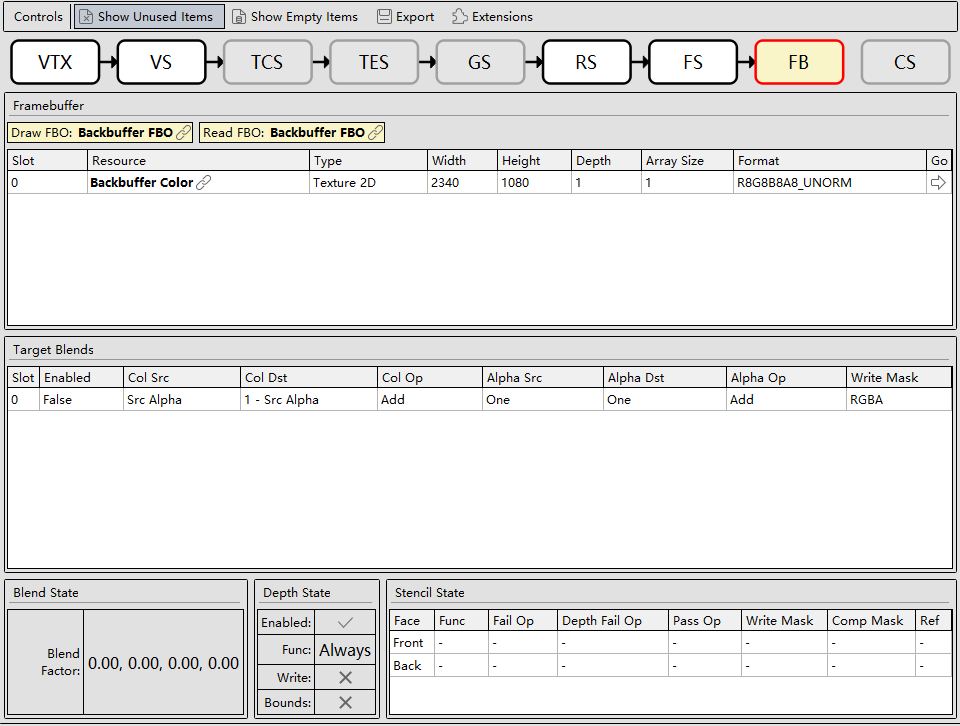
The following figure is the Pipeline State window.
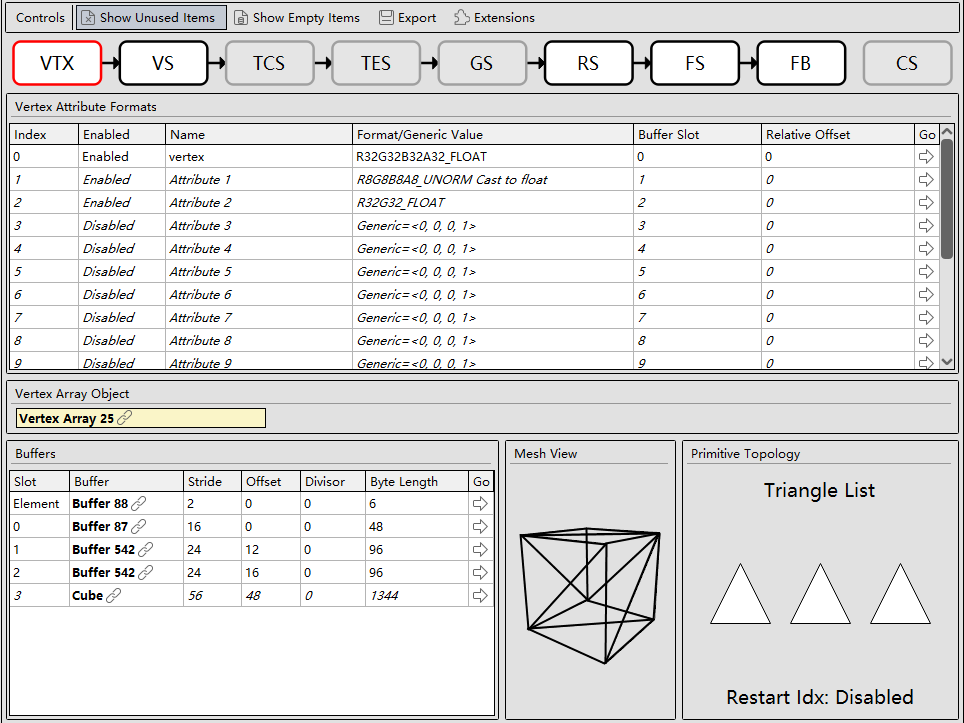
Pipeline State consists of the following areas:
- Controls bar area:

- Show Unused Items: displays unused resources of the current pipeline.
- Show Empty Items: displays empty resources of the current pipeline.
- Export: exports the selected resources of the current pipeline.
- Extensions: extension plugin button
- The following figure shows the pipeline state.

- VTX: Vertex Input, vertex buffer data state.
- VS: Vertex Shader. OpenGL ES 3.2 or later supports a new shader called Tessellation Shader, which occurs in the vertex processing phase. The Tessellation Shader can dynamically generate new vertices and surfaces on the graphics card.
- TCS: (optional) Tessellation Control Shader, a programmable pipeline state and a shader program written in GLSL. The default parameter is used if this shader does not exist.
- TES: Tessellation Evaluation Shader, a programmable pipeline state and a shader program written in GLSL. No tessellation occurs if this shader does not exist. The TES obtains the tessellation control result, and further obtains absolute coordinates in per-vertex data to generate real coordinates of the vertex.
- GS: Geometry Shader, the third shader officially introduced by Shader Model 4 (the fourth-generation graphics card shader architecture), following the Vertex Shader and Fragment Shader. It also becomes the core of OpenGL 3.x, enabling graphics program users to play more freely in the programmable render pipeline.
- RS: Rasterizer, a process of dividing each independent fragment into discrete elements.
- FS: Fragment Shader, a stage in which a rasterized fragment is processed by using a programmable shader program and converted into a group of colors, depth values, and stencil values.
- FB: Framebuffer, a framebuffer object. The rendering pipeline needs to store generated images in the framebuffer, so that rendering is performed without interfering with the home screen.
- CS: Compute Shader, a program that runs on the GPU but is not in the common rendering pipeline. Compute Shader allows a large number of concurrent computing tasks on the GPU, saving CPU resources.
- Content area: This area changes based on the pipeline state.
- Vertex buffer details:
- Vertex Attribute Format: Each vertex buffer has the corresponding format, name, slot ID, relative offset, and mesh jump button.
- Vertex Array Object: displays the corresponding resource ID.
- Buffers: displays the associated buffer resource ID, as well as the stride, offset, instance divisor, buffer length, and buffer jump button for each piece of data in the buffer.
- Mesh View: displays a view composed of the geometric mesh of vertices.
- Primitive Topology: displays a geometric primitive topology. A vertex is stored in a data structure named vertex buffer of contiguous addresses. Vertices are stored in the buffers one after another, and the vertex data is displayed in Primitive Topology.
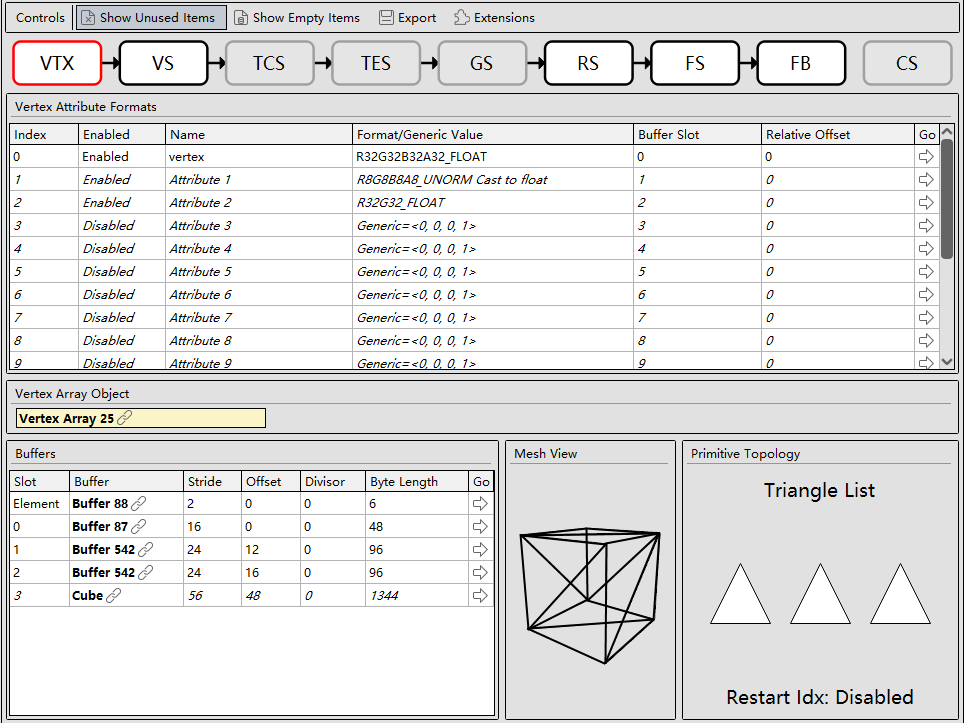
- Vertex/Fragment shading program:
- Shader: displays the program ID and shader ID corresponding to the vertex/fragment shading program, as well as the View, Edit, and Save buttons.
- Textures: displays the input texture information, including the slot ID, texture resource ID, texture type, texture width and height, texture depth, mipmap array size, texture format, and texture view jump button.
- Samplers: displays the samplers used by the vertex/fragment shading program for different textures, including the slot ID, texture resource ID, wrap mode, filter, Level of Detail (LOD) clamp, and LOD bias.
- Uniforms and UBOs: displays buffer objects that store variables of the Uniform type in the shading language, including the slot ID, buffer resource ID, buffer byte range, buffer size, and buffer jump button.
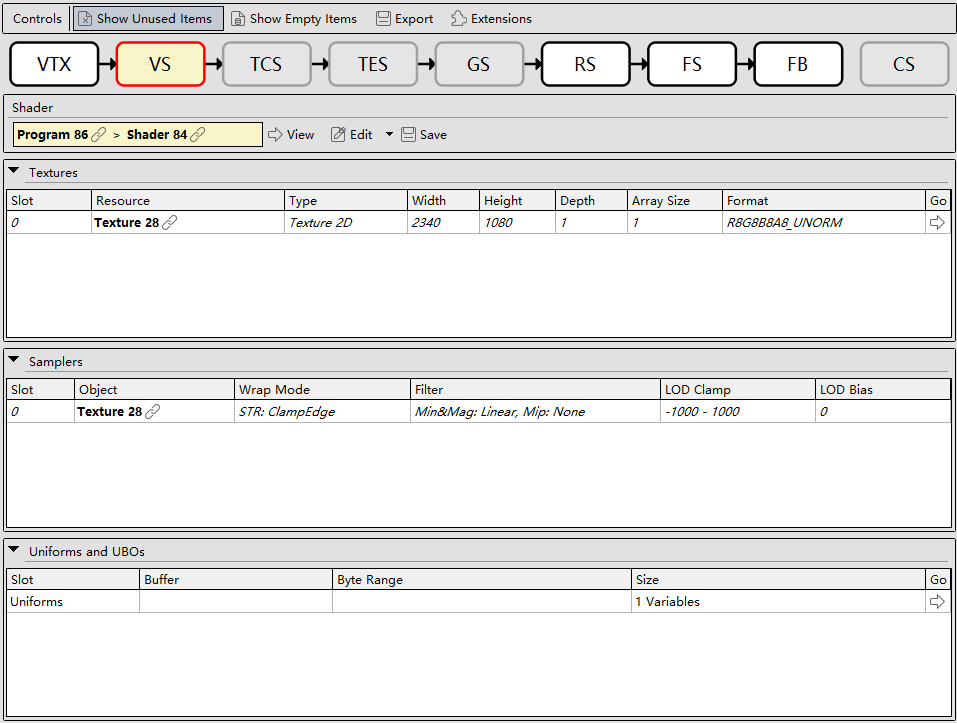
- Rasterization:
- Rasterizer State: displays the settings in various modes of the current pipeline.
- Multisample State: displays the settings for anti-aliasing sampling of the current pipeline.
- Viewports: displays the window size settings of the current pipeline.
- Scissor Regions: displays the scissor window settings of the current pipeline.
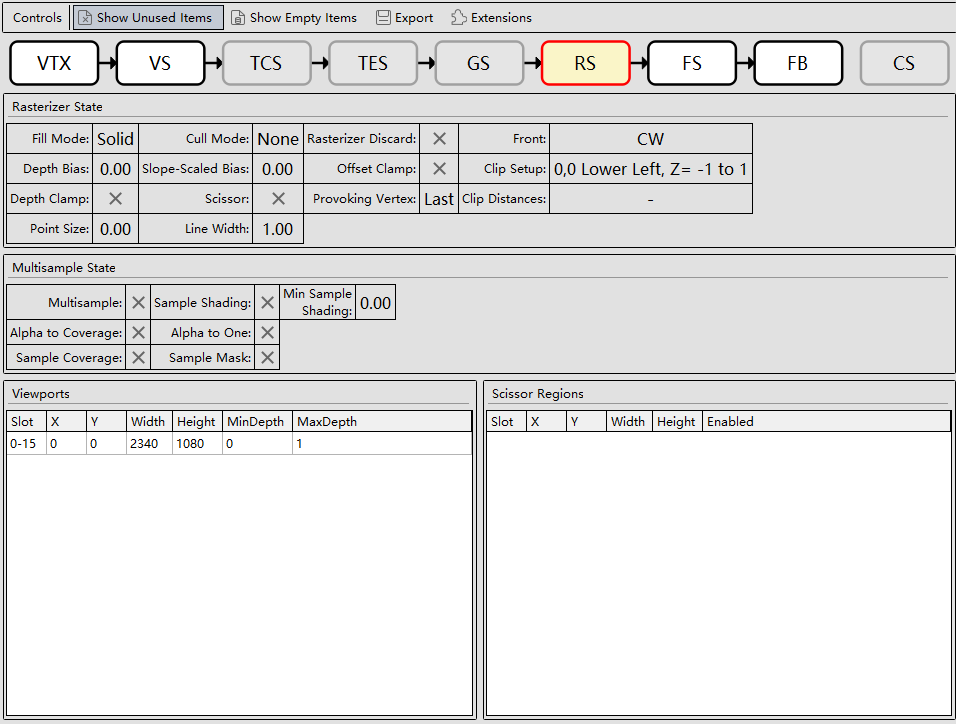
- Framebuffer output content:
- Framebuffer: displays a list of textures output by the current rendering pipeline, including the draw framebuffer object (FBO) ID, read FBO ID, slot ID, resource ID, texture type, texture width and height, texture depth, mipmap array size, and texture jump button.
- Target Blends: displays the selected output texture and blending algorithm of the buffer. The Fragment Shader obtains the fragment color output and combines it with shades output to the color buffer. The blending parameters allow combining the source color and target color of each output in various modes.
- Blend State: displays the blend state. This area is available only when the blend function is enabled by using glEnable(GL_BLEND).
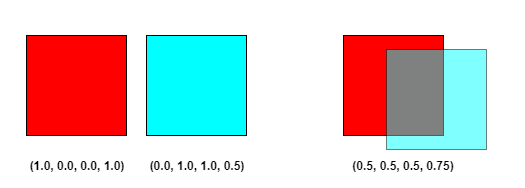
- Depth State: displays the depth test settings.
- Stencil State: displays the template test settings.
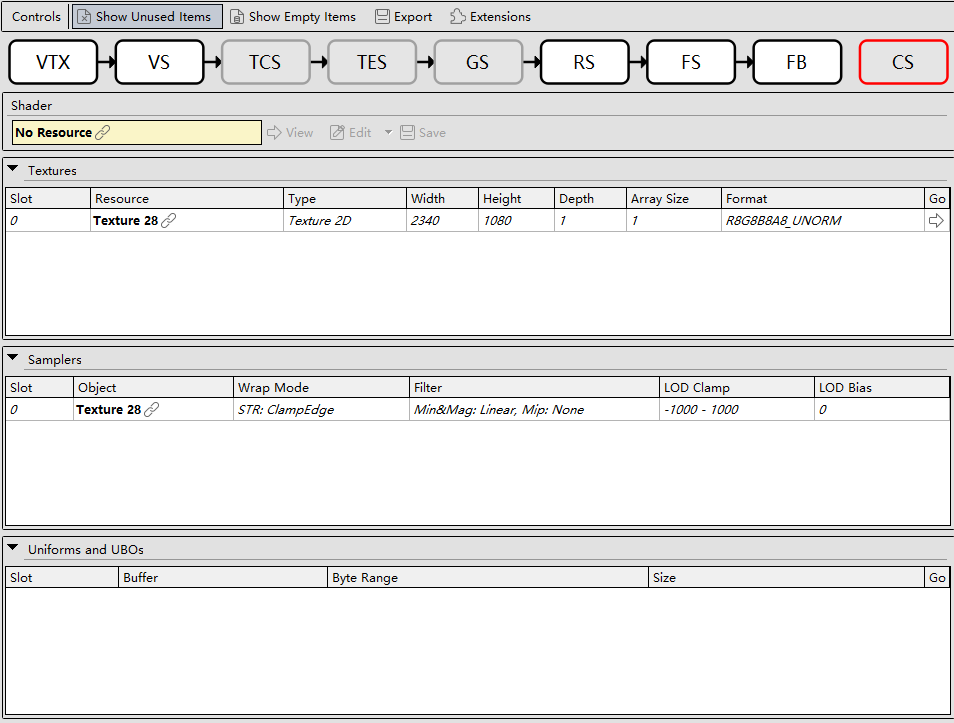
- Compute shader:
- The overall window layout is similar to that of the Vertex Shader or Fragment Shader. For details about Shader to Uniforms and UBOs, see the vertex or Fragment Shader.
- Read/Write Bindings: displays SSBO, Slot, Resource ID of the corresponding buffer, Format, read/write Access settings, and Go, the jump button for viewing Buffer XX. SSBO is short for shader storage buffer object, which is similar to the uniform buffer object.
Subpass Shading
The vkCmdSubpassShadingHUAWEI command is displayed as a GPU event in Event Browser. This also means that GPU performance counters can be collected for this command.
Standard extension link of the Khronos Group: https://registry.khronos.org/vulkan/specs/1.3-extensions/man/html/VK_HUAWEI_subpass_shading.html
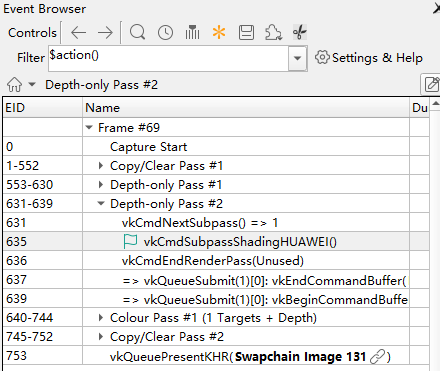
When a user selects the vkCmdSubpassShadingHUAWEI command, the Pipeline State window contains the Subpass shading phase instead of the Compute Shader phase.



