This update mode applies if you want to trigger an immediate version update while the user is actively using the atomic service. To achieve so, you can call the UpdateManager.onCheckForUpdate API to listen for the atomic service update check result event, and then call UpdateManager.applyUpdate (the API for restarting the atomic service) in the callback of UpdateManager.onUpdateReady, the API for listening for the new version download completion event.

The immediate update APIs are available only on devices running HarmonyOS 6.0.0(20) or later.
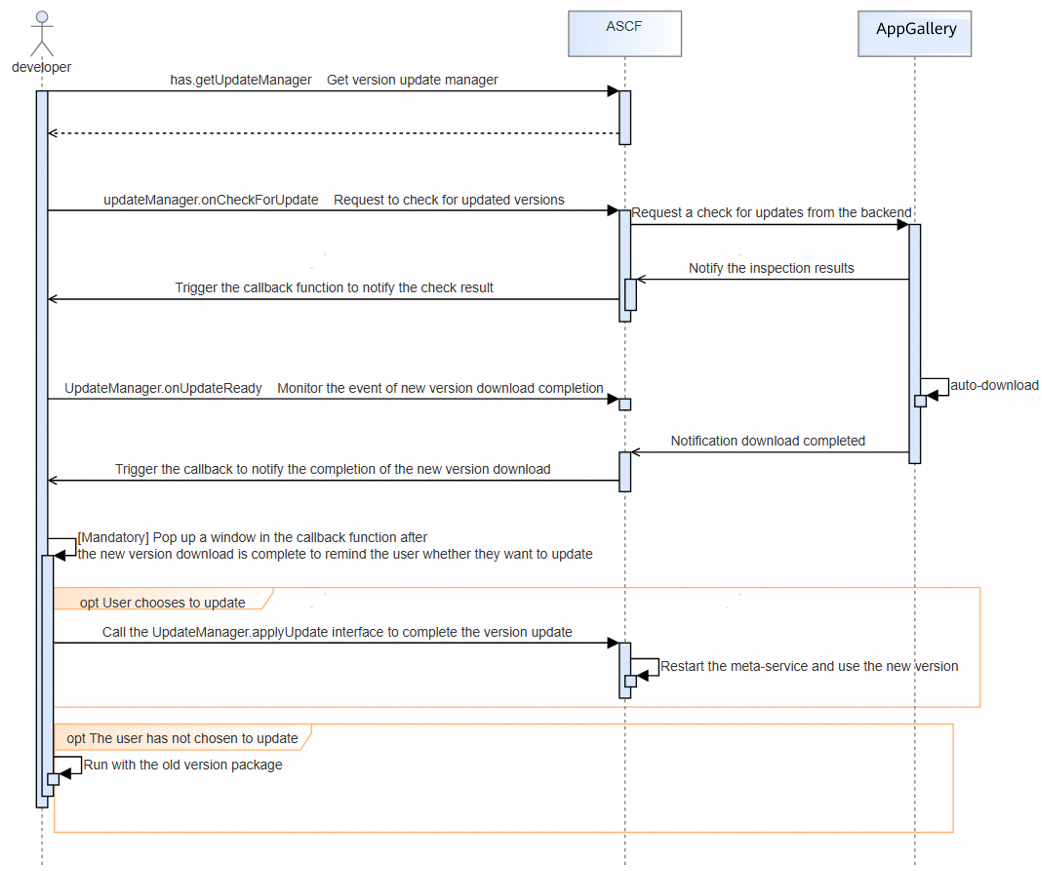
You can obtain a globally unique version update manager object via has.getUpdateManager.
You can check for any available updates for an atomic service via UpdateManager.onCheckForUpdate.
If the atomic service has an available update, AppGallery will send a callback notification and attempt to download its latest package.
You can check whether the atomic service package has been downloaded via UpdateManager.onUpdateReady. Once the download is complete, the callback is triggered.
After the atomic service package is downloaded, a dialog is displayed, asking the user whether to update the atomic service.
If the user chooses to update the atomic service, you can call UpdateManager.applyUpdate to restart the atomic service. The system will update the atomic service without requiring manual installation, and launch the new version after the update is successful.
If the user declines to update the atomic service, the atomic service will continue running with the old version.

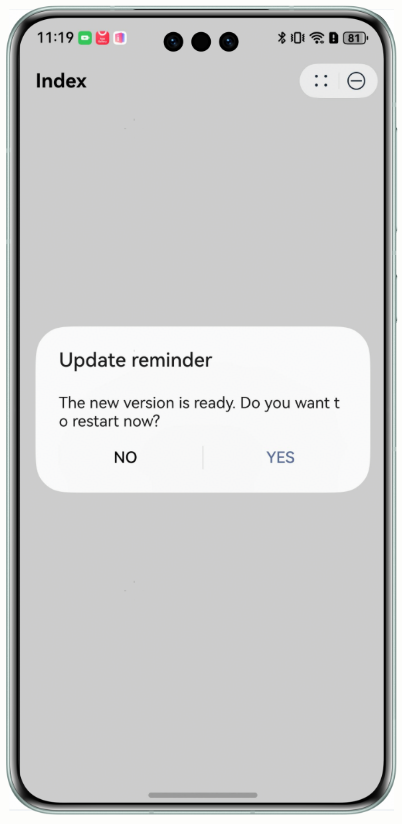
const updateManager = has.getUpdateManager();
updateManager.onCheckForUpdate(res => {
  console.info('Whether a new version is available', res.hasUpdate);
});
updateManager.onUpdateReady(() => {
  has.showModal({
    title: 'Update reminder',
    content: 'The new version is ready. Do you want to restart now?',
    confirmText: 'YES',
    success: (res) => {
      if (res.confirm) {
        updateManager.applyUpdate();
      }
    }
  });
}); 
Immediate updates require you to implement a dialog that explicitly asks users to confirm the update. The update is only triggered upon user confirmation.
For the atomic service on a single device, calls to the atomic service update listening API are limited to 6 times per day, with no more than 1 call allowed every 30 minutes.