Connect a real device to a computer. For details, see Running Your App/Service.
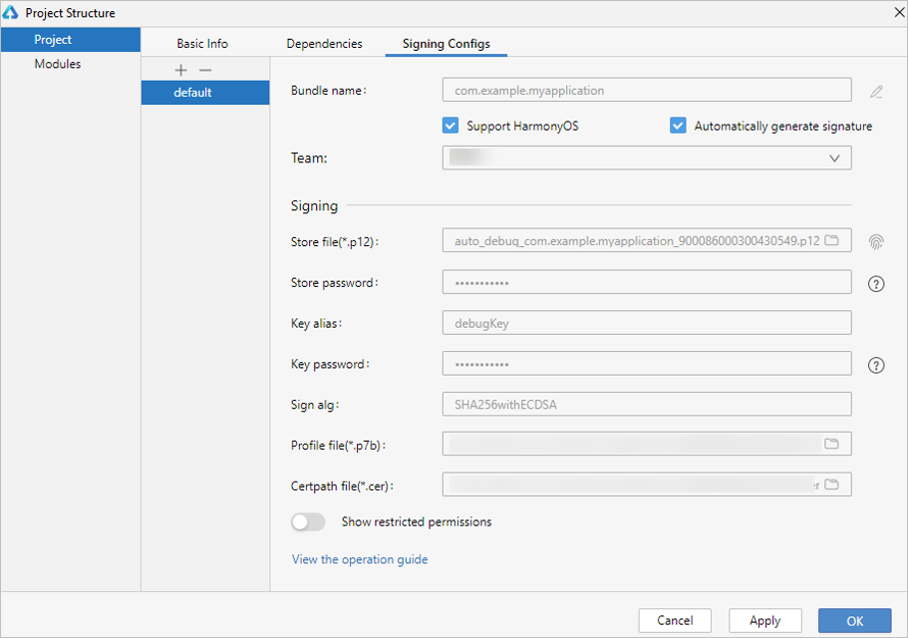
Choose File > Project Structure.... On the SigningConfigs tab of Project, select Support HarmonyOS and Automatically generate signature, click Sign In, and sign in with your HUAWEI ID. Wait until the automatic signing is complete, and click OK

During automatic signing, the validity of the app ID and bundle name is verified. If an error is reported, rectify the fault in time. The automatic signing function is unavailable in guest mode.
On the toolbar in the upper right corner of the editing window, click
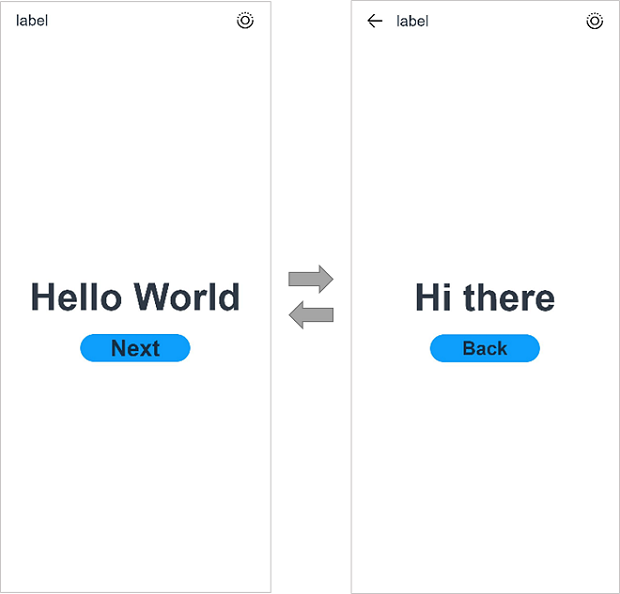
 to run the project. The figure below shows the effect.
- Add the atomic service widget to the home screen for the quick access.
- Pinch together two fingers on the home screen to access the Home screen editor.
- Touch Service Widget at the bottom.
- On the widget adding page, select the widget to be added to the home screen and touch Add to Desktop.
After the widget is added, you can test the animation of the atomic service widget on the real device or touch a blank area on the widget to test the function of starting the atomic service page.
- Start the atomic service page for testing.
You can use the Ability Assistant to launch the atomic service page.
hdc shell aa start -a EntryAbility -b bundle name of the atomic service
Congratulations! You have successfully run your first atomic service.