The basic process of releasing an atomic service is as follows:
Understand the requirements in Atomic Service Review Guidelines and complete the self-check before release.
(Optional) Before officially releasing your atomic service, release a beta version to gather real-world user feedback, identify potential issues, and make informed improvements.
-

When releasing an atomic service, you can set whether to encrypt the distributed software package. Since atomic service packages are small in size, if a package is encrypted, the decryption operation during startup greatly affects the startup duration. To ensure quick startup of atomic services, you are advised not to encrypt atomic service packages unless otherwise required.
Configuring a Signature for Your Atomic Service
For the initial run of an atomic service, you must configure the certificate signature. For details, see Preparing for Atomic Service Development.
Certificates used during development and debugging cannot be used for atomic service release. The process for requesting a certificate for atomic service release is similar to that for app development. Refer to Releasing an Atomic Service to obtain a release certificate.
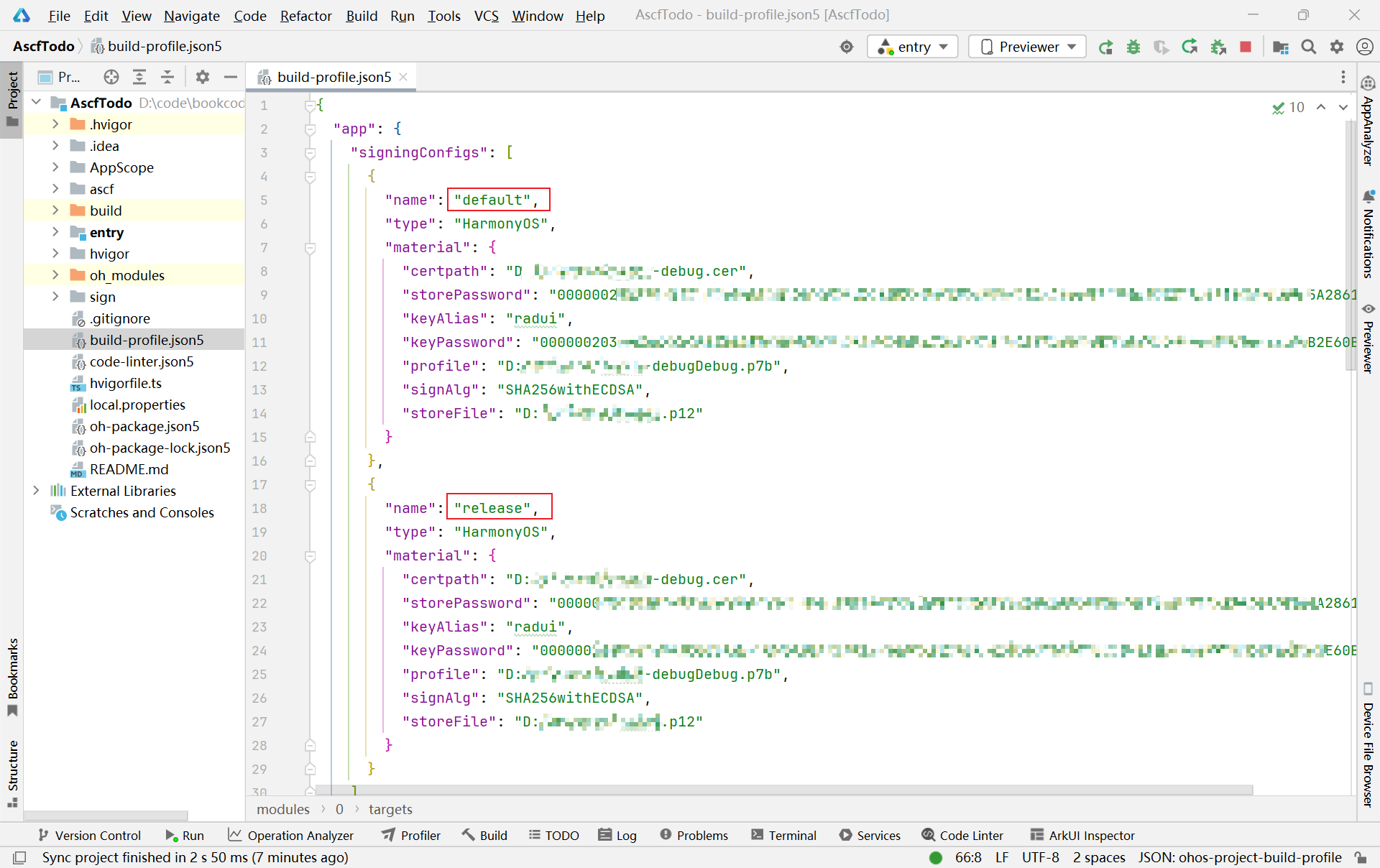
Modify the build-profile.json5 file and add the release certificate signature.

Debug and release certificates cannot be used interchangeably.
Modifying the Default Title, Icon, and Splash Screen of an Atomic Service
To modify the atomic service description and title:
Navigate to the project's entry/src/main/resources/ directory and modify the following fields in zh-CN/element/string.json and base/element/string.json files:
To modify the atomic service icon:
The 512 × 512 icon generated using Image Asset must be placed in the AppScope/resources/base/media/app_icon.png path. Failure to do so will result in rejection during the release review.
Building a Release Package
A release package requires a release signature. After creating the signature, modify app.signingConfigs in the build-profile.json5 file to add a signature named release.
To build a release package in DevEco Studio:
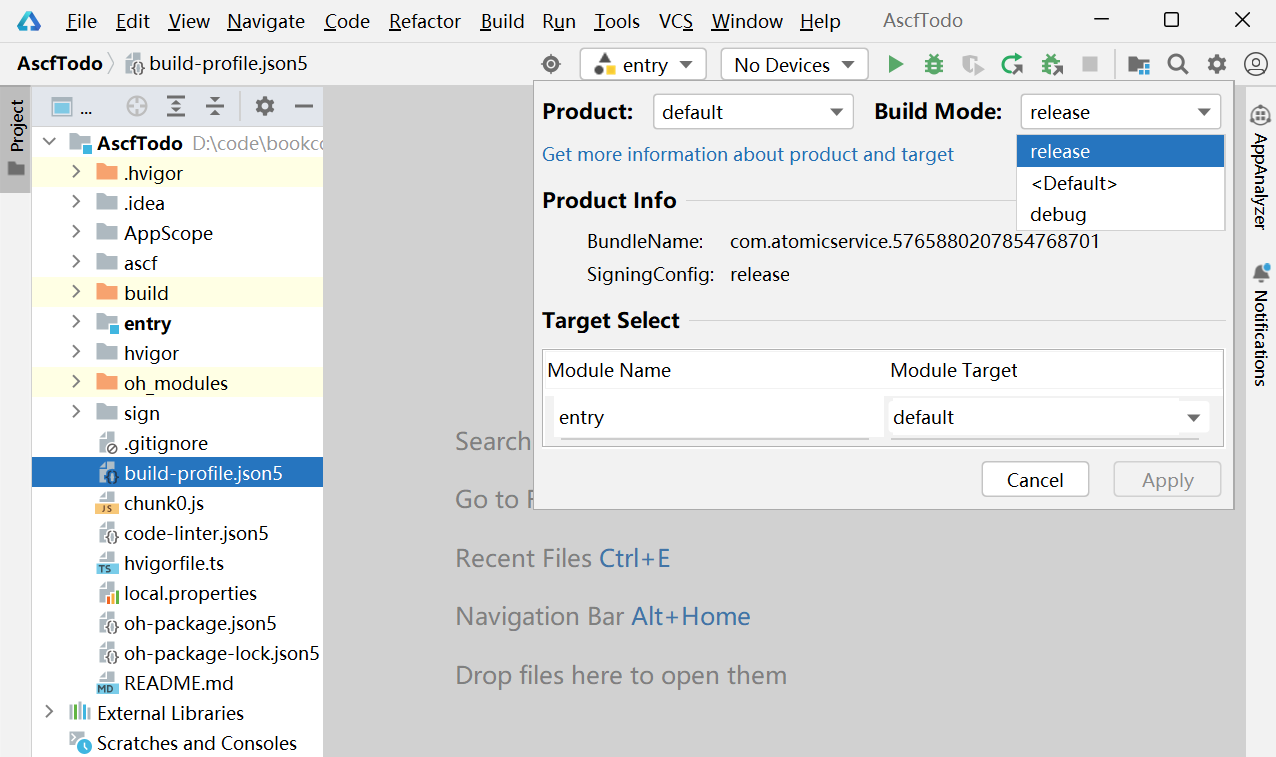
Click the ASCF Toolkit settings button and set Build Mode to release.
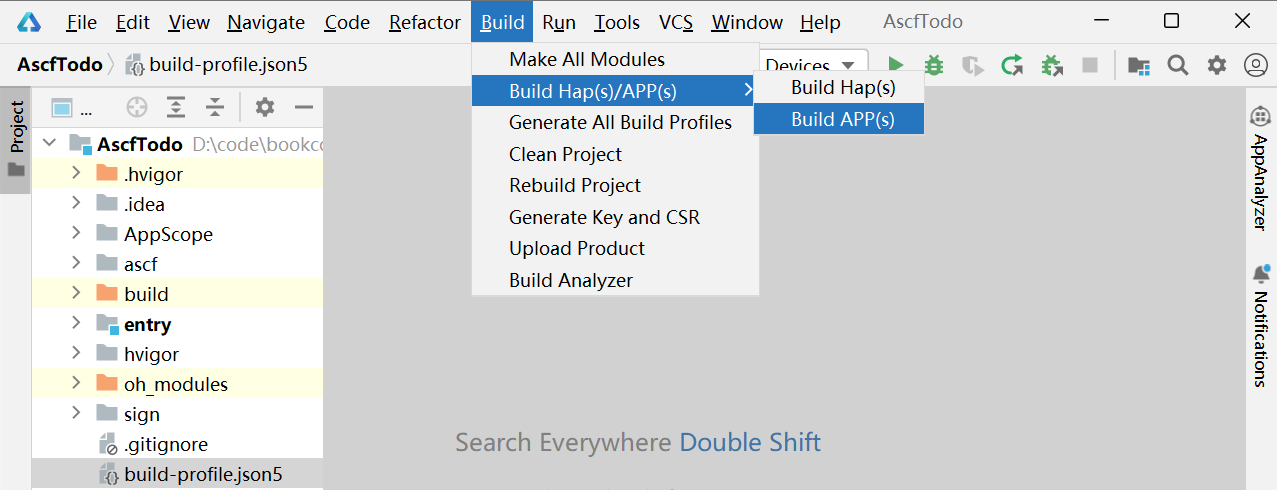
Choose Build > Build Hap(s)/APP(s) > Build APP(s) to build the release package. The build result is stored in the build directory. For details about how to release the atomic service, see Release.
[h2]Using the ASCF Toolkit Command to Build a Release Package
Navigate to the ASCF project directory and use the following command to build:
ascf build assembleApp
Optimizing the Package Size to Meet Release Requirements
The single package of an atomic service must not exceed 2 MB, and the total package size must not exceed 10 MB. Therefore, you need to optimize the package size before release. Note that there is no size limit for the debug package.
Atomic services support package splitting and asynchronous package splitting to reduce the size of a single package.
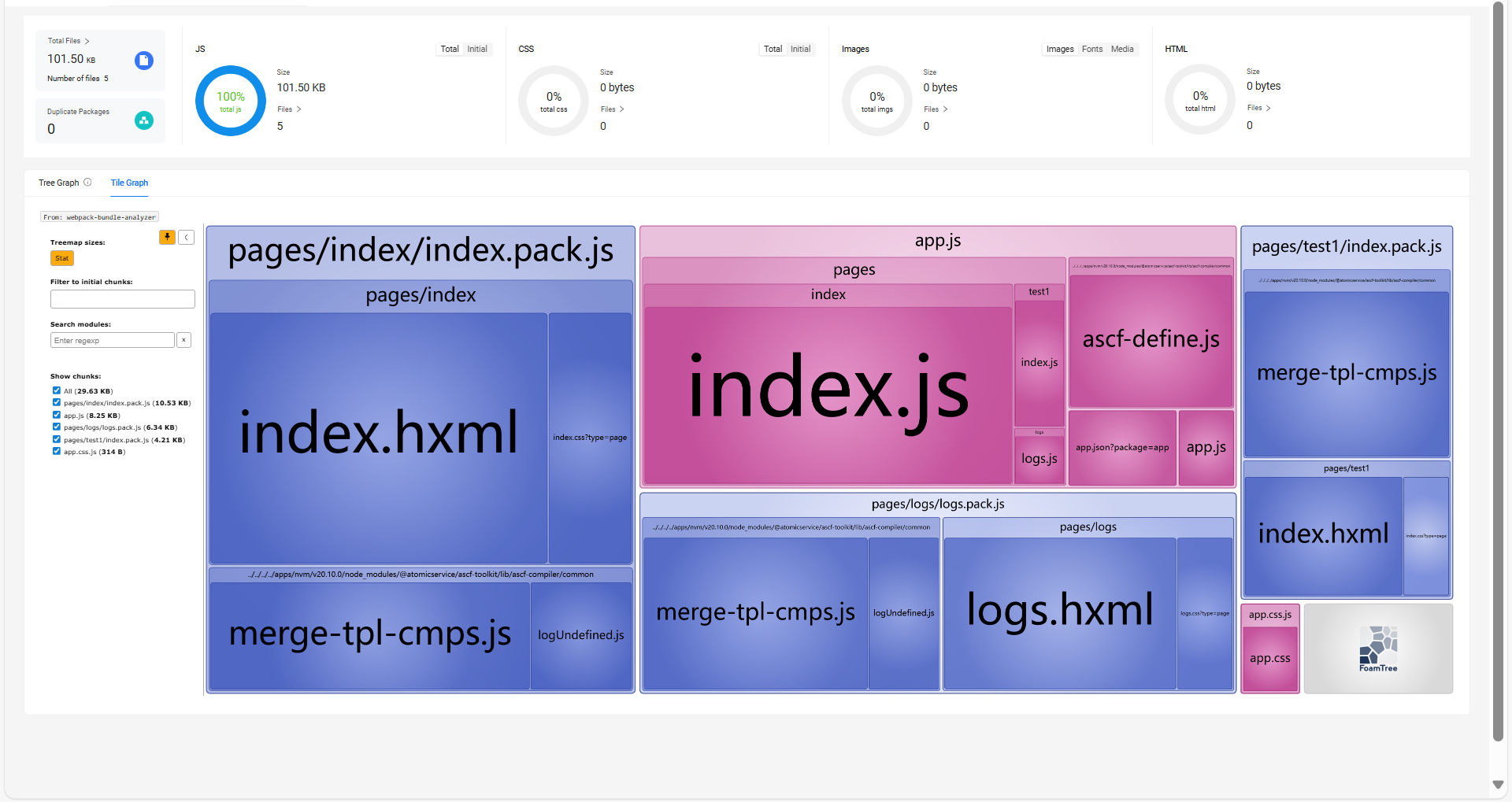
Atomic services support the package composition analysis feature. Running the ascf compile . -c -m --analyzeBundle command will generate analysis results for package dependencies and the size of each subpackage.

The package may be compressed during build. Always use the final package size or the result of the size check during upload as the authoritative basis for compliance.
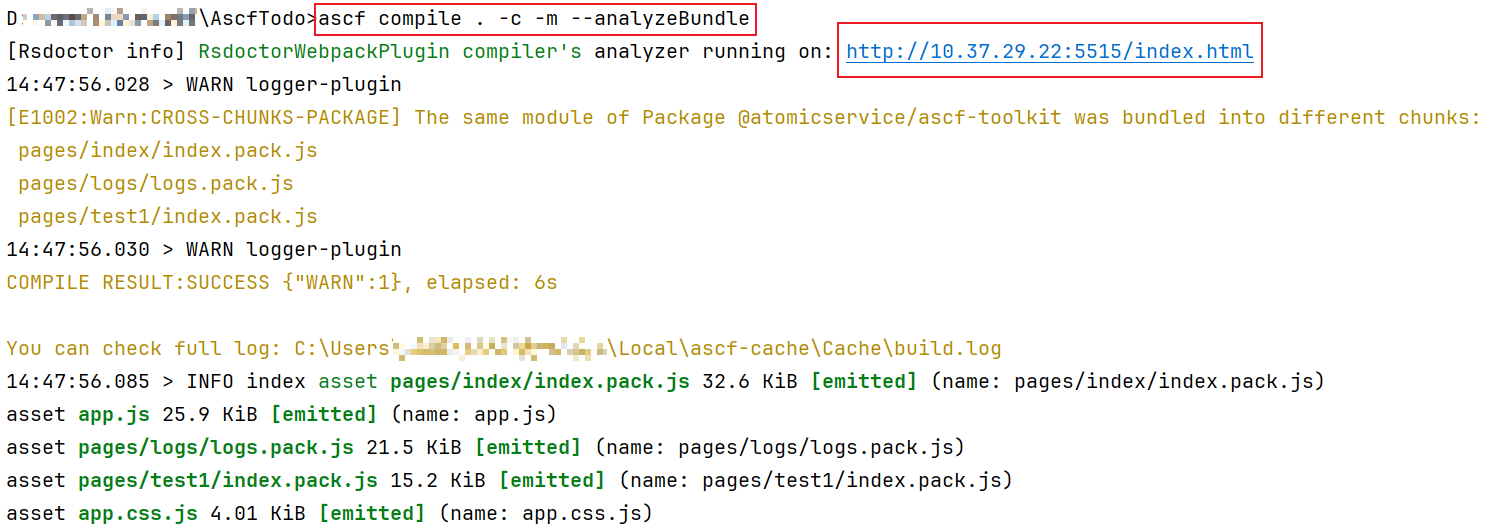
Click the address to open the browser and view the report.