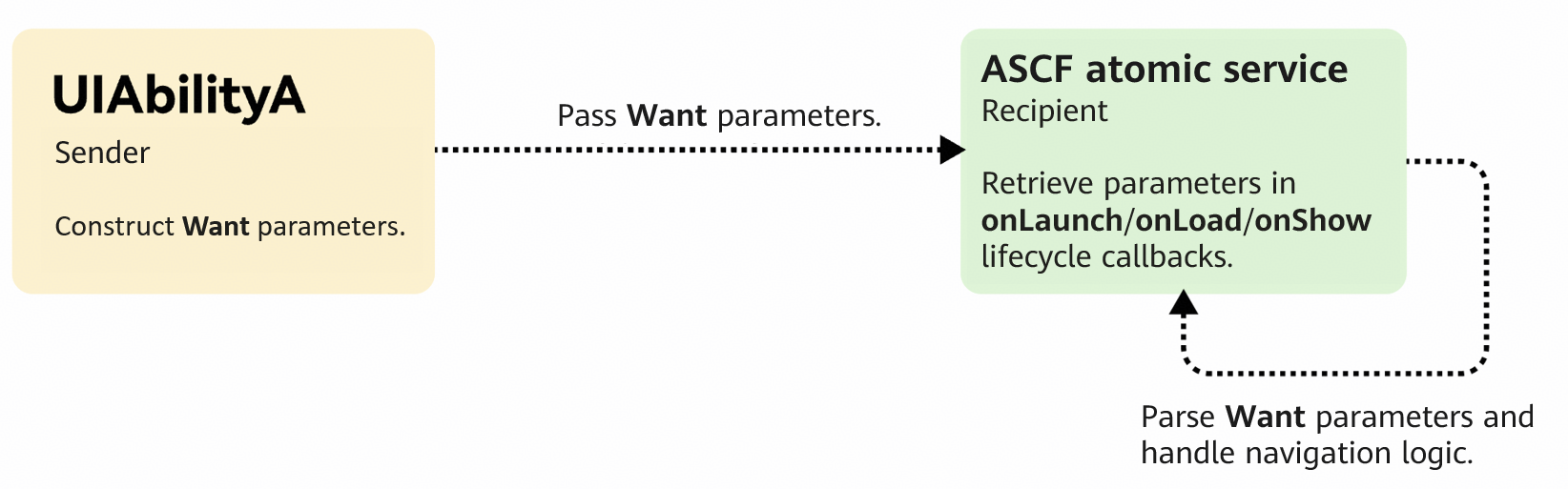
Want is the core object for communication between app components. It is used to launch the target app or atomic service and pass information.
Figure 1 Want usage
How to Use
The process of opening a specified page in an ASCF atomic service using Want is similar to that of starting a specified page of a UIAbility. However, the ASCF atomic service only receives the Want content in a specified format. Therefore, special processing is required when constructing Want.
Constructing Want
When constructing Want in an ArkTS project to launch an ASCF atomic service, you need to set the content in want.parameters to follow the structure { ascfPara: [key: string]: Object }.
ascfPara data structure
| Parameter | Type | Description | Remarks |
|---|---|---|---|
| path | string | URL of the page to be redirected to. | 1. If the page specified by path does not exist, the home page of the atomic service is displayed. 2. You can pass data by appending URL parameters to path. |
Example:
let wantInfo: Want = {
  bundleName: 'com.example.app',  // Bundle name of the target atomic service.
  abilityName: 'DetailAbility',   // Name of the target ability.
  parameters: {                   // Parameters to pass.
    ascfPara: {
      "path": "pages/index?data=testData", // Navigate to the pages/index page with the data set to testData.
    }
  }
};
Passing Parameters
You can launch an atomic service through APIs, App Linking, service notifications, and other methods. The way Want parameters are passed varies depending on the launch method. For details, please refer to Starting Other Atomic Services.
Parsing Parameters
You can obtain the passed Want parameters in the onLaunch or onLoad lifecycle of the ASCF atomic service.
App({
  onLaunch(options) {        // Listen for the ASCF loading. This callback is triggered when the ASCF initialization is complete to obtain Want parameters.
    let path = options.path;  // Parse Want parameters.
    let data = options.query;
    console.info('data', data);
    console.info('path', path);
  }
});