HMS Toolkit provides Cloud Debugging for you to perform 24/7 uninterrupted testing on your app running on remote real devices, covering a wide range of Huawei models. With this function, you can learn about the running status of apps on Huawei devices anytime and anywhere even if no device is available, device types are not completed, or an error cannot be reproduced, helping you build a better app for users.
Cloud Debugging allows you to use a specific device for 2 hours at most each time. Before the duration expires, you'll need to release the device and apply for the device again. When you use Cloud Debugging for the first time, a 24-hour duration will be allocated to you. When the duration expires, the system will automatically remind you whether to renew the duration. You can renew 8 hours at a time. You are advised to efficiently use devices and release idle devices in a timely manner.

- To use Cloud Debugging, you need to register a HUAWEI ID, complete identity verification, and sign in to the HUAWEI ID.
- Cloud Debugging has been removed from the Chinese mainland, other regions in Asia, Africa, and Latin America since June 30, 2023. Currently, Cloud Debugging is available only in Europe and Russia.
- If the image connection channel is disconnected when you use the Cloud Debugging function, rectify the fault by referring to What can I do if the image connection channel is disconnected when Cloud Debugging is used?.
- Go to HMS > Cloud Debugging or click the icon shown in the following figure.

- On the Select Remote Device page, you can select a required device by Resolution, Android Version, EMUI Version, Series, and Others. Alternatively, you can use Available Devices.
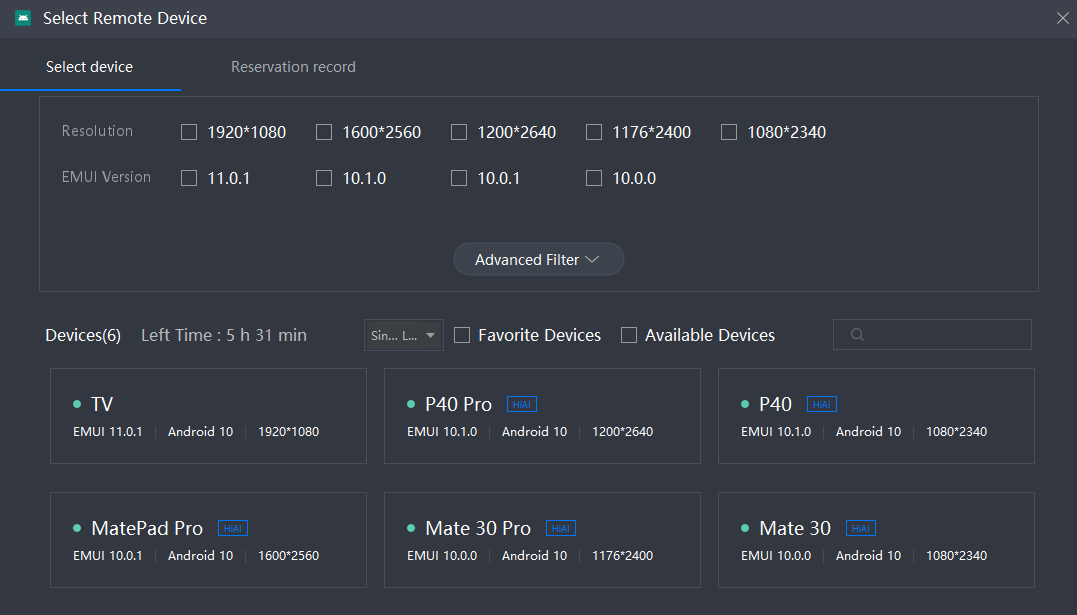
- Select a device and click RUN. The following page is displayed after the remote device is connected.
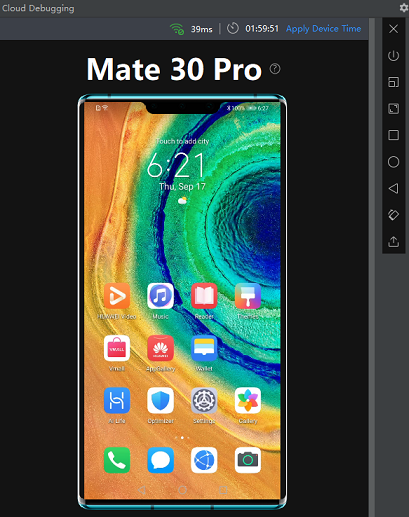
Functions of the buttons on the sidebar:
 : Releases the device that is being used. Each real device can be used for 2 hours at a time. If the device is in idle state, release the device so that other developers can use it properly.
 : Turns off or on the screen.
 : Sets a device resolution.
 : Sets a display scale. The default value is 100%.
 : Manages device tasks.
 : Returns to the device home screen.
 : Goes back.
 : Switches between landscape and portrait modes.
 : Imports a local file to a device.
- Click
 or
 to run or debug the app, respectively, on the remote device. You can also run ADB commands to perform operations. For details, please refer to ADB commands.

Cloud Debugging supports reservation, renewal, and audio data transmission.
- Reservation
Select a device, click RESERVED, and select a date and time segment. You can make a reservation 72 hours in advance at most. After the reservation is successful, the device will be locked for 10 minutes after the reservation starts. If the reservation expires, the device will be released.
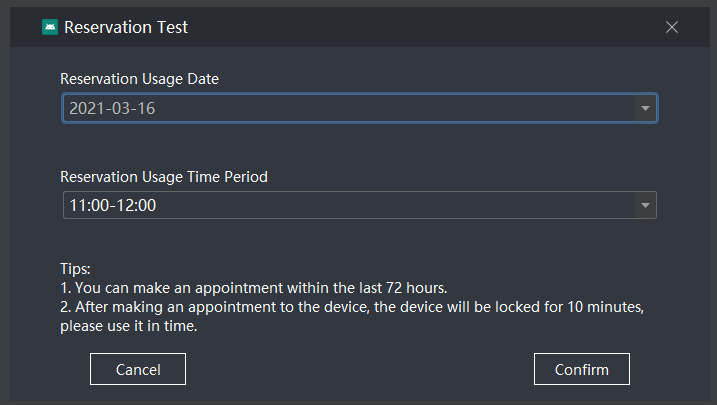
After the reservation is successful, you can click abandon on the Reservation record page to cancel the reservation at any time.

- Renewal
After the debugging starts, you can click Apply Device Time to apply for a renewal (2 hours at most).
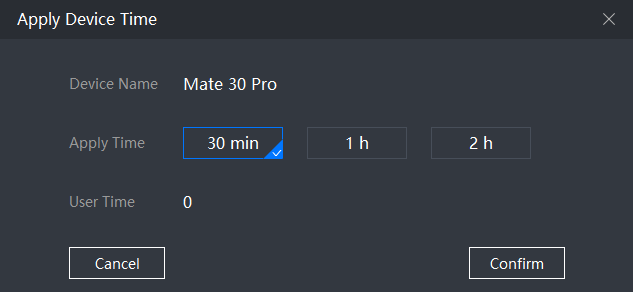
- You can receive audio data transmitted by remote devices, including P40, P40 Pro, Mate 30, and Mate 30 Pro, in the Chinese mainland.