HMS Toolkit provides Cloud Testing for you to perform automatic testing of native apps, hybrid apps, and games. Based on excellent DFX experience, Cloud Testing supports the compatibility test, stability test, performance test, and power consumption test. For more details, please refer to Introduction.

- To use Cloud Testing, you need to sign in using the Huawei Vmall account, complete identity verification, and then authorize the sign-in. Internet Explorer and Chrome are supported.
- Cloud Testing has been removed from the Chinese mainland, other regions in Asia, Africa, and Latin America. Currently, it is available only in Europe and Russia.
- Go to HMS > Cloud Testing or click the icon shown in the following figure.

- In Cloud Testing, click New Task.

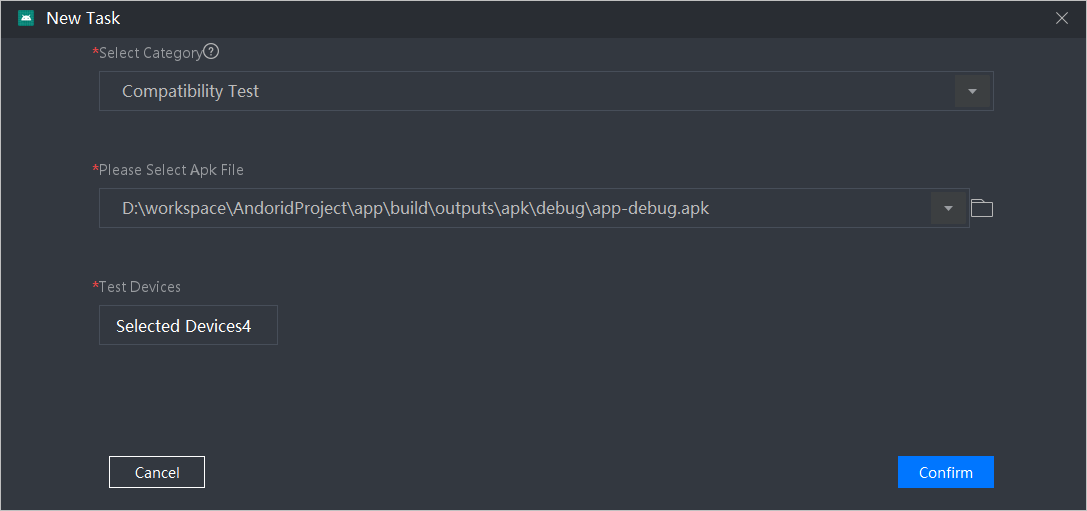
- Set the following task parameters and click Confirm to start the test task:
- Select Category: Test category. You can select Compatibility Test, Stability Test, Performance Test, and Consumption Test.
- Please Select Apk File: APK file to be tested.
- Test Devices: Device for app testing. Only one device can be selected for the stability test (Stability Test). For other tests, you can select multiple devices.
Test Duration: This parameter is valid only when Select Category is set to Stability Test. This parameter is optional. The value ranges from 10 to 60 minutes.
- Application Classification: This parameter is valid only when Select Category is set to Performance Test or Consumption Test. This parameter is optional.
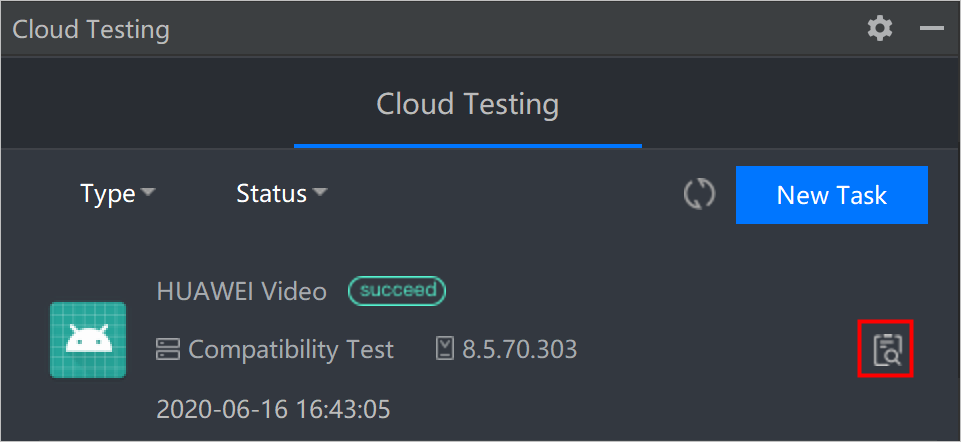
- After the task is complete, click
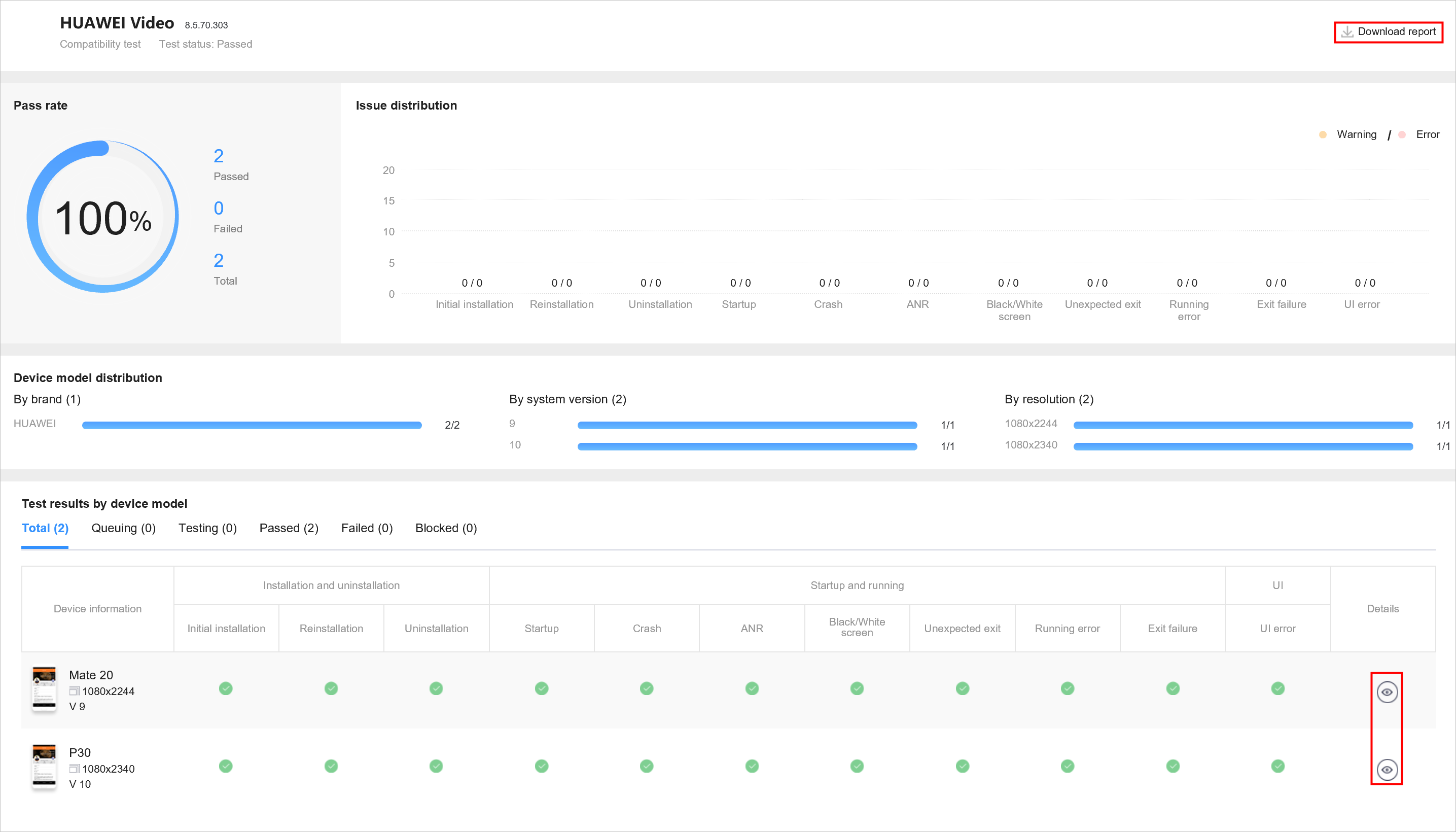
 to view the test report.
Click Download report to download the report locally. Click
 to view the test details. For details about the report description of each test, please refer to Operation Guide.