Choose from the main menu. The white paper information viewing window is displayed, as shown in the following figure.
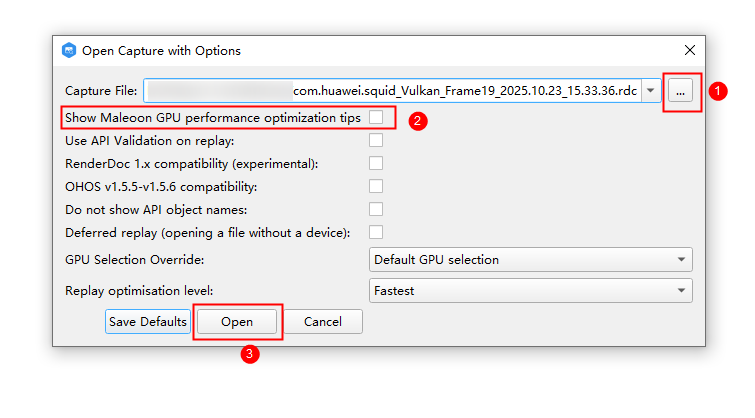
Choose from the main menu. In the window that is displayed, follow the steps shown in the following figure: select the keyframe file, select Show Maleoon GPU performance optimization tips, and click Open.
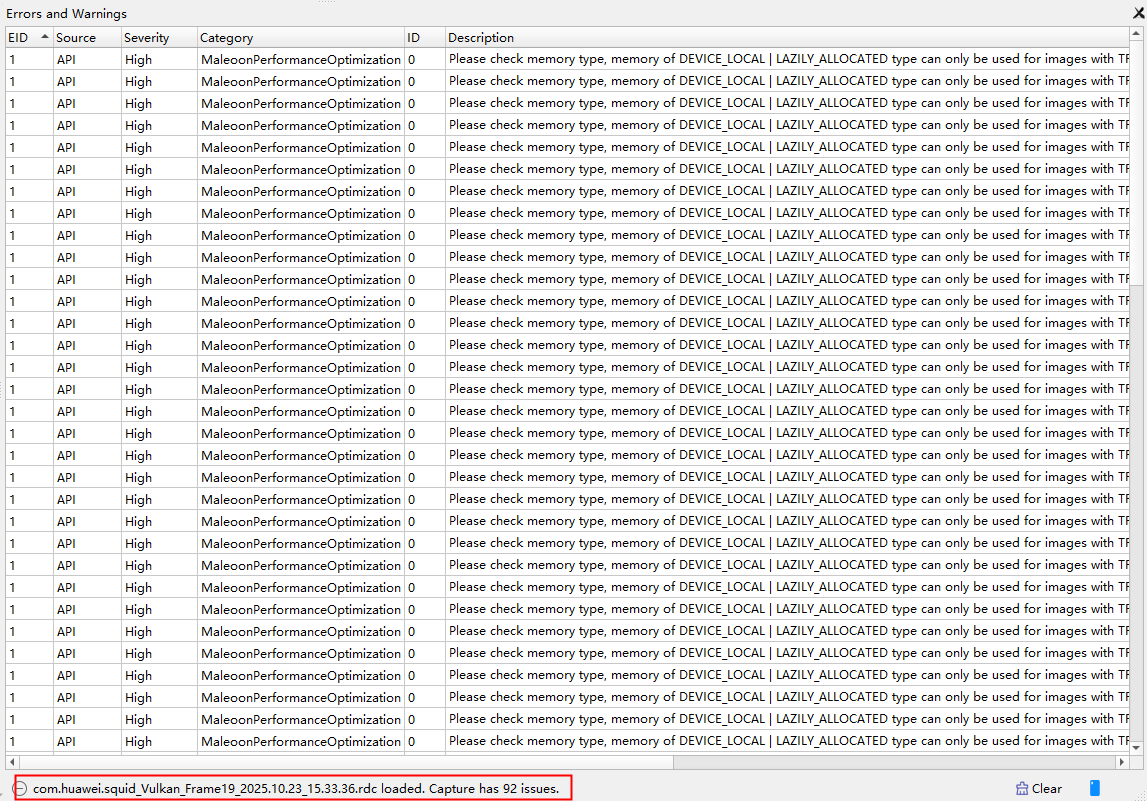
Then, the keyframe information will be displayed in the information bar at the bottom of the Errors and Warnings window. Double-click the information. The corresponding API will be displayed. Click the resource link in the window. The Resource Inspector window will be displayed.
The following table lists the information for issues that can be detected currently.
# | Description |
|---|---|
1 | Attachments saved temporarily are detected. Using growable memory can save memory overhead. (Vulkan) |
2 | Depth culling cannot be performed, and depth value is updated. (GLES and Vulkan) |
3 | At the start of the render pass, no clear operation was performed./Performance information is provided when flush or finish occurs. (GLES) |
4 | Performance warning is provided if glreadpixels is used. (GLES) |
5 | multisample attachment loadOp/storeOp setting issue. (Vulkan) |
6 | Recommended usage for resolving a multisample image into singlesample images. (Vulkan) |
7 | Feedback loops are used for detection. (GLES and Vulkan) |
8 | loadtile issue. (Vulkan) |