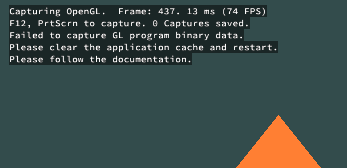
Frame Profiler does not support capturing frames rendered using GL Program Binary. The frames captured from an app that uses GL Program Binary do not contain the geometries rendered using GL Program Binary. You are advised to run the app without using GL Program Binary, use a special app version, or clear the binary program files on the disk before running the app. Frame Profiler will display an alarm when it detects the use of GL Program Binary.
If the app cache with the compilation shader program is not empty before capture, the following message may be displayed on the device screen: "Failed to capture GL program binary data. Please clear the application cache and restart it. Please follow the documentation." This indicates that the app continues to use cached or precompiled binary data. In this case, try to clear the user data and cache of the app.