If you are using HUAWEI DevEco Studio, you can integrate the HMS Core SDK via the Maven repository. Before you start developing an app, integrate the HMS Core SDK into your HUAWEI DevEco Studio project.
Adding the AppGallery Connect Configuration File of Your App
If you have enabled certain services in AppGallery Connect, add the agconnect-services.json file to your app.
- Sign in to AppGallery Connect and click My projects.
- Find your app project and click the app that needs to integrate the HMS Core SDK.
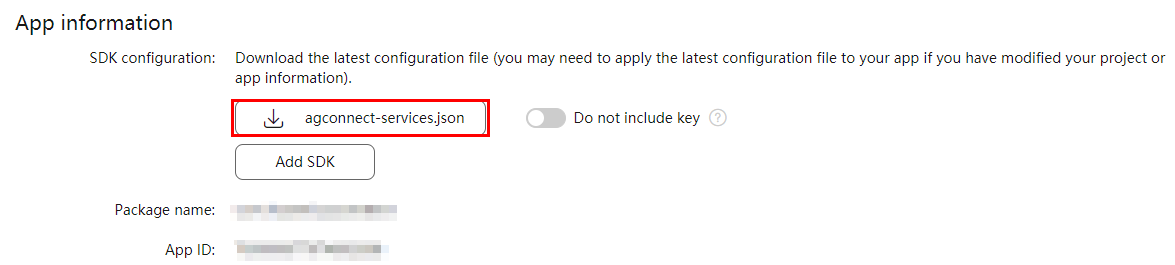
- Go to . In the App information area, download the agconnect-services.json file.
- Copy the agconnect-services.json file to the entry directory.
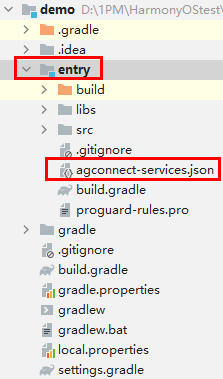

If you have made any changes on the Project settings page, such as setting the data processing location or enabling or disabling APIs, you need to download the latest agconnect-services.json file and replace the existing one.
Adding Build Dependencies
- Open the project-level build.gradle file and add a dependency on the AppGallery Connect service. The Maven repository address has been automatically added to the project-level build.gradle file. Therefore, you do not need to add it again.
buildscript { dependencies { classpath 'com.huawei.ohos:hap:2.4.4.2' // Add a dependency on the AppGallery Connect service. classpath 'com.huawei.agconnect:agcp-harmony:1.3.0.300' } } - Open the build.gradle file in the entry directory of your project.
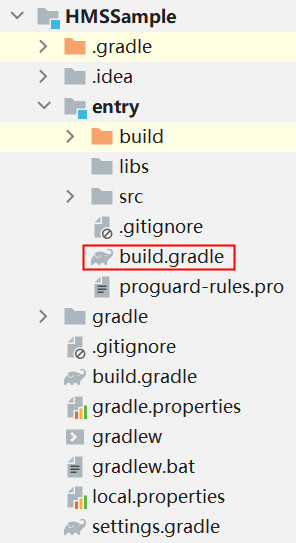
- Add a build dependency in the dependencies block.
dependencies { implementation 'com.huawei.hms:push-ohos:5.2.0.306' } - Add a dependency on the AppGallery Connect SDK. You can click here for more details.
Configuring the config.json File
You need to register service under module in the entry/src/main/config.json file to obtain a push token. service inherits from the HmsMessageService class and implements the methods in the class. The following uses the service with the DemoHmsMessageServiceAbility class name as an example. You can change the class name as needed.
{
    "module": {
        "abilities": [
            {
                ...
                "skills": [
                    {
                        "actions": [
                            "com.huawei.push.action.MESSAGING_EVENT"
                        ]
                    }
                ],
                "name": ".DemoHmsMessageServiceAbility",
                "icon": "$media:icon",
                "description": "$string:demohmsmessageserviceability_description",
                "type": "service",
                "visible": false,
                "permissions": []
            }
        ]
   }
}